


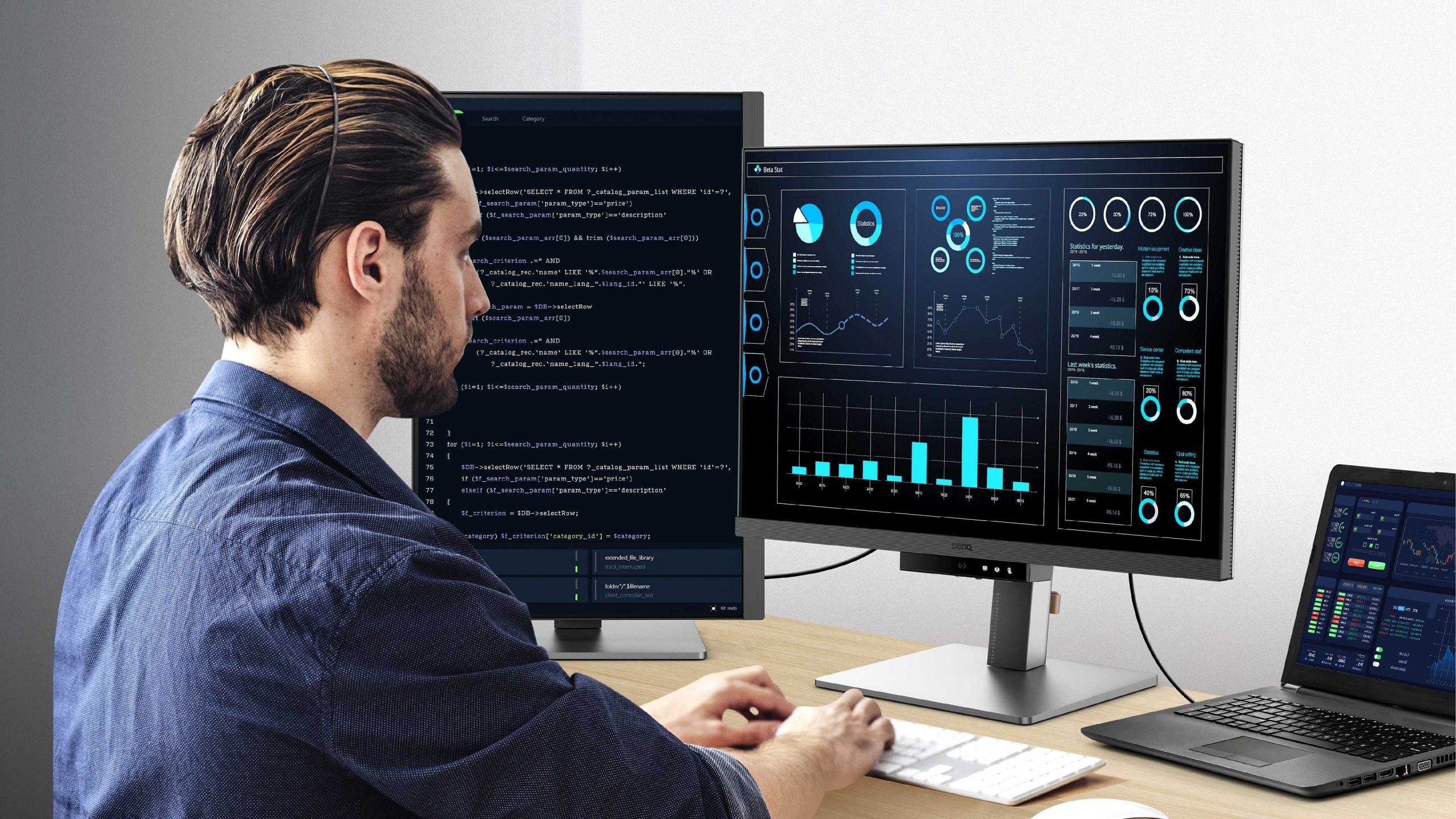
To choose the perfect monitor for coding, prioritize screen size, resolution, and eye comfort features like adjustable brightness and flicker-free technology. A good monitor reduces eye strain, enhances productivity, and makes coding much more enjoyable. Look for a display with at least 24 inches, a resolution of 1080p or higher, and ergonomic options to customize your workspace.
When selecting a monitor for coding, focus on screen size, resolution, comfort, and connectivity options. An ideal coding monitor should have enough screen real estate to view multiple windows, high resolution for crisp text, and ergonomic features that support long hours of work. Considering these factors will help you find a monitor that boosts your efficiency and keeps your eyes happy.
Choosing the right monitor for coding can feel overwhelming with so many options out there. Whether you’re a beginner or a seasoned developer, having a display that fits your needs is essential. A good coding monitor not only enhances your workflow but also prevents discomfort during those long coding marathons. So, understanding the key aspects to look for will help you make an informed decision and create an optimal coding environment.

How Do I Choose a Monitor for Coding?
Understanding the Needs of a Coder
Selecting the right monitor starts with knowing what you need for coding tasks. Different types of programming work can require various features, so consider your typical workflow. Whether you write simple scripts or develop complex applications, your monitor should support your productivity comfortably.
Screen Size and Resolution
The screen size influences how much code you can view at once. A larger monitor, such as 27 inches, offers more space, making it easier to see multiple windows side by side. Higher resolution displays, like 1440p or 4K, provide sharper text and images, reducing eye strain and improving clarity during long coding sessions.
Why Screen Resolution Matters
A higher resolution allows for more detailed text display without enlarging font size. This makes it easier to read small fonts and reduces the need to scroll frequently. Opt for a monitor with at least 1080p resolution, but 1440p or 4K is preferable for better clarity.
Panel Types and Their Impact on Coding
Monitors come with different panel technologies, each offering unique benefits. The main types are IPS, TN, and VA panels.
IPS Panels
IPS panels deliver accurate colors and wide viewing angles. They are ideal for extended coding sessions as they reduce color distortion and eye fatigue. They also help when you need to check design elements or UI layouts.
TN Panels
TN panels are generally cheaper and have faster response times, but they offer narrower viewing angles and less color accuracy. They are less common for coding but might be used for quick tasks or budget setups.
VA Panels
VA panels provide good contrast ratios and deeper blacks, which can reduce eye strain. However, their color accuracy and viewing angles are inferior to IPS panels. They can work well for multi-purpose monitors.
Refresh Rate and Response Time
For coding, refresh rate and response time are less critical than for gaming, but they still matter. A standard 60Hz refresh rate is enough for most programmers. However, if you also game or do video editing, consider monitors with higher refresh rates like 75Hz or 120Hz.
Why It Matters
Higher refresh rates can produce smoother visuals, reducing flicker and eye fatigue during long hours. Response time impacts how quickly pixels update, which is more relevant in fast-paced activities but can contribute to overall display comfort.
Ergonomics and Adjustability
Comfort is key when choosing a monitor for coding. Look for adjustable stands that allow you to modify height, tilt, swivel, and rotation.
Why Ergonomics Are Important
Proper positioning prevents neck and eye strain. An adjustable monitor helps you maintain good posture and reduces discomfort during extended coding sessions.
Color Accuracy and Blue Light Filtering
While not as crucial as in graphic design, color accuracy benefits readability and reduces strain. Blue light filtering minimizes eye fatigue caused by prolonged exposure to screens.
Choosing the Right Color Settings
Look for monitors with good color reproduction and the option to adjust color temperature. Blue light filters or built-in night modes help ease eye strain during late-night coding.
Connectivity Options
Ensure your monitor has the right ports to connect with your computer. Common options include HDMI, DisplayPort, and USB-C.
Port Selection and Compatibility
Check your PC or laptop for available ports and match them with the monitor’s inputs. USB-C can also serve as a charging port and data transfer hub, reducing cable clutter.
Additional Features to Consider
Some monitors offer extra features that can enhance your coding experience.
- Built-in Speakers: Useful for video calls or media playback.
- Screen Splitting Tools: Software or hardware features that help organize multiple windows.
- VESA Compatibility: Allows mounting your monitor on a wall or adjustable arm for better ergonomics.
Budget and Price Range
Monitors range from budget options under 200 dollars to professional-grade displays costing over 1000 dollars. Set a budget that balances affordability and your needs.
Balancing Cost and Features
Remember, investing in a good monitor pays off in comfort and productivity. Focus on key features like resolution, panel type, and ergonomics within your price range.
Reviews and User Feedback
Before buying, check user reviews and ratings for insights on performance and reliability. Real user experiences can highlight potential issues or advantages not listed in specs.
Choosing the Ideal Monitor for Your Workspace
Finally, match your monitor choice with your workspace setup. Consider desk space, lighting conditions, and your preferred working posture.
Tips for Setting Up Your Monitor
Position the monitor at eye level to prevent neck strain. Keep ambient lighting balanced to reduce glare and reflections on the screen.
Summary of Key Considerations
- Size and resolution for comfortable viewing and ample workspace
- Panel type for color accuracy and viewing angles
- Adjustability for ergonomic comfort
- Connectivity options compatible with your devices
- Additional features that enhance productivity
- Budget constraints balanced with essential features
Choosing the right monitor for coding involves assessing your specific needs, workspace, and budget. Prioritizing resolution, ergonomics, and screen quality leads to a setup that makes coding less tiring and more enjoyable.
Best Monitor Type for Gaming?
Frequently Asked Questions
What screen size is best for a comfortable coding experience?
Choosing a monitor with an adequate screen size ensures you can view multiple windows and code segments simultaneously without feeling cramped. Generally, monitors between 24 to 32 inches offer a good balance for detailed viewing and workspace expansion. Larger screens provide more space, but ensure your desk and eyesight can comfortably accommodate them without causing strain.
How important is color accuracy when selecting a monitor for coding?
While color accuracy is less critical for coding compared to graphic design or video editing, a monitor with good color reproduction helps reduce eye strain and enhances overall visual clarity. Look for screens with high resolution and adequate brightness, which make reading code and spotting syntax errors easier, especially during long coding sessions.
Should I prioritize refresh rate or resolution for coding tasks?
For programming, a higher resolution, such as 1080p or 1440p, provides more screen real estate to display code and auxiliary panels. Refresh rate becomes less critical unless you also plan to use the monitor for gaming. Focus on a balance between resolution and screen quality to improve readability and workflow efficiency.
How does monitor ergonomics influence long-term comfort during coding?
Ergonomic features like adjustable height, tilt, and swivel allow you to position the monitor for optimal viewing angles, reducing neck and eye strain. Choose a monitor with an adjustable stand and consider using an anti-glare screen to maintain comfort during extended periods of coding.
Are curved monitors suitable for programming work?
Curved monitors can provide a more natural viewing experience, especially on larger screens, by reducing distortion and glare. They help in maintaining focus across the entire display, which can be beneficial when working on multiple files or extensive codebases. However, personal preference and workspace setup play a role in the suitability of curved screens for programming tasks.
Final Thoughts
Choosing the right monitor for coding depends on your workspace and preferences. Prioritize screen size and resolution to ensure clarity and comfort during long sessions. Ergonomics and adjustability help prevent strain, making extended coding more manageable.
Color accuracy and display technology also improve visibility and reduce eye fatigue. Focus on these key features, and you’ll find a monitor that enhances your coding experience.
How do I choose a monitor for coding? Keep these factors in mind, and select a device that suits your needs perfectly.



