


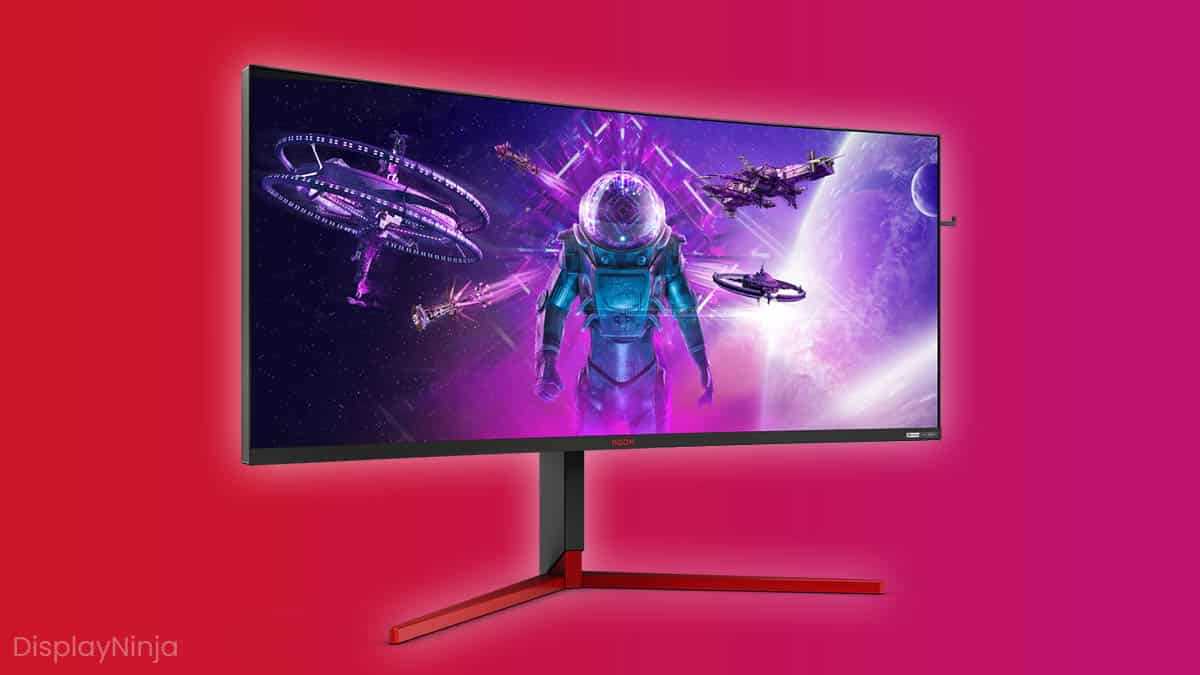
A G-Sync monitor can dramatically enhance your gaming experience, but is it really worth the investment? If you’re tired of screen tearing, stuttering, and input lag ruining your gameplay, G-Sync technology offers a seamless fix. It synchronizes your monitor’s refresh rate with your GPU, delivering smoother visuals and more responsive gameplay. For gamers who prioritize performance and visual quality, a G-Sync monitor is often well worth the extra cost, especially in fast-paced or competitive titles. However, it’s not necessary for everyone; casual gamers may not notice enough difference to justify the expense. Ultimately, if you’re serious about gaming performance and want the best possible experience, investing in a G-Sync monitor can be a game-changer. It’s all about how much you value ultimate smoothness and responsiveness.

Is G-Sync Monitor Worth It for Gaming?
Understanding G-Sync Technology
G-Sync is a technology developed by NVIDIA that syncs your monitor’s refresh rate with your graphics card’s frame rate. This synchronization reduces screen tearing and minimizes input lag. Gamers often notice smoother gameplay and clearer images with G-Sync enabled.
How G-Sync Improves Gaming Experience
When playing fast-paced games, screen tearing can disrupt the visual flow. G-Sync dynamically adjusts the monitor refresh rate to match the frame output of your GPU. This results in a more seamless and immersive gaming experience.
Compatibility and Requirements
G-Sync works best with NVIDIA graphics cards that support G-Sync technology. Not all monitors are G-Sync compatible, so it’s essential to check the monitor specifications before purchasing. You also need a compatible cable, typically DisplayPort or HDMI, depending on the monitor.
Advantages of G-Sync Monitors for Gaming
Smoother Gameplay
G-Sync helps eliminate visual artifacts like tearing and stuttering. This leads to noticeably smoother gameplay, especially during rapid movements.
Reduced Input Lag
Many gamers report that G-Sync offers lower input lag compared to traditional V-Sync. This means faster responses and more precise control in competitive games.
Better Visual Clarity
With G-Sync enabled, images stay clearer without distracting artifacts. This enhances the overall visual quality during intense gaming sessions.
Potential Drawbacks of G-Sync Monitors
Cost
G-Sync monitors tend to be more expensive than standard displays. The added technology and premium quality can increase the price significantly.
Hardware Limitations
To benefit fully from G-Sync, your PC must have an NVIDIA GPU compatible with the technology. Older or lower-tier graphics cards may not support G-Sync effectively.
Power Consumption and Brightness
Some G-Sync monitors may consume more power and may not be as bright as other displays, depending on the model and features.
Are G-Sync Monitors Worth It for Different Types of Gamers?
Competitive Gamers
For those who play fast-paced eSports titles like FPS or battle royales, G-Sync can give a competitive edge. The reduction in tearing and lag means quicker reactions.
Casual Gamers
Casual players may not notice a significant difference. The added expense might not be justified unless they seek the best visual quality.
Graphics and Visual Enthusiasts
Gamers who prioritize image quality and smoothness will find G-Sync beneficial. It enhances not just gameplay but also overall visual realism.
Technical Differences Between G-Sync and FreeSync
- G-Sync uses NVIDIA’s proprietary technology, requiring specific hardware modules inside the monitor.
- FreeSync is an AMD-based adaptive sync technology, generally more affordable and widely compatible.
- Both aim to reduce screen tearing but differ in cost, compatibility, and performance nuances.
Cost-Benefit Analysis of G-Sync Monitors
G-Sync monitors often cost between 20% to 50% more than their non-G-Sync counterparts.
While the price premium can be high, the benefits for competitive and enthusiast gamers might outweigh the costs.
Choosing a G-Sync monitor makes sense if you play fast or competitive titles regularly and own an NVIDIA GPU.
In summary, G-Sync monitors are worth considering for gamers who value smooth, tear-free gameplay. The technology offers real advantages for fast-paced, visually demanding titles.
However, the higher price point may not be necessary for casual gamers or those with budget constraints.
Ultimately, if your setup is compatible and you prioritize gaming performance, investing in a G-Sync monitor can provide a noticeable upgrade to your gaming experience.
What are Gsync and Freesync?
Frequently Asked Questions
How does G-Sync improve gaming performance compared to standard monitors?
G-Sync synchronizes the monitor’s refresh rate with the graphics card’s frame rate, reducing screen tearing and minimizing input lag. This synchronization results in smoother gameplay and clearer visuals, especially during fast-paced scenes, providing a more immersive gaming experience.
Is investing in a G-Sync monitor beneficial for competitive gaming?
Yes, a G-Sync monitor can be advantageous in competitive gaming by delivering smoother visuals and reducing distractions caused by tearing or stuttering. This consistency allows players to react more quickly and accurately, giving them a potential edge in fast reactions.
Are G-Sync monitors worth it for casual gamers on a budget?
For casual gamers with budget constraints, G-Sync monitors may not offer significant value compared to their cost. While they enhance visual quality, more affordable alternatives can still provide a good gaming experience without the expense of G-Sync technology.
How does G-Sync affect system requirements and performance?
G-Sync requires a compatible NVIDIA graphics card and a G-Sync-enabled monitor. It generally has a minimal impact on system performance, but it may demand better GPU capabilities to maximize its benefits. Ensuring your hardware meets requirements ensures smooth operation and optimal visual quality.
Can G-Sync monitors be used effectively with non-NVIDIA graphics cards?
No, G-Sync technology is designed specifically for NVIDIA graphics cards. If you have an AMD GPU, you should consider FreeSync monitors, which offer similar synchronization benefits at potentially lower costs. Using a G-Sync monitor with a non-NVIDIA card won’t provide the intended performance improvements.
Final Thoughts
A G-Sync monitor can significantly improve your gaming experience by providing smoother visuals and reducing screen tearing. This feature is especially beneficial for fast-paced, competitive games where visual clarity matters. However, it often comes with a higher price tag.
For gamers seeking the best visual performance, a G-Sync monitor is worth considering. It minimizes lag and enhances gameplay fluidity. Ultimately, is G sync monitor worth it for gaming? Yes, if you prioritize smooth, tear-free visuals and are willing to invest in quality gear.



