


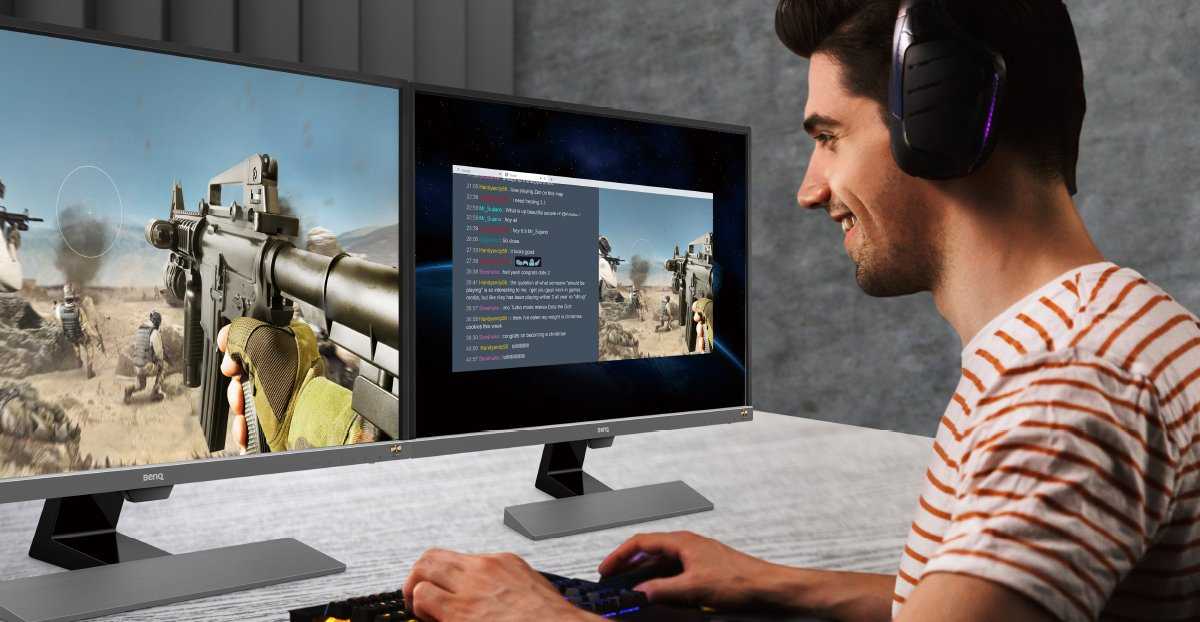
Absolutely, dual monitors can elevate your gaming experience, but they’re not a must-have for everyone. If you’re into immersive gameplay or multitasking while gaming, having two screens can be a game-changer. However, for casual players, a single quality monitor might suffice. Ultimately, whether you need dual monitors depends on your gaming style and what you want to get out of your setup.
In short, dual monitors are great for multitasking and enhancing immersion, but they’re not essential for all gamers. A single good display can be perfectly adequate for most gaming needs, especially if space or budget is limited. Think about how you game and what benefits you’re seeking before making the upgrade.
If you’re wondering whether dual monitors are worth it for your gaming setup, consider your gaming habits and goals. Do you enjoy streaming, multitasking, or competitive gameplay that could benefit from extra screen space? While dual monitors can provide a broader view and improve productivity, they require more desk space and an investment. This article explores the pros and cons of dual monitors for gaming, helping you decide if they’re right for you and how to optimize your gaming environment.

Do I Need Dual Monitors for Gaming?
Many gamers wonder if having dual monitors can really improve their gaming experience. The answer depends on how you play and what you hope to get from your setup. Let’s explore in detail whether dual monitors are worth it for gaming and how they can influence your gameplay.
How Dual Monitors Can Improve Gaming Experience
Dual monitors can give you more screen space, allowing for better multitasking during gaming sessions. For example, you can run your game on one screen while browsing guides or chatting with friends on the other. This setup helps keep your focus on the game while having important information nearby.
Many gamers also use dual screens for streaming or recording. They can monitor their stream chat, social media, or streaming software without interrupting gameplay. This makes managing your stream easier and more professional.
Types of Games That Benefit from Dual Monitors
First-Person Shooters (FPS)
- Multitasking is key as you can have maps or communication apps open on the second screen.
- Some players use dual monitors to keep an eye on live streams or recordings while gaming.
Strategy and Simulation Games
- They often require multiple info panels, menus, or complex maps that can benefit from extra screen space.
- Having a dedicated control panel on the second monitor helps in managing resources or units effectively.
Role-Playing Games (RPG)
- Players can keep their inventory, maps, or chat open on the second screen for a smoother experience.
- This setup allows longer, immersive gameplay without constantly switching between screens.
Pros of Using Dual Monitors for Gaming
Enhanced Multitasking
You can run multiple applications simultaneously without minimizing your game. This includes voice chat, web browsing, or streaming services.
Better Focus and Efficiency
Having extra screen space reduces the need to switch between tabs or windows, creating a smoother workflow and less distraction.
Improved Streaming and Content Creation
Streamers find dual monitors especially useful for managing chat, overlays, and streaming software while maintaining gameplay.
More Immersive Experience
Some gamers set up dual monitors for an ultra-wide view, making gameplay more engaging and realistic.
Cons of Dual Monitors for Gaming
Higher Cost
Trading up to a second monitor involves buying additional hardware, which can make your setup more expensive.
Desk Space and Setup Challenges
Dual monitors require more desk space, and setting them up properly can be complicated, especially with uneven surfaces or limited room.
Potential Frame Rate and Performance Issues
Running two monitors might demand more from your graphics card, possibly leading to lower frame rates if hardware isn’t sufficient.
Does Your Hardware Support Dual Monitors?
Before investing in a second monitor, check your computer’s output ports. Most modern PCs support multiple displays via HDMI, DisplayPort, or USB-C. Your graphics card should be capable of handling two screens comfortably, especially if you play demanding games.
For smooth gameplay, ensure your GPU has enough VRAM and processing power. Upgrading graphics hardware may be necessary for high-resolution, fast-paced games.
Choosing the Right Monitors for Gaming
Resolution
- 1080p (Full HD) monitors are affordable and common, suitable for most gamers.
- Higher resolutions like 1440p or 4K offer sharper images but require more powerful hardware.
Refresh Rate
- Higher refresh rates, such as 120Hz or 144Hz, provide smoother gameplay especially in fast-paced games.
- Make sure your graphics card can deliver high frame rates to match the monitor’s refresh rate for the best experience.
Size and Format
- Common sizes range from 24 inches to 32 inches, with larger screens offering more immersion.
- Consider ultra-wide monitors to create a seamless, immersive view across both screens.
Alternatives to Dual Monitors
Ultrawide Monitors
These monitors have a wide aspect ratio, providing a large, continuous field of view. They eliminate the bezels and edges of multiple screens, creating a more immersive environment.
Multiple Virtual Desktops
Some operating systems allow multiple virtual desktops. You can switch between tasks without needing a second monitor, though this may not be as efficient.
Streaming Tools and Overlays
Advanced streaming software offers customizable overlays that help manage chat and stream data on the same screen without cluttering your gameplay area.
Whether you need dual monitors for gaming depends on your play style, budget, and hardware capabilities. For multitasking, streaming, or immersive experiences, dual monitors can make a noticeable difference. However, if your hardware or space is limited, investing in a single high-quality monitor or ultrawide screen might be a better choice. Carefully assess your gaming preferences and setup to decide what will truly enhance your gaming sessions.
Buying a 2nd Monitor for Your PC Gaming Setup
Frequently Asked Questions
What are the main advantages of using dual monitors for gaming?
Dual monitors can improve your gaming experience by providing extra screen space for in-game information, chat windows, or walkthroughs. They enable you to multitask efficiently during play, such as managing streaming tools or monitoring system stats without interrupting gameplay. Additionally, for certain genres like flight simulators or racing games, having a wider view can enhance immersion and situational awareness.
Are there any specific games that benefit more from dual monitor setups?
Yes, strategy games, simulation games, and multiplayer online battle arenas (MOBAs) often benefit from dual monitors. These games require managing multiple interfaces, maps, or communication tools simultaneously. For example, in RTS games, a second monitor allows players to keep an eye on additional screens like resource management or chat windows, making gameplay more efficient and enjoyable.
What hardware considerations should I keep in mind before setting up dual monitors for gaming?
Ensure your graphics card supports multiple displays with enough video output ports. Check that your system has sufficient power supply and processing capabilities to handle rendering on two monitors without lag. Additionally, consider the size and resolution of your monitors to ensure they complement each other and fit your desktop space comfortably for a seamless gaming experience.
Final Thoughts
Using dual monitors for gaming depends on your preferences and needs. If you multitask or want immersive gameplay with additional apps open, two screens can enhance your experience. However, for casual gamers, a single high-quality monitor might suffice.
Consider your performance and budget before investing. Dual monitors can boost productivity but may not be necessary solely for gaming purposes.
In conclusion, do I need dual monitors for gaming? Not always. It suits specific setups and preferences, but many gamers achieve excellent results with just one screen.



