


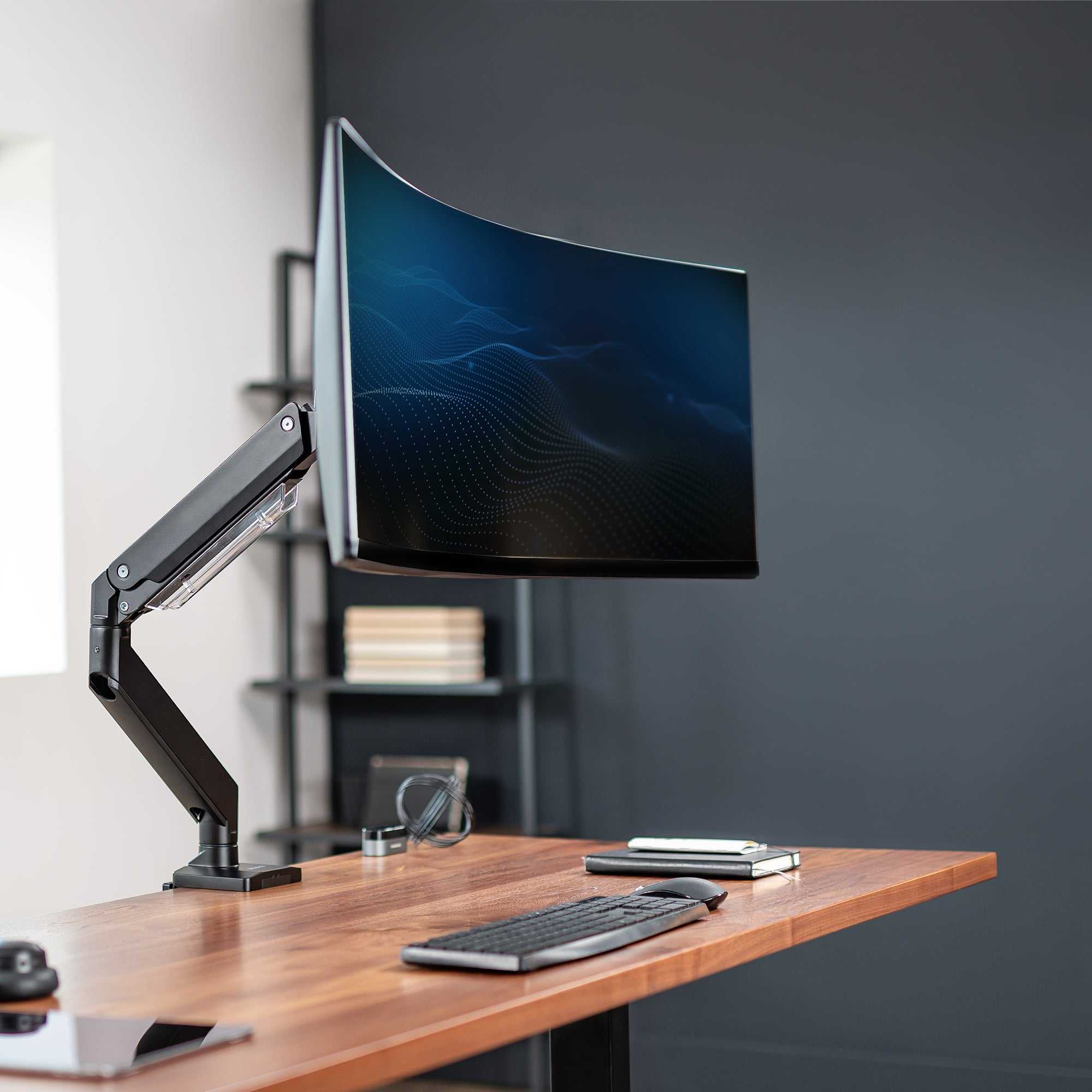
To quickly mount your office monitor on your desk, start by choosing the right mount that fits your monitor size and desk setup. Secure the mount to the desk using clamps or screws, then attach your monitor to the arm, adjusting the position for optimal comfort. Always double-check stability and cable management for a clean workspace.
Mounting your office monitor on your desk is a simple way to boost productivity and create a more ergonomic workspace. In just a few steps, you can transform your setup for better comfort and style. Whether you’re working from home or in a traditional office, knowing how to properly install a monitor arm ensures you can adjust your screen height, tilt, and angle easily. This guide will walk you through selecting the right mount, securing it to your desk, and attaching your monitor without hassle, so you can enjoy a clutter-free, flexible workspace that supports your health and efficiency.

How to Mount Office Monitor on Desk
Understanding Your Desk and Monitor Compatibility
Before you begin mounting your office monitor, it is important to know if your desk can support a monitor mount. Most modern desks are compatible, but some older or more delicate desks might not handle the weight or mounting hardware. Check the weight capacity of your desk and the size of your monitor to ensure a good fit.
Next, examine your monitor for VESA compatibility. VESA is a standard pattern of holes on the back of the monitor that allows for easy mounting. Typically, VESA patterns are 75mm x 75mm or 100mm x 100mm. If your monitor has these, you’re ready for mount installation. If not, you’ll need an adapter or alternative mounting options.
Finally, measure your monitor’s dimensions including height, width, and thickness. This helps select the right mount that can hold your monitor securely without obstructing ports or cables. Also, note your desk’s thickness to choose appropriate clamp or bolt mount types.
Selecting the Right Monitor Mount
Choosing the right monitor mount depends on your workspace needs and monitor specifications. There are three main types:
- Clamp Mounts: Attach to the edge of your desk with a screw clamp. They are easy to install and remove, making them ideal for temporary setups.
- Grommet Mounts: Require a hole in your desk, usually 2-3 inches in diameter. They are very secure and stable, perfect for heavy monitors.
- Freestanding Mounts: Use a weighted base rather than attaching to the desk. Good for desks without mounting options or for flexible workspace arrangements.
Consider the adjustability features offered by each mount. Look for tilt, swivel, rotation, and height adjustment options to find a mount that provides ergonomic comfort. Also, ensure the mount’s weight capacity exceeds your monitor’s weight to prevent accidents.
Tools and Materials Needed for Mounting
Gather all necessary tools and materials before starting the process. This includes:
- Monitor mount compatible with your monitor’s VESA pattern
- Screwdriver (usually Phillips-head)
- An Allen wrench (often provided with the mount)
- Measuring tape or ruler
- Pencil or marker for marking positions
- Optional: level tool for precise alignment
Ensure you have the correct screws and hardware that come with the monitor mount. Using the right tools helps prevent damage and ensures a secure fit.
Step-by-Step Guide to Mounting Your Monitor
Follow these clear steps to mount your monitor safely and correctly:
Step 1: Prepare Your Workspace
Clear your desk of clutter and lay down a soft cloth to prevent scratching your monitor or desk surface. Gather all tools and materials nearby for easy access.
Step 2: Attach the VESA Plate to Your Monitor
Remove the monitor stand if it’s attached. Locate the VESA mounting holes on the back of your monitor. Align the VESA plate with these holes and secure it with screws provided. Tighten screws firmly, but avoid over-tightening which can damage the monitor.
Step 3: Mark Mounting Points on Your Desk
Decide the position of your monitor on the desk. Use the mount to mark where the clamp or grommet will attach. Use a level to ensure proper alignment if positioning multiple monitors.
Step 4: Attach the Mount to Your Desk
For clamp mounts, position the clamp on the edge of the desk and tighten the screw until secure. For grommet mounts, drill a hole if necessary and insert the mount through it before tightening. Ensure the mount is stable and does not wobble.
Step 5: Mount Your Monitor
Lift the monitor and align the VESA plate with the mount’s arm or hook. Follow your mount’s specific instructions to lock the monitor in place securely. Adjust the tilt, swivel, and height settings to your ergonomic preference.
Step 6: Cable Management and Final Checks
Arrange cables neatly using cable clips or sleeves to prevent tangling and improve workspace aesthetics. Double-check the stability of the mount and monitor. Make any necessary adjustments to height or angles.
Adjusting and Maintaining Your Mounted Monitor
Once mounted, it’s important to fine-tune your monitor’s position for comfort and productivity. Use the mount’s adjustment features to set the perfect viewing angle, reducing eye strain and neck tension.
Regularly inspect the mount and screws for any looseness or wear. Tighten or replace components as needed to keep your monitor secure. Proper maintenance ensures a safe and long-lasting mounting setup.
Safety Tips for Monitor Mounting
Always follow the manufacturer’s instructions during installation to avoid damaging your monitor or desk. Do not exceed the weight capacity specified by the mount manufacturer.
Ensure your desk can support the added weight and stress. Avoid mounting on fragile or thin surfaces that could crack under pressure. Keep cables organized to prevent tripping or accidental disconnection.
Additional Tips for a Better Workspace
Consider additional accessories such as monitor arms with built-in USB hubs or adjustable arms with added flexibility. These can help personalize your workspace and improve comfort.
Position your monitor at eye level for optimal ergonomics. Keep your keyboard and mouse at comfortable heights to prevent strain. Incorporate a footrest or anti-fatigue mat if needed for prolonged working sessions.
Related Topics for Better Workspace Setup
Explore related topics to enhance your office setup:
- Best ergonomic accessories for workstations
- How to improve cable management on your desk
- Choosing the right office chair for posture health
- Creating an adjustable sit-stand desk setup
Understanding how to properly mount your office monitor on your desk provides a stable, ergonomic, and clutter-free workspace. With the right tools, materials, and careful planning, you can set up your monitor safely and efficiently for better comfort and productivity.
The easier monitor arm to install I’ve tried. Did not even need to climb under the desk.
Frequently Asked Questions
What tools do I need to mount my office monitor on my desk?
You will typically need a monitor mounting kit that includes a VESA-compatible bracket, screws, and possibly a desk clamp or grommet mount. Additionally, having a screwdriver, a level, and measuring tape on hand makes the process smoother. Some mounting kits come with all necessary tools, but check the package to be sure.
How do I determine the right placement for my monitor on the desk?
Select a spot on your desk where the monitor can be positioned at eye level to reduce neck strain. Ensure there is enough space behind the monitor for the mounting arm or stand. Keep the monitor at an arm’s length distance for comfortable viewing, and consider positioning it to avoid glare from windows or lights.
Can I mount my monitor on any desk surface?
Most desks with a sturdy and flat surface support monitor mounts. For desks with thin, fragile, or uneven surfaces, use a mounting method that distributes weight evenly or consider attaching the mount to a more stable part of the desk. Always verify the weight capacity of your desk and the mount to prevent accidents.
How do I safely attach my monitor to the mounting arm?
First, align the VESA mounting holes on the back of your monitor with the bracket on the mounting arm. Insert and tighten the screws firmly without overtightening, which could damage the monitor. Make sure the monitor is securely attached and test its stability before fully adjusting the position.
Final Thoughts
To mount an office monitor on a desk, start by choosing the right mounting kit compatible with your monitor. Secure the mount to your desk using clamps or screws, ensuring it is stable. Attach the monitor to the mount following the manufacturer’s instructions, then adjust to your preferred viewing angle.
Knowing how to mount office monitor on desk simplifies your workspace setup and promotes comfort. Proper installation enhances productivity and reduces strain, making your workspace more efficient.



