


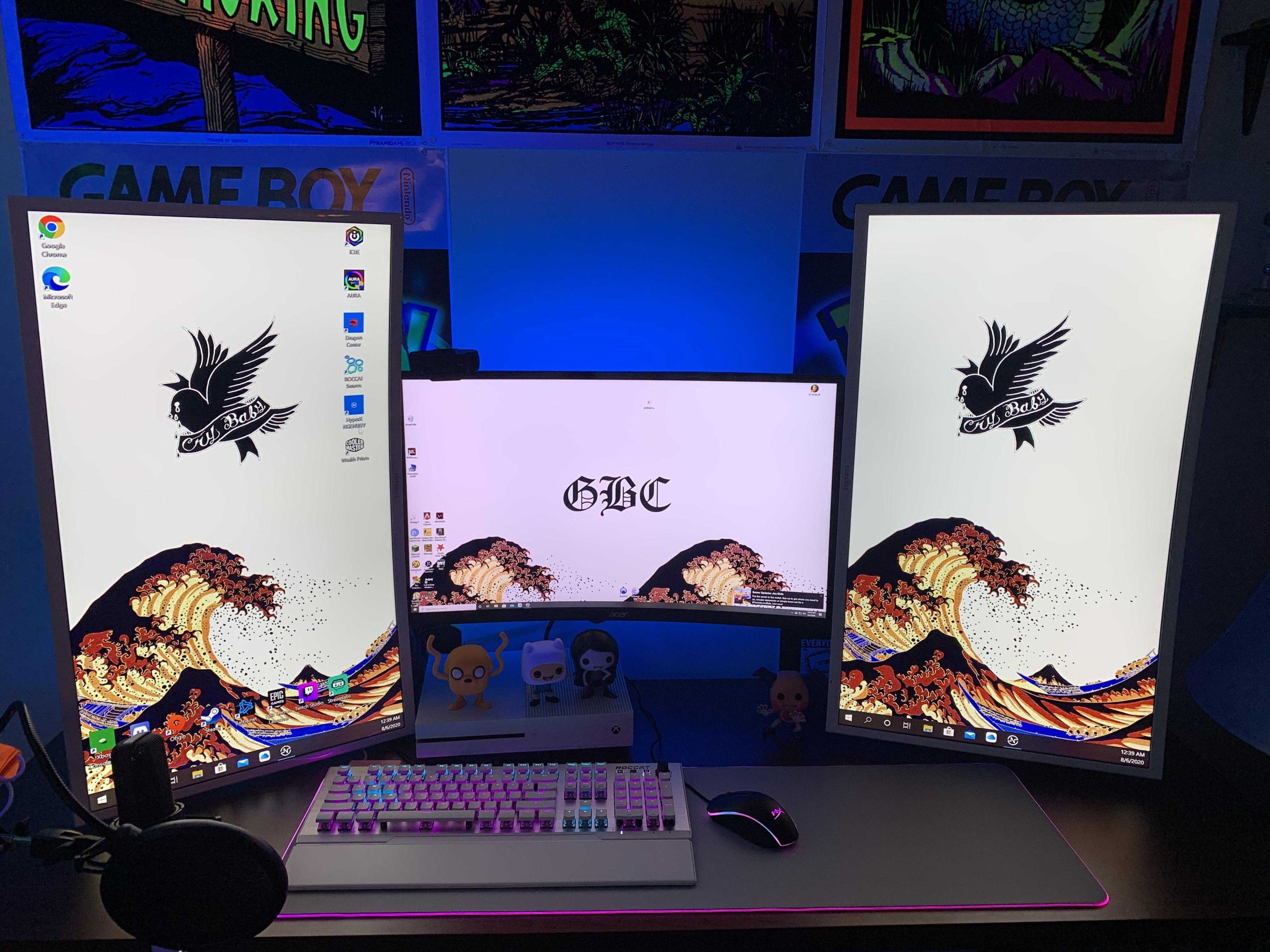
Yes, curved monitors can be good vertically, but it depends on how you use them. They can offer a more immersive viewing experience and reduce glare, but their effectiveness when used as a vertical display depends on your specific needs.
Curved monitors are often celebrated for their immersive qualities and comfort during extensive horizontal use, but their benefits when oriented vertically are somewhat mixed. Some users find that the curvature enhances readability and reduces distortion when viewing long documents or coding, while others feel it can cause some visual inconsistencies at the edges. So, whether a curved monitor is a good choice for vertical use largely hinges on your particular tasks and preferences.
If you’re considering using a curved monitor vertically, it’s worth weighing the pros and cons to determine if it will suit your workflow. In this article, we’ll explore the advantages and potential drawbacks of using curved screens in a vertical orientation, helping you decide if this setup is right for you.

Are Curved Monitors Good Vertically? Exploring the Pros and Cons
Understanding Curved Monitors and Their Design
Curved monitors are designed with a gentle bend that wraps around your field of view. This curvature aims to create a more immersive experience for users, especially during gaming or multimedia viewing. Most curved displays feature a radius of curvature measured in millimeters, like 1800R or 1500R, indicating how pronounced the curve is.
The primary intention behind curved screens is to reduce distortion at the edges and enhance visual comfort. They are typically optimized for horizontal viewing, making them popular for gaming setups and large desk workstations. But how do they perform when used vertically? This question is vital for those considering the use of curved monitors for tasks like coding, writing, or multi-tasking in a vertical orientation.
How Curved Monitors Perform When Used Vertically
Many users wonder if a curved monitor is suitable for vertical placement. Generally, curved monitors are designed for horizontal use, but they can be used vertically with some considerations. While the curvature enhances the central viewing experience, it might introduce some challenges when turned sideways.
One noticeable issue is that the curve can cause distortion or a skewed perspective at the edges when the monitor is rotated. This effect is more significant on displays with a steep curve, like 1800R or 1500R. So, for tasks requiring precise alignment, such as photo editing or detailed spreadsheets, the curved aspect may slightly hinder accuracy.
Advantages of Using Curved Monitors Vertically
Despite the challenges, there are notable benefits when using curved monitors in a vertical orientation. These benefits include:
- Enhanced Focus on Content: Curved screens naturally draw your attention toward the center, which can be useful for coding or reading long documents.
- Reduced Glare and Reflections: Curves help minimize reflections from ambient light sources, creating a more comfortable viewing experience over long periods.
- Better Ergonomics for Multi-Display Setups: In multi-monitor configurations, curved displays can blend better with flat monitors, creating a seamless visual flow.
- Improved Immersiveness (for certain tasks): When used vertically, some users find the curve helpful for viewing tall webpages or long menus without excessive head movement.
Potential Drawbacks and Challenges
Using a curved monitor vertically isn’t without its disadvantages. Some issues include:
- Image Distortion and Edge Warping: The natural curvature may cause images or text at the edges to appear warped or skewed when tilted sideways.
- Limited Adjustability: Not all curved monitors are designed for portrait mode, limiting tilt and rotation options.
- Inconsistent Viewing Angles: The curved shape can sometimes lead to inconsistent image quality across the screen, especially at the edges.
- Compatibility Concerns: Certain software or interfaces may not display correctly due to the monitor’s shape and resolution when used vertically.
Choosing the Right Curved Monitor for Vertical Use
If you’re considering a curved monitor for vertical setup, certain features can make your experience better:
- Moderate Curvature: Opt for monitors with a gentler curve, such as 1500R or 1800R, to minimize distortion when turned sideways.
- Adjustability: Ensure the monitor has ergonomic features like pivot, tilt, and height adjustments for comfortable portrait mode use.
- High Resolution: A higher resolution, such as 1440p or 4K, helps maintain clarity and sharpness in vertical orientation.
- Responsive Refresh Rate: For gaming or fast-moving content, look for monitors with higher refresh rates like 75Hz or 144Hz to avoid motion blur and lag.
Table Comparing Curved Monitors for Vertical Use
| Feature | Curvature (R) | Ideal for Vertical Use | Pros | Cons |
|---|---|---|---|---|
| Gentle Curves | 1500R or 1800R | Yes | Less distortion, better focus | Potential slight edge warping |
| Steep Curves | 1000R or less | Less ideal | Immersive experience when horizontal | Significant distortion when rotated |
| Flat Monitors | 0R (Flat) | Yes | Minimal distortion, easiest to use vertically | Less immersive in certain multimedia tasks |
Best Practices for Using Curved Monitors Vertically
To maximize comfort and productivity, follow these tips:
- Adjust the monitor’s rotation: Use the stand’s pivot feature for easy switching between landscape and portrait modes.
- Position at Eye Level: Set the monitor height to reduce neck strain and improve viewing angles.
- Use Screen Splitters or Management Software: Make multitasking more efficient by dividing the screen into sections.
- Calibrate Colors: Ensure color accuracy, especially if working with visuals or photos, since curvature may affect perception.
Related Topics to Consider
While focusing on vertical use, it’s useful to explore related areas:
Comparison of Flat versus Curved Monitors for Vertical Use
Flat monitors naturally lend themselves to vertical positioning, offering minimal distortion and easy rotation. Curved displays, however, require selecting the right curvature and adjusting settings carefully.
Best Monitors for Coding and Reading
Both flat and gently curved monitors can serve well for long reading or coding sessions. Preferences depend on the curvature’s subtlety and adjustability options.
Impact of Curvature on Multi-Monitor Setups
In multi-monitor setups, curved monitors can create a more seamless and immersive environment, especially when used in portrait mode alongside flat screens.
Conclusion
Using curved monitors vertically is possible and offers some unique benefits, especially for reducing glare and focusing on content. However, the effectiveness largely depends on the monitor’s curvature and your specific needs. Gentle curves like 1500R or 1800R tend to perform better in portrait mode, minimizing distortion while maintaining the immersive feel. Proper ergonomic adjustments and selecting monitors with flexible tilt and pivot features make vertical use more practical. Ultimately, understanding how the curvature impacts image quality and your workflow will help you choose the best monitor for your vertical setup and ensure long-term comfort and productivity.
Samsung Odyssey Ark.A 55-inch 4K monitor.horizontal or vertical.
Frequently Asked Questions
Do curved monitors improve vertical readability for long text documents?
Curved monitors can enhance vertical readability by providing a more consistent viewing distance across the screen. This design reduces eye strain when reading lengthy documents, as the slight curve helps your eyes follow the text more naturally. However, the benefit depends on the monitor’s curvature radius; a gentle curve is usually better for vertical reading compared to a steep one.
Are curved monitors suitable for coding and software development tasks vertically?
Yes, curved monitors can be advantageous for coding because they offer an immersive view with minimal distortion at the edges. Their design allows for a more comfortable focus on code lines that span the vertical length of the screen. This can lead to less eye fatigue during extended coding sessions, especially on larger displays with a gentle curve.
How does the curvature of a monitor affect viewing angles when used vertically?
The curvature generally improves viewing angles for horizontal use, but when placing a monitor vertically, the benefits are less pronounced. While the curve can help maintain a consistent image across the screen’s height, extreme curves might introduce slight distortions at the edges. Choosing a monitor with a moderate curve angle balances the benefits and minimizes potential distortion.
Can curved monitors be effectively used for multitasking in a vertical setup?
Curved monitors support multitasking well in a vertical orientation by allowing multiple applications to be comfortably visible without excessive head movement. The curvature creates a more natural flow for viewing content stacked vertically, which can enhance productivity, especially on ultrawide models with a slight curve designed to reduce the need for constant refocusing.
What are the considerations for using curved monitors for vertical gaming or creative work?
For gaming and creative tasks, the curvature can enhance immersion and provide a more engaging experience. When used vertically, however, it may cause some distortion at the edges, especially with steep curvatures. For detailed creative work, it’s essential to select a monitor with precise color accuracy and a moderate curvature to avoid distortion that could affect your work quality.
Final Thoughts
Curved monitors are generally designed for horizontal viewing, enhancing immersion and reducing glare. When used vertically, their curved shape may cause some distortion and limit visibility. This can be a disadvantage for tasks like coding or reading long documents.
However, some users find that curved monitors offer a more natural viewing angle even when oriented vertically. Ultimately, are curved monitors good vertically depends on personal preference and specific use cases.



