


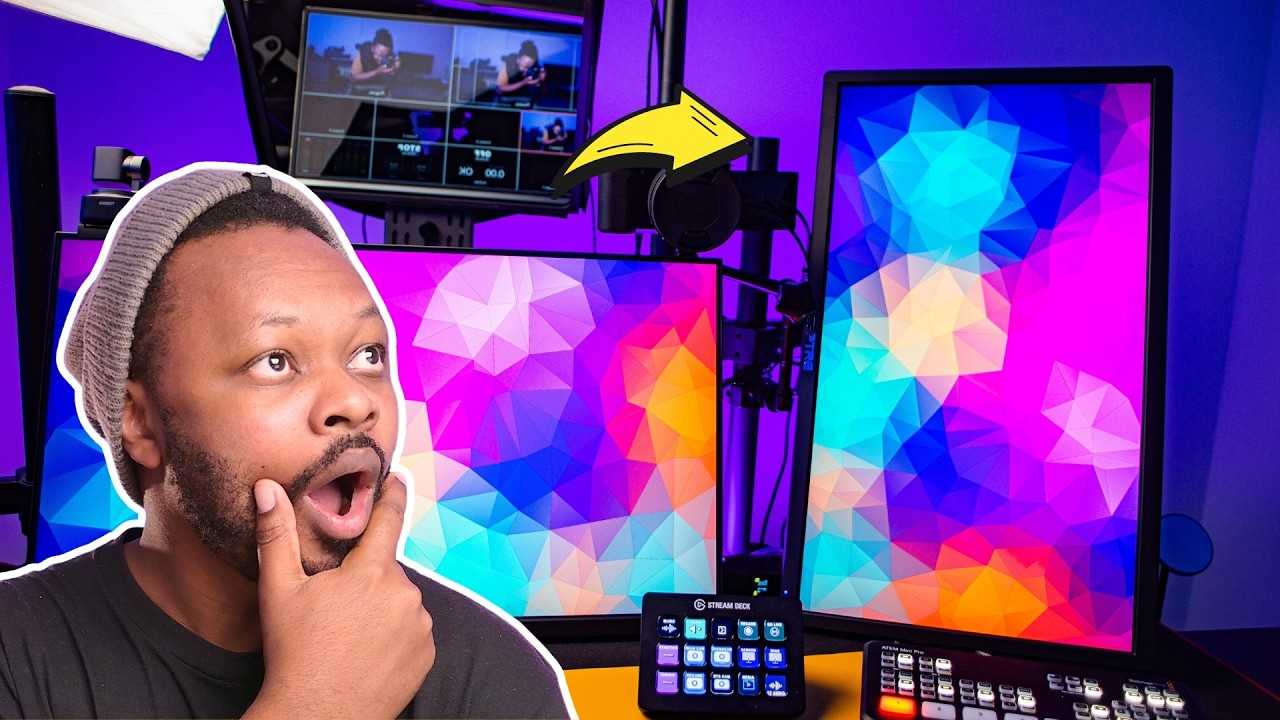
Streamers often opt for vertical monitors to elevate their streaming setup and enhance viewer engagement. These screens help showcase social media feeds, chat interactions, and other on-screen elements more effectively, making the stream more interactive and organized. Using vertically oriented monitors simplifies multitasking and adds a fresh visual flair that stands out.
Vertical monitors are popular among streamers because they maximize space for chat windows, social media, and extra content without cluttering the main gaming or streaming area. They also improve the viewing experience for audiences who enjoy scrolling through social feeds or reading chat in real time. Overall, they’re a practical and stylish upgrade that boosts productivity and viewer engagement, making streams more dynamic and enjoyable.

Why Do Streamers Use Vertical Monitors? Exploring the Benefits and Reasons
Understanding the Trend of Vertical Monitors in Streaming
Vertical monitors, also known as portrait mode screens, are becoming increasingly popular among streamers. Unlike traditional horizontal screens, these monitors display content in a tall, narrow format. Many streamers find this setup beneficial for various reasons that improve their overall streaming experience.
Enhanced Visibility of Chat and Social Media
One of the main reasons streamers choose vertical monitors is to keep chat windows and social media feeds visible at all times. When the monitor is in portrait orientation, chat messages appear more prominently without taking up horizontal space. This setup allows for quick responses and active engagement with viewers during a live stream.
Why Chat Visibility Matters
Having chat visible on a dedicated vertical monitor helps streamers stay connected with their audience. It prevents missing messages and enables real-time interaction. This enhances viewer experience and encourages more participation in chat discussions.
Social Media Integration
Vertical monitors also make it easier to view social media feeds such as Twitter, Instagram, or Discord. These platforms often display content in tall, narrow formats, making vertical screens ideal for keeping up with updates. Streamers can monitor these channels without cluttering their main streaming display.
Optimizing Screen Space and Multitasking
Using a vertical monitor frees up space on the main horizontal screen for gameplay or primary content. This separation allows streamers to multitask efficiently, managing multiple applications simultaneously. It creates a cleaner workspace and reduces clutter.
Dedicated Space for Secondary Content
A vertical monitor can hold secondary content such as alerts, donation notifications, or stream management tools. This arrangement keeps essential information within sight without interfering with the main visual focus of the stream.
Improved Aesthetic and Professional Look
Many streamers opt for vertical monitors to create a more modern and professional appearance. The unique setup stands out visually and can be part of the streamer’s branding. It adds a stylized look that appeals to viewers and adds personality to the stream.
Customizing the Streaming Environment
Vertical monitors allow streamers to tailor their setup according to personal preferences. They can place key elements in specific areas, improving workflow and visual balance. This customization helps in delivering a more polished broadcast.
Better Content Framing for Certain Games and Activities
Some games and content types are better suited for vertical display. For example, mobile game streams, portrait photography, or art streams benefit from a vertical view. It allows viewers to see details more clearly and creates an immersive experience.
Mobile Game Streaming
Vertical orientation perfectly fits the aspect ratio of many mobile games. Streamers can showcase gameplay in portrait mode, which more accurately reflects how players experience the game on their devices.
Art and Design Streams
Artists and creative streamers find vertical monitors useful for framing their work. It provides a taller workspace for detailed illustrations or sketches, making it easier to display the artwork without cropping.
Technical Considerations for Vertical Monitors
Switching to a vertical monitor involves some technical adjustments. Streamers need to ensure their hardware and software support portrait mode orientation.
Adjusting Display Settings
Most modern operating systems allow easy rotation of screen orientation. Streamers should check their graphics card settings to enable smooth switching between horizontal and vertical modes.
Compatibility with Streaming Software
Popular streaming tools like OBS Studio and Streamlabs OBS support multiple displays and orientations. Streamers can configure scenes specifically for their vertical monitor to optimize content display.
Challenges and Solutions When Using Vertical Monitors
While vertical monitors offer many benefits, they can also present some challenges. Awareness of these issues helps in creating a seamless setup.
Limited Compatibility with Certain Content
Some games or applications may not support vertical orientation properly. Streamers might need to find workarounds or use specialized software to display content correctly.
Hardware Limitations
Not all monitors or graphics cards are optimized for vertical use. Upgrading to a compatible monitor or adjusting hardware settings might be necessary.
Adjusting Workflow and Layout
Incorporating a vertical monitor requires tweaking the workflow. Proper placement and organization ensure that the setup remains efficient and clutter-free.
Popular Types of Monitors Chosen for Vertical Use
Choosing the right monitor is crucial for an effective vertical setup. Factors such as size, resolution, and connectivity influence the decision.
Monitor Size and Resolution
Generally, 24-inch to 32-inch monitors are preferred, with at least Full HD (1080p) resolution for clear visuals. Higher resolutions like 1440p or 4K provide sharper images, especially for detailed content.
Panel Types and Quality
IPS panels offer better color accuracy and viewing angles, making them ideal for creative work. VA panels provide higher contrast ratios, enhancing visual appeal.
Connectivity Options
Ensure the monitor supports HDMI, DisplayPort, or USB-C connections compatible with your hardware. Multiple ports allow for easy switching between devices.
Related Topics: Enhancing Your Stream Setup
Adding vertical monitors is part of creating an optimal streaming environment. Consider combining this with other equipment for improved results.
Using Multiple Monitors
A multi-monitor setup with both horizontal and vertical screens offers maximum flexibility. This configuration allows for dedicated spaces for gameplay, chat, and streaming controls.
Lighting and Audio Equipment
Proper lighting and quality microphones enhance stream quality. Well-lit streams are more engaging, and clear audio helps maintain viewer retention.
Ergonomic Considerations
Position monitors at eye level to prevent neck strain. Investing in adjustable stands and comfortable chairs improves overall streaming stamina.
Final Thoughts on Why Streamers Use Vertical Monitors
Vertical monitors are not just a trend but a practical tool for creating a better streaming experience. They help keep important content visible, streamline workflows, and add a unique style to streams. Although setup adjustments are needed, the benefits in engagement and content quality make vertical orientation a popular choice among many streamers. By carefully selecting the right monitor and configuring your workspace, you can enhance your broadcasts and foster a more interactive environment for your viewers.
Why Streamers Use A Vertical Monitor
Frequently Asked Questions
What are the benefits of using vertical monitors for gaming or creative work?
Vertical monitors allow gamers and creatives to view more of their content vertically, making it easier to read long documents, view social media feeds, or work on digital art that benefits from a taller display. This orientation reduces the need to scroll frequently and provides a more natural layout for certain tasks, enhancing productivity and immersion.
How do vertical monitors improve multitasking during live streams?
Vertical monitors provide additional screen real estate for chat windows, alerts, or secondary applications without cluttering the main display. Streamers can keep interactions and monitor essential data side-by-side with their gameplay or content, making it easier to manage multiple tasks efficiently while engaging with viewers.
Why do some streamers prefer vertical monitors over traditional horizontal setups?
Many streamers select vertical monitors because they better suit specific content types, such as reading chat comments or monitoring social media feeds directly. They also help maximize workspace in compact setups, allowing streamers to focus on their primary content while still keeping important information within easy reach.
Can vertical monitors help improve the quality of live streams?
Using vertical monitors can enhance a stream’s visual layout by providing better organization of on-screen elements. Streamers can strategically place chat, alerts, or additional scenes to improve viewer experience, which contributes to a more professional and engaging broadcast.
Are there specific types of content that benefit most from vertical monitor use?
Content that involves reading lengthy text, browsing social media, or working with vertical-oriented images benefits significantly from vertical monitors. They also assist in monitoring live chat or other real-time data streams, making them a versatile addition to any setup focused on interactive or visually detailed content.
Final Thoughts
Streamers prefer vertical monitors because they maximize screen space for social media updates, chat interactions, and vertical video content. This orientation allows for easier multitasking and better engagement with viewers.
Using vertical monitors enhances visual clarity, making it simpler to monitor live chats without constantly switching windows.
In conclusion, why do streamers use vertical monitors? They improve workflow and viewer interaction, making content creation more efficient and engaging.



