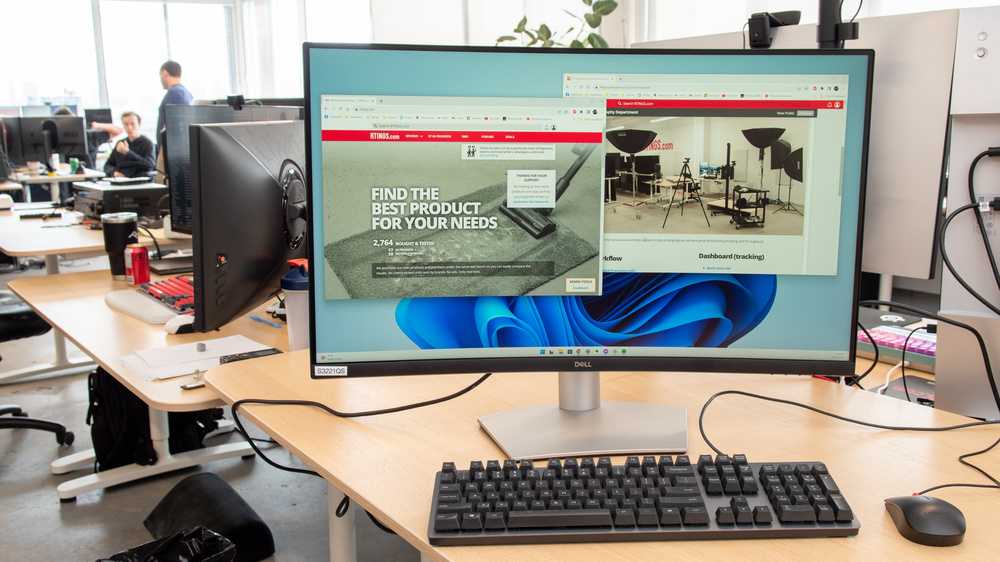
Yes, OLED monitors can be a great choice for your home office, offering stunning visuals, deep blacks, and vibrant colors that can boost productivity and make working long hours more enjoyable. However, they also come with considerations like potential burn-in and higher costs, so it’s worth weighing these factors. For most users, the benefits in image quality and viewing experience outweigh the drawbacks, especially if used wisely.
If you’re pondering whether an OLED monitor is ideal for your home office setup, the answer largely depends on your specific needs and budget. OLEDs deliver exceptional picture clarity and color accuracy, making them perfect for creative tasks, video editing, or even just enhancing your overall work experience. But, it’s important to consider their durability issues and costs before making the switch.
Diving into the world of home office technology, choosing the right monitor is essential for productivity and comfort. OLED monitors have become increasingly popular, thanks to their incredible display quality. They can transform your workspace into a visual delight, providing sharper images, richer colors, and better contrast. This means whether you’re working on detailed design projects, editing photos, or simply browsing, your experience can be significantly improved. However, like any technology, they come with their own set of pros and cons. Understanding whether an OLED monitor suits your work style and environment can help you make an informed decision, ensuring your home office setup is both efficient and enjoyable.

Is OLED Monitor Good for Home Office?
Understanding OLED Technology
OLED stands for Organic Light Emitting Diode. These screens produce images using organic compounds that emit light when electricity flows through them. Unlike traditional LCD screens, OLED displays do not need a backlight, which allows for deeper blacks and better contrast. This makes OLED monitors visually appealing and potentially easier on the eyes during long work hours.
Advantages of Using OLED Monitors in a Home Office
Superior Image Quality and Color Accuracy
OLED screens offer vibrant colors and a wide color gamut, ensuring images look sharp and lively. This is important when editing photos, videos, or working with detailed graphics. They display true blacks, which improves overall picture depth and clarity.
High Contrast Ratio
With the ability to turn off individual pixels, OLED displays achieve contrast ratios much higher than LED or LCD monitors. This results in more dynamic images and helps reduce eye strain caused by glare or overly bright backgrounds.
Fast Response Time and Smooth Motion
OLED monitors typically have very fast response times, reducing motion blur during fast-paced video calls or animations. This can lead to clearer visuals and a more seamless viewing experience during work tasks that involve motion graphics.
Thin and Lightweight Design
Because OLED screens do not require bulky backlights, they tend to be slimmer and lighter. This makes them easier to place on your desk or mount on the wall, saving space in your home office.
Possible Drawbacks of OLED Monitors for Home Office Use
Speckle and Burn-In Risks
Persistent static images can cause burn-in on OLED screens over time. While modern OLED monitors have mitigations against burn-in, it’s essential to avoid leaving static images on the screen for extended periods.
Cost Considerations
OLED monitors are usually more expensive than LCD or LED companion options. This premium price might not be suitable for everyone, especially if budget constraints are present.
Brightness Limitations
Although OLED displays excel in contrast, they sometimes struggle with maximum brightness levels compared to high-end LCD monitors. This can impact viewing in very bright environments or sunlight.
Suitability of OLED Monitors for Different Home Office Tasks
Content Creation and Graphic Design
For professionals involved in photo editing, video production, or graphic work, OLED’s color fidelity and contrast make it a top choice. Accurate color reproduction enhances productivity and quality of work.
Office Work and Web Browsing
For typical office tasks such as word processing, spreadsheets, and browsing, OLED monitors offer crisp text and vibrant visuals. Their high contrast can make reading easier over extended periods.
Video Conferencing and Multimedia Consumption
During video calls or media playback, OLED displays deliver rich visuals and good viewing angles. This can make meetings more engaging and reduce eye fatigue during long sessions.
Important Features to Consider When Choosing an OLED Monitor
Screen Size and Resolution
A 24 to 32-inch screen with at least a 1080p or 4K resolution works well for most home office setups. Higher resolution provides sharper images, especially on larger screens.
Refresh Rate and Response Time
Look for monitors with at least a 60Hz refresh rate for smooth visuals. For gaming or fast-moving content, higher refresh rates like 120Hz or 144Hz can be beneficial.
Connectivity Options
Ensure the monitor includes multiple ports such as HDMI, DisplayPort, and USB-C. These allow flexible connections with various devices and reduce cable clutter.
Ergonomic Features
Adjustable stands, tilt, height, and swivel options help customize the viewing angle. This reduces neck and eye fatigue and creates a more comfortable workspace.
Maintenance and Longevity of OLED Monitors
Care Tips to Extend Monitor Lifespan
Avoid static images when possible or enable screensavers. Keep the display at moderate brightness levels and turn it off when not in use. Regularly clean the screen with appropriate materials.
Understanding Burn-in Prevention
Use screen savers and auto-lock features to prevent static images from remaining on the screen for too long. Some OLED monitors include pixel-shifting technologies to minimize burn-in risks.
Comparing OLED and Other Display Technologies
| Feature | OLED | LCD/LED |
|---|---|---|
| Contrast Ratio | Excellent | Good to Moderate |
| Color Accuracy | High | Variable, often good with high-end models |
| Price | Higher | Lower |
| Response Time | Very fast | Slower |
| Brightness | Moderate, some models struggle in bright environments | High, suitable for bright rooms |
| Risk of Burn-in | Possible if static images are displayed too long | None |
Summary: Is an OLED Monitor Suitable for Your Home Office?
Depending on your budget and specific needs, an OLED monitor can be a great choice for a home office. They provide stunning visuals, deep blacks, and vibrant colors that can enhance productivity and make long work sessions more comfortable. However, mindful usage and proper care are necessary to avoid potential issues like burn-in. For those who prioritize picture quality and aesthetics, OLED monitors offer compelling benefits that often surpass traditional display options.
To OLED or Not to OLED: Gaming Monitor Pros and Cons
Frequently Asked Questions
How does an OLED monitor impact eye comfort during long working hours?
OLED monitors typically offer excellent contrast and vibrant colors, but their high contrast levels can sometimes cause eye strain during extended use. However, many modern OLED screens include features like blue light filtering and flicker-free technology, which help reduce eye fatigue. Adjusting brightness settings and taking regular breaks can also improve comfort when working with an OLED monitor over long periods.
Are there any concerns about color accuracy and calibration for professional tasks?
While OLED monitors provide rich, deep blacks and vibrant colors, some models might require calibration to achieve consistent color accuracy, especially for professional tasks like photo editing or graphic design. It’s important to select OLED displays designed for color precision and to perform regular calibration to ensure the colors remain accurate for your work.
What should I consider about screen durability and longevity when using an OLED monitor at home?
OLED screens can be susceptible to burn-in if static images remain on the screen for extended periods. To prevent this, rotate content, use screen savers, and enable any built-in screen protection features. Proper usage and occasional calibration also help maintain the display’s longevity, making OLED monitors a reliable choice for home office environments when used carefully.
Final Thoughts
OLED monitors provide excellent color accuracy and deep blacks, making your work visually appealing. Their fast response times reduce eye strain during long hours at the home office. Additionally, slim designs save space and add a modern touch to your workspace.
Considering these benefits, OLED monitor for home office use offers a compelling experience. It enhances productivity and comfort, making it a smart choice for remote work environments. Overall, yes, an OLED monitor is good for home office setups.

With experience in IT support and consumer technology, I focus on step-by-step tutorials and troubleshooting tips. I enjoy making complex tech problems easy to solve.