


Yes, gaming monitors can help reduce eye strain when chosen carefully and used properly. They often come with features like flicker-free screens and blue light filters that make prolonged gaming sessions more comfortable for your eyes.
Gaming monitors designed with eye comfort in mind are increasingly popular among gamers. If you’re concerned about eye strain, investing in a monitor with specific eye-friendly features can make a significant difference. These monitors typically offer reduced flicker, adjustable brightness, and blue light reduction to lessen strain and fatigue during long gaming marathons. However, simply having a gaming monitor isn’t enough; proper settings, regular breaks, and good ambient lighting are also essential. So, while gaming monitors can reduce eye strain, their benefits are maximized when combined with healthy viewing habits.

Do Gaming Monitors Reduce Eye Strain? An In-Depth Look
Understanding Eye Strain and Its Causes in Gaming
Many gamers experience eye discomfort after long hours in front of screens. Eye strain happens when your eyes work harder than usual to focus or keep up with fast-moving images. Common symptoms include dryness, blurred vision, headaches, and tired eyes. Identifying these causes helps us see how specialized monitors might offer relief.
How Gaming Monitors Are Designed to Minimize Eye Strain
Gaming monitors come with features aimed at reducing eye fatigue. These include flicker-free technology, blue light filters, and adjustable brightness. Such features help reduce the strain caused by prolonged exposure to bright screens and blinking lights. These design choices can make gaming more comfortable for your eyes.
Blue Light Reduction and Its Impact
Blue light from screens can disturb sleep patterns and cause discomfort. Many gaming monitors include blue light reduction settings, which filter out harmful wavelengths. Using these features can decrease eye fatigue and improve comfort during extended gaming sessions. Studies suggest that reducing blue light exposure diminishes eye strain and enhances visual comfort.
Flicker-Free Technology and Its Benefits
Flickering screens can cause headaches and eye discomfort over time. Flicker-free technology eliminates screen flickering by providing consistent backlight, which eases the strain on eye muscles. Gamers who switch to flicker-free monitors often report less eye fatigue, especially during long gaming sessions.
Adjustable Brightness and Contrast Settings
Properly calibrated brightness and contrast protect your eyes from harsh lighting. Gaming monitors allow users to customize these settings easily, matching the screen to ambient lighting. This reduces the glare and prevents your eyes from straining to see details, making gaming sessions more comfortable.
Refresh Rate and Its Relation to Eye Comfort
A higher refresh rate, such as 120Hz or 144Hz, makes motion appear smoother and less blurry. Smoother motion can lessen eye fatigue caused by rapid movements and flickering. Gamers often prefer monitors with high refresh rates to reduce eye discomfort during fast-paced gameplay.
Response Time and Motion Blur
Lower response times minimize motion blur, which can strain your eyes. Less blur means clearer images and less visual fatigue during intense gaming moments. Choosing a monitor with a quick response time helps protect your eyes from unnecessary strain and enhances overall visual clarity.
Screen Size, Resolution, and Eye Comfort
A larger screen with high resolution provides better detail and reduces the need to squint. This lessens eye strain and makes gaming more immersive. Monitors with 4K resolution and screen sizes of 27 inches or more are popular choices for comfortable gaming experiences.
Anti-Reflective Coatings and Glare Reduction
Reflections and glare from external light sources can cause eye strain. Anti-reflective coatings on monitors help diffuse light and reduce glare. Using such screens, along with adjusting ambient lighting, can significantly reduce eye discomfort.
The Importance of Proper Monitor Positioning
Positioning your monitor correctly can decrease neck and eye strain. The ideal setup keeps the screen at eye level and about an arm’s length away. Proper ergonomics ensure your eyes don’t have to strain to see details, promoting comfort during long gaming sessions.
Lighting Conditions and Environment
A well-lit room reduces the contrast between the monitor and surroundings. Soft, indirect lighting minimizes glare and prevents unnecessary eye effort. Adjusting both monitor brightness and ambient light creates a comfortable gaming environment that helps reduce eye fatigue.
Additional Tips for Reducing Eye Strain in Gaming
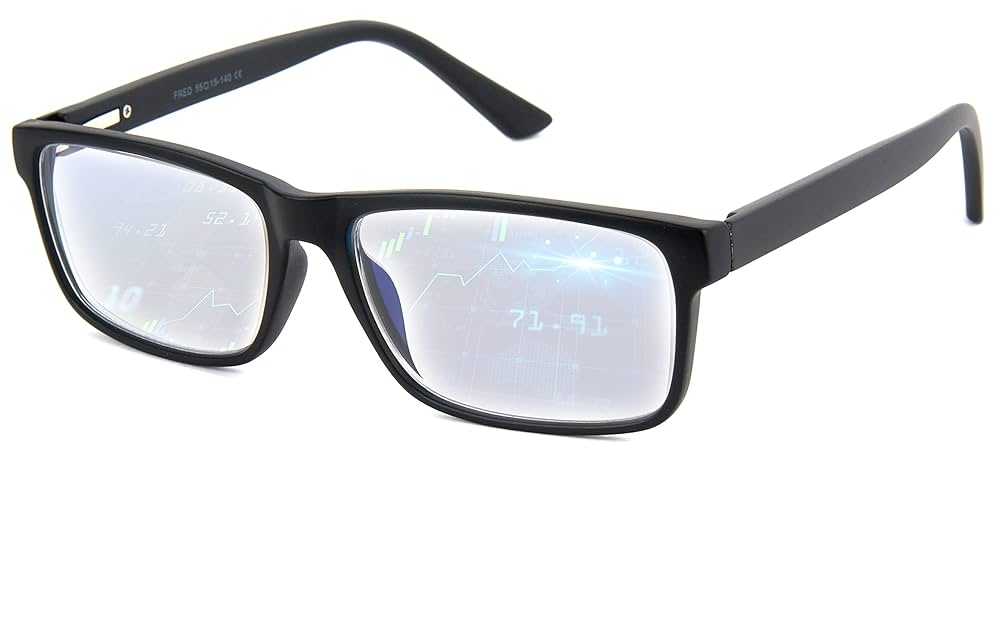
Taking regular breaks following the 20-20-20 rule—looking at something 20 feet away for 20 seconds every 20 minutes—can greatly lessen eye fatigue. Maintaining proper hydration and blinking frequently also keep your eyes moist and comfortable. Using specialized glasses with blue light filters can provide extra protection during extended gaming sessions.
Summary of Features That Help Reduce Eye Strain
| Feature | Benefit |
|---|---|
| Flicker-Free Technology | Prevents flickering that causes headaches |
| Blue Light Filter | Reduces eye fatigue and sleep disruption |
| High Refresh Rate | Smooth images and less visual fatigue |
| Adjustable Brightness/Contrast | Personalized settings to match ambient light |
| Anti-Reflective Coating | Decreases glare and reflections |
Comparing Standard Monitors with Gaming Monitors
While regular screens may lack eye-friendly features, gaming monitors are specifically built with eye comfort in mind. They typically include advanced technologies like flicker-free backlighting and blue light filtering. These improvements can make a noticeable difference in reducing discomfort for gamers.
Are Gaming Monitors Truly Better for Eye Health?
Evidence suggests that gaming monitors with these features do help lower eye strain compared to standard monitors. Still, individual results vary based on usage habits and environmental conditions. Combining a good monitor with proper eye care routines offers the best protection.
The Limitations of Gaming Monitors in Eye Strain Reduction
Despite their benefits, gaming monitors are not a cure-all. Extended gaming sessions without breaks can still lead to eye fatigue, regardless of monitor quality. Proper use and regular eye care are essential to maximize the benefits of eye-friendly features.
In conclusion, gaming monitors equipped with flicker-free technology, blue light filters, and adjustable settings can indeed help reduce eye strain. They promote a more comfortable gaming experience by minimizing glare, flickering, and harsh lighting. However, combining these features with good habits remains crucial for optimal eye health during gaming.
Reduce Eye Strain While Gaming
Frequently Asked Questions
What features in gaming monitors help minimize eye fatigue during extended gaming sessions?
Gaming monitors equipped with flicker-free technology and blue light filters effectively reduce eye strain. Flicker-free displays eliminate screen flickering, which can cause eye fatigue over time. Blue light filters decrease exposure to high-energy light that often leads to discomfort and disrupted sleep patterns. Additionally, monitors with adjustable brightness and contrast settings allow users to customize their viewing experience, further mitigating eye fatigue during long periods of use.
How does screen resolution impact eye comfort while gaming for long durations?
Higher screen resolutions offer sharper images and more detailed visuals, which help reduce eye strain by making on-screen elements clearer and easier to focus on. When graphics are crisp, your eyes don’t have to work as hard to interpret images, decreasing fatigue. A resolution of at least 1080p is standard, but higher resolutions like 1440p or 4K provide better clarity, especially on larger screens, improving overall eye comfort during extended use.
Can adjustable monitor features contribute to reducing eye discomfort?
Absolutely. Features like height adjustment, tilt, and swivel allow users to position the monitor optimally, ensuring a comfortable viewing angle. Proper positioning reduces strain on the neck and eyes. Additionally, monitors with settings for color temperature adjustment enable users to reduce blue light exposure, further decreasing eye discomfort and helping maintain comfort during long gaming sessions.
Does refresh rate influence eye comfort in gaming monitors?
Higher refresh rates, such as 120Hz or above, provide smoother motion rendering, which can lessen eye strain caused by rapid movements and flickering. A higher refresh rate reduces motion blur and makes fast-paced gameplay easier to follow, decreasing the effort your eyes need to put forth. This smooth visual experience not only improves gameplay but also helps reduce fatigue during extended periods of play.
Are there specific display technologies that help prevent eye strain?
Yes. Monitors with advanced display technologies like OLED or IPS panels offer consistent color and wide viewing angles, reducing eye fatigue caused by color shifts and glare. Additionally, anti-reflective coatings minimize reflections from ambient light, preventing glare from causing eye discomfort. Choosing a monitor with these technologies ensures a more comfortable viewing experience over time, especially during prolonged gaming sessions.
Final Thoughts
Gaming monitors often feature features like reduced blue light, flicker-free screens, and adjustable refresh rates. These elements can lessen eye strain during extended gaming sessions.
While not a guaranteed solution, these monitors help create a more comfortable viewing experience.
In conclusion, do gaming monitors reduce eye strain? Yes, they can significantly minimize discomfort with their specialized features.



