
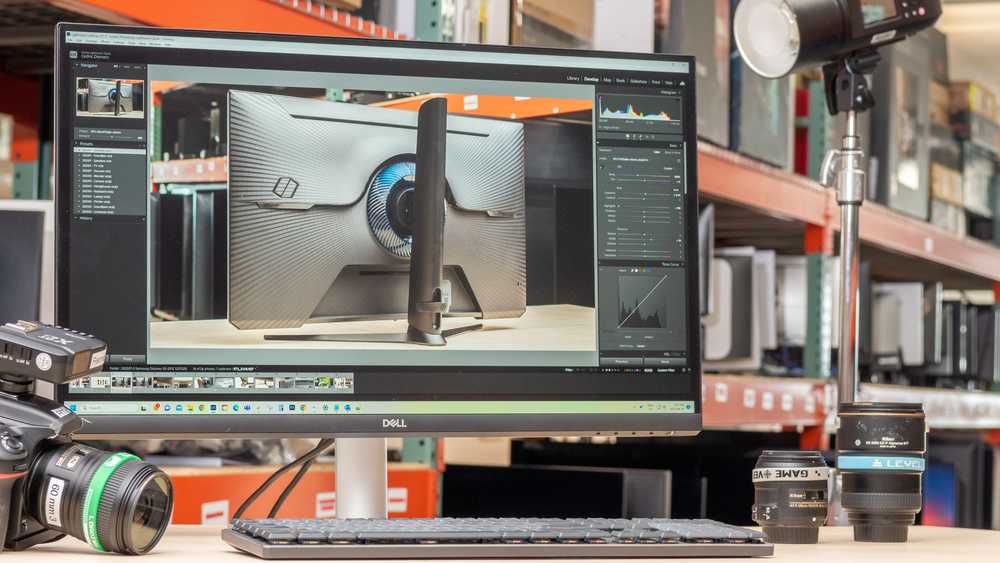
Yes, budget monitors can be suitable for editing, especially if you choose models with good color accuracy and decent resolution. They’re a cost-effective option for beginners or casual editors who don’t want to break the bank but still need reliable performance.
Budget monitors can be a good choice for editing if you pick the right one. They often provide decent image quality, but may lack some professional features like wide color gamut and calibrated settings. For hobbyists or light editing tasks, a well-reviewed affordable monitor can do the job, but if you’re working on professional projects, investing in a higher-end model might be better.
When it comes to editing, having the right monitor is essential to ensure your colors, contrast, and details are accurately represented. While high-end monitors are ideal, budget options have improved significantly and can be a practical solution for beginners or those on a tight budget. They typically offer enough features to get started with basic photo editing, video work, or creative projects, but it’s important to research and choose a monitor that provides good color reproduction, calibration options, and decent resolution without overspending.

Are Budget Monitors Good for Editing?
Many people wonder if budget monitors can work well for editing tasks. The answer depends on several factors such as display quality, color accuracy, and screen size. In this article, we’ll explore whether affordable monitors suit editing needs and what features are important.
Understanding What Makes a Monitor Good for Editing
Color Accuracy and Calibration
For editing, colors need to appear precise and consistent. High-end monitors often come factory-calibrated, delivering accurate color reproduction. Budget monitors may not offer this out of the box, but some can be calibrated manually or through software.
If you’re working on sensitive projects like photo editing or video production, a monitor with good color coverage like sRGB at minimum is essential. Many budget monitors cover around 72% of sRGB, which might be enough for casual editing but less ideal for professional work.
Screen Resolution and Size
Higher resolution displays, such as Full HD (1920×1080) or 4K, provide better detail and workspace for editing. Budget monitors often feature 1080p resolution, which is suitable for many tasks but might limit workspace for complex editing projects.
Screen size also matters. A larger display, like 24 inches or more, offers more room to work comfortably, reducing eye strain and improving efficiency.
Panel Type and Viewing Angles
IPS panels are preferred for editing because they provide better color consistency and wider viewing angles. Many budget monitors use TN panels, which are faster but less color-accurate. Some affordable IPS options are available, making them good choices for editing on a budget.
When working on editing, you want consistent color from various angles, so panel type is an important consideration.
Key Features to Look for in Budget Monitors for Editing
Color Coverage and Gamut
| Monitor Type | sRGB Coverage | Note |
|---|---|---|
| Budget Monitors | Approx. 70% to 90% | Good for casual editing |
| High-End Monitors | 100% | Ideal for professional work |
Look for monitors that cover at least 85% of sRGB for acceptable editing performance. Some budget options now offer near 100% sRGB, making them more viable for delicate color work.
Connectivity Options
Multiple port options like HDMI, DisplayPort, and USB-C help connect various devices. Budget monitors often include HDMI and VGA, which may limit options if you use newer hardware.
Ensure the monitor has enough input options for your editing setup to avoid inconvenience.
Adjustability and Ergonomics
Adjustable stands for height, tilt, and rotation help create a comfortable workspace. Budget monitors may have limited ergonomics, but affordable options with basic adjustments are available.
Proper ergonomics reduce fatigue during long editing sessions.
Limitations of Budget Monitors for Editing
Color Uniformity and Dead Pixels
Budget monitors sometimes exhibit uneven color uniformity across the screen, which can impact editing accuracy. Dead pixels or backlight bleeding may also be more common.
These issues can make precise color correction more challenging but may not be noticeable during casual editing.
Limited Hardware Calibration Options
High-end editing monitors often support hardware calibration devices, enabling precise color correction. Budget monitors generally lack this feature, relying on software calibration which might not deliver the same accuracy.
This is a critical point for professional photographers or videographers who need exact color matching.
Potential for Eye Strain and Fatigue
Lower-quality screens may have higher flicker rates and less blue light filtering, leading to eye strain. Some budget monitors include basic blue light filters, but others do not.
Choosing a monitor with flicker-free technology can help during extended editing sessions.
Practical Tips for Using Budget Monitors for Editing
Calibrate Your Monitor Regularly
Even budget monitors can perform better with proper calibration. Use free calibration tools or software to improve color accuracy.
This step is crucial for maintaining consistent and reliable colors over time.
Optimize Your Workspace Lighting
Control ambient lighting to reduce glare and reflections. Proper lighting enhances color perception and reduces eye fatigue.
Consistent lighting conditions are key to accurate editing, especially on budget screens.
Consider External Calibration Devices
If budget allows, invest in a color calibration tool compatible with your monitor. These devices can fine-tune color output more accurately than built-in options.
While more common with professional-grade monitors, some affordable calibration tools work with budget screens too.
Related Topics for Better Editing on a Budget
Choosing the Right Software
Use editing software that supports color management for better results. Programs like Adobe Photoshop and DaVinci Resolve can help manage color profiles effectively.
Upgrading Other Hardware Parts
Sometimes, improving hardware like a better graphics card or more RAM can offset some monitor limitations, leading to a smoother editing experience.
DIY Calibration Techniques
Use online calibration guides and test images to manually adjust your monitor settings for improved accuracy without spending much.
Summary
Budget monitors can be suitable for casual editing tasks such as basic photo adjustments or quick video edits. Key features like decent color coverage, resolution, and ergonomic design are essential for better results.
Keep in mind their limitations, including less precise color uniformity and calibration options. With some effort and proper settings, budget monitors can serve well for non-professional editing needs.
Budget Monitors for Video Editing & Gaming Buyer's Guide 2022
Frequently Asked Questions
Can a budget monitor provide accurate color representation for photo editing?
Many budget monitors have limited color accuracy compared to high-end models, which may affect photo editing tasks. While some affordable monitors offer decent color coverage, they often lack the precise calibration needed for professional-quality edits. For casual or beginner photographers, certain budget monitors can be sufficient, but for detailed color grading, investing in a monitor with better color fidelity is advisable.
Are budget monitors suitable for video editing with regard to resolution and detail?
Budget monitors often come with lower resolutions and may not display fine details effectively, which can hinder video editing precision. If your work involves detailed color correction or frame-by-frame analysis, a monitor with at least 1080p resolution or higher is preferable. Entry-level options can work for basic editing, but they might not meet the needs of more complex projects.
How does the build quality of budget monitors impact their usability for editing tasks?
Budget monitors tend to have plastic builds and may lack features like adjustable stands or sturdy mounting options. This can affect comfort during long editing sessions and may lead to issues with viewing angles or stability. Investing in a monitor with better build quality can improve your editing experience by providing better ergonomics and durability.
Are budget monitors capable of supporting professional editing workflows with multiple displays?
Many budget monitors do not offer advanced connectivity options or multi-monitor support, which are often crucial for professional editing workflows. Limited ports or compatibility issues can restrict seamless multi-screen setups. For those who rely on multiple displays for increased productivity, opting for monitors that support such configurations becomes essential, even if it means spending a bit more.
What are the main limitations of using a budget monitor for editing purposes?
Budget monitors generally have limitations in color accuracy, resolution, screen uniformity, and adjustable features. These factors can hinder the precision needed for detailed editing work. While they may handle basic tasks adequately, professionals should consider investing in higher-quality displays for more reliable, consistent results across editing projects.
Final Thoughts
Budget monitors can be a practical choice for editing, especially for beginners or those working on less demanding projects. They often provide decent color accuracy and sharp images within a limited budget. Although they may lack advanced features, they fulfill basic editing needs effectively.
Are budget monitors good for editing? They can serve well for casual or entry-level editing tasks, but professionals may find them lacking in color precision and screen consistency. Ultimately, they suit those who prioritize affordability over high-end specifications.

I’m passionate about hardware, especially laptops, monitors, and home office gear. I share reviews and practical advice to help readers choose the right devices and get the best performance.
