


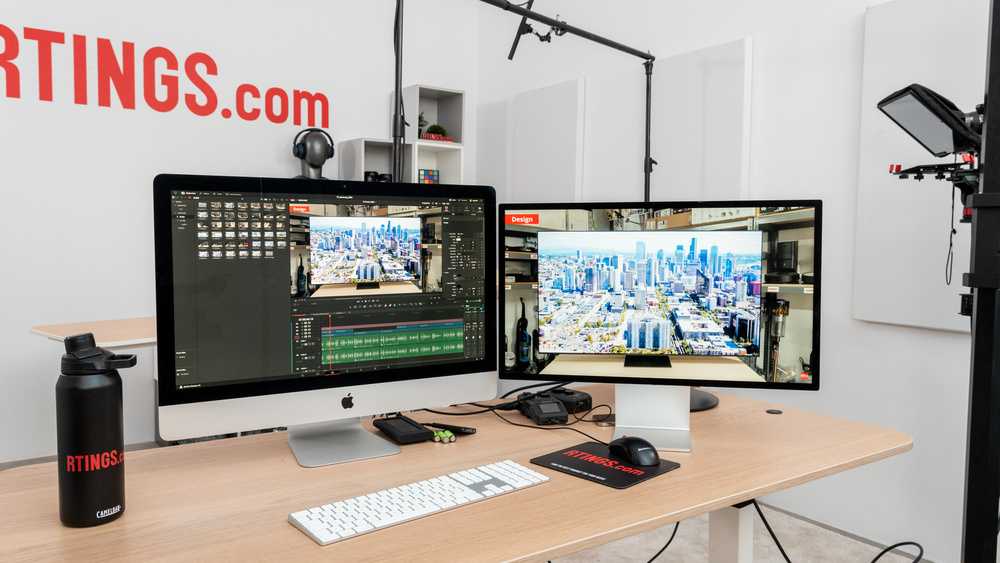
A 32-inch 4K monitor offers a larger workspace, making it easier to view multiple timelines and panels simultaneously, while a 27-inch 4K display provides sharper pixel density and is more compact for smaller desks. For video editing, the choice depends on whether you prioritize screen real estate or pixel clarity. Overall, a 27-inch 4K monitor is better for detailed editing tasks, but a 32-inch screen is ideal if you prefer a broader view of your project.
When choosing between a 32-inch and a 27-inch 4K monitor for video editing, both have their advantages. The larger size of 32 inches helps you see more of your timeline at once, reducing the need to scroll or zoom frequently. However, the 27-inch screen has a higher pixel density, giving crisper images and finer details, which is crucial for precision editing. Your decision should factor in your workspace size, budget, and editing needs, but generally, for detailed, pixel-perfect work, the 27-inch is often favored, while the 32-inch suits those who need an expansive workspace.

Is 32 inch 4k or 27 inch 4k better for video editing?
Understanding the Importance of Screen Size for Video Editing
Choosing the right screen size is crucial for efficient video editing. Larger screens provide more space to see your timeline, preview windows, and editing tools clearly. Smaller screens might feel cramped, making it harder to focus on detailed work or multitasking.
A 32-inch 4k monitor offers a significantly bigger workspace compared to a 27-inch model. This extra size allows you to spread out panels and have multiple windows open simultaneously. Conversely, a 27-inch monitor is more compact and easier to fit into smaller workspaces, which can be a plus if desk space is limited.
The main question is whether the larger size translates into better productivity and comfort. The answer depends on your editing style, workspace, and personal preferences.
Resolution and Pixel Density
Both 32 inch and 27 inch 4k monitors have the same resolution of 3840 x 2160 pixels. However, the physical size impacts pixel density, affecting image sharpness.
A 27-inch 4k display has a higher pixel density, approximately 163 pixels per inch (PPI). This makes images, text, and interface elements look sharper and more detailed. The higher pixel density benefits tasks that require precise editing and fine detail work.
In comparison, a 32-inch 4k monitor has a lower pixel density, around 137 PPI. While still sharp, small interface elements and text may appear slightly larger and less crisp. This can be an advantage for users who prefer larger icons and easier readability.
Impact on Video Editing Workflow
A larger screen enhances your ability to view more of your timeline without scrolling. For example, with a 32-inch monitor, you can see a longer section of your video sequence at once. This simplifies tasks like color grading, transitions, and synchronization.
On the other hand, a 27-inch monitor allows for crisp visuals with less eye strain, especially when working on detailed effects or color correction. It also makes it easier to see fine details without needing to zoom in constantly.
Moreover, screen real estate affects how many tools and panels you can keep open simultaneously. Larger screens help in arranging your workspace efficiently, reducing the need to toggle between windows.
Viewing Distance and Ergonomics
Ergonomics play a big role in choosing screen size. Larger monitors like the 32-inch model require more desk space and a suitable viewing distance—usually at least 2.5 to 3 feet. Sitting too close can cause eye strain or discomfort over long editing sessions.
A 27-inch display is more manageable in tighter spaces and allows you to sit closer comfortably. This can be beneficial for detailed work and reduces neck and eye strain when ergonomically positioned.
It’s important to consider adjustable stands and monitor arms to position your screen at eye level, regardless of size. Proper ergonomics ensure you stay comfortable and productive during long editing periods.
Performance and Hardware Considerations
Running a 4k monitor demands a capable graphics card and sufficient system resources. Larger screens with higher resolution can tax your hardware more, especially if you’re editing 4k or higher-resolution footage.
A 32-inch 4k monitor may require a more powerful GPU to handle smooth playback and real-time editing without lag. This can increase the overall cost of your editing setup.
In addition, ensure your graphics hardware supports the desired resolution and refresh rate. A higher refresh rate (like 60Hz or 144Hz) can improve your editing experience by providing smoother motion preview and navigation.
Cost and Budget Considerations
Generally, larger 4k monitors tend to be more expensive than their smaller counterparts. Their higher price reflects larger panels, advanced technology, and increased production costs.
For budget-conscious editors, a 27-inch 4k monitor offers excellent resolution and sharpness at a lower cost. It provides a balance between performance and affordability.
However, investing in a 32-inch monitor can be worthwhile if you prioritize workspace size and multitasking. Always compare features such as color accuracy, connectivity options, and build quality alongside price.
Color Accuracy and Professional Features
Accurate color representation is critical for video editing, especially for color grading and post-production work. Both sizes can come with high-quality panels supporting wide color gamuts like sRGB, AdobeRGB, or DCI-P3.
However, larger monitors often come with better hardware calibration options, factory color calibration, and higher color fidelity. Look for monitors with factory calibration certificates if color accuracy matters most.
Panel type also influences quality. IPS panels are preferred for editing because of their wide viewing angles and consistent color reproduction. Confirm that any monitor you consider offers this technology.
Portability and Workspace Setup
If you need flexibility and portability, a 27-inch monitor is easier to move and fits better into versatile workspaces. It can be transported or adjusted with less effort compared to a bulky 32-inch screen.
Larger monitors require sturdy stands or mounts and take up more space. They are best suited for dedicated editing stations with ample desk area.
Assess your workspace’s size, mobility needs, and whether a fixed or adjustable setup suits your workflow before choosing between the two.
Summary of Key Differences
| Feature | 32 inch 4k monitor | 27 inch 4k monitor |
|---|---|---|
| Screen Size | Large, expansive workspace | Compact, easier to fit in small spaces |
| Pixel Density | Lower, about 137 PPI | Higher, about 163 PPI |
| Detail Clarity | Good, but slightly less sharp | Excellent, very sharp images and text |
| Workspace for Editing | More room for timeline and panels | Less space but clearer visuals |
| Cost | Generally more expensive | More affordable |
| Space and Portability | Requires more space, less portable | Fits into smaller setups, easier to move |
Final Thoughts: Which Is Better for Video Editing?
Choosing between a 32-inch and a 27-inch 4k monitor ultimately depends on your workflow, workspace, and budget. If you need a broad workspace to view multiple panels and a long timeline, the 32-inch model can boost efficiency.
If sharpness, detail, and a manageable size are more important, then a 27-inch 4k monitor offers a crisp display with less physical space requirement.
Both options support high-resolution editing and color accuracy, so prioritize features that align with your specific needs and setup. Whichever you select, ensure it offers good ergonomics, compatibility, and quality to make your video editing tasks smoother and more enjoyable.
Is A 32" 4K Display Too Big for a Photographer? BenQ SW271 and SW320 4K Monitor Review
Frequently Asked Questions
How does screen size impact the workflow during video editing?
A larger screen, like a 32-inch display, provides more workspace, making it easier to view timelines, multiple windows, and detailed footage simultaneously. This can improve efficiency and reduce the need to constantly resize or switch between windows. On the other hand, a 27-inch screen offers ample space for most editing tasks but may require more window management for complex projects.
What are the benefits of a 4K resolution on different screen sizes for video editing?
A 4K resolution on both 27-inch and 32-inch screens allows for highly detailed and sharp images. However, on a 32-inch display, the increased pixel density combined with the larger size enhances the viewing experience, making finer details more visible without zooming in. On a 27-inch screen, 4K provides crisp visuals but might require scaling for comfortable viewing, especially if working for long periods.
How does monitor size influence color accuracy and calibration for video work?
While monitor size itself doesn’t directly affect color accuracy, larger screens like the 32-inch models often come with better panels or more options for calibration, which are beneficial for color grading. Smaller screens may lack advanced calibration features, but choosing a high-quality 27-inch or 32-inch display with proper calibration tools can ensure consistent color reproduction across both sizes.
What factors should I consider regarding desk space and portability when choosing between a 27-inch and 32-inch monitor?
A 27-inch monitor generally takes up less desk space and is easier to move if needed. It fits well in most workspaces without overwhelming them. Conversely, a 32-inch monitor requires more room and stability, making it less portable but providing a more immersive editing experience. Consider your workspace size and whether mobility matters when selecting the appropriate size.
Which monitor size offers a more comfortable viewing experience for long editing sessions?
The larger 32-inch screen provides a more comfortable viewing experience due to its bigger display and larger text and interface elements. This helps reduce eye strain and allows for more relaxed viewing during extended editing periods. However, some users may prefer the more compact size of a 27-inch monitor for its ease of viewing up close and less overwhelming workspace.
Final Thoughts
Choosing between a 32 inch 4k and a 27 inch 4k monitor depends on your workspace and workflow. The larger screen offers more space to multitask and view detailed timelines, making it ideal for extensive editing. The 27 inch provides a sharper pixel density, which benefits precise color work.
Ultimately, is 32 inch 4k or 27 inch 4k better for video editing? It depends on your preferences and needs. Both sizes excel, so choose based on workspace and comfort.



