


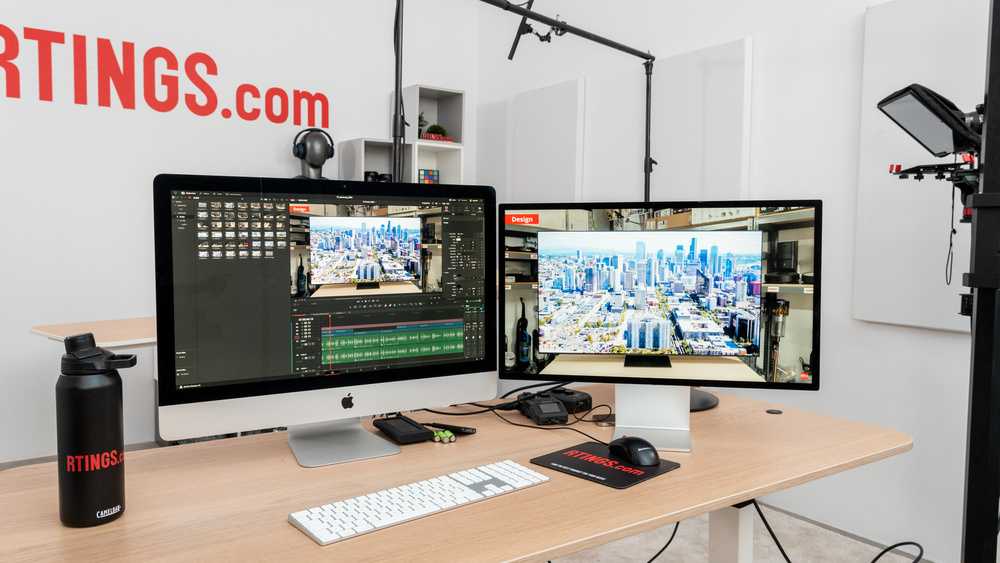
Yes, you can definitely edit videos on a gaming monitor. Many gaming monitors today come with high resolutions and fast refresh rates, making them suitable for video editing as well. While they’re primarily designed for gaming, their advanced display features can also help content creators produce high-quality videos. However, some factors like color accuracy and connectivity options are crucial to consider for the best editing experience.
In short, gaming monitors can be used for video editing, but it’s important to choose one that offers good color reproduction and accurate image quality. They might not replace professional editing screens, but for casual or hobbyist editing, they do the job well.
Jumping into video editing on a gaming monitor might seem unconventional, but with the right specifications, it’s a practical and cost-effective solution. Gaming monitors provide large screens, quick response times, and immersive visuals that can enhance the editing process. Whether you’re a beginner or a seasoned hobbyist, these monitors can handle most editing tasks, especially if they feature high resolution, decent color support, and modern connectivity options. So, instead of investing in a dedicated editing monitor right away, many find that their gaming display can serve dual purposes without sacrificing quality or performance.

Can You Edit Video on a Gaming Monitor? An In-Depth Look
Many gamers wonder if their gaming monitor can double up as a tool for editing videos. The answer isn’t just a simple yes or no. It depends on several factors including the monitor’s features, your editing needs, and the software you plan to use. Let’s explore this topic thoroughly to help you decide whether a gaming monitor is suitable for editing videos.
Understanding What Makes a Monitor Good for Video Editing
First, it’s important to know what qualities a monitor should have for editing videos effectively. Key features include high resolution, accurate color reproduction, good viewing angles, and sufficient screen size. These features ensure that your editing work looks precise and consistent across different devices.
High Resolution
A higher resolution, such as 4K, allows you to see your footage in more detail. It helps in making accurate edits and viewing footage at its true quality. A gaming monitor often offers 1080p, 1440p, or 4K resolutions, making them suitable options for video editing purposes, especially if they support 4K display.
Color Accuracy and Gamut
Color accuracy is vital in video editing. Gaming monitors typically focus on vibrant visuals, but not all offer accurate color calibration out of the box. Look for models with wide color gamuts like sRGB 99% or Adobe RGB. These ensure your videos look consistent in both your editing software and final output.
Refresh Rate and Response Time
While high refresh rates are important for gaming, they are less critical for editing. However, a low response time can help in reducing motion blur and providing a smooth editing experience, especially when working with fast-paced footage.
Advantages of Using a Gaming Monitor for Video Editing
Gaming monitors have features that can benefit video editors, especially those on a budget. Let’s explore the main benefits.
High-Resolution Displays
Many gaming monitors offer 1440p or 4K resolution options, allowing for detailed visual editing. This high resolution enables you to see fine details and make precise adjustments.
Fast Response Times and Smooth Movement
Low response times help in reducing ghosting or blurring effects, making it easier to review footage quickly. Smooth visuals also make navigating timelines and multi-layer editing more comfortable.
Affordable Pricing for High-End Features
Compared to professional-grade monitors, gaming monitors often provide excellent features at a lower cost. This makes them an attractive choice for hobbyist video editors or those starting out.
Limitations of Gaming Monitors for Video Editing
Despite their benefits, gaming monitors also have limitations that can affect your editing workflow.
Color Accuracy Concerns
Many gaming monitors lack factory calibration for color accuracy. They may display vibrant colors but not necessarily true-to-life shades, which are crucial for professional editing.
Limited Hardware Calibration Options
Unlike professional monitors, gaming models often don’t support hardware calibration via external calibration tools. This can lead to inconsistencies in color profiles.
Viewing Angles and Panel Types
TN panels, common in gaming monitors, offer fast response times but often have limited viewing angles and less color accuracy. IPS panels are better for editing but are slightly more expensive.
Choosing the Right Gaming Monitor for Video Editing
If you decide to use a gaming monitor for editing videos, selecting the right model is essential. Here are some tips to guide your choice.
Look for IPS Panel Technology
IPS panels provide wider viewing angles and better color reproduction, which are critical for editing work. They ensure color consistency across the screen regardless of your angle.
Prioritize Resolution and Screen Size
Opt for a 27-inch or larger display with 4K resolution if possible. Larger screens allow for more workspace and better detail viewing, enhancing your editing experience.
Check for Factory Calibration or Calibration Support
Choose monitors with pre-calibrated color accuracy or those that support external calibration. This ensures your colors stay true over time.
Assess Connectivity and Ergonomics
Ensure the monitor has the necessary ports for your setup, such as HDMI, DisplayPort, or USB-C. An adjustable stand improves comfort during long editing sessions.
Additional Tools and Software for Optimizing Your Gaming Monitor for Editing
Enhancing your monitor’s performance for video editing involves more than just choosing the right device. Here are some tools and software that can help.
Calibration Software
Programs like CalMAN, DisplayCAL, or the manufacturer’s own calibration tools can improve color accuracy. Proper calibration ensures consistent and reliable color work.
Color Grading and LUTs
Using lookup tables (LUTs) and color grading tools can help you achieve the desired color profile. This is especially useful if your monitor has limited out-of-the-box color accuracy.
Hardware Calibration Devices
Devices like the X-Rite i1Display Pro can calibrate your monitor to display true colors. Even gaming monitors benefit from hardware calibration for professional video editing.
In summary, gaming monitors can be used for editing videos, especially if they possess key features like high resolution, IPS panels, and good color support. While they may not match professional-grade monitors in color accuracy, they offer a cost-effective alternative for enthusiasts and beginners. Selecting the right model, calibrating it properly, and using supporting software can make your gaming monitor a capable tool for video editing tasks. Ultimately, it depends on your specific needs, budget, and expectations. With proper choices, you can enjoy both immersive gaming and efficient video editing on a single screen.
The Ultimate Monitor Buying Guide for Video Editors!
Frequently Asked Questions
Is a gaming monitor suitable for video editing tasks?
Many gaming monitors offer high-resolution displays and fast refresh rates, which can benefit video editing by providing sharp visuals and smooth playback. However, it’s important to consider features like color accuracy and color coverage, as gaming monitors may not always prioritize these aspects. For precise editing, look for models with good color reproduction and accurate calibration options.
Can I connect professional editing software to a gaming monitor?
Yes, gaming monitors typically support multiple input options like HDMI, DisplayPort, and USB-C, making it easy to connect to various editing software and hardware. Ensure your monitor has the right ports and sufficient bandwidth to handle high-resolution footage, which helps maintain smooth editing and playback performance.
Do gaming monitors have the color accuracy needed for editing videos?
Most gaming monitors focus on fast response times and high refresh rates, which can sometimes compromise color accuracy. If you plan to do professional video editing, choose a gaming monitor with features like 99% sRGB coverage, factory calibration, and support for color spaces such as Adobe RGB. These features ensure your edits are precise and consistent across devices.
Is the screen size of a gaming monitor sufficient for detailed editing work?
Gaming monitors come in various sizes, often ranging from 24 to 32 inches or more. Larger screens provide more workspace, making detailed editing easier and more comfortable. Consider your workspace and workflow requirements when selecting a size, and opt for a monitor that offers enough screen real estate for your editing needs.
Does a high refresh rate benefit video editing on a gaming monitor?
While high refresh rates primarily enhance gaming experiences, they can also contribute to smoother timeline scrubbing and playback in editing software. However, for professional editing, focus more on color accuracy, resolution, and screen quality. High refresh rates are a bonus but not essential for editing tasks.
Final Thoughts
You can edit video on a gaming monitor, but it depends on the model and its features. High-resolution screens and accurate color reproduction improve editing precision. A fast refresh rate and minimal input lag benefit smooth workflow.
While gaming monitors excel in visuals, not all are optimized for professional editing. Check for good color accuracy and calibration options to ensure quality work.
In conclusion, yes, you can edit video on a gaming monitor, but choose one with the right specifications. The main keyword, ‘can you edit video on gaming monitor,’ is crucial in making an informed decision.



