


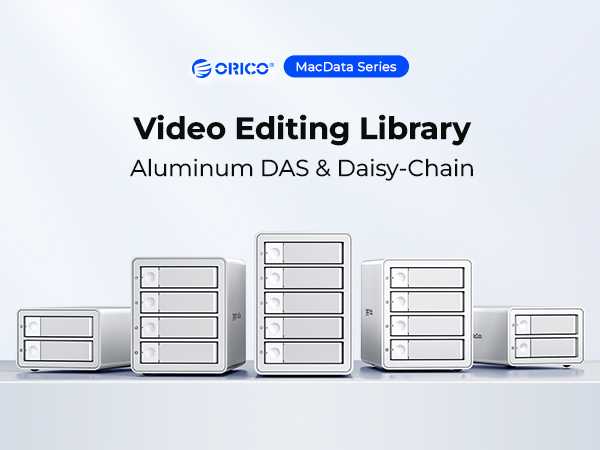
Yes, video editors often benefit from daisy chaining, but whether they need it depends on their setup. Daisy chaining allows multiple devices or monitors to connect in a series, simplifying cable management and expanding workspace. For busy editing suites with several monitors or external devices, daisy chaining can streamline workflow and reduce clutter. However, for basic editing setups, it might not be necessary. Overall, if you want to maximize efficiency and minimize cable mess, understanding daisy chaining’s role is essential.
For video editors, the need for daisy chaining hinges on their specific hardware configuration and workflow demands. It’s a practical solution for those working with multiple monitors or peripherals, but it’s not a must-have for everyone. Knowing when and how to use daisy chaining can make your editing process smoother and more organized, especially in professional environments. If you’re planning to expand your workspace or upgrade your gear, considering daisy chaining could be a smart move to enhance your editing experience.

Do Video Editors Need Daisy Chaining? An In-Depth Look
Understanding Daisy Chaining in Video Editing
Daisy chaining involves connecting multiple devices or monitors in a series, so one device links directly to another. In video editing, it usually refers to linking monitors or peripherals through a single port. This setup can help create a more efficient workspace and reduce cable clutter.
Why Do Video Editors Consider Daisy Chaining?
Many video editors explore daisy chaining to expand their workspace easily. It allows multiple monitors to display different editing tools or previews simultaneously. It also helps avoid the need for extra ports on the computer, especially if the device has limited connections.
How Does Daisy Chaining Work with Monitors?
Daisy chaining with monitors uses technologies like DisplayPort Multi-Stream Transport (MST). The primary monitor connects to the computer, and subsequent monitors connect to each other via DisplayPort cables. This setup lets editors increase screen real estate without needing multiple video outputs.
Advantages of Daisy Chaining Monitors for Video Editing
- Creates a larger workspace with multiple screens.
- Simplifies cable management by reducing the number of cables going to the computer.
- Enables easy expansion of the editing setup as needed.
However, users should verify that their monitors support MST or the relevant daisy chaining protocols.
Limitations and Challenges
While daisy chaining offers benefits, it has some drawbacks. Not all monitors support MST or daisy chaining features. Additionally, performance can degrade if the chain includes monitors with high-resolution displays or if the bandwidth isn’t sufficient.
Do Video Editing Devices Support Daisy Chaining?
Not every device supports daisy chaining. For example, some GPUs lack the necessary ports or protocols. It’s important to check whether the graphics card or integrated GPU supports DisplayPort MST or Thunderbolt daisy chaining.
Graphics Cards and Daisy Chaining
Many modern GPUs support multiple monitors via DisplayPort, HDMI, or Thunderbolt. However, only some support daisy chaining via DisplayPort MST. Users should check their graphics card specifications before attempting to set up a daisy chain.
Monitor Compatibility
Monitors need specific features to be part of a daisy chain. These include:
- DisplayPort input/output that supports MST.
- High enough bandwidth to handle resolutions and refresh rates.
- Matching or compatible specifications to ensure seamless performance.
When Should Video Editors Use Daisy Chaining?
Daisy chaining is ideal when adding extra screens without upgrading the entire setup or when workspace constraints limit available ports. It is especially useful for:
- Editors working with multiple tools and preview windows.
- Producers needing to display reference materials alongside editing timelines.
- Those who want to keep their workspace organized with fewer cables.
Situations Where Daisy Chaining Might Not Be Necessary
If your setup already supports multiple outputs or you need very high-resolution displays, daisy chaining might not be suitable. High-end editing environments often require dedicated outputs for each monitor to ensure maximum performance.
Alternative Solutions to Daisy Chaining
If daisy chaining doesn’t fit your setup, several options can offer similar benefits:
| Solution | Details |
|---|---|
| USB-C or Thunderbolt Docking Stations | Connect multiple monitors and peripherals via a single cable. |
| Multiple Video Outputs | Use multiple ports on your graphics card for dedicated connections to each monitor. |
| External GPU Enclosures | Enhance graphics performance and support for multiple displays in laptops. |
Preparing Your Setup for Daisy Chaining
Before attempting to connect multiple monitors or peripherals, ensure your hardware supports daisy chaining:
- Update graphics drivers to the latest version.
- Verify that monitors support MST or equivalent protocols.
- Check your graphics card specifications for multiple monitor support.
Proper cable quality and correct port selection are also vital for a successful setup.
Key Factors to Consider Before Daisy Chaining
When deciding whether to implement daisy chaining, consider the following:
- The resolution and refresh rate required for your workflow.
- The number of additional monitors needed.
- The compatibility of your hardware components.
- Potential performance impacts or bandwidth limitations.
Impact of Daisy Chaining on Video Editing Performance
Daisy chaining can influence your editing experience. While it simplifies adding monitors, it may introduce latency or reduce display quality if resources are stretched. To minimize issues, use high-quality cables and ensure your hardware supports the desired settings.
Summary of Key Points
- Daisy chaining connects multiple devices through a single port, optimizing workspace setup.
- Supports multi-monitor setups but relies on compatible hardware and cables.
- Not all monitors or graphics cards support daisy chaining, so check specifications first.
- Ideal for expanding workspace in a cost-effective and cable-efficient way.
- Consider alternative options if hardware limitations exist or performance is compromised.
Related Topics in Video Editing Hardware
- Choosing the right graphics card for multi-monitor editing.
- Best monitor configurations for professional video editors.
- The role of docking stations in expanding editing workspaces.
- Performance tips for demanding video editing tasks.
By understanding the capabilities and limitations of daisy chaining, video editors can make better decisions for their workspace. Proper setup ensures a smoother editing experience and maximizes productivity with the right hardware choices.
How to Daisy Chain Your Videos With Annotations
Frequently Asked Questions
What benefits does daisy chaining offer for multi-monitor setups in video editing?
Daisy chaining allows video editors to connect multiple monitors using a single Thunderbolt or DisplayPort connection. This setup simplifies cable management and reduces clutter on the workspace. It enables editors to expand their visual workspace efficiently, making multitasking and detailed editing easier without the need for multiple graphics cards or additional ports.
Are there any limitations to consider when daisy chaining several display devices?
Yes, there are limitations based on the bandwidth of the connection protocol and the capabilities of the involved hardware. Connecting too many displays in a daisy chain can lead to reduced performance, lower refresh rates, or lower resolution support. It’s crucial to check the specifications of your graphics card and displays to ensure they support multiple connections without compromising quality.
How do I determine if my video editing hardware supports daisy chaining?
To determine if your setup supports daisy chaining, review your graphics card and monitor specifications. Look for support for protocols like DisplayPort Multi-Stream Transport (MST) or Thunderbolt 3/4. Additionally, consult the user manuals or manufacturer websites to verify whether your hardware can handle multiple displays through a single connection.
Can daisy chaining help improve workflow efficiency during video editing projects?
Yes, daisy chaining can enhance workflow efficiency by enabling a larger and more flexible workspace. With multiple monitors connected seamlessly, video editors can view various timelines, source footage, and editing tools simultaneously. This setup reduces the need to switch between windows and helps maintain a smooth editing process.
Is daisy chaining suitable for all types of video editing software?
Most modern video editing software benefits from additional display space, regardless of whether they explicitly support daisy chaining. As long as your hardware supports multiple displays, you can use any editing software to take advantage of the extended workspace. However, performance may still vary depending on the software’s ability to handle multiple monitors efficiently.
Final Thoughts
Daisy chaining allows multiple devices or monitors to connect via a single port, which can be useful in some editing setups. However, for most video editors, it’s not an essential feature.
The primary concern is ensuring sufficient bandwidth and compatibility rather than chaining multiple devices.
In conclusion, do video editors need daisy chaining? Not necessarily, as many workflows function well without it. Focus on your specific needs and device compatibility to decide if it suits your setup.



