


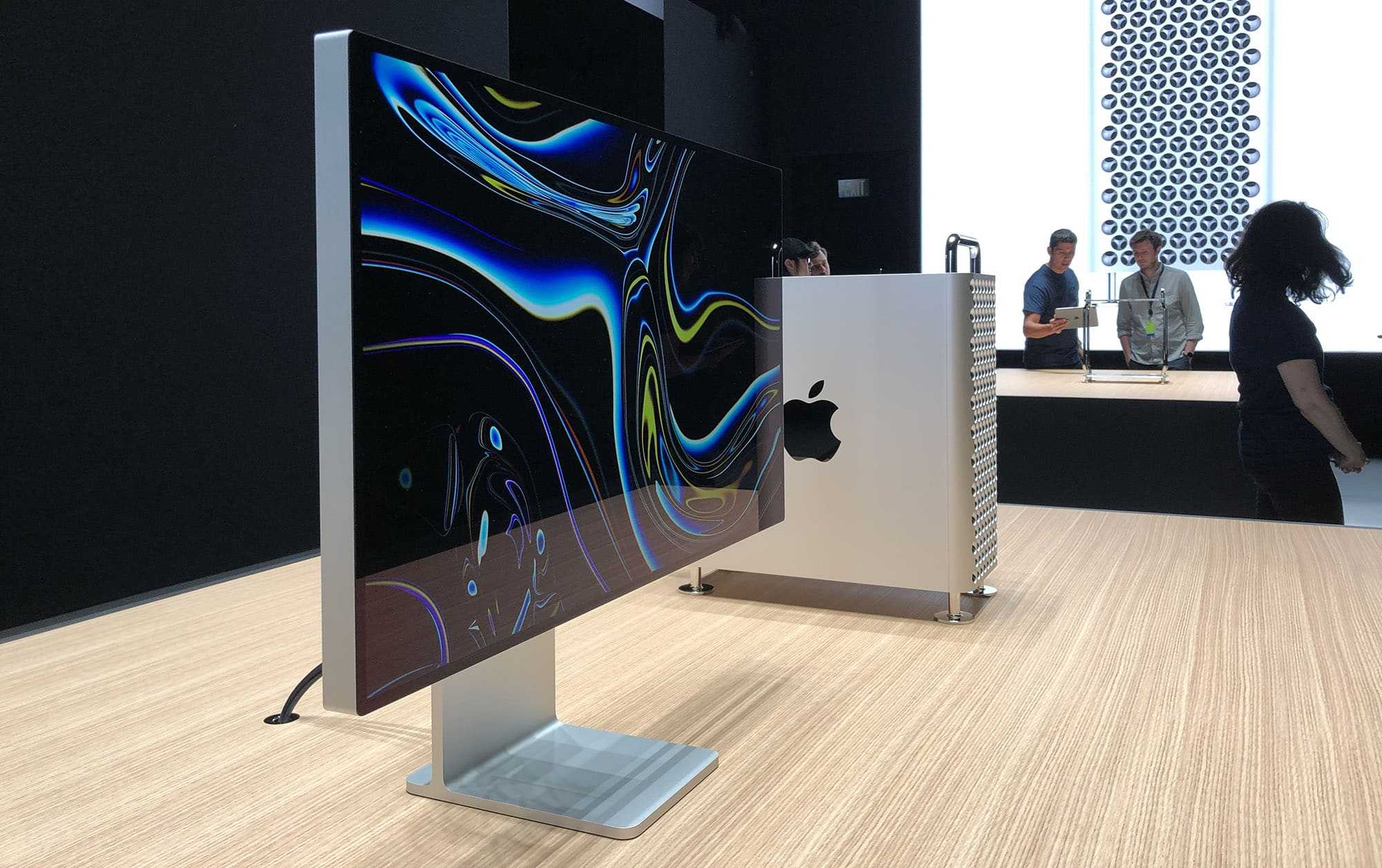
Absolutely, many professional editors do use HDR monitors for final grading. These high-end displays help achieve perfect color accuracy and better visualize the final look of a project. HDR monitors allow editors to see the full range of luminance and colors, making it easier to fine-tune contrast and brightness for a stunning, cinema-quality finish.
In short, yes, editors often rely on HDR monitors during the final stages of grading because they provide a more realistic and detailed view of the footage, ensuring the final product is polished and visually compelling.
When it comes to video editing and color grading, choosing the right monitor can make all the difference. Editors are constantly seeking ways to deliver the best quality, and HDR monitors have become an essential tool for achieving accurate and vibrant color reproduction. As the demand for high dynamic range content grows, more professionals are incorporating HDR displays into their workflow, especially during the final grading process where precision is key. These monitors help ensure that the colors, contrast, and luminance are faithfully represented, giving editors the confidence that the finished piece will look stunning on any display.

Do Editors Use HDR Monitors for Final Grading?
Many video editors ask if HDR monitors are necessary for final grading. The answer depends on several factors like the project type, desired quality, and budget. Understanding HDR technology is key to knowing how it impacts the editing process.
Understanding HDR and Its Importance in Video Editing
HDR stands for High Dynamic Range. It allows screens to display a wider range of colors and contrast. This results in visuals that are more vivid and lifelike compared to standard displays.
In video editing, especially during the final grading stage, HDR plays a crucial role. It helps editors accurately see the full range of brightness and colors in their footage. This ensures that the final product looks stunning on HDR-compatible devices.
Why Do Editors Prefer HDR Monitors for Final Grading?
Editors favor HDR monitors because they provide a more realistic view of high-contrast scenes. Without HDR, some details in the brightest or darkest areas can be lost. HDR monitors make it easier to see and adjust these details precisely.
Using HDR displays leads to better color accuracy and richer contrast. It helps create content that looks great across various screens, whether smartphones, TVs, or projectors supporting HDR.
Key Features of HDR Monitors for Editing
| Feature | Description |
|---|---|
| Peak Brightness | High brightness levels (at least 600 nits) are essential for true HDR rendering. |
| Color Gamut | Supports Rec. 2020 or DCI-P3 for wider color ranges. |
| Contrast Ratio | High contrast ratios (10,000:1 or higher) help differentiate bright and dark areas. |
| Bit Depth | 10-bit or 12-bit panels provide smoother color gradations. |
| Calibration Capabilities | Must support professional calibration for color accuracy. |
Are All HDR Monitors Suitable for Final Grading?
Not all HDR monitors are equal. Some are designed for casual viewing and may lack the color precision needed for professional grading. Ideally, editors should look for monitors with high peak brightness, excellent color accuracy, and comprehensive calibration options.
Professional-grade HDR monitors often come with factory calibration and support industry-standard color spaces like DCI-P3 and Rec. 2020. These features help ensure the final graded footage looks perfect across various viewing platforms.
The Role of Display Calibration in HDR Editing
Calibration is vital to ensure that what you see on the monitor matches the intended output. Even the best HDR monitors can display inaccurate colors if not properly calibrated.
Professional editors use calibration instruments to fine-tune brightness, contrast, color temperature, and gamma settings. Proper calibration guarantees that the graded footage maintains its integrity when viewed on different HDR devices.
Technical Challenges When Using HDR Monitors in Editing
While HDR monitors offer many benefits, they also introduce challenges. Some common issues include high costs, complex calibration processes, and compatibility with editing hardware and software.
Not all editing suites or media players support HDR workflows seamlessly. Editors need compatible hardware, powerful graphics cards, and updated software to make full use of HDR capabilities.
Budget Considerations for HDR Monitors
High-end HDR monitors can be quite expensive, often costing thousands of dollars. However, there are affordable options that provide good HDR support for aspiring editors or small studios.
Budget-friendly HDR monitors sometimes compromise on certain features like peak brightness or color gamut coverage. It is important to balance cost with the technical specifications required for professional final grading.
How HDR Monitors Fit Into the Final Workflow
HDR monitors are typically used in the final stages of grading. They are paired with color grading panels and software that support HDR workflows, such as DaVinci Resolve or Adobe Premiere Pro.
During final grading, HDR monitors allow editors to make precise adjustments to brightness, contrast, and colors, ensuring the final look is vibrant and true to the director’s vision.
Additional Equipment for HDR Final Grading
- Color Calibration Tools: Essential for ensuring color accuracy on HDR displays.
- High-Quality Light Meters: Aid in measuring and adjusting monitor luminance.
- Proper Viewing Environment: A dim, neutral-colored room reduces glare and reflection, helping editors see the true colors and contrast.
Future of HDR in Video Production
HDR technology is rapidly evolving, with new standards like Dolby Vision and HDR10+ gaining popularity. As televisions and devices increasingly support HDR, editors will need to adapt by using monitors that can handle these standards.
The trend suggests HDR will become a standard requirement for professional grading, ensuring content looks stunning across all platforms and devices.
Summary: Do Editors Use HDR Monitors for Final Grading?
Yes, many editors prefer HDR monitors for their final grading work because they provide a more accurate and detailed view of high-dynamic-range content. However, choosing the right HDR monitor is crucial to get the benefits without facing technical drawbacks. The decision to invest in HDR technology depends on the project requirements, budget, and workflow compatibility.
ProArt for Creator ft. Darren Mostyn and HDR grading on DaVinci Resolve – ProArt Display | ASUS
Frequently Asked Questions
Why do some editing professionals prefer HDR monitors for final grading?
HDR monitors provide a wider color gamut and higher contrast ratio, allowing editors to accurately evaluate the full range of luminance and color in their footage. This precision ensures that the final output looks consistent across different display devices and meets modern industry standards for visual quality.
Are HDR monitors necessary for high-end cinematic productions?
While not strictly necessary, HDR monitors are highly beneficial for cinematic productions where color accuracy and dynamic range significantly impact the storytelling and visual appeal. They enable editors to see details in highlights and shadows that would otherwise be missed, helping achieve a polished, professional look.
How does the use of HDR monitors affect the editing workflow?
Using HDR monitors can add some complexity to the editing workflow, as editors need to calibrate their displays correctly and understand how HDR content is managed. However, they also help streamline color grading by providing a clear view of high dynamic range footage, reducing guesswork, and minimizing the need for multiple passes.
Can non-HDR monitors suffice for final color grading?
Non-HDR monitors can be suitable for basic editing tasks or projects with limited color grading requirements. However, they lack the capability to display the extensive luminance and color range of HDR content, which can lead to less accurate color adjustments and a less visually impactful final product.
What should editors consider when choosing an HDR monitor for grading?
Editors should look for monitors that offer high peak brightness, excellent contrast ratios, accurate color reproduction, and proper calibration tools. Compatibility with industry color standards like Rec. 2020 and Dolby Vision can also enhance the quality and fidelity of the grading process.
Final Thoughts
Editors often prefer HDR monitors for final grading because they accurately display a wider color range and dynamic contrast. This precision ensures that the final product looks vibrant and true to vision.
Using HDR monitors allows editors to make more informed decisions about color and brightness, resulting in higher quality videos. They provide a detailed view of highlights and shadows, essential for professional grading.
do editors use hdr monitors for final grading? Yes, many editors rely on HDR monitors to achieve the best results. These tools help maintain color consistency and deliver visually stunning content.



