


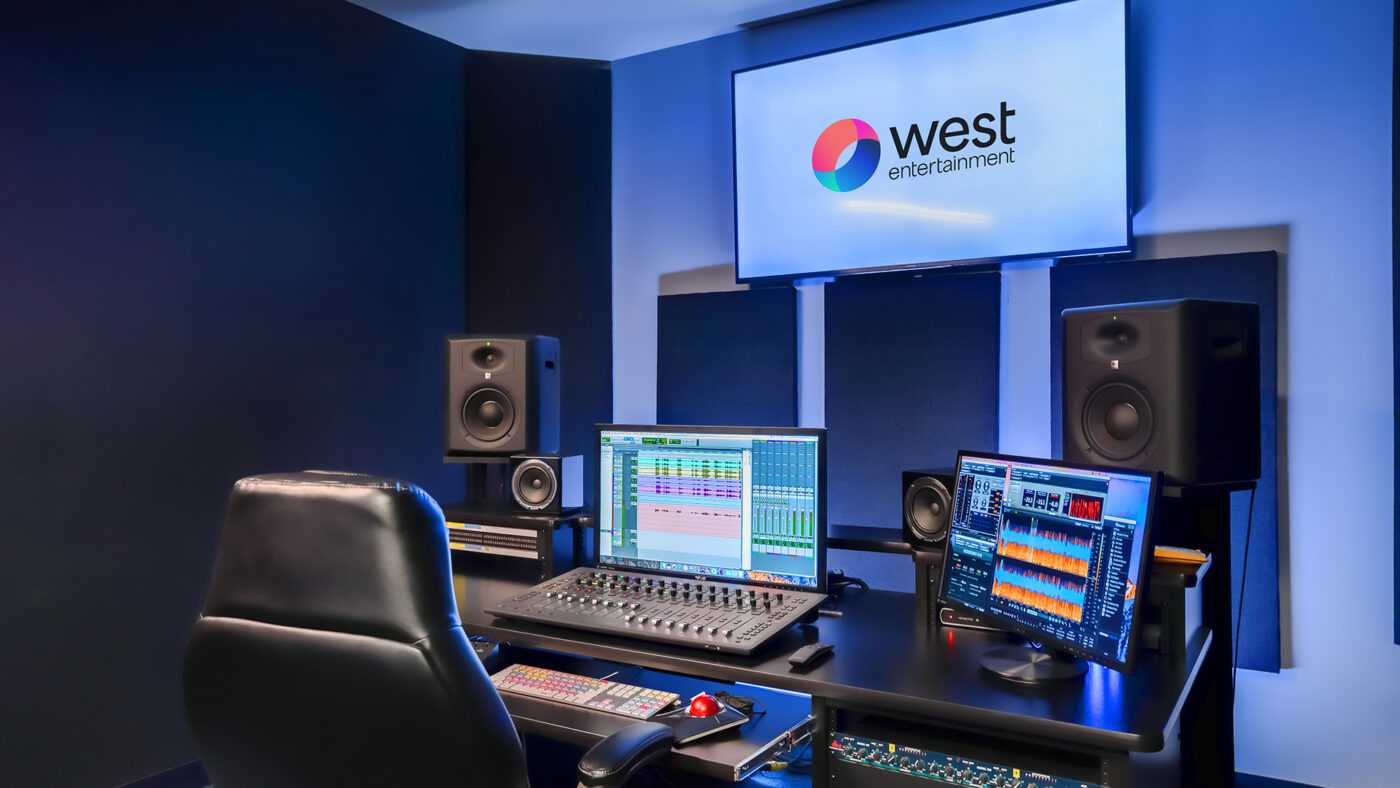
Yes, editors generally need reference monitors for client delivery to ensure that their final project meets professional standards. These specialized screens provide accurate color and sound reproduction, helping editors make precise decisions about their work. While not always mandatory, using reference monitors can significantly improve the quality of the final product, especially when delivering content that demands high fidelity, such as broadcast or commercial videos. They help prevent surprises when the project is viewed on different devices, giving editors peace of mind that their work looks and sounds just right. If you’re serious about professional editing, investing in reference monitors is a smart move to ensure your client receives a polished, reliable final product.
When it comes to professional editing, accuracy matters—especially when it’s time to present your work to clients or broadcast standards. Many wonder whether reference monitors are essential for client delivery, and the answer depends on the project’s requirements. In essence, reference monitors are designed to give editors an accurate view of their work, minimizing the risk of surprises after delivery. They’re crucial for achieving precise color grading, sound mixing, and ensuring compliance with industry standards. While some projects may proceed without them, having reference monitors makes the editing process more reliable and ensures the final product aligns perfectly with clients’ expectations. Whether you’re a seasoned editor or just starting out, understanding when and why to use these monitors can elevate your craft and streamline your workflow.

Do Editors Need Reference Monitors for Client Delivery?
Understanding What Reference Monitors Are
Reference monitors are specialized speakers designed to provide accurate sound reproduction. They are crucial in professional audio and video editing because they deliver an uncolored and precise listening experience. Unlike regular speakers, reference monitors do not enhance or diminish certain frequencies, which helps editors hear the true audio quality. This accuracy ensures that the final product sounds good on different playback systems.
Why Audio Accuracy Matters for Editors
In editing, hearing an exact sound helps identify issues such as background noise, audio clipping, or uneven sound levels. If the sound isn’t accurate, the final mix might be distorted when played on other devices. Accurate audio is essential not only for quality but also for meeting industry standards. With reference monitors, editors can make precise adjustments, ensuring the audio matches the intended vision.
Do All Editors Need Reference Monitors?
Not every editor needs high-end reference monitors for every project. Beginners or freelancers working on small projects might rely on good-quality consumer speakers or headphones. However, for professional work aimed at broadcast, film, or streaming services, using reference monitors becomes a necessity. They help maintain consistency and professionalism in the final product.
Benefits of Using Reference Monitors in Editing
- Accurate Sound Representation: Hear the true mix without coloration.
- Better Mixing Decisions: Make precise EQ adjustments and dynamics control.
- Consistency Across Devices: Ensure your audio sounds good on various playback systems.
- Industry Compliance: Meet professional standards for film, TV, and music production.
Types of Reference Monitors
Nearfield Monitors
These small speakers sit close to the listener and are ideal for mixing in small spaces. They are common in home studios or editing suites. Nearfield monitors provide detailed audio, making them popular among editors.
Farfield Monitors
Designed for larger spaces, these speakers are placed farther from the listener. They offer a wider soundstage and are more suitable for large editing rooms or post-production facilities. They require more space and a proper acoustic environment.
Studio Headphones
While technically not monitors, high-quality headphones can serve as a substitute when space or budget limits. They deliver a close approximation of reference monitoring but may not replace the spatial perception of speakers.
Key Features of High-Quality Reference Monitors
- Flat Frequency Response: No boost or cut in any frequency range.
- Proper Size and Power: Suitable for your room size and listening level.
- Good Build Quality: Durable materials to maintain sound accuracy over time.
- Accurate Imaging and Soundstage: Precise placement of sounds in the stereo field.
Challenges in Choosing Reference Monitors
Selecting the right monitors isn’t always straightforward. Factors such as room acoustics, budget, and intended use influence choosing monitors. Poor room treatment can distort sound, even with excellent monitors. It’s essential to understand your space and listening needs before investing.
Room Acoustics and Its Effect on Monitoring
Proper room treatment is vital for optimal monitoring. Unfavorable acoustics can cause sound reflections, echoes, or bass buildup, affecting sound perception. Use acoustic panels, bass traps, and diffusers to create a balanced environment. This treatment ensures you hear what your reference monitors actually produce.
Cost Considerations for Reference Monitors
High-quality monitors can be costly, ranging from a few hundred to several thousand dollars per pair. Budget constraints might lead small studios to opt for more affordable options. However, investing in reliable monitors often pays off through improved audio quality and fewer revisions.
Are Reference Monitors Necessary for Client Delivery?
While they are not legally required, reference monitors significantly improve the quality of the final product. They ensure the sound mix is accurate, professional, and suitable for various playback systems. Using monitors signals a commitment to quality and helps avoid costly mistakes before delivery.
Alternatives to Reference Monitors
Some editors rely on high-quality headphones or consumer speakers as substitutes. While convenient, these alternatives might not provide the same level of accuracy. When possible, combining monitor use with acoustic treatment offers the best results for client-ready work.
Best Practices for Using Reference Monitors in Delivery
Ensure your monitors are correctly positioned, typically at ear level and forming an equilateral triangle with the listening position. Regularly calibrate your monitors to align with industry standards. Also, listen at consistent volume levels and avoid mixing at high volumes, which can distort perception.
Legal and Industry Standards for Audio in Client Delivery
Most industries demand that audio be free of distortions or imbalances. Reference monitors help meet loudness standards like those set by the ITU or EBU. Consistently using accurate monitors ensures compliance with broadcasting and streaming platform requirements.
Summary of When Editors Should Use Reference Monitors
If the project demands high precision and professionalism, reference monitors are highly recommended. For personal or low-budget projects, headphones or consumer speakers may suffice initially. But as soon as you aim for broadcast or commercial release, investing in proper monitoring becomes essential.
Summary
Using reference monitors in editing workflows enhances accuracy, consistency, and professionalism. They help create audio that sounds good across different devices, meeting industry standards. While not always mandatory, their benefits strongly support delivering high-quality content to clients.
Related Topics to Explore
- Acoustic treatment tips for editing rooms
- How to calibrate reference monitors
- Differences between active and passive monitors
- Choosing headphones for audio editing
- Understanding audio loudness standards in media production
Interviewer has no idea he’s using FinalRound AI 😩
Frequently Asked Questions
Why are reference monitors important during client deliveries?
Reference monitors ensure that the audio and video output matches industry standards and client expectations. They provide accurate audio playback, which is crucial when making critical edits and final approvals. Using reference monitors helps editors verify that the colors, sound levels, and overall quality are consistent and reliable before delivering the project.
Can editing software alone replace the need for physical reference monitors?
While editing software offers visual and audio scopes, they might not provide the same accuracy as dedicated physical reference monitors. Software tools can be influenced by display settings or headphone limitations, leading to potential inaccuracies. Physical reference monitors offer a more precise representation of the final product, making them essential for high-quality client deliveries.
What qualities should editors look for in reference monitors for client work?
Editors should seek reference monitors with high resolution, accurate color reproduction, and flat frequency response. Monitors should minimize coloration or distortion to provide a true representation of the audio and visuals. Connectivity options and compatibility with editing systems also matter to integrate seamlessly into the workflow.
Are reference monitors necessary for all types of projects?
Reference monitors are especially vital for projects that require detailed color grading, precise audio mixing, or broadcast quality standards. For smaller or less critical projects, high-quality consumer speakers or monitors might suffice. However, for professional deliverables, investing in proper reference monitors ensures accuracy and client satisfaction.
How do reference monitors impact collaboration with clients?
Using reference monitors during editing allows clients to see and hear the project as intended, fostering clearer communication. When clients review the project on accurate monitors, it reduces misunderstandings and last-minute changes, helping editors meet project specifications confidently.
Final Thoughts
Using reference monitors ensures accurate audio playback, which is essential for professional editing. They help identify issues that may not be visible on regular speakers or headphones.
For client delivery, quality control remains crucial. Editors need reliable tools to meet industry standards and client expectations.
do editors need reference monitors for client delivery? Yes, having proper monitors guarantees precise sound reproduction and minimizes errors, leading to confident, high-quality submissions.



