


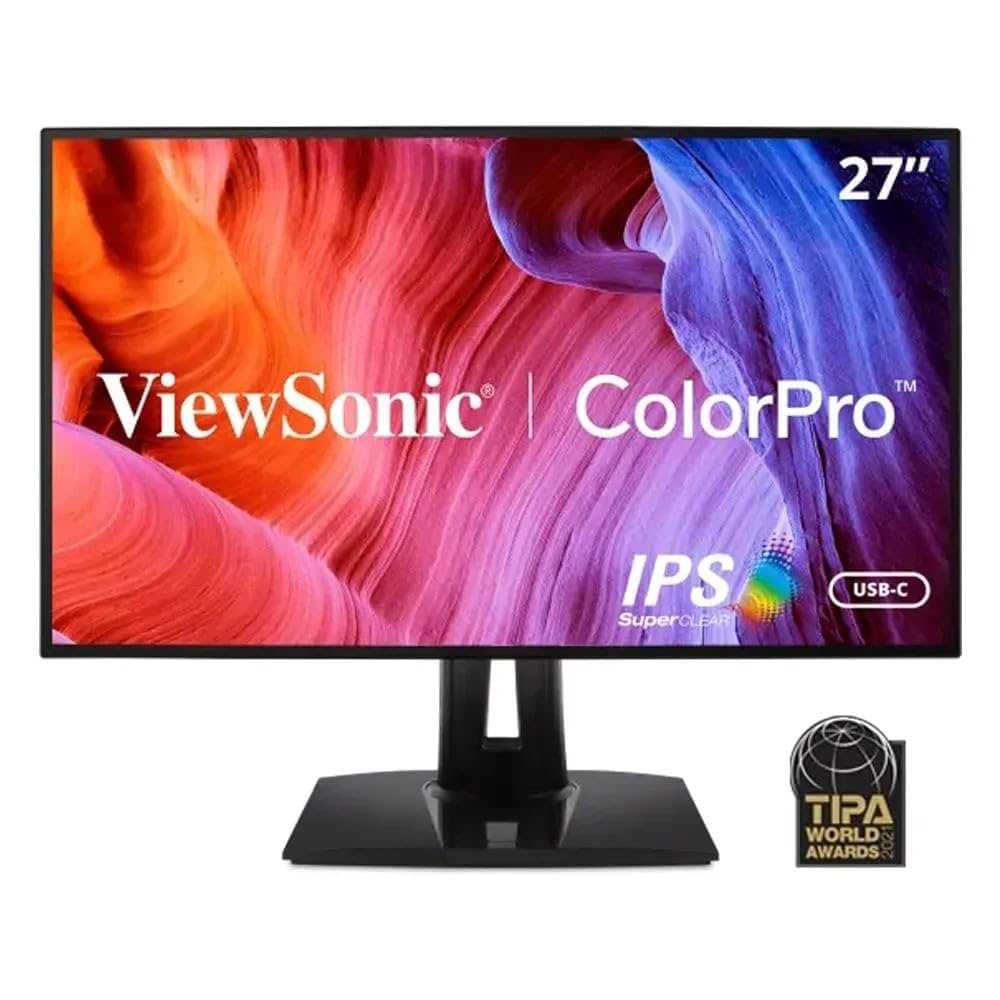
Delta E is a key measure used by photographers to determine how accurately their monitor displays colors, ensuring that what they see on screen matches the final print or client’s expectations. Think of it as the monitor’s “color fingerprint” — the lower the Delta E, the more precise and consistent the color representation.
In short, Delta E quantifies the difference between the displayed color and the true color. For photographers, minimizing Delta E is essential for achieving true-to-life colors, especially during editing and color grading. A Delta E below 2 is considered excellent for professional work, meaning the color discrepancy is virtually imperceptible to the human eye.
Understanding what Delta E is in monitors helps photographers make informed choices about their gear and ensures that their creative vision is preserved across different devices and mediums. It’s all about trust — trusting that what you see on your screen is as close to reality as possible, making your work more accurate and consistent from start to finish.

What is Delta E in Monitors for Photographers
Delta E is a measurement that tells us how accurate a monitor’s colors are. For photographers, color accuracy is very important because it affects how their photos look. Understanding what Delta E means can help photographers choose better monitors for editing their images.
Understanding Color Accuracy and Why It Matters
Color accuracy shows how close a monitor’s displayed colors are to the true colors. When editing photos, accurate colors ensure that images look the same across different screens and in prints. If a monitor has poor color accuracy, photos may look different from what was originally captured.
Photographers need to see true colors when they correct skin tones, adjust lighting, or select color themes. A monitor with high color accuracy helps them make better decisions during editing. This is why knowing about Delta E is essential.
What is Delta E in Simple Terms?
Delta E measures the difference between the colors a monitor displays and the actual, real-world colors. Think of it as a score that shows how precise the color reproduction is.
The lower the Delta E number, the closer the displayed color is to the original. A high Delta E value indicates that the colors are farther from the true colors, which can cause issues in editing work.
The Significance of Delta E Values
What is considered a good Delta E?
- Delta E less than 1: Nearly perfect color match, ideal for professional work.
- Delta E between 1 and 2: Very good, slight variations may not be noticeable.
- Delta E between 2 and 3: Acceptable for most purposes, still fairly accurate.
- Delta E above 3: Significant color differences, not suitable for precise editing.
For professional photographers, a monitor with a Delta E below 2 is usually recommended to ensure high fidelity in color reproduction.
How Delta E Is Measured
Devices called colorimeters or spectrophotometers measure the color output of your monitor and compare it to a reference. The software then calculates the Delta E score based on these measurements.
This process allows manufacturers and calibrators to understand how accurate a monitor’s colors are and if calibration is needed to improve accuracy.
Factors Influencing Delta E on Monitors
Monitor Calibration
Regular calibration helps keep the Delta E low. Over time, monitors may drift in color accuracy, so calibration ensures consistent performance.
Monitor Panel Technology
- IPS panels: Known for better color accuracy and wider viewing angles, often exhibiting lower Delta E scores.
- TN panels: Usually faster but less accurate, with higher Delta E values.
- VA panels: Offer good contrast but may have moderate color accuracy.
Brightness and Viewing Conditions
The environment where the monitor is used can affect perceived color accuracy. Bright lighting or glare can distort how colors look, making calibration and proper viewing conditions important.
Choosing a Monitor Based on Delta E
Professional Photographers
Look for monitors with a Delta E below 1 or 2 for critical color work. These monitors are usually factory calibrated and support advanced color management systems.
Amateur Photographers and Hobbyists
Monitors with Delta E up to 3 may suit their needs, especially if they are not doing print work or high-end editing.
Budget Considerations
Higher accuracy monitors tend to cost more. However, investing in a monitor with a low Delta E can ensure better image quality and reduce editing errors.
Calibration and Maintaining Low Delta E
Using Calibration Tools
- Colorimeters and spectrophotometers help measure and adjust color output.
- Regular calibration (monthly or quarterly) ensures consistent performance.
Software Options for Calibration
- Built-in calibration tools from monitor manufacturers.
- Third-party software like CalMAN or DisplayCAL.
Best Practices for Accurate Color Display
- Calibrate your monitor under consistent lighting conditions.
- Set up your workspace with neutral-colored walls and lighting.
- Use high-quality calibration hardware for best results.
Related Topics: Color Gamut and Brightness
While Delta E focuses on color accuracy, understanding other factors like color gamut and brightness is important. A monitor’s color gamut indicates the range of colors it can display, affecting the vibrancy of images.
For professional editing, aim for a monitor with a wide color gamut (such as Adobe RGB 99% or higher) alongside a low Delta E. Brightness levels should be suitable for your workspace, ensuring colors are visible without distortion.
Understanding Delta E is essential for photographers who want accurate color reproduction on their monitors. Choosing a monitor with a low Delta E ensures that what you see on-screen closely matches real-world colors, leading to more precise editing and better final results. Regular calibration and attention to monitor specifications can help maintain low Delta E levels over time, making sure your work remains consistent and true to life.
Monitor Colour Accuracy Explained – sRGB, DCI P3, DeltaE and more!
Frequently Asked Questions
How does Delta E influence color accuracy in photography work?
Delta E measures the difference between a displayed color and the intended color. In photography, a low Delta E indicates that the monitor reproduces colors accurately, which is essential for editing and color grading. When Delta E values are high, colors may appear off, leading to potential inaccuracies in the final image. Therefore, understanding and monitoring Delta E helps ensure the colors you see on screen match real-world tones closely.
What is considered an acceptable Delta E value for professional photographers?
For professional photography, a Delta E of 2 or below usually signifies good color accuracy, suitable for most editing needs. Some professionals prefer a Delta E under 1 for highly critical color work, such as print production or commercial photography. The lower the Delta E, the more precise the monitor’s color reproduction, which helps maintain consistency across devices and output formats.
Can calibration impact the Delta E of a monitor for photographers?
Yes, calibrating your monitor regularly can significantly reduce Delta E values by adjusting display settings to match standardized color profiles. Proper calibration ensures that the colors displayed are as close as possible to the original source, minimizing discrepancies. This process is vital for photographers who require consistent and accurate colors throughout their workflow.
How does screen technology affect Delta E in photographic monitors?
Screen technology, such as IPS panels or OLED displays, affects how accurately colors are reproduced and, consequently, influences Delta E readings. High-quality panel technologies tend to produce more uniform and precise colors, resulting in lower Delta E values. Choosing a monitor with advanced display technology can improve overall color fidelity and reduce the need for frequent adjustments.
Final Thoughts
Delta E in monitors for photographers measures color accuracy. It indicates how closely a monitor’s display matches the original colors, essential for precise editing. Lower Delta E values mean better color fidelity, ensuring your photos look consistent across devices. Understanding this metric helps photographers choose screens that deliver true-to-life colors for professional results.



