


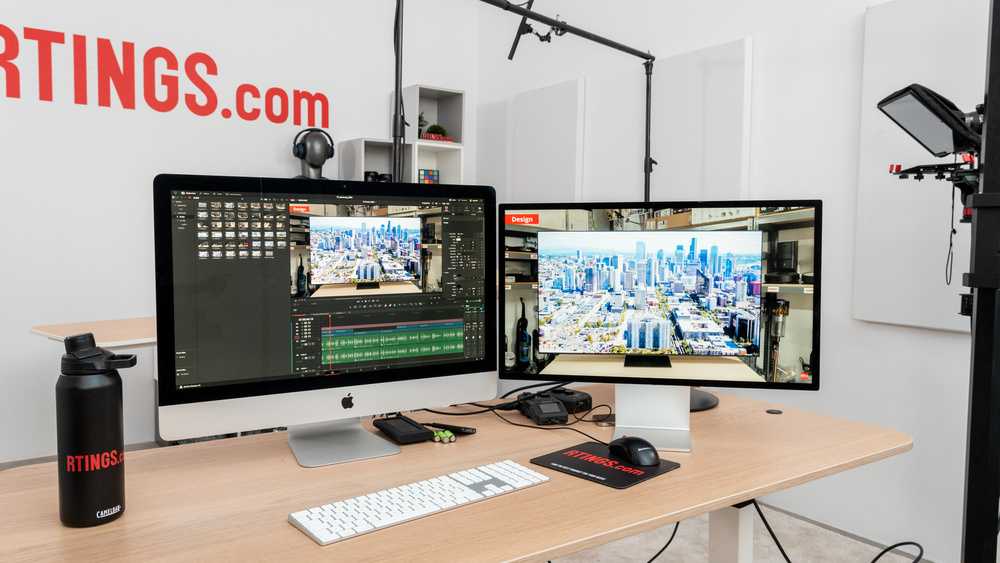
Yes, curved ultrawide monitors can be excellent for photo editing, offering immersive viewing and better alignment of the image across a wide field. They help reduce distortions and provide a seamless perspective, making detailed work more comfortable and accurate. However, they might not be ideal for everyone, especially if you prefer very precise color accuracy for professional tasks.
In brief, curved ultrawide monitors can enhance your photo editing experience by providing a more immersive and natural view of your work. They are especially beneficial for editing panoramic shots or working with multiple windows simultaneously. Nonetheless, choosing the right monitor depends on your specific needs—including color accuracy, resolution, and budget.
Jumping into the world of photo editing, many creatives wonder if a curved ultrawide monitor is a good investment. These displays are celebrated for their expansive screens and immersive experience, but do they truly help with editing photos? The truth is, they can significantly improve workflow and comfort, especially for those who work with detailed visuals or multitask. The curved design can minimize distortion and make it easier to see your edits clearly from different angles. Still, it’s important to consider other factors like color accuracy and resolution, which are crucial for professional editing. Whether you’re a hobbyist or a pro, understanding the pros and cons of curved ultrawide monitors can help you decide if they’re the right tool to elevate your photo editing game.

Is Curved Ultralow Monitor Good for Editing Photos?
Understanding Curved Ultrawide Monitors
Curved ultrawide monitors feature a screen that gently curves inward, providing a more natural viewing experience. Unlike flat screens, their curvature helps minimize distortion at the edges and enhances immersion. People often choose these monitors for gaming, entertainment, and professional work, but are they ideal for photo editing? Let’s explore how their design impacts editing tasks.
Benefits of Using a Curved Ultrawide Monitor for Photo Editing
A curved ultrawide offers several advantages for editing photos. The first benefit is the **wider field of view**. This allows you to see more of your workspace without moving your head or eyes excessively. It creates a seamless panorama that is perfect for detailed editing sessions.
Another benefit is **reduced glare and reflections**. The curvature helps minimize light interference from ambient sources, leading to clearer colors and sharper details. This feature is especially helpful in brightly lit rooms.
Additionally, the **ergonomics of a curved screen** can reduce eye strain. When working on large projects, your eyes don’t have to constantly refocus as much across different parts of the screen. The natural curve aligns with your peripheral vision, making prolonged editing sessions more comfortable.
Screen Resolution and Color Accuracy in Curved Ultralow Monitors
Resolution and color accuracy are critical for high-quality photo editing. Most modern curved ultrawide monitors come with **QHD (3440×1440)** or **4K (3840×2160)** resolutions, providing sharp images and fine details.
Color accuracy is equally important, and many monitors offer **coverages like Adobe RGB or DCI-P3**. These ensure that colors appear vivid and true to life, which is essential when editing photos for print or digital media.
Choosing a monitor with **hardware calibration support** guarantees consistent color output over time. The presence of **factory calibration** is also beneficial, reducing the need for constant manual adjustments.
Challenges of Curved Ultralow Monitors for Photo Editing
Despite their benefits, there are some challenges to consider. One issue is **distortion of straight lines**. Because of the curvature, straight edges in images might appear slightly bent, especially near the edges of the screen. This can affect precision during editing.
Another challenge is **workspace compatibility**. Curved ultrawides require ample desk space and proper positioning for the best viewing experience. If the monitor isn’t set up correctly, it might cause neck or eye discomfort over time.
Some users also find **color uniformity** varies across the screen. Larger displays can have slight inconsistencies, especially at the edges, which may require calibration.
Optimal Settings and Setup for Editing Photos on a Curved Ultrawide
Proper setup enhances the editing experience on a curved ultrawide monitor. First, position the monitor at eye level to avoid neck strain. Keep the screen about an arm’s length away for optimal focus.
Adjust the **brightness and contrast settings** to match your ambient lighting. This prevents eye fatigue and ensures color consistency.
Use **calibration tools**, such as a colorimeter, to fine-tune the monitor’s color profile. Most editing tasks benefit from accurate gamma, white point, and color space settings like Adobe RGB.
Set the display’s **refresh rate and response time** based on your workflow. Higher refresh rates provide smoother visuals, especially if you’re doing video editing alongside photo work.
Comparing Curved Ultrawide and Flat Monitors for Photo Editing
Flat monitors are still popular among photo editors due to their straightforward geometry. They tend to have **less distortion** around the edges, providing a neutral workspace.
However, ultrawide curved monitors introduce a **more immersive and natural viewing experience**. They reduce the need to turn your head, allowing for easier multitasking and wider workspace.
When comparing the two, consider the **type of projects you’re working on**. Flat screens excel in tasks requiring precise straight lines, while curved ultrawides offer a broader, more comfortable view for complex editing.
Additionally, the **cost difference** is notable. Curved ultrawides often come at a premium, but their feature set can justify the investment for serious photo editors.
Related Topics: Color Management and Hardware Compatibility
For professional photo editing, **color management** plays a vital role. Make sure your monitor supports **hardware calibration** to maintain color fidelity over time.
**Hardware compatibility** is also essential. Confirm your graphics card can handle the resolution and aspect ratio of a curved ultrawide monitor. This ensures smooth performance during editing sessions.
It’s wise to invest in **color calibration tools** and **color-accurate software** to maximize your monitor’s capabilities. Overall, compatibility and calibration are keys to achieving the best results.
Final Thoughts on Using a Curved Ultrawide Monitor for Photo Editing
A curved ultrawide monitor can be a **valuable tool for photo editing** if you select the right model and set it up correctly. Its immersive display and ergonomic benefits support detailed and comfortable editing.
However, you must be aware of potential distortions and workspace requirements. Proper calibration and positioning are crucial for achieving accurate color and straight lines.
Ultimately, if you prioritize a wide viewing area and reduced eye strain, a curved ultrawide monitor can enhance your editing workflow. Just ensure it matches your specific needs in resolution, color accuracy, and workspace setup.
Why I Love Editing On A 49” Super Ultrawide Monitor!
Frequently Asked Questions
Does the curvature of an ultrawide monitor help in minimizing distortion during photo editing?
Yes, the curved design of an ultrawide monitor reduces distortion by wrapping the display around your field of view. This creates a more natural viewing experience, allowing you to see your photos with less glare and optical distortions, leading to more accurate editing details.
Can the wide aspect ratio improve workflow when editing high-resolution images?
Absolutely. The extensive horizontal space provided by ultrawide monitors allows you to view multiple editing tools, palettes, or even side-by-side images comfortably. This setup streamlines your workflow by minimizing the need to switch between windows and helps maintain focus on intricate editing tasks.
Is color accuracy maintained on curved ultrawide displays suitable for professional photo editing?
Many high-end curved ultrawide monitors come equipped with factory-calibrated color profiles, ensuring accurate color reproduction. When paired with quality calibration tools, these monitors can meet professional standards, making them suitable for detailed photo editing that demands precise color work.
How does the immersive experience of a curved ultrawide affect photo editing precision?
The immersive nature of a curved ultrawide monitor means your entire viewing area is within your peripheral vision, reducing eye strain and increasing focus. This setup allows for finer control over editing details, especially in high-resolution images, leading to more precise and consistent results.
Are there any drawbacks to using a curved ultrawide monitor for editing photos?
While curved ultrawide monitors offer many benefits, they can be expensive and have a larger footprint, requiring ample desk space. Additionally, some users may find that the curvature causes slight distortions with certain applications or when viewing flat images, so it’s important to consider your specific editing needs before choosing this setup.
Final Thoughts
A curved ultrawide monitor offers an immersive viewing experience, making photo editing more enjoyable and precise. Its wide screen provides ample space to work with multiple tools and images simultaneously.
The curved design reduces glare and reflections, ensuring accurate color perception. This feature benefits photographers who need consistency in their edits.
In conclusion, is curved ultrawide monitor good for editing photos? Yes, it enhances workflow, improves visual comfort, and delivers detailed clarity, making it a valuable choice for photographers.



