


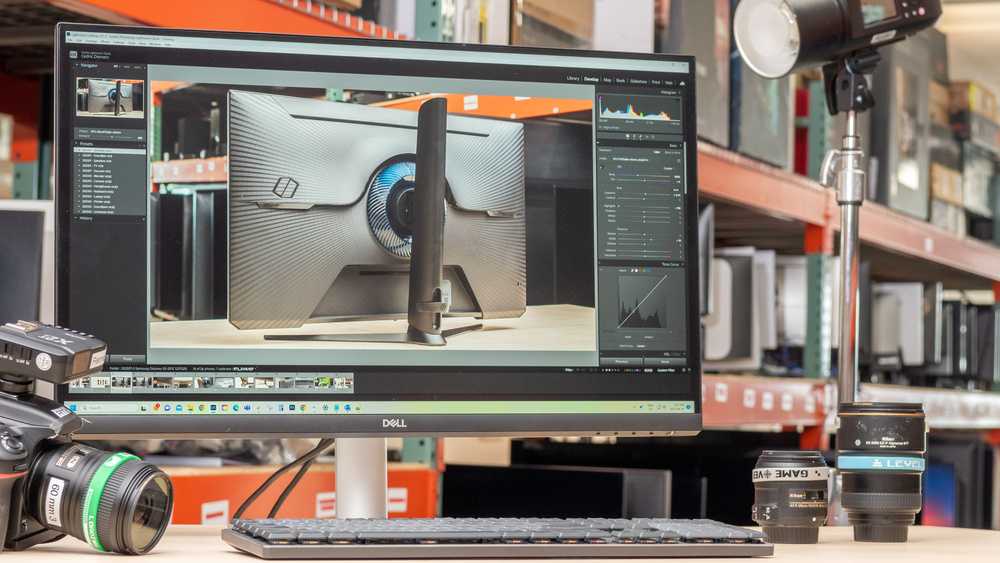
Absolutely, budget 4K monitors can be a viable option for content creation, but with some caveats. They may not match the premium models in color accuracy or build quality, but they often deliver decent resolution and clarity at a lower price point. For casual creators or those just starting out, these monitors can be functional enough to produce quality work without breaking the bank.
In short, budget 4K monitors can work for content creation, especially for beginners or hobbyists, but they may lack the advanced features and precise color accuracy found in higher-end models. If you’re willing to compromise slightly on color fidelity and build quality, they are a cost-effective choice for producing and editing content.
When considering a budget 4K monitor for content creation, it’s important to weigh your specific needs and expectations. These monitors generally offer a sharp picture and good resolution, making them suitable for tasks like video editing, graphic design, and photo retouching. However, they often come with limitations such as lower color accuracy, limited color gamut, and sometimes poor viewing angles. For hobbyists or those in early stages of their creative journey, these issues may not significantly impact work. But if you require highly accurate colors for professional work, investing in a higher-end model might be necessary. Ultimately, budget 4K monitors can be a practical entry point into content creation, providing decent performance without a hefty price tag.

Do Budget 4K Monitors Work for Content Creation?
Understanding 4K Resolution and Its Benefits
4K resolution offers four times the pixel count of Full HD, with a standard of 3840 x 2160 pixels. For content creators, this means sharper images, clearer details, and more precise editing. The increased resolution allows for better multitasking since more windows and tools can be displayed simultaneously.
Are Budget 4K Monitors Reliable for Content Creators?
Many budget 4K monitors provide decent performance, but they may have some limitations. These include lower color accuracy, reduced brightness, and shorter lifespan compared to premium models. However, they can still be suitable for beginners or those on a tight budget.
Key Features to Look for in Budget 4K Monitors for Content Creation
When choosing a budget 4K monitor, focus on important features such as
- Color accuracy and coverage (look for sRGB or Adobe RGB support)
- Connectivity options like HDMI and USB-C ports
- Panel type (IPS panels offer better colors and viewing angles)
- Refresh rate (60Hz is standard, but some models offer higher rates)
- Adjustability (tilt, swivel, height adjustment)
These features ensure a good balance between performance and affordability.
Color Accuracy and Its Impact on Content Creation
Color accuracy is crucial for tasks like photo editing, video editing, and graphic design. Budget monitors might have lower color fidelity, which can lead to color discrepancies when sharing work across different devices. To mitigate this, look for monitors with decent color calibration or consider calibrating your monitor with specialized tools.
Size and Screen Real Estate for Efficient Workflow
Monitor size influences how comfortably you can work. A 27-inch monitor is often ideal for content creation because it offers enough screen space without overwhelming your desk. Larger screens can enhance multitasking but might be more expensive or require a more powerful GPU.
Connectivity and Compatibility
Having the right ports is essential. Most budget 4K monitors include HDMI and possibly DisplayPort. USB-C connectivity allows for a cleaner setup and additional device charging. Ensure your computer supports these connections for seamless integration.
Panel Types and Their Effects on Creative Work
IPS panels dominate in content creation due to their superior color reproduction and wider viewing angles. TN panels are usually cheaper but offer poorer color accuracy and viewing angles. VA panels can be a middle ground with better contrast but less accurate colors compared to IPS.
Performance and Responsiveness in Budget Models
While high refresh rates are not critical for static work, they can be advantageous for video editing or animation. Budget monitors typically have a 60Hz refresh rate, which suffices for most content creation tasks. Response times are less impactful unless you work with fast-motion video or gaming.
Calibration and Post-Purchase Adjustments
Many budget monitors benefit from calibration to improve color accuracy. Basic calibration tools are affordable and easy to use. Regular adjustments can make a noticeable difference in the quality of visual output.
Price vs. Quality: Finding the Right Balance
While budget options are attractive, they often come with compromises. Set priorities—such as color accuracy or connectivity—and look for models balancing these with affordability. Reading user reviews can help identify monitors that perform well within your budget.
Popular Budget 4K Monitors for Content Creators
Some models stand out in the budget range:
- LG 27UK650-W: IPS, good color coverage, versatile ports
- Acer CB282K: Affordable, decent color accuracy, HDMI and USB-C
- Philips 276E8VJSB: Solid 4K resolution, good size, and decent performance
Research these models to see which fits your needs best.
Additional Tips for Content Creators Using Budget Monitors
– Use calibration tools to improve color fidelity
– Consider dual monitor setups for increased workspace
– Pair with a capable GPU to handle high-resolution tasks
– Keep the monitor’s firmware and drivers updated for optimal performance
– Adjust display settings to enhance clarity and reduce eye strain
Related Topics Explored
Content creators should also consider:
- Best graphics cards for 4K editing
- Color calibration tools for monitors
- Ergonomic accessories for comfortable long-term work
These can complement your monitor choice and improve overall productivity.
Summary of Pros and Cons of Budget 4K Monitors for Content Creation
| Pros | Cons |
|---|---|
| Affordable price point | Potential compromises in color accuracy |
| Higher resolution for detailed work | Limited advanced features |
| Better multitasking experience | Variable build quality |
| Improved workspace size | May require calibration for best results |
Final Thoughts on Budget 4K Monitors for Content Creation
Budget 4K monitors can definitely meet the needs of many content creators, especially those starting out or working within tight budgets. While they might not match high-end professional displays, they offer significant advantages in screen resolution and workspace. Proper calibration and selecting models with good color support make them practical choices for creative work.
Overall, choosing the right budget 4K monitor involves balancing features, performance, and cost. With careful research and maintenance, these monitors can support a productive and enjoyable content creation experience.
Best Budget 4K Monitor for Creatives in 2024: ASUS ProArt PA279CRV Review!
Frequently Asked Questions
Can budget 4K monitors handle color accuracy required for content creation?
Many budget 4K monitors provide decent color accuracy suitable for casual content creation. However, they may lack the precise color reproduction found in higher-end models. If you work with color-sensitive projects, look for monitors that offer coverage of wider color gamuts like sRGB or Adobe RGB and have factory calibration options. For general editing and online content, budget options often suffice, but for professional work, investing in calibration tools can improve accuracy.
Are budget 4K monitors reliable for long-term use in content production?
Generally, budget 4K monitors can handle extended use if they are built with quality components and have good reviews. They typically feature standard refresh rates and response times suitable for editing and designing. However, some may experience issues like backlight bleed or color inconsistency over time. Regular maintenance and choosing models with better user feedback can help ensure durability and consistent performance during lengthy editing sessions.
Do budget 4K monitors come with features beneficial for content creators?
Many affordable 4K monitors include features like multiple connectivity options, adjustable stands, and decent viewing angles. Some models also offer basic color calibration tools and anti-reflective coatings, which benefit content creators. Still, they might lack advanced features such as hardware calibration, wide color gamut support, or high refresh rates. Evaluate your specific needs to determine if a budget monitor aligns with your workflow requirements.
How does the resolution quality of budget 4K monitors impact editing precision?
Budget 4K monitors generally deliver clear, sharp images that make detailed editing easier. However, they may not have the same pixel density or uniformity as high-end options, which can affect precision in color grading and fine detail work. Ensuring the monitor has good pixel response time and consistent display quality improves your editing accuracy. For minor projects or casual content creation, they often suffice, but for critical tasks, higher-end models may be preferable.
Are there any limitations to consider when choosing a budget 4K monitor for content creation?
Budget 4K monitors often come with limitations such as narrower color gamuts, lower contrast ratios, and limited view angles. They may also lack advanced calibration features or have less durable build quality. These factors can affect color accuracy and overall visual consistency, especially for professional-grade work. Consider whether these trade-offs fit your project requirements before making a purchase decision.
Final Thoughts
Les moniteurs 4K abordables peuvent convenir à la création de contenu pour ceux qui ont un budget limité. Ils offrent une résolution nette et des détails précis pour éditer des images et vidéos. Cependant, leur performance peut varier selon la marque et le modèle.
Pour les créateurs débutants ou intermédiaires, ces écrans offrent une solution économique tout en maintenant une qualité d’image acceptable. Ils ne remplacent pas toujours des options haut de gamme, mais ils sont une alternative valable.
Do budget 4k monitors work for content creation? La réponse courte est oui, à condition de comprendre leurs limites et leurs avantages. Ces moniteurs conviennent pour la majorité des tâches créatives sans nécessiter un investissement élevé.



