


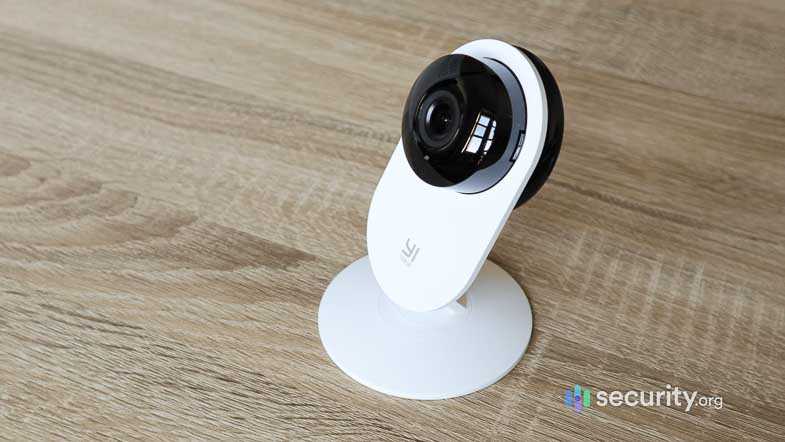
Yes, you can use a webcam without the internet! Many webcams can operate locally without needing an internet connection, allowing you to use them for video calls, recordings, or security purposes within your network. However, features like live streaming or remote access may require an online connection.
A webcam doesn’t necessarily need the internet to work; it can function simply by connecting to your computer via USB. If you want to record videos or have a local video feed, an internet connection isn’t essential. The main thing to consider is what you want to do with your webcam—basic local use is entirely possible without any online dependency.
If you’re wondering whether you can use a webcam without being connected to the internet, the answer is a definite yes. Many webcams are designed to run directly with your computer, capturing footage locally. Whether you’re creating videos, doing video chats, or monitoring your home with a security camera, the key is connecting it properly and having the right software installed. Just keep in mind, if you want sharing or remote access, an internet connection will be necessary.

Can I use webcam without internet?
Many people wonder if they can operate a webcam without an internet connection. The good news is that in most cases, you can use your webcam locally without needing the web. This is especially useful if you want to keep your footage private or use your webcam for personal projects. Let’s explore how webcams work offline and what you need to do to set them up properly.
Understanding How Webcams Work
A webcam is a device that captures video and still images. It connects to your computer through a USB port or sometimes via other interfaces like HDMI or Thunderbolt. Once connected, it sends the video feed directly to your computer, allowing you to record or view footage. This process does not inherently require internet access.
Local vs. Online Webcam Use
When using a webcam locally, you’re simply taking video data from the device and displaying or recording it on your computer. No internet connection is needed unless you want to share the footage online or use cloud services. Therefore, basic webcam use like video calls or recording is entirely possible offline.
Setting Up Your Webcam Without Internet
To use your webcam offline, start by connecting it properly to your computer. Use a compatible USB port and ensure drivers are installed. Most operating systems automatically detect webcams, but specific driver installations might sometimes be required for advanced features.
Installing Necessary Drivers
For Windows, drivers often install automatically. On Mac or Linux, your system may already have built-in support. If not, visit the manufacturer’s website on another device, download the driver, and transfer it via USB. Follow the installation instructions carefully to ensure your webcam works smoothly.
Using Webcam with Local Software
Once your webcam is connected, you need software to view or record video. Many free and paid programs enable local use without internet. These include applications like OBS Studio, ManyCam, or Windows Camera app.
Popular Offline Webcam Software
- OBS Studio: Ideal for recording and live streaming, supports multiple sources, and works offline.
- Windows Camera: Built-in Windows app that allows quick video capturing and photo taking.
- VLC Media Player: Can also record webcam feed without needing internet.
Recording and Saving Video Files Locally
All these applications allow you to record videos directly onto your computer. Files are saved locally, so you can review, edit, or share them later. This process has no dependence on an internet connection, making it safe and private.
Webcam Use Cases Without Internet
Personal Security and Surveillance
You can set up a webcam for home security without internet. Simply connect the device, position it where needed, and record footage. This setup keeps your data private and accessible only locally.
Video Recording for Projects or Education
If you’re working on a school project or learning how to record videos, offline webcam use is very practical. You can record lessons, experiments, or tutorials directly onto your device without relying on online services.
Video Conferencing Without Internet
While most platforms need internet, some local applications enable video calls over a local network. For example, using software like LAN Messenger or specific LAN-based conferencing tools, you can chat or share video with someone nearby without internet access.
Limitations of Using Webcam Without Internet
While many functions are available offline, certain features require internet connectivity. These include live streaming to social media, cloud storage, or remote access via the web. Offline use means you won’t have access to these features unless you add internet later.
Limitations Summary
- No live streaming to platforms such as YouTube or Facebook
- No access to cloud storage options like Google Drive or Dropbox for automatic backups
- Unable to receive software updates or remote tech support without internet
Ensuring Privacy and Security
Using your webcam offline can enhance privacy because your footage isn’t transmitted over the internet. To maximize security, disconnect your webcam when not in use and use strong passwords for your local accounts. Regularly update your device’s drivers and software to protect against vulnerabilities.
Hardware Considerations for Offline Webcam Use
Not all webcams are created equal. Basic models work well offline for simple recording, but advanced webcams with features like high-definition recording, infrared night vision, or pan-tilt functionality may require more setup. Verify that your device supports offline operation before purchase.
Power Supply and Storage
Ensure your webcam and computer have reliable power sources. External storage options like USB drives or external hard drives help you save large video files without filling up your computer’s internal memory. Always back up footage regularly to prevent data loss.
Connecting Multiple Cameras for Offline Use
For more complex projects, you might want to connect several webcams. Use a multi-channel capture card or a computer with multiple USB ports. Confirm that your recording software supports multiple devices at once for cohesive video capturing.
Choosing the Right Equipment for Offline Use
Look for webcams compatible with your operating system and capable of working with your preferred software. Consider factors like resolution, frame rate, and optical quality. Higher-quality devices provide clearer footage but may cost more.
Final Tips for Using Webcam Without Internet
- Test your setup thoroughly before recording or important sessions.
- Keep software updated for the best performance, even offline.
- Use quality cables and connectors to avoid connection issues.
- Organize your files with clear naming conventions for easy access later.
In conclusion, using a webcam without internet is very feasible for many tasks. From simple video recording to security setups, offline webcam use offers control, privacy, and reliability. By following proper setup steps and choosing suitable software and hardware, you can achieve high-quality results without ever needing an online connection.
No WiFi? No Problem! Home Security Cameras That Work Without WiFi
Frequently Asked Questions
Can I use my webcam without an internet connection for local video recording?
Yes, you can use your webcam to record videos directly onto your computer’s storage without needing an internet connection. Most webcams come with software that allows you to capture and save videos locally. As long as your device is powered on and the webcam is properly connected, you can record videos at any time without internet access.
Is it possible to use a webcam for live video chats without being connected online?
No, for live video communication, you must connect to the internet to access platforms like Zoom, Skype, or Teams. These services require an active internet connection to transmit audio and video data in real-time. Without internet access, you cannot participate in live video chats through a webcam.
Can I connect my webcam to a local network without internet access and use it for surveillance?
Yes, you can set up your webcam on a local network without internet to monitor your property. Using compatible software, you can view live feeds from the webcam via your local Wi-Fi or Ethernet connection. This setup allows you to keep an eye on live footage without depending on internet connectivity.
What hardware or software do I need to operate a webcam without internet?
To use a webcam offline, you need a computer or device with compatible drivers and recording or viewing software. The webcam itself connects via USB or other ports. Ensure your device has sufficient storage or a way to save videos locally. No internet is required for basic recording and viewing functions.
Can I update my webcam drivers or firmware without an internet connection?
Updating webcam drivers or firmware typically requires downloading the latest files from the manufacturer’s website. If you lack internet access, you can download updates on another device and transfer them via USB or other storage methods. Then, install the updates on your webcam-equipped device manually.
Final Thoughts
Using a webcam without internet is possible for local recording and basic tasks. You can connect it directly to your computer and use software to operate it offline. This setup works well for security monitoring or personal projects.
However, for live streaming or remote access, an internet connection becomes necessary. It enables real-time communication and data transfer.
In summary, can i use webcam without internet? Yes, you can for offline activities, but internet is essential for online features.



