


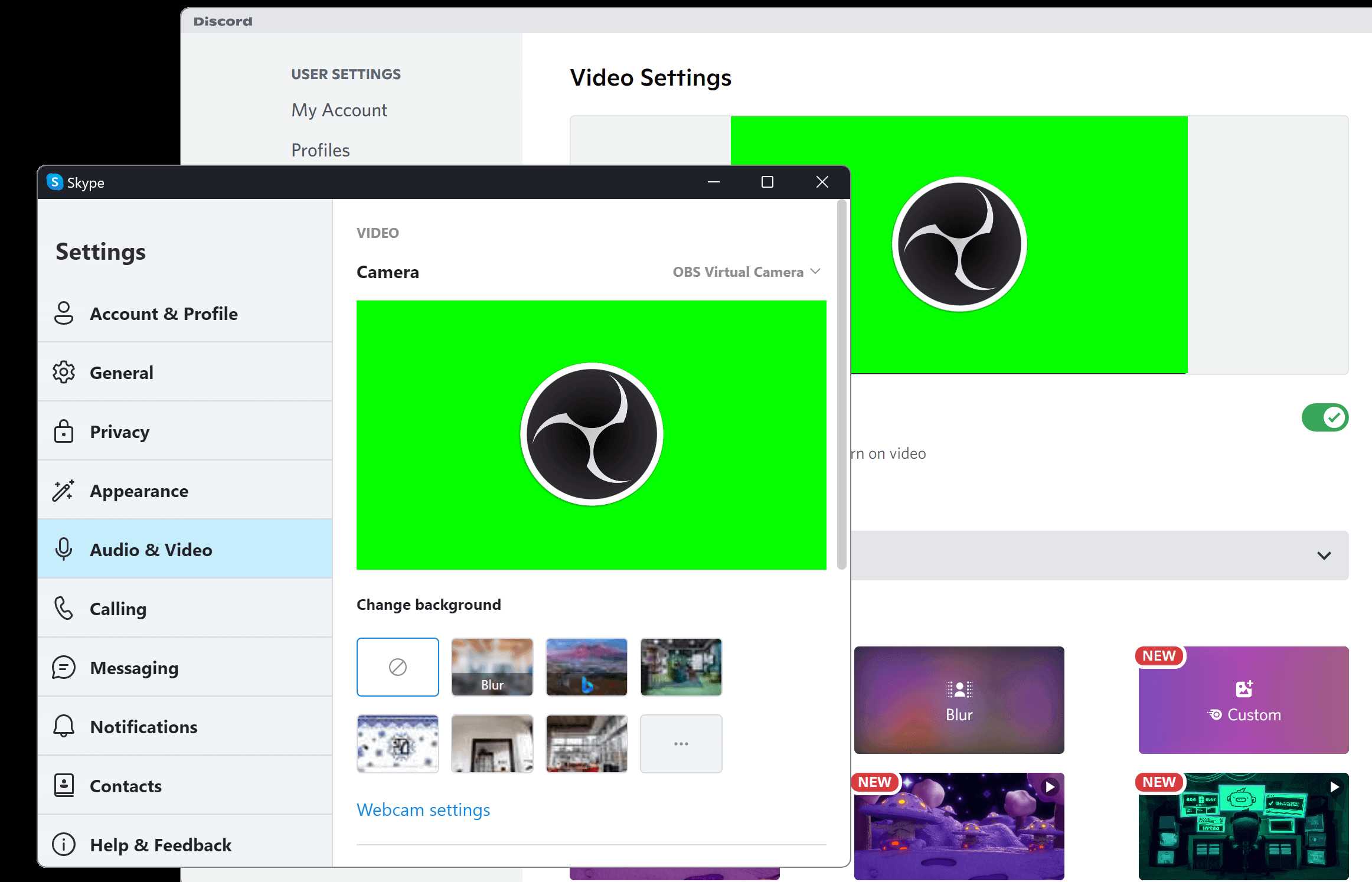
Yes, most webcams can work with OBS Virtual Camera, allowing you to stream or record directly from your camera using OBS Studio. The virtual camera feature acts as a bridge, letting your webcam feed be used across different video applications seamlessly.
Webcams generally do support OBS Virtual Camera, but it depends on your system setup and the webcam’s compatibility. For most users, setting up OBS Virtual Camera is straightforward and enhances your video streaming experience. Whether you’re gaming, doing a live presentation, or recording a video, this feature adds flexibility by turning your webcam into an additional camera source that easily integrates with other apps. If you’re wondering whether your webcam can be used with OBS Virtual Camera, the good news is that most standard webcams are compatible, making it a great tool for content creators, educators, and remote workers looking to upgrade their video quality effortlessly.

Do webcams support OBS virtual camera? An in-depth look
Understanding OBS Virtual Camera and its purpose
OBS virtual camera is a feature that allows users to use OBS as a webcam source for other applications like Zoom, Skype, or Teams. It creates a virtual device that acts like a real webcam but streams the content from OBS. This feature helps in adding effects, overlays, and multiple sources during live streaming or video calls. Many users wonder if their physical webcams are compatible with this virtual feature.
Do webcams support OBS virtual camera directly?
Most webcams do not need special support to work with OBS virtual camera. They simply connect to your computer and are recognized as input devices. However, compatibility issues can arise depending on the system and the software versions used. The webcam itself acts as a video input, which OBS can capture and then output through its virtual camera plugin.
Webcam drivers and system compatibility
Webcams rely on drivers to communicate with your computer. As long as your webcam driver is properly installed and updated, it should work well with OBS. Some older webcams might have limited functionality or lower resolution, which can impact the quality when used as a virtual camera feed.
Operating system considerations
Windows, macOS, and Linux each handle webcam devices differently. Windows has broader support for virtual cameras and generally works smoothly with many webcams. Mac users may need additional steps or software, such as installing specific drivers or using third-party tools. Linux supports webcams well but may require more technical setup.
The role of OBS Studio in supporting webcams as virtual cameras
OBS Studio allows users to turn their webcam feeds into a virtual camera device. To do this, you first connect your physical webcam to the computer. Then, you add your webcam as a source in OBS. Once set up, you can start the virtual camera, which makes OBS output available to other applications.
How to set up your webcam with OBS Virtual Camera
First, open OBS and create a scene. Add a source by selecting your webcam device from the list of available video capture devices. Next, configure your scene with overlays, images, or additional sources if needed. Finally, click on the ‘Start Virtual Camera’ button in OBS, making it available for use in other apps.
System requirements for using OBS Virtual Camera with webcams
To ensure smooth operation, your computer should meet the following:
- At least 4GB RAM
- Modern CPU with multiple cores
- Latest version of OBS Studio
- Updated webcam drivers
- Compatible operating system (Windows 10 or newer, macOS Big Sur or newer)
These requirements ensure that your system can handle video processing and virtual camera output effectively.
Compatibility of webcams with OBS virtual camera: What to know
Generally, most webcams work with OBS virtual camera without issues. However, there are factors that can influence compatibility, such as resolution, frame rate, and driver support.
Popular webcam brands compatible with OBS virtual camera
Most well-known webcams from brands like Logitech, Microsoft, Razer, and AverMedia are compatible. These webcams tend to have good driver support and high-quality video output, making them ideal for use with OBS virtual camera.
Limitations with low-quality or older webcams
Older webcams or those with lower resolution might produce poor video quality when used as a virtual camera source. Limited frame rates can also cause choppy video streaming, especially during fast-moving scenes.
Potential issues and troubleshooting tips
Some users experience problems when trying to use their webcams with OBS virtual camera. Common issues include device recognition failures, low resolution, or laggy video.
Steps to troubleshoot webcam issues with OBS virtual camera
- Ensure your webcam drivers are updated and properly installed
- Check in Device Manager or System Preferences that the webcam appears correctly
- Use the latest version of OBS Studio and the virtual camera plugin
- Close other applications that might be using the webcam simultaneously
- Adjust resolution and frame rate settings within OBS for better performance
Additional software that can enhance webcam compatibility
Some third-party tools, like ManyCam or SplitCam, can help bridge compatibility gaps. They allow for more flexible virtual webcam setup and can support multiple sources or resolutions.
Related topics and advanced setup options
For more complex setups, users might want to incorporate multiple video sources or add overlays. Virtual camera output can also be configured to optimize performance for specific applications.
Using multiple webcams with OBS virtual camera
You can add multiple webcams in OBS by creating separate scenes or sources. Switch between scenes or output a combined view through the virtual camera. This setup is perfect for multi-angle recordings or live interviews.
Enhancing video quality with OBS filters
OBS offers several filters like chroma key, color correction, and sharpening. Applying these can improve visual quality when using the virtual camera, making your streams look more professional.
Summary of key points
In summary, most webcams work seamlessly with OBS virtual camera as long as their drivers are current and your system meets basic requirements. Compatibility is generally high, especially with popular brands. Troubleshooting common issues usually involves driver updates and adjusting settings in OBS.
Final thoughts on do webcams support OBS virtual camera
For users wondering if their webcam can be used as a source for OBS virtual camera, the answer is usually yes. With proper setup, your existing webcam can become a powerful tool for streaming, virtual meetings, and content creation. It’s a flexible solution that combines hardware capabilities with software features to enhance your online video experiences.
How To Use OBS Virtual Camera – Full Guide
Frequently Asked Questions
Can any webcam be used as a virtual camera in OBS?
Most webcams can be utilized as virtual cameras in OBS if they are recognized by your computer and compatible with virtual camera software. However, the webcam must have a driver that supports virtual camera output or be compatible with third-party virtual camera applications. It’s essential to verify that your webcam’s driver and hardware support this feature to ensure smooth operation within OBS.
Are there specific webcam models that work better with OBS virtual camera?
Some webcam models offer better compatibility and performance with OBS virtual camera, especially those designed with software support for virtual output. Popular models from manufacturers like Logitech often work seamlessly due to their reliable drivers and software integration. Checking user reviews and manufacturer specifications can help determine whether a particular webcam will integrate easily with OBS virtual camera features.
Is additional software required for webcams to work with OBS virtual camera?
Yes, in many cases, you need third-party software like OBS Virtual Camera or OBS Studio’s built-in virtual camera feature to use a webcam as a virtual camera output. These programs enable your webcam feed to be shared as a virtual device that other applications can access. Make sure to install and configure the software correctly to achieve the desired functionality.
Does using a webcam as a virtual camera impact video quality in OBS?
Using a webcam as a virtual camera in OBS generally maintains the video quality provided your webcam supports high-resolution output and your system can handle the processing load. However, some compression or lag might occur depending on the software used, system performance, and network conditions if streaming online. Always test your setup to ensure quality standards meet your needs.
Can I use multiple webcams simultaneously as virtual cameras in OBS?
Yes, OBS allows you to add multiple webcam sources and output them as separate virtual cameras, especially when using virtual camera plugins or multiple instances of your software. You need to assign each webcam to a different virtual output if your setup supports multiple virtual camera streams. Be aware that resource limitations on your computer might affect performance when running several webcams at once.
Final Thoughts
Webcams generally support OBS Virtual Camera, making it easy to use your camera feed in streaming or video conferencing. Compatibility depends on the device and software updates but is widely available across many popular webcams.
Using OBS Virtual Camera provides a seamless way to broadcast from your webcam without needing extra hardware. Do webcams support obs virtual camera? Yes, most modern webcams do support this feature when paired with compatible software.
In conclusion, if you want to enhance your streaming setup, check your webcam’s compatibility. Do webcams support obs virtual camera? They often do, simplifying your content creation process.



