


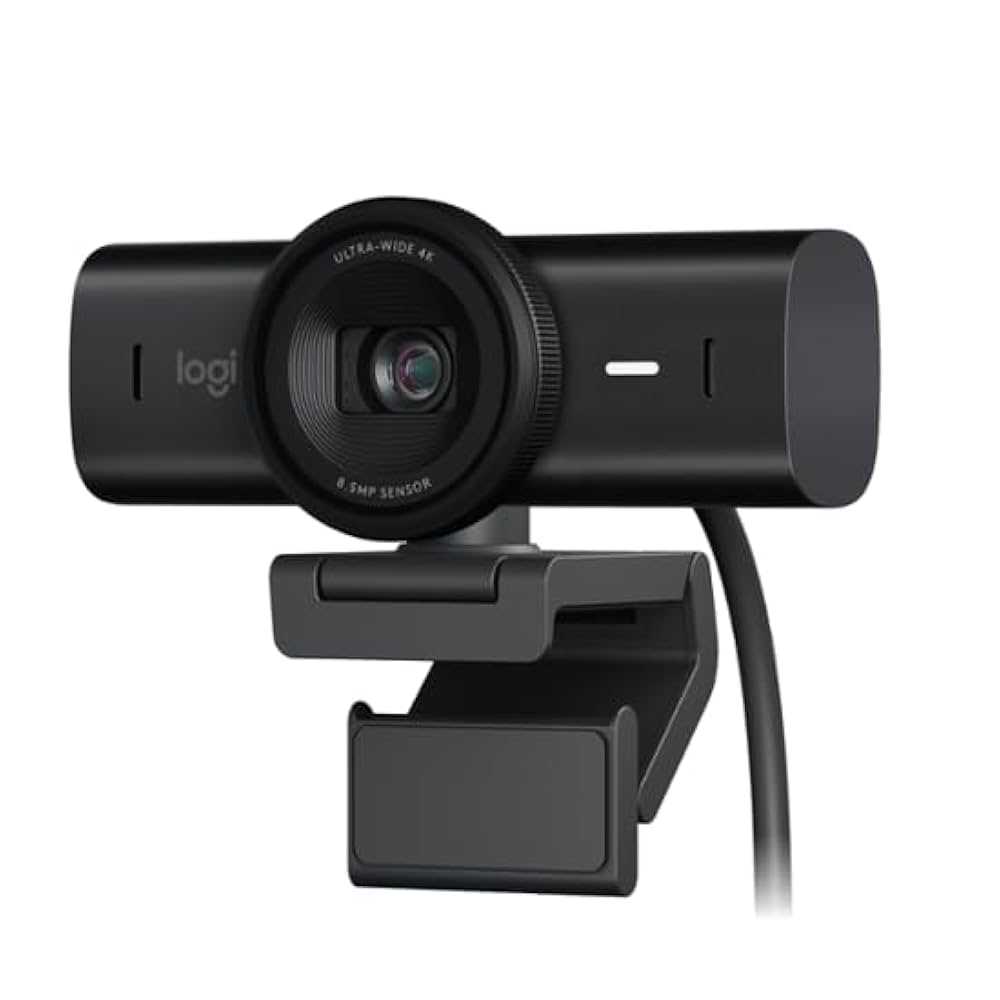
Yes, a USB-C webcam can be better for Zoom, especially if it offers higher resolution, faster data transfer, and better compatibility with modern devices. It often provides improved video quality and more stable connections, making your online meetings look more professional. But whether it’s the right choice depends on your specific needs and setup.
A USB-C webcam can enhance your Zoom experience by delivering crisper video and more reliable performance, especially if your device supports fast data transfer through USB-C ports. However, not all USB-C webcams are created equal, so understanding the features and your device’s compatibility is key to making the best choice.
When it comes to video calls on Zoom, clarity and stability are everything. Many users wonder if switching to a USB-C webcam can boost their experience, considering the increasing demand for higher quality and seamless connectivity. USB-C webcams are designed to take advantage of faster transfer speeds and improved power delivery, which means less lag and clearer images. If your computer supports USB-C and you want a straightforward upgrade to elevate your video quality, opting for a USB-C webcam could be a smart move. But to really know if it’s better for you, consider factors like resolution, frame rate, and compatibility with your device, so your Zoom meetings are smoother and more professional.

Is USB C Webcam Better for Zoom? An In-Depth Look
Understanding USB C and Its Advantages
USB C, also known as USB Type-C, is a modern connection standard that has gained popularity for its speed and versatility. Unlike older USB types, USB C can transfer data, power, and video signals all through a single cable. This means fewer cords and a cleaner setup, which is especially helpful during Zoom meetings or virtual conferences.
One key benefit of USB C is its high data transfer rate. It can handle up to 10 Gbps or more with the latest standards, ensuring your webcam captures high-quality video without lag. Many webcams now come with USB C connectors, making them easier to connect and more reliable compared to traditional USB ports.
Why Consider a USB C Webcam for Zoom?
Using a USB C webcam can improve your experience on Zoom in a few important ways. First, many USB C webcams support higher resolutions such as 1080p or even 4K. Higher resolution means clearer, sharper video that looks professional and engaging to your audience.
Second, USB C webcams often feature faster data transfer, which minimizes latency. When there is less delay between your camera and the screen, your video appears more natural and seamless. This can make a big difference during important presentations or meetings.
Third, the connection is typically more stable with USB C. Many models are designed to handle multiple functions at once, reducing the chance of disconnections or drops during your calls. Stability matters especially during longer meetings or webinars.
Comparison Between USB C Webcam and Traditional USB Webcam
| Feature | USB C Webcam | Traditional USB Webcam |
|---|---|---|
| Data Transfer Speed | Up to 10 Gbps or more | Typically 480 Mbps to 5 Gbps |
| Video Resolution | Often supports 1080p or 4K | Mostly 720p or 1080p |
| Connectivity | Single cable for power, data, and video | Separate ports or multiple cables |
| Stability | High, reliable connection | Variable, depends on port and cable quality |
These differences show that USB C webcams generally provide better quality and a more straightforward setup for Zoom calls.
Key Features to Look for in a USB C Webcam for Zoom
When choosing a USB C webcam for your Zoom meetings, keep these features in mind:
- Resolution: Aim for at least 1080p for sharp images. If you want ultra-clear video, look for 4K models.
- Frame Rate: A frame rate of 30 fps or higher ensures smooth motion, which looks natural during video chats.
- Low Light Performance: Some webcams have built-in lights or sensors to improve images in dim environments.
- Built-in Microphone: Good audio quality can make your meetings more professional — consider webcams with microphones.
- Compatibility: Ensure the camera supports your device’s operating system and the latest Zoom versions.
Advantages of USB C in Different Environments
Using a USB C webcam benefits various environments, whether it’s a home office, corporate conference room, or remote learning setup.
Home Office
A USB C webcam reduces cable clutter and offers high-quality video, making your workspace look professional. The stable connection means fewer interruptions during important calls.
Corporate Settings
In business environments, image clarity matters for client meetings and presentations. USB C webcams help project a professional image with crisp video quality.
Educational Use
For teachers and students, a reliable, high-resolution webcam improves engagement in virtual classes. The quick setup and stable connection are perfect for frequent use.
Potential Challenges and How to Overcome Them
Despite its benefits, there are a few challenges to consider. Not all devices support USB C natively, which could require adapters.
To avoid compatibility issues, check your device’s ports before purchasing. Also, some USB C webcams might be more expensive than traditional models, so consider your budget carefully.
Adapter Requirements
If your computer or laptop does not have USB C ports, adapters can convert USB C to USB A. Ensure the adapter supports video transfer for seamless connection.
Price Considerations
While USB C webcams tend to cost more, their durability and performance can justify the investment. Look for options that offer the best features within your budget.
Future Trends in Webcams and USB C Technology
As technology progresses, USB C webcams are expected to become even more capable. Future models might include features like autofocus, improved low-light sensors, and integrated lighting.
Additionally, USB C’s widespread adoption will likely lead to more affordable options, making high-quality webcams accessible to everyone. The integration with smart home systems and AI-driven features could also enhance user experience.
Summary of Why a USB C Webcam is a Better Choice for Zoom
A USB C webcam offers faster data transfer, higher resolution options, a simplified connection, and more stability than traditional USB webcams. These features translate into clearer video and more reliable connections during your Zoom meetings.
This makes USB C webcams especially suitable for professionals who want to maintain a polished appearance or educators and students who need dependable, high-quality video. As technology advances, choosing a USB C webcam can also future-proof your setup.
Related Topics
Other relevant topics to explore include:
- Best USB C webcams for 2023
- How to set up a webcam for Zoom
- Difference between webcam resolutions
- Best lighting tips for webcam video
- Choosing the right microphone for virtual meetings
This comprehensive look shows that, in most cases, opting for a USB C webcam provides a clear advantage for Zoom users looking for higher quality and more dependable video communication.
This Webcam Just Feels Right
Frequently Asked Questions
Does using a USB-C webcam improve video quality during Zoom calls?
Yes, many USB-C webcams deliver higher video quality compared to standard webcams. They often feature better sensors and higher resolution options, resulting in clearer and more detailed images during your Zoom meetings. Using a USB-C connection also ensures faster data transfer, reducing lag and improving overall video performance.
Is a USB-C webcam compatible with all laptops for Zoom use?
Most modern laptops support USB-C webcams, especially those equipped with USB-C ports that support video input. However, it’s important to check your device’s specifications to confirm compatibility. Some older laptops may require additional adapters or may not support the data transfer speeds necessary for optimal webcam performance.
Can a USB-C webcam enhance audio quality during Zoom calls?
While webcams primarily improve video quality, some USB-C webcams come equipped with built-in microphones that provide better audio capture compared to built-in laptop microphones. Using such a webcam can reduce background noise and improve clarity, leading to a more professional communication experience during your Zoom meetings.
Are there any advantages of using a USB-C connection over USB-A for webcams in Zoom calls?
A USB-C connection offers faster data transfer rates and more reliable power delivery than USB-A. This can lead to smoother video streaming, higher resolutions, and reduced latency during Zoom calls. Additionally, USB-C ports are often more versatile, supporting multiple functions such as charging and data transfer through a single cable.
Does a USB-C webcam require additional software or drivers for Zoom?
Most USB-C webcams are plug-and-play, meaning they work with Zoom without requiring additional software or drivers. However, some models may offer dedicated software for advanced settings or firmware updates. Always check the manufacturer’s instructions to ensure compatibility and proper setup for your video conferencing needs.
Final Thoughts
A USB-C webcam offers several advantages for Zoom calls, including faster data transfer and compatibility with high-resolution video. Its sleek design and plug-and-play setup simplify the connection process, reducing technical issues.
Using a USB-C webcam can improve overall video quality, making meetings more professional and engaging. It also ensures a more stable connection, minimizing lag during crucial presentations.
In conclusion, is usb c webcam better for zoom? Yes, it generally provides superior performance, clearer visuals, and smoother streaming, making it a worthwhile upgrade for any user seeking better virtual meetings.



