


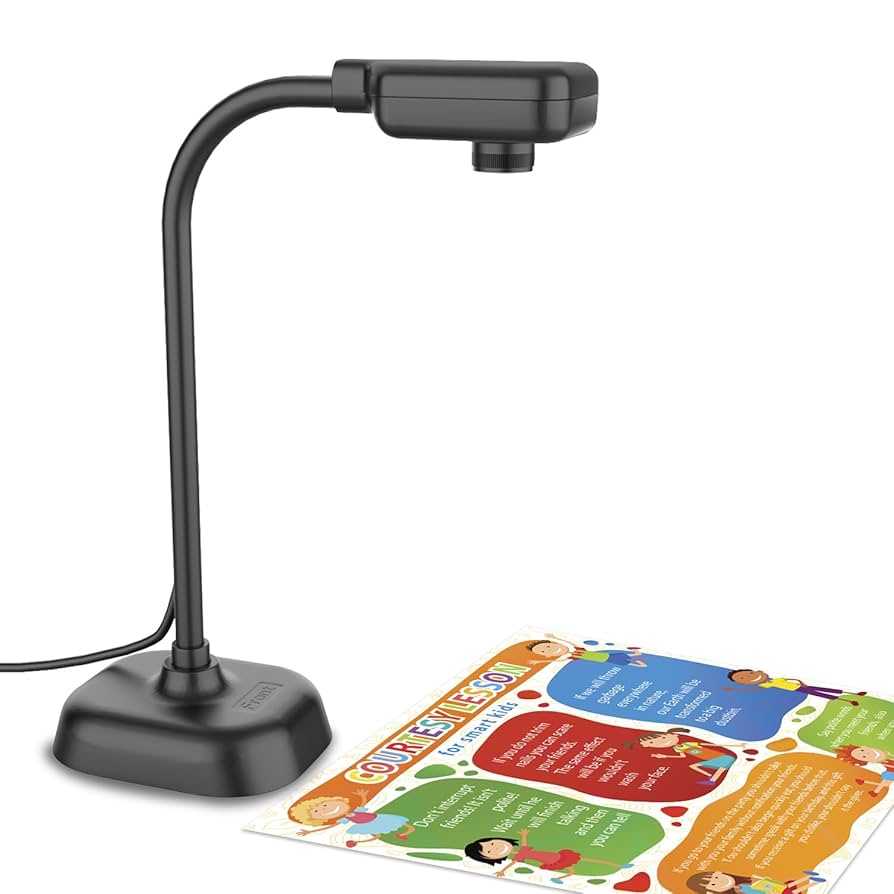
Yes, webcams can definitely be wireless, making remote learning more flexible and convenient. Wireless webcams eliminate the clutter of cables and allow you to set up your learning space anywhere with ease. While traditional wired webcams are reliable, wireless options offer greater mobility, easier installation, and a neater workspace. With advancements in technology, many wireless webcams now deliver high-quality video and sound, making them suitable for professional online classes or casual learning sessions. So, if you’re wondering whether you can go wireless with your webcam for remote education, the answer is a resounding yes—it’s more accessible and practical than ever before. Whether for students, teachers, or anyone involved in distance learning, wireless webcams are a smart upgrade for a seamless online experience.
Wireless webcams are increasingly popular for remote learning due to their convenience and adaptability. They connect to your devices via Wi-Fi or Bluetooth, removing the hassle of cables and allowing flexible setup options. Modern wireless models provide high-definition video, good audio quality, and easy integration with various devices, making online education smoother. The main challenge is ensuring a stable internet connection and good device compatibility. Overall, moving to a wireless webcam is a smart step towards a more efficient and clutter-free remote learning environment, offering the freedom to learn and teach from virtually anywhere.

Can Webcams Be Wireless for Remote Learning?
Many students and teachers wonder if it is possible to have a wireless webcam for remote learning. The idea of moving around freely without cords sounds appealing. Wireless webcams can make online classes more flexible and comfortable. But how well do they work? Are they reliable enough for daily use? Let’s explore all the details about wireless webcams and their role in remote education.
Understanding Wireless Webcams
Wireless webcams are cameras that connect to a computer or device without using a physical cable. Instead of a USB cable, they use Wi-Fi, Bluetooth, or other wireless technologies. This makes it easy to place the camera anywhere in a room without cluttering the workspace with wires.
Most wireless webcams are designed for video conferencing, streaming, or recording. They often come with features like high-definition video quality, built-in microphones, and simple setup options. These features help provide clear images and sound during online lessons.
Types of Wireless Connection Technologies
Wi-Fi Based Webcams
Wi-Fi webcams are the most common type of wireless cameras used in remote learning. They connect directly to a Wi-Fi network, allowing them to communicate with the computer or device over the same network. This setup provides a stable connection, especially when using a good Wi-Fi router.
Bluetooth Webcams
Bluetooth webcams are less common but can be used for short-range communication. They are ideal for small spaces and can connect easily with laptops and tablets. However, Bluetooth typically offers a lower data transfer rate compared to Wi-Fi, which might affect video quality.
Other Wireless Technologies
Some webcams use newer wireless protocols like Zigbee or proprietary wireless connections. These are usually found in specialized security or streaming systems and are less common for remote learning setups. For most students and teachers, Wi-Fi and Bluetooth are the standards to consider.
Advantages of Wireless Webcams in Remote Learning
- Flexibility in Placement: Wireless webcams can be placed anywhere in the room, providing a better view and more natural positioning. This helps create a comfortable learning environment.
- Reduced Clutter: No cords mean a cleaner workspace. It’s easier to move the camera for different activities or students.
- Easy to Set Up: Wireless webcams are generally simple to connect, often just requiring a few steps in the software or app.
- Enhanced Mobility: Teachers and students can move around without worrying about unplugging or tripping over wires. This adds to the overall convenience of remote learning.
Potential Challenges and Limitations
Connectivity Stability
Wireless connections can sometimes be unstable or interrupted, especially if the Wi-Fi signal is weak or congested. This can cause video lag, freezes, or disconnections, which disrupts the flow of lessons.
Delays in Data Transmission
Wireless webcams might experience latency, meaning a delay between what is captured and what appears on the screen. In live settings, this can impact communication and interaction.
Security Concerns
Wireless webcams can be vulnerable to hacking if not properly secured. It’s important to use strong passwords and encrypted networks to protect privacy during remote learning sessions.
Power Requirements
Unlike wired webcams that get power through a USB connection, some wireless webcams need their own power source, like batteries or AC adapters. This means regular charging or plugging in is necessary.
Key Features to Look for in a Wireless Webcam
| Feature | Why It Matters |
|---|---|
| Video Quality | Look for at least 1080p resolution for clear images during lessons. |
| Connectivity Range | Ensure the webcam can operate effectively within your room or space without signal drops. |
| Compatibility | Check if it works with your device’s operating system and software platforms like Zoom or Google Meet. |
| Ease of Setup | Prefer models with simple installation procedures and user-friendly interfaces. |
| Microphone Quality | Built-in microphones with noise cancellation improve audio clarity during lessons. |
| Security Features | Encryption and password protection help keep your sessions private and safe. |
Popular Wireless Webcam Options for Remote Learning
Webcams with Built-in Wi-Fi
Some webcams come with integrated Wi-Fi modules, eliminating the need for a separate device. Examples include models like the Logitech BRIO or the Razer Kiyo Pro, which offer superb video quality and wireless capabilities.
Wireless Streaming Devices
Devices like the Elgato Cam Link or wireless HDMI transmitters can turn a wired webcam into a wireless setup using external transmitters. These are useful for advanced setups requiring flexibility.
Smart Cameras for Education
Smart cameras designed for home security often have wireless features and can be repurposed for remote learning. They typically include motion detection and night vision, adding versatility.
Setting Up a Wireless Webcam for Remote Learning
Ensure Strong Wi-Fi Signal
A good Wi-Fi connection is critical for smooth video. Place your router nearby or use Wi-Fi extenders if needed.
Connect via App or Software
Most wireless webcams come with dedicated apps. Follow the setup instructions to connect your webcam to your device via the app or software platform.
Secure Your Connection
Use strong, unique passwords and enable encryption options to protect your video streams from intruders.
Test Before Use
Always test the camera and connection before an actual class. Check video clarity, audio quality, and stability.
Future Trends in Wireless Webcams for Remote Learning
Higher Resolution and Frame Rates
Expect advances that support 4K video and higher frame rates for more lifelike images and smoother motion.
Enhanced Connectivity Technologies
Wi-Fi 6 and other newer protocols will bring faster, more reliable wireless connections, reducing lag and buffering issues.
Integration with AI and Automation
Future webcams may include AI features like automatic framing, background removal, and face recognition to improve virtual classrooms.
Improved Security Measures
Stronger encryption, better user control, and security updates will be standard to protect users’ privacy.
Wireless webcams can definitely be a practical choice for remote learning, providing flexibility and convenience. While they have some limitations, the technology continues to evolve rapidly. Understanding the features, advantages, and potential pitfalls helps students and teachers make informed decisions. As wireless connectivity improves, wireless webcams are poised to become an integral part of modern online education.
BZBGEAR 4K Webcam Optimizes Remote Learning and Working from Home Anywhere
Frequently Asked Questions
Are wireless webcams suitable for use in remote learning environments?
Wireless webcams can be an excellent choice for remote learning because they offer flexibility and ease of setup. They eliminate the need for long cables, allowing students and educators to position the camera where it works best. However, it’s important to ensure that the wireless connection is stable to prevent video disruptions during lessons.
What are the potential limitations of using wireless webcams for remote education?
Wireless webcams may face issues such as connection interference, latency, or signal loss, especially if the Wi-Fi network is congested or weak. These factors can affect video quality and may lead to delays or buffering. Before relying on a wireless webcam, testing the setup in the intended environment helps identify any connectivity problems.
Can I use a standard Wi-Fi network to connect my webcam for remote learning?
Yes, many wireless webcams connect through a standard Wi-Fi network. It’s recommended to use a stable, high-speed Wi-Fi connection to ensure clear video and smooth audio. Keeping your router close to the webcam or using a Wi-Fi extender can improve signal strength and reduce connectivity issues.
Are there specific features I should look for in a wireless webcam for online teaching?
When choosing a wireless webcam for remote learning, prioritize features like high-resolution video, built-in microphone with noise reduction, easy-to-use software, and compatibility with your devices. Security features such as encryption also help protect your privacy during online sessions.
What steps can I take to improve the performance of a wireless webcam during online classes?
To optimize the webcam’s performance, position it close to your Wi-Fi router, reduce the number of devices on the network, and update your camera’s firmware regularly. Using a wired Ethernet connection for your computer when possible can also provide a more stable connection, ensuring smooth video during lessons.
Final Thoughts
Webcams can be wireless for remote learning, offering great flexibility and convenience. Wireless options eliminate clutter and allow students to move freely during lessons. These devices connect via Wi-Fi or Bluetooth, making setup simple and quick.
However, ensure your internet connection is strong to prevent lag or disruptions. Wireless webcams can sometimes face interference, so choosing a reliable model is important. Their portability makes them ideal for varied learning environments.
In conclusion, can webcams be wireless for remote learning? Yes, they can. Wireless webcams provide a practical solution that enhances remote learning experiences, making it more dynamic and accessible.



