


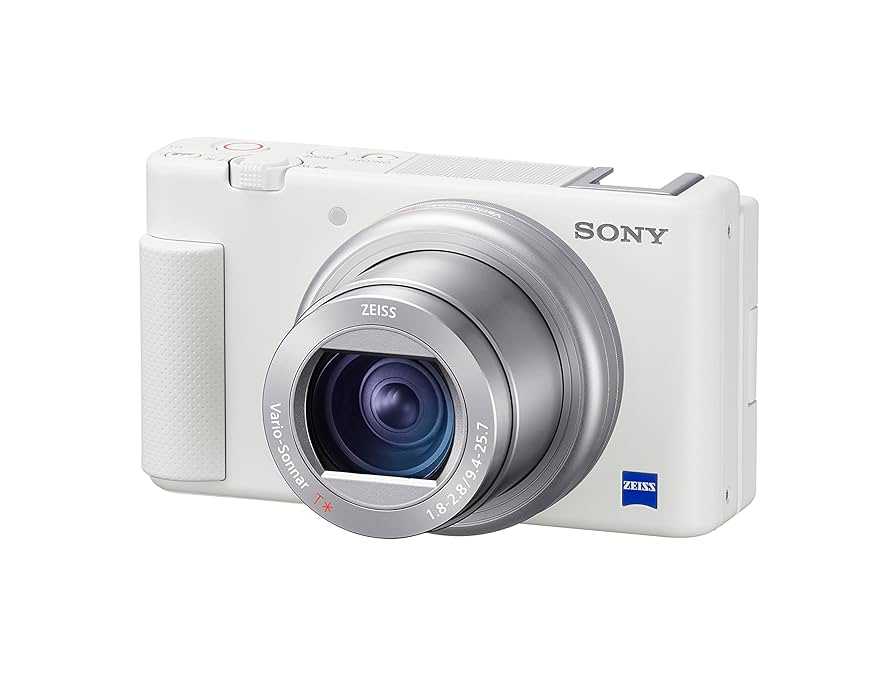
Yes, HDR webcams can be a game-changer for creators by delivering stunningly vivid and balanced video quality. If you’re aiming for professional-looking streams or recordings, investing in an HDR webcam could be well worth it, though it depends on your specific needs and setup. Ultimately, HDR webcams are worth it if you prioritize rich color and improved contrast to make your content stand out.
HDR webcams offer creators better color accuracy and dynamic range, making their videos appear more vibrant and polished. They excel in environments with challenging lighting conditions, helping your face and background look equally sharp and well-lit. For creators who want to elevate their video quality without complex lighting setups or post-production edits, HDR webcams are a valuable tool that can enhance visual appeal and engagement.
When it comes to content creation, the quality of your visuals can make all the difference. If you’re serious about making a strong impression on your audience—whether through live streams, tutorials, or vlogs—an HDR webcam might be a worthwhile investment. While they tend to be pricier than standard webcams, the improved image quality and color richness can significantly elevate your content and give you that professional edge.

Is HDR Webcam Worth It for Creators? A Deep Dive into Benefits, Drawbacks, and Practical Uses
Understanding HDR Technology in Webcams
HDR, or High Dynamic Range, enhances your webcam’s ability to display a broader range of colors and contrast. This means that images and videos look more vibrant and realistic, especially in challenging lighting conditions. For creators, this technology promises a more polished and professional look during live streams or recordings.
What Makes HDR Different from Standard Webcams?
Standard webcams have limitations in capturing details in very bright or very dark areas of an image. HDR webcams can balance these extremes by capturing multiple exposures and combining them. As a result, shadows aren’t lost and highlights don’t get blown out, leading to richer and more life-like visuals.
How HDR Works in Practice
The HDR process involves capturing several images at different exposures simultaneously. The webcam’s software then combines these images to produce a single frame that displays details across the entire tonal range. The result is smoother, more natural-looking video even in complex lighting scenes.
The Benefits of HDR Webcams for Creators
Webcams with HDR can significantly improve your video quality, making your content more appealing. Here are some key advantages:
- Enhanced Color Accuracy: Colors appear more true-to-life, which is vital for creators showcasing products or artwork.
- Improved Detail in Challenging Light: HDR webcams handle backlighting and uneven lighting setups much better than standard models.
- More Professional Appearance: Higher quality visuals can give your streams or videos a polished look that attracts viewers and potential clients.
Better Performance in Low Light and Backlit Scenes
HDR webcams excel at balancing scenes where lighting is uneven. If your room has windows with sunlight or a dimly lit background, HDR helps you appear clearer without overexposure or underexposure issues. This capability benefits creators who work in home studios or limited spaces.
Drawbacks to Consider Before Buying an HDR Webcam
While HDR webcams offer notable advantages, they also come with some potential downsides. Here are aspects to keep in mind:
Higher Cost
HDR webcams tend to be more expensive than standard models. Their enhanced technology and image processing features drive up their price. For creators on a tight budget, this might be a limiting factor.
Increased Hardware Requirements
HDR processing requires more powerful hardware, especially if you intend to stream or record at high resolutions and frame rates. Older computers may struggle with HDR workflows, leading to lag or lower quality output.
Limited Compatibility and Software Support
Not all streaming or video editing software fully supports HDR content. You might need specific updates or plugins, which could complicate your setup. Also, some platforms may automatically downgrade HDR videos to SDR for compatibility.
Is HDR WebCam Worth It for Different Types of Creators?
The value of HDR depends largely on your content style and setup. Here’s a look at various creator types and whether HDR benefits them.
Content Creators Focused on Gaming
Gamers often prioritize smooth, visually immersive streams. HDR can make game footage look more vivid, especially in titles with rich color palettes. However, for fast-paced gaming, the added processing might introduce latency unless your hardware is strong.
Art and Product Showcasers
Artists, designers, and product reviewers benefit from HDR’s ability to display true colors and details accurately. This results in videos that capture textures and shades precisely, crucial for showcasing work.
Vloggers and Lifestyle Creators
For those sharing daily experiences, HDR makes backgrounds and lighting look more appealing. It enhances overall video quality, which can help grow a loyal audience.
Choosing the Right HDR Webcam: Key Features to Look For
Not all HDR webcams are created equal. Here are essential features to consider when selecting one:
- Resolution: Aim for at least 1080p or higher for crisp videos.
- Frame Rate: 30fps is standard, but 60fps offers smoother motion, especially for fast action.
- HDR Support Level: Some webcams support basic HDR, while others offer advanced, scene-aware HDR processing.
- Field of View: A wider lens provides more background visibility, but may require cropping for focus.
- Connectivity: USB-C or USB 3.0 ports ensure faster data transfer and better performance.
Practical Tips for Using HDR Webcams Effectively
To maximize the benefits of HDR in your videos, proper setup is essential. Here are some practical tips:
Optimize Your Lighting
While HDR handles challenging lighting, maintaining balanced, soft lighting enhances overall quality. Use diffusers and avoid harsh light sources that may cause glare or overexposure.
Adjust Camera Settings
Experiment with contrast, brightness, and saturation within your camera’s software. Proper adjustments help you avoid oversaturated colors or washed-out images.
Test in Your Environment
Ensure your room’s lighting conditions work well with HDR. Some scenes may benefit more than others, so test different setups before recording or streaming.
Use Quality Streaming Software
Platforms like OBS Studio or XSplit support HDR output and help you control how HDR content appears on different devices. Keep your software updated to leverage the latest features.
Related Topics and Future Trends in Webcam Technology
As webcam tech advances, expect more integrated HDR features and better compatibility. Future models may include AI-driven scene adjustments, automatic lighting correction, and improved color accuracy.
Integration with Other Technologies
Webcams are increasingly incorporating AI for facial enhancement, background substitution, and dynamic lighting adjustments. These features complement HDR to produce even more professional results.
Emerging Market Options
More affordable HDR webcams are entering the market, making this technology accessible to a wider range of creators. Consider starting with a mid-range model and upgrading as your needs grow.
Conclusion
Determining if an HDR webcam is worth it depends on your specific content needs and budget. If you frequently create videos in challenging lighting or require high color accuracy, HDR offers tangible advantages. However, be mindful of the costs and hardware requirements involved. Weighing these factors can help you decide whether investing in an HDR webcam aligns with your creative goals.
Quiz: Which Webcam Is 4k, Which Is 720p?
Frequently Asked Questions
How does HDR improve video quality for creators?
HDR enhances video quality by capturing a broader range of brightness levels, making images appear more natural and vibrant. Creators can record scenes with high contrast, ensuring details are visible both in the bright and dark areas. This results in footage that looks more professional and visually appealing without extensive editing.
Is an HDR webcam suitable for low-light filming conditions?
Yes, HDR webcams perform well in low-light environments. They adjust the exposure dynamically, reducing noise and preserving details in shadowed areas. This allows creators to produce clearer, sharper videos even when lighting isn’t ideal, saving time on post-production adjustments.
Can using an HDR webcam help with streaming different types of content?
Absolutely. An HDR webcam adapts to various lighting situations and scenes, making it versatile for different content types—whether gaming, tutorials, or vlogs. Its ability to handle high contrast scenes ensures consistent video quality, enhancing viewer engagement.
Are there any specific setup requirements for HDR webcams?
Most HDR webcams require a stable, high-speed internet connection and a compatible computer. Some models may need specific software updates or settings adjustments to maximize HDR performance. Ensure your environment has proper lighting for optimal results, along with compatible hardware and software.
Is investing in an HDR webcam cost-effective for creators?
An HDR webcam can be a worthwhile investment if you prioritize high-quality visuals. While it may cost more upfront, the ability to produce more professional-looking content can attract a larger audience and potentially increase revenue. Consider your production needs and budget before making a decision.
Final Thoughts
A HDR webcam offers significant benefits for creators by improving image quality and handling challenging lighting conditions. Its enhanced dynamic range ensures clearer, more vibrant video output, making your content more engaging.
While it may come at a higher cost, the investment can be worthwhile for those aiming to produce professional-looking streams and recordings.
In conclusion, is hdr webcam worth it for creators? For many, the superior image quality justifies the expense, making it a smart upgrade for serious content makers.



