


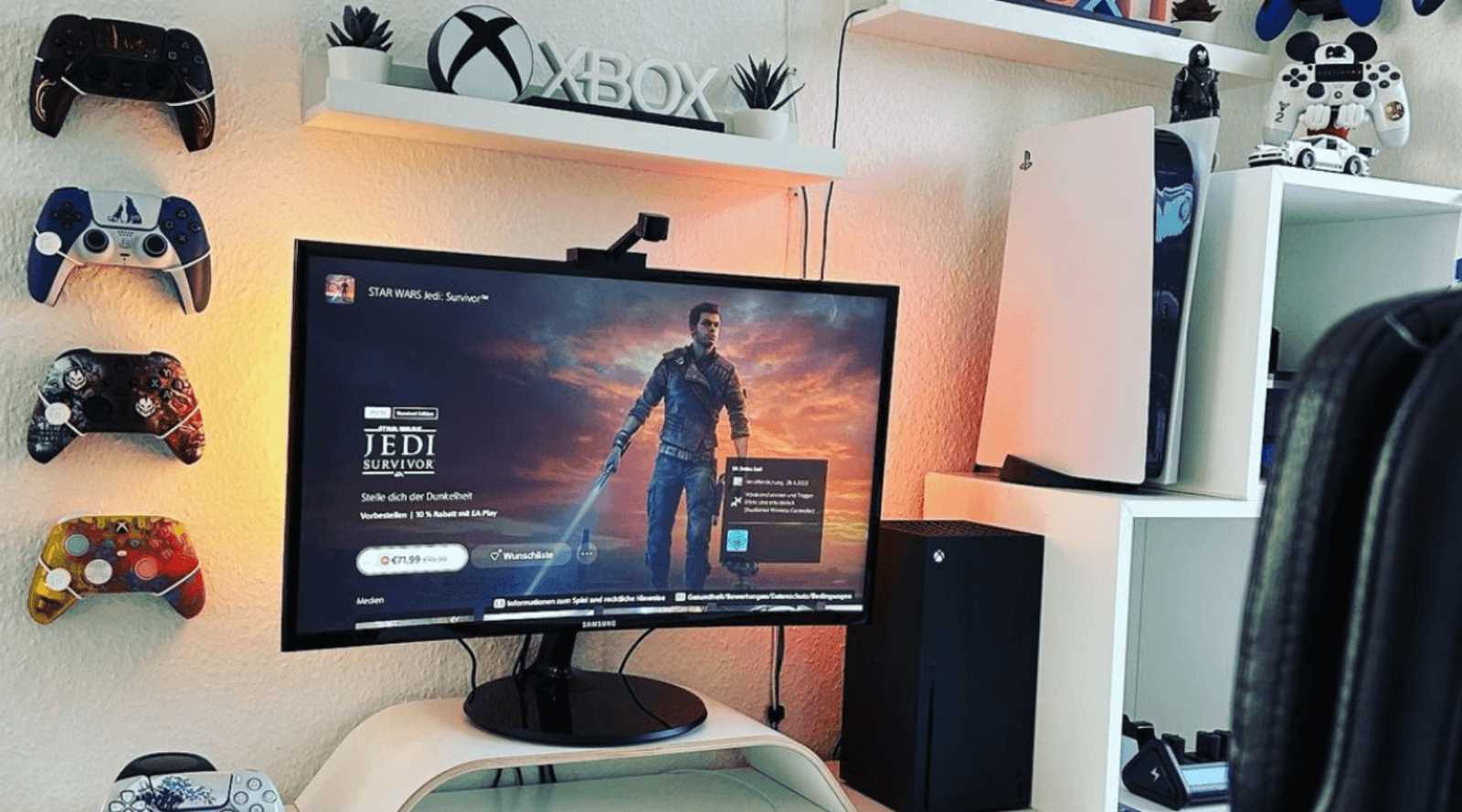
To create the ultimate gaming room, focus on lighting, sound, and comfort to boost your experience instantly. Keep your space organized, invest in good quality equipment, and personalize the setup to keep you immersed and comfortable. This not only enhances gameplay but also makes your gaming sessions more enjoyable.
Optimizing your room for gaming involves setting up the right lighting, soundproofing, and ergonomic furniture. By arranging your devices efficiently and minimizing distractions, you’ll enjoy smoother gameplay and better immersion. With a few simple tweaks, your gaming space can transform into a personal haven that keeps you engaged for hours.
Transforming your gaming room into a perfect haven starts with understanding what enhances both comfort and performance. Think about lighting that minimizes eye strain, soundproofing to keep noise contained, and a comfy chair that supports long hours. Organize your gaming gear so everything is easily accessible, and consider the room’s layout to avoid clutter. Small changes like adjustable lighting, high-quality headphones, and a sturdy desk can make a huge difference. Creating an inviting, organized space tailored to your gaming needs not only improves your overall experience but also helps you stay focused and relaxed during intense gaming marathons.

How to optimize your room for gaming experience
Creating the Perfect Layout
Start by choosing a spacious area that allows for easy movement and setup. Position your gaming desk so that your monitor is at eye level, reducing neck strain during long gaming sessions. Keep your gaming chair close enough to your screen for comfort but far enough to avoid eye strain.
Optimizing Lighting for Gaming
Lighting plays a big role in your gaming experience. Use a combination of ambient and task lighting to prevent glare and reduce eye fatigue. Consider installing dimmable lights or LED strips behind your monitor for a soft glow that enhances immersion without causing reflections.
Using Proper Light Colors
Choose warm or neutral light colors to minimize eye strain. Avoid harsh, bright white lights that can cause glare and distract you during play. Adjustable lighting options give you control over the ambiance.
Choosing the Right Furniture
Select a sturdy desk that can hold all your gaming equipment securely. Invest in an ergonomic gaming chair with good lumbar support to maintain good posture. Ensure your furniture setup promotes comfort and reduces physical strain.
Desk Size and Arrangement
Opt for a desk with enough space for your monitor, keyboard, mouse, and other accessories. Keep frequently used items within reach to prevent unnecessary movement. Position your peripherals for easy access, avoiding clutter.
Managing Cables and Accessories
Keep cables organized with cable management tools like clips or sleeves. Tidy cables prevent accidents and improve the room’s aesthetics. Use cable extension cords if needed to reach outlets without clutter.
Considerations for Multiple Devices
If you have multiple gaming devices, use a powered strip with surge protection. Label cords to quickly identify devices. Ensure your setup allows for easy access and future upgrades.
Improving Audio Quality
Good sound enhances gaming immersion. Invest in quality headphones or speakers that provide clear audio and deep bass. Use a microphone with noise-canceling features for better communication with teammates.
Soundproofing Your Room
Add soft furnishings like rugs and curtains to absorb sound and prevent noise leakage. Consider foam panels on walls to reduce echo and outside noise, creating a focused environment.
Screen and Display Optimization
Choose a monitor with a high refresh rate and low response time for smoother gameplay. Adjust brightness and contrast for clarity and color accuracy. Use screen calibration tools to fine-tune display settings.
Positioning Your Monitor
Set your monitor at arm’s length for comfortable viewing. The top of the screen should be at eye level. Avoid positioning your monitor against windows to reduce glare.
Temperature and Ventilation Control
Keep your gaming room cool and well-ventilated to prevent overheating of equipment. Use fans or air conditioning to maintain a steady temperature. Proper airflow extends the lifespan of your devices.
Using Cooling Devices
Consider external cooling fans or laptop coolers for additional airflow. Keep vents unobstructed and clean dust from your hardware regularly. Avoid placing your devices near heat sources.
Personalizing Your Gaming Space
Decorate your room with gaming posters, collectibles, or themed accessories to create an inspiring environment. Add comfortable seating like bean bags or cozy chairs for downtime. Personal touches make your space more inviting.
Incorporating Smart Technology
Use smart lights to set the mood with customizable colors and brightness. Install smart outlets to control power to devices remotely. Automate lighting or other appliances for convenience.
Maintaining Your Setup
Regularly clean your equipment and workspace to keep everything functioning optimally. Check for software updates on your devices to improve performance. Keep your gaming area organized to make gameplay more enjoyable.
Routine Upgrades and Adjustments
Stay current with new tech and upgrade your hardware as needed. Adjust your setup periodically to accommodate new games or equipment. Stay flexible to make changes that improve your gaming experience.
By carefully planning your room layout, choosing the right furniture and accessories, and managing lighting and sound, you can significantly enhance your gaming sessions. A well-optimized space makes gameplay more comfortable, immersive, and enjoyable, setting the stage for hours of seamless fun.
RGB gives your PC better Performance!
Frequently Asked Questions
What lighting setup best improves visibility and reduces eye strain during long gaming sessions?
Use adjustable lighting that minimizes glare and harsh reflections on your screen. Incorporate soft, indirect lighting such as LED strips behind monitors or wall-mounted fixtures to create a balanced ambiance. Avoid placing bright lights directly behind your screen, as they can cause eye fatigue and reduce contrast. Maintaining consistent lighting levels helps your eyes adjust comfortably, allowing you to focus better during extended play.
How can I arrange my gaming equipment to enhance comfort and accessibility?
Position your monitor at eye level to prevent neck strain and ensure a natural viewing angle. Keep frequently used devices within easy reach to avoid unnecessary stretching or repetitive movements. Use an ergonomic chair that supports your back and promotes good posture, and arrange your keyboard and mouse to allow relaxed arms and wrists. Clear clutter from your gaming area to maintain a clean space that streamlines your setup and minimizes distractions.
What acoustic considerations should I keep in mind to improve the gaming environment?
Soundproof your room by adding soft materials like rugs, curtains, or acoustic panels to dampen external noise and prevent sound leakage. Use headphones for immersive audio and to block background sounds that can distract you. Position speakers or speakers’ placement should aim at your ears for clear and balanced sound. Proper acoustic treatment helps you focus better and enhances the overall audio experience during gameplay.
Final Thoughts
Optimizing your room for gaming experience involves creating a comfortable and organized space. Choose a good chair and a desk that supports long gaming sessions. Ensure your monitor placement reduces eye strain and provides a wide viewing angle.
Improve sound quality with quality speakers or headphones to boost immersion. Keep lighting dim or adjustable to prevent glare and enhance screen visibility. Tidy up your space to minimize distractions and maintain focus.
In conclusion, how to optimize your room for gaming experience depends on proper setup, sound, lighting, and organization. Prioritize comfort and functionality to enhance your gameplay sessions effectively.



