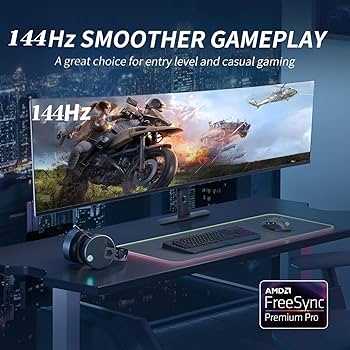
Yes, USB-C monitors can be suitable for casual gaming, offering convenience and decent performance for everyday play. They are ideal for users who want a simple setup that combines display and charging capabilities without sacrificing too much in terms of graphics quality. However, their suitability depends on the specific monitor’s specs and the type of games you enjoy.
USB-C monitors are increasingly popular due to their versatility and sleek design, making them an attractive choice for casual gamers. These screens often provide a good balance between affordability and performance, especially for non-competitive gaming. They are perfect for casual gamers who want a hassle-free experience without the need for high-end gaming features. Still, it’s essential to consider factors like refresh rate and resolution to ensure they meet your gaming needs. Overall, if you’re into relaxed gaming sessions and want a clutter-free setup, USB-C monitors can be a great addition to your gaming space.

Are USB C Monitors Good for Casual Gaming?
What Is a USB C Monitor?
A USB C monitor is a display that connects to your computer or device using a USB Type-C cable. This type of monitor often combines multiple functions into one port, such as video output, data transfer, and charging. It simplifies your setup by reducing the number of cables needed.
Advantages of Using USB C Monitors for Gaming
Many gamers prefer USB C monitors because they offer quick and easy connections. The single cable can deliver high-quality video and audio signals while also charging compatible devices. This means fewer cables cluttering your desk and a cleaner setup overall.
Display Quality and Resolution
The quality of a monitor heavily influences gaming experience. USB C monitors today come in various resolutions, ranging from Full HD (1080p) to 4K Ultra HD. Higher resolution screens provide sharper images, which are especially beneficial for casual gamers looking for detailed visuals.
Refresh Rate and Response Time
For casual gaming, a refresh rate of 60Hz is generally sufficient, but some USB C monitors offer 75Hz or even 144Hz. Faster refresh rates lead to smoother motion on screen, reducing motion blur during fast-paced scenes. Response time, which indicates how quickly pixels change, is also vital; lower response times mean less ghosting and better clarity.
Color Accuracy and Contrast
Good color reproduction and contrast levels make games more immersive. Many USB C monitors feature IPS panels for better color accuracy and wider viewing angles. Gamers who enjoy visually rich games will find these features beneficial for a more vibrant experience.
Connectivity and Compatibility
USB C monitors are versatile because they can connect to many devices like laptops, tablets, and even smartphones. This flexibility is especially useful if you switch between work and gaming or want a monitor that works with different gadgets. Check if your device supports USB C DisplayPort Alternate Mode for optimal performance.
Latency and Input Delay
One concern for gamers is input delay, which is the lag between pressing a button and seeing the action on screen. Most USB C monitors designed for casual gaming have low latency, ensuring your controls respond quickly. However, it’s important to verify this feature before purchasing if you’re sensitive to input lag.
Is a USB C Monitor Suitable for Console Gaming?
While USB C monitors are generally used with computers, some support HDMI and DisplayPort inputs via adapters. Consoles like Xbox and PlayStation may connect to these monitors using appropriate adapters, but ensure that the monitor’s ports are compatible and support the desired resolution and refresh rate.
Portability of USB C Monitors
Many USB C monitors are compact and lightweight, making them easy to carry around. This portability allows casual gamers to take their setup to friends’ houses or gaming events easily. They are ideal for players who value flexibility and simple transportation.
Limitations to Keep in Mind
While USB C monitors have many benefits, they also have some limitations. Not all models support high refresh rates or response times suitable for competitive gaming. Moreover, larger screens with higher resolutions can be more expensive. Ensure the monitor’s specs match your gaming needs.
Price Range and Budget Options
USB C monitors are available across a broad price spectrum. Entry-level models can be affordable for casual gaming, offering decent resolution and refresh rates. Mid-range options provide better performance with higher refresh rates and improved image quality. Premium models deliver top-tier visuals but come at a higher cost.
Choosing the Right USB C Monitor for Casual Gaming
To find the best fit, consider your gaming preferences and budget. For casual play, a monitor with at least a 75Hz refresh rate, Full HD or 2K resolution, and good color accuracy will suffice. Make sure it is compatible with your device and has the ports you need.
Related Topics to Consider
- Best USB C Monitors for Work and Play
- How to Set Up a Multi-Monitor Gaming Station
- Differences Between USB C and HDMI Monitors
- Additional Accessories for USB C Monitors
Final Thoughts on Using USB C Monitors for Casual Gaming
Overall, USB C monitors can be an excellent choice for casual gamers seeking simplicity, portability, and good visual quality. They are especially beneficial for users who want to streamline their setup with fewer cables. While not necessarily optimized for high-end competitive gaming, they provide a fun and efficient gaming experience for most casual players.
Dear Console Gamers: STOP Buying 4K Monitors!
Frequently Asked Questions
Are USB-C monitors suitable for casual gaming in terms of display quality?
Yes, many USB-C monitors offer good display quality for casual gaming. They provide clear images, decent color accuracy, and adequate refresh rates that make gameplay enjoyable. While they might not match high-end gaming monitors with advanced features, they are generally sufficient for casual gaming sessions.
Can I use a USB-C monitor with my gaming console or only with PCs?
Most USB-C monitors are compatible with a range of devices, including gaming consoles, as long as the console supports video output via USB-C or you have the appropriate adapters. Check the monitor’s specifications to ensure compatibility. For consoles that lack USB-C output, you may need a HDMI or DisplayPort connection instead.
Will a USB-C monitor provide a responsive gaming experience for casual players?
Many USB-C monitors feature refresh rates of 60Hz or higher and low response times, which contribute to smooth gameplay. For casual gaming, these specifications generally provide an adequate and responsive experience. However, if you prefer very fast-paced gaming, look for models with higher refresh rates and faster response times.
Are there any limitations of using USB-C monitors for gaming compared to traditional HDMI or DisplayPort monitors?
While USB-C monitors are versatile, they may have limitations such as lower maximum refresh rates or fewer options for high-end gaming features like G-SYNC or FreeSync. Additionally, the availability of USB-C ports on gaming devices can be limited, and some may require adapters. Overall, they work well for casual gaming, but serious gamers might prefer more specialized monitors.
How does the connectivity of USB-C monitors affect setup flexibility for gaming setups?
USB-C ports allow for a single cable that transmits video, audio, and power, simplifying the connection setup. This reduces desk clutter and makes it easier to switch devices. The flexibility of USB-C can be especially beneficial if you want a clean gaming environment or plan to connect multiple devices efficiently.
Final Thoughts
USB C monitors offer convenience with quick connectivity and minimal clutter. They typically support resolutions suited for casual gaming, making setup simple.
For casual gamers, these monitors provide decent refresh rates and response times. While they may not match high-end gaming displays, they meet the needs of most relaxed players.
are usb c monitors good for casual gaming? Yes, they deliver adequate performance and ease of use. They serve well for casual gaming, making them a practical choice without sacrificing quality.

With experience in IT support and consumer technology, I focus on step-by-step tutorials and troubleshooting tips. I enjoy making complex tech problems easy to solve.