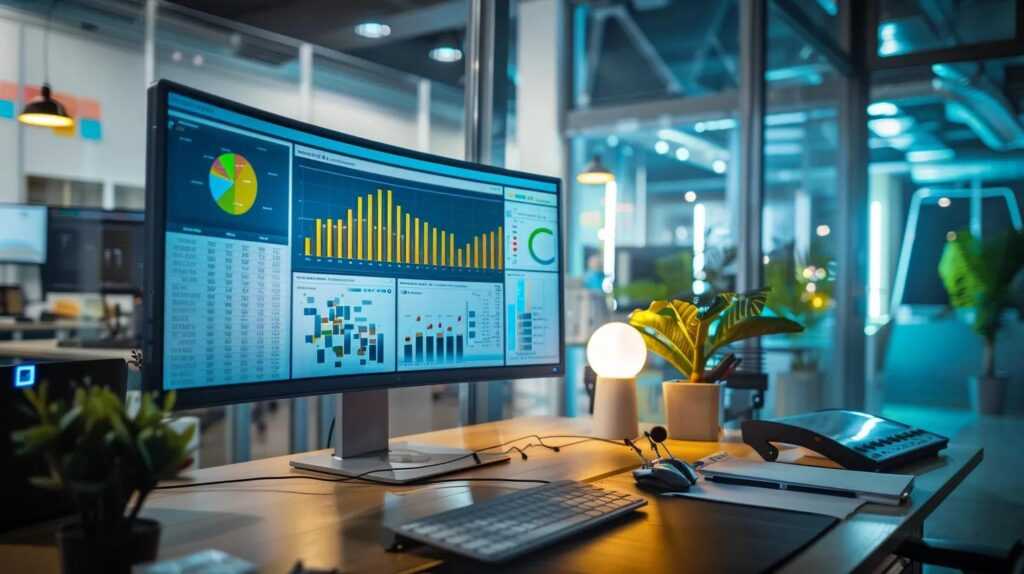
Yes, office monitors can definitely help with spreadsheets. Larger and higher-resolution screens allow you to view more data at once, making it easier to analyze and compare information without constant scrolling. They also reduce eye strain, helping you stay focused and productive during long hours of work.
In short, using a good office monitor can significantly improve your efficiency and accuracy when working with spreadsheets. By providing more screen real estate and better clarity, it makes complex data management much simpler and more enjoyable.
Working with spreadsheets often involves juggling multiple columns, rows, and formulas, which can become cumbersome on small screens. An office monitor designed for productivity can transform your workflow, allowing you to see your entire dataset at a glance, minimize errors, and work more comfortably. Whether you’re analyzing financial data, creating reports, or managing large datasets, the right monitor setup can be a game-changer, making your tasks faster and less frustrating.

Can Office Monitors Help with Spreadsheets?
Understanding the Basics of Office Monitors and Spreadsheets
Office monitors are screens used to display information from computers, and they play a vital role in working with spreadsheets. Spreadsheets are programs like Microsoft Excel or Google Sheets that organize data into rows and columns. Having a good monitor can make working with these tools much easier and more efficient.
Why Size Matters When Dealing with Spreadsheets
The size of an office monitor influences how you see your spreadsheets. Larger screens can display more rows and columns without scrolling. This means less back-and-forth to find data and more time focused on analysis. Monitors that are 24 inches or larger are popular for spreadsheet work because they give ample viewing space.
Comparing Screen Sizes for Better Workflows
| Monitor Size | Advantages | Ideal For |
|---|---|---|
| 24 inches | Good for basic spreadsheet tasks; fits well on most desks | Small to medium workspaces |
| 27 inches | More viewing area; easier to see multiple data sets simultaneously | Power users and data analysts |
| 32 inches and above | Excellent for detailed data work; dual or multiple window setups | Advanced spreadsheet users and multitaskers |
Resolution and Clarity for Better Data Interpretation
Resolution refers to how clear images and text appear on your monitor. Higher resolutions such as 1920×1080 (Full HD) or 2560×1440 (QHD) present sharper images. Clear text makes reading and analyzing spreadsheets easier and reduces eye strain during long work sessions.
Benefits of High-Resolution Monitors
- More Data Visible: Higher resolution displays allow more rows and columns to appear on screen at once.
- Sharper Text and Lines: Precise lines help differentiate data points clearly.
- Reduced Eye Fatigue: Clearer images reduce the effort needed to focus on small text.
Multiple Monitors: Expanding Your Workspace
Using more than one monitor can significantly improve spreadsheet work. It creates a larger virtual workspace, allowing users to view different parts of a file or multiple files simultaneously. This setup is especially useful for comparing data or working on complex spreadsheets.
How Multi-Monitor Setups Help with Spreadsheets
- Increase Productivity: No need to switch between tabs or windows constantly.
- Ease of Data Comparison: View different data sets side by side.
- Enhanced Workflow: Manage large data sets more efficiently.
Ergonomics and Comfort for Extended Spreadsheet Work
Working with spreadsheets often requires long hours at your desk. Monitors with ergonomic features like adjustable height, tilt, and swivel help maintain good posture. Proper setup reduces neck and eye strain, making your work more comfortable.
Features to Look for in Ergonomic Monitors
- Height Adjustment: Allows positioning at eye level.
- Tilt and Swivel: Customize viewing angles to stay comfortable.
- VESA Compatibility: Enables mounting options for flexible setups.
Color Accuracy and Brightness for Data Visualization
While spreadsheets are mostly about data, color and brightness can be helpful for highlighting important information. Monitors with good color accuracy improve the visibility of colored cells and charts. Brightness levels can also reduce glare and reflections that cause visual fatigue.
Why Color and Brightness Matter
- Effective Data Highlighting: Bright, vibrant colors help mark critical data points.
- Better Visual Clarity: Adjust brightness to match your environment.
- Reduced Errors: Clearer visuals prevent misreading or overlooking vital information.
Connectivity and Compatibility for Seamless Integration
Many office monitors now come with a variety of connection ports like HDMI, DisplayPort, USB-C, and VGA. Compatibility with your computer ensures easy setup without needing extra adapters. Having versatile ports allows connecting multiple devices and peripherals easily.
Choosing the Right Ports for Your Office Setup
- HDMI and DisplayPort: Support high-resolution displays and fast data transfer.
- USB-C: Offers video, data, and charging capabilities through a single cable.
- VGA: An older connection type, still useful for some legacy systems.
Additional Features That Can Help with Spreadsheet Tasks
Some monitors include extra functionalities to aid spreadsheet work. Features like split-screen software, built-in speakers, or USB hubs improve overall user experience.
Useful Features to Consider
- Picture-in-Picture and Split-Screen: View multiple applications or data sets side by side.
- Built-in USB Hubs: Connect keyboards, mice, and other peripherals directly to your monitor.
- Blue Light Filters: Protect your eyes during prolonged use.
Cost Considerations and Budget-Friendly Options
While high-end monitors offer advanced features, there are budget-friendly options that still improve spreadsheet work. Decide what features are most important and choose a monitor that fits your budget.
Balancing Price and Features
- Inexpensive monitors typically offer smaller sizes and lower resolutions but can still provide clear visuals.
- Mid-range options usually include larger screens and better resolution, enhancing your workspace.
- Premium monitors come with all the bells and whistles, ideal for heavy-duty data analysis.
Summary of How Office Monitors Help with Spreadsheets
Using the correct monitor setup makes working with spreadsheets more efficient and less tiring. Larger screens display more data at once, while high resolution enhances clarity. Multiple monitors and ergonomic features further improve comfort and productivity. Connectivity options ensure smooth integration with your existing devices.
Exercise Your Workspace with the Right Monitor
Investing in a good office monitor tailored for spreadsheet work can make your daily tasks easier and more precise. Consider your specific needs, desk space, and budget to choose the best setup. With the right tools, spreadsheets become less of a hassle and more of a powerful data management tool.
How many monitors do you work on?😅 @microcentertech #excel #tech #microcenterpartner #microcenter
Frequently Asked Questions
How does an office monitor size influence spreadsheet management?
A larger office monitor provides more screen real estate, allowing you to view multiple spreadsheets simultaneously or see more columns and rows without scrolling. This makes it easier to compare data, analyze complex information, and reduce the time spent switching between different sheets or windows. Overall, a bigger display helps improve efficiency when working with extensive spreadsheet data.
Can a dual monitor setup enhance my productivity with spreadsheets?
Yes, using two monitors allows you to spread out your spreadsheet work across separate screens. You can keep reference documents, emails, or communication tools open on one monitor while editing or reviewing spreadsheets on the other. This setup minimizes window switching and helps you focus better, leading to faster data analysis and improved accuracy.
What monitor features are most beneficial for working with spreadsheets?
High-resolution displays, such as 4K monitors, provide sharp and clear text, which reduces eye strain during long hours of spreadsheet work. Adjustable stands and anti-glare screens improve comfort, while features like multiple input options and wide viewing angles ensure consistent visibility. These features collectively support better focus and reduce fatigue during detailed data tasks.
How does monitor resolution impact the clarity of spreadsheet data?
Higher resolution monitors display more pixels, resulting in crisper and more detailed visuals. This clarity makes it easier to read small font texts, distinguish fine lines, and identify data points precisely. When working with complex spreadsheets, increased resolution minimizes eye strain and increases accuracy by keeping the data sharp and legible.
Is refresh rate important for spreadsheet work on office monitors?
Refresh rate primarily affects motion smoothness and is more critical for gaming or video editing. For spreadsheet work, a standard refresh rate of 60Hz typically suffices. However, a monitor with a higher refresh rate can reduce flickering and provide a more comfortable viewing experience during prolonged use, especially when scrolling through large data sets.
Final Thoughts
In summary, office monitors can help with spreadsheets by providing larger screens and better clarity. With dual or ultra-wide monitors, users can view multiple sheets simultaneously, reducing the need to switch between tabs. This setup enhances productivity and minimizes errors. Ultimately, investing in a good monitor makes working on spreadsheets more efficient and comfortable.

I follow the latest trends in smart devices, portable monitors, and gaming accessories. My goal is to provide real-world insights that help readers make smarter tech decisions.