Not all security cameras need Wi-Fi. While many popular models rely on it for smart features and cloud storage, numerous alternatives exist. You can choose from wired systems (DVR/NVR) for robust local recording, cellular cameras for remote areas, or battery-powered cameras with local SD card storage for simple, self-contained monitoring. The best choice depends on your specific needs for remote access, power, and installation complexity.
In our increasingly connected world, it’s easy to assume that every new gadget, especially something as critical as a security camera, needs to be hooked up to your home’s Wi-Fi network. You might be browsing online, seeing all those sleek wireless cameras advertised, and naturally wonder, “do all security cameras need Wi-Fi?” It’s a perfectly valid question, and one that often leads to confusion for homeowners and businesses alike.
The good news is, the answer is a resounding NO! While many popular smart security cameras do rely on Wi-Fi for their primary functions, a vast and effective ecosystem of security solutions operates perfectly fine without it. This article will dive deep into the world of security camera connectivity, breaking down which cameras need Wi-Fi, which don’t, and how to choose the perfect system for your specific needs in 2026.
Understanding the different types of security camera systems available can save you a lot of hassle, money, and even improve your overall security. Whether you live in a rural area with spotty internet, want a completely self-contained system, or simply prefer the reliability of wired connections, there’s a camera solution out there for you that doesn’t necessarily depend on your Wi-Fi router.
Key Takeaways
- No, Not All Cameras Need Wi-Fi: The common misconception is that all security cameras need Wi-Fi. In reality, many effective security solutions operate without it, offering flexibility for various scenarios.
- Wired Systems (DVR/NVR) Offer Robust Local Storage: Traditional wired cameras connected to a Digital Video Recorder (DVR) or Network Video Recorder (NVR) store footage locally and don’t require Wi-Fi for operation or recording. They are highly reliable.
- Cellular Cameras Provide Connectivity in Remote Areas: For locations without Wi-Fi, cellular security cameras use 4G/5G data networks to transmit footage, making them ideal for construction sites, cabins, or large properties.
- Local Storage Cameras Work Autonomously: Some battery-powered cameras can record directly to an onboard SD card or internal memory without any internet connection, perfect for simple, private monitoring.
- Wi-Fi Is Often For Convenience and Smart Features: Cameras that *do* use Wi-Fi typically leverage it for remote viewing via a smartphone app, cloud storage, motion alerts, and integration with smart home ecosystems.
- Your Needs Dictate the Best Solution: The decision hinges on factors like desired remote access, power availability, installation preference, and whether you want subscription-based cloud services or local data control.
- Hybrid Systems Combine Benefits: Some advanced setups might use a wired NVR for primary recording and Wi-Fi for secondary access or specific peripheral devices, offering a blend of reliability and convenience.
Quick Answers to Common Questions
Do all security cameras need Wi-Fi to record footage?
No, many security cameras do not need Wi-Fi to record footage. Wired systems (DVR/NVR) store footage locally, and some battery-powered cameras record to an SD card without any internet connection.
Can I view my security camera footage remotely without Wi-Fi?
Yes, you can view footage remotely without Wi-Fi if you have a cellular security camera (which uses a 4G/5G data plan) or if your wired DVR/NVR system is connected to your internet router via an Ethernet cable, allowing app access.
Are wired security camera systems better than Wi-Fi ones?
Neither is inherently “better”; they serve different needs. Wired systems are generally more reliable, secure, and offer consistent local recording without Wi-Fi, while Wi-Fi cameras are easier to install and offer convenient cloud features.
What is the benefit of a security camera that doesn’t need Wi-Fi?
Cameras that don’t need Wi-Fi offer benefits like enhanced reliability (no signal drops), better security (local storage avoids cloud breaches), and the ability to operate in remote areas without internet access.
How do cellular security cameras work?
Cellular security cameras work by using a 4G or 5G SIM card to connect to a mobile network, similar to a smartphone. They use a cellular data plan to transmit video footage and alerts to your device, making them ideal for locations without Wi-Fi.
📑 Table of Contents
The Wi-Fi Myth: Why We Think All Cameras Need It
It’s understandable why so many people believe all security cameras need Wi-Fi. The market is saturated with “wireless” cameras that boast easy setup, smartphone access, and cloud storage – all features that are typically facilitated by a Wi-Fi connection. Companies like Ring, Arlo, and Eufy have popularized this model, making Wi-Fi synonymous with modern home security for many.
The Convenience of Wi-Fi-Enabled Cameras
Wi-Fi cameras offer undeniable convenience. They connect wirelessly to your home network, allowing you to view live footage, receive motion alerts, and often store recordings in the cloud, all accessible from an app on your smartphone or tablet. This “set it and forget it” mentality, combined with often simple DIY installation, makes them very appealing.
How Wi-Fi Benefits Security Cameras
For cameras that do use Wi-Fi, it typically serves several key purposes:
- Remote Access: Connects the camera to the internet, allowing you to view footage from anywhere in the world.
- Cloud Storage: Uploads recorded video clips to secure online servers, often requiring a subscription.
- Push Notifications: Sends alerts to your phone when motion or sound is detected.
- Smart Home Integration: Allows the camera to communicate with other smart devices like voice assistants (Alexa, Google Assistant) or smart locks.
- Firmware Updates: Receives critical software updates to improve performance and security.
So, while these benefits are significant, they aren’t universal requirements for *all* security cameras. Many robust solutions thrive without ever touching your home’s Wi-Fi network.
Wi-Fi Dependent Cameras: The “Smart” Choice for Many
Let’s first explore the types of cameras that absolutely need Wi-Fi to function as intended. These are often the cameras people think of first when discussing home security.
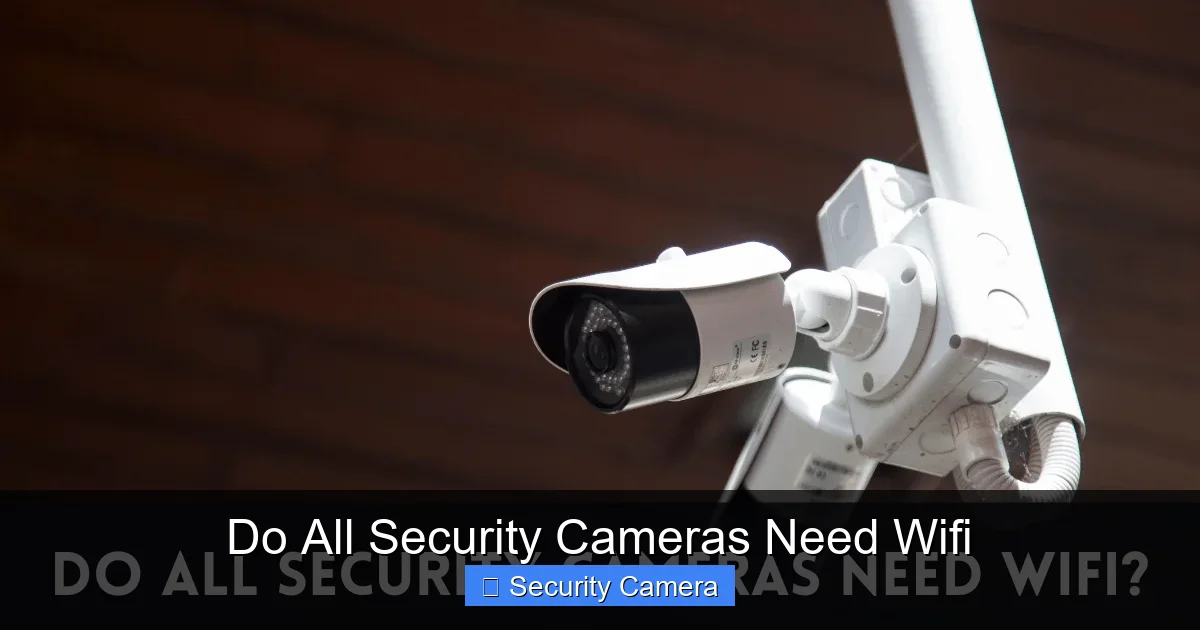
Visual guide about Do All Security Cameras Need Wifi
Image source: oatridgesecurity.com
Cloud-Based Wireless Cameras
Most popular consumer-grade smart cameras fall into this category. Brands like Ring, Arlo, Eufy (for their cloud features), Nest, Blink, and Wyze are prime examples. These cameras are designed to connect to your home’s Wi-Fi network to send data to the internet. This allows for:
- Live Streaming: Watching real-time video feeds on your phone.
- Cloud Storage: Saving recorded events to a remote server. This is often a subscription service.
- Two-Way Audio: Communicating through the camera’s speaker and microphone.
Without Wi-Fi, these cameras become largely dysfunctional or severely limited. They won’t be able to send alerts, record to the cloud, or allow remote viewing. Some might have a local SD card slot for backup recording, but their primary purpose and most advertised features rely heavily on a stable Wi-Fi connection.
Smart Home Integrated Cameras
If you have an existing smart home ecosystem (like Apple HomeKit, Google Home, or Amazon Alexa), your security camera might integrate directly into it. These integrations almost always require a Wi-Fi connection to allow the camera to communicate with your smart hub or voice assistant. This enables commands like “Show me the front door camera” on your smart display or triggering lights when motion is detected by the camera.
The Wi-Fi Free Zone: Cameras That Don’t Need It
Now for the exciting part for those wondering, “do all security cameras need Wi-Fi?” The answer is clearly no, as these alternatives prove! These systems offer different advantages, often focusing on reliability, privacy, or operation in challenging environments.
Wired Security Camera Systems (DVR/NVR)
This is the classic, reliable backbone of professional-grade security. These systems use physical cables, typically coaxial cables for DVR systems or Ethernet cables for NVR systems, to transmit video data and sometimes power. This means they operate independently of your Wi-Fi network for core functionality.
- DVR Systems (Analog Cameras): Older, but still very common. Analog cameras connect via coaxial cables to a Digital Video Recorder (DVR). The DVR processes the video and stores it on a local hard drive. The cameras themselves do not need Wi-Fi. The DVR might connect to the internet (via an Ethernet cable to your router) for remote viewing on an app, but this isn’t necessary for recording.
- NVR Systems (IP Cameras / PoE): Network Video Recorder systems use IP (Internet Protocol) cameras, which connect via Ethernet cables to an NVR. These often use Power over Ethernet (PoE) technology, meaning a single Ethernet cable provides both power and data, simplifying installation. Like DVRs, the NVR stores footage on a local hard drive. While IP cameras *can* be wireless (connecting via Wi-Fi), many are wired for maximum reliability and bandwidth. The NVR itself might connect to your router for remote viewing, but again, continuous recording happens locally without Wi-Fi.
Benefits of Wired Systems:
* Reliability: Less susceptible to interference, signal drops, or Wi-Fi congestion.
* Security: Footage is stored locally, reducing concerns about cloud breaches.
* No Wi-Fi Needed for Recording: The core function works regardless of your internet status.
* Higher Quality: Often support higher resolutions and frame rates due to dedicated bandwidth.
Cellular Security Cameras
For locations where Wi-Fi is unavailable or unreliable, cellular cameras are a game-changer. These cameras operate much like your smartphone, using a 4G or 5G SIM card to connect to a cellular data network. They are perfect for:
- Construction sites
- Remote cabins or hunting lodges
- Barns or outbuildings on large properties
- RV monitoring
These cameras send alerts and allow remote viewing via the cellular network. They typically require a data plan from a mobile carrier, similar to a phone plan. They are an excellent answer to the question “do all security cameras need Wi-Fi?” because they explicitly avoid that requirement.
Considerations: Data plan costs, cellular signal strength in the location, and battery life (if solar-powered or running on internal batteries).
Battery-Powered Cameras with Local Storage
Some security cameras are designed for ultimate simplicity and autonomy. These are typically battery-powered and record directly to an onboard SD card or internal memory when motion is detected. They do not need Wi-Fi for their recording function.
Example: A small trail camera for wildlife observation, or a simple covert camera.
Limitations: No remote viewing, no real-time alerts. You have to physically retrieve the SD card to view footage. This makes them less suitable for active, real-time security monitoring but perfect for passive recording in private, non-connected environments.
Hybrid Solutions and Specialized Needs
Sometimes, the line between Wi-Fi dependent and independent systems can blur, or specialized needs dictate unique approaches.
NVR Systems with Wi-Fi IP Cameras
While many NVR systems primarily use wired PoE cameras, some are compatible with Wi-Fi IP cameras. In such a setup, the NVR still handles the recording locally, but the cameras themselves connect wirelessly to your network (or directly to the NVR’s built-in Wi-Fi, if it has one). This offers some installation flexibility but still relies on Wi-Fi for the camera-to-NVR connection.
Solar-Powered Cameras with Cellular/Local Storage
For truly off-grid monitoring, combining solar power with cellular connectivity or local SD card storage creates a robust solution that needs neither an electrical outlet nor a Wi-Fi connection. These are increasingly popular for remote farm monitoring, environmental surveillance, or distant property security.
Choosing the Right Camera for Your Needs (and Connectivity)
Now that we’ve established that do all security cameras need Wi-Fi is a myth, how do you decide which type is right for you? Consider these factors:
1. Consider Your Location and Connectivity
- Stable Wi-Fi Available? If you have strong, reliable Wi-Fi coverage where you want to place cameras, Wi-Fi-enabled cameras offer convenience for remote access and cloud storage.
- No Wi-Fi or Spotty Service? Cellular cameras are your best bet for remote areas. Wired DVR/NVR systems are ideal for permanent installations in homes or businesses where you prioritize reliability over wireless convenience.
- Temporary/Private Monitoring? Simple battery-powered cameras with local SD storage can work for short-term, no-internet needs.
2. Determine Your Storage Needs
- Local Storage Preferred? If you want to avoid monthly cloud subscription fees, maintain privacy, or ensure continuous recording even during internet outages, a DVR/NVR system is superior. Many Wi-Fi cameras also offer local SD card slots for backup or primary local storage.
- Cloud Storage Preferred? If you value off-site backup against theft or damage to your recording device, and are comfortable with subscription fees, Wi-Fi cloud cameras are a good choice.
3. Think About Remote Access and Alerts
- Need Real-Time Remote Viewing and Alerts? Both Wi-Fi cameras (connected to the internet) and cellular cameras will give you this. Wired DVR/NVR systems can also provide this if the recorder is connected to your internet router via an Ethernet cable.
- Don’t Need Remote Access? For simple, retrospective monitoring where you don’t need live alerts, a purely local storage camera (like a trail cam) is sufficient.
4. Budget and Installation
- DIY Friendly? Many Wi-Fi cameras are designed for easy, tool-free installation.
- Professional Installation Desired? Wired DVR/NVR systems often benefit from professional installation, especially for running cables through walls, which can be more complex but results in a more robust system.
- Long-Term Costs: Factor in potential cloud subscription fees for Wi-Fi cameras or cellular data plans for cellular cameras versus the upfront cost of a hard drive for local storage systems.
Conclusion: The Right Camera for Every Scenario
So, do all security cameras need Wi-Fi? Absolutely not! The landscape of security camera technology is diverse, offering solutions tailored to nearly every possible scenario. From the simplicity of Wi-Fi-connected smart cameras that offer cloud storage and remote viewing, to the rock-solid reliability of wired DVR and NVR systems with local recording, and the flexibility of cellular cameras for off-grid locations, you have a wealth of choices.
Your ultimate decision should stem from a clear understanding of your specific security requirements, your location’s connectivity options, and your preferences for storage and remote access. By carefully considering these factors, you can confidently select a security camera system that provides peace of mind, whether it relies on Wi-Fi or operates completely independently.
Frequently Asked Questions
Do all security cameras need Wi-Fi for initial setup?
No, not all security cameras need Wi-Fi for initial setup. Wired DVR/NVR systems are configured directly through the recorder, and some simple local-storage cameras just need batteries and an SD card. However, many smart Wi-Fi cameras do require a Wi-Fi connection during setup to pair with an app.
Can a Wi-Fi camera record if my internet goes out?
Some Wi-Fi cameras can still record locally to an SD card or internal memory if your internet goes out, but they will lose remote viewing, cloud storage, and push notification capabilities. Cameras that rely solely on cloud storage will cease recording when the internet is down.
Are cameras that don’t need Wi-Fi more secure?
Cameras that store footage locally (like wired DVR/NVR systems or SD card cameras) can be considered more secure in terms of data privacy, as your footage isn’t transmitted to or stored on remote cloud servers. This reduces the risk of cloud-based data breaches.
What if I only have Wi-Fi in one part of my property?
If Wi-Fi is limited, consider a hybrid approach. Place Wi-Fi cameras within range, and use wired cameras (connected to a central NVR) or cellular cameras for areas outside Wi-Fi coverage. Wi-Fi extenders or mesh systems can also help expand your network’s reach.
How long can a cellular security camera record on battery power?
The battery life of a cellular security camera varies widely depending on the model, battery capacity, recording frequency, and cellular signal strength. Some can last weeks or months on a single charge, especially if motion-activated, and many can be paired with solar panels for continuous power.
Do I need a monthly subscription for cameras that don’t use Wi-Fi?
Generally, cameras that don’t use Wi-Fi (like wired DVR/NVR systems with local storage or simple SD card cameras) do not require monthly subscriptions for their core recording function. Cellular cameras, however, will require a monthly data plan from a mobile carrier, similar to a phone plan.

With experience in IT support and consumer technology, I focus on step-by-step tutorials and troubleshooting tips. I enjoy making complex tech problems easy to solve.