
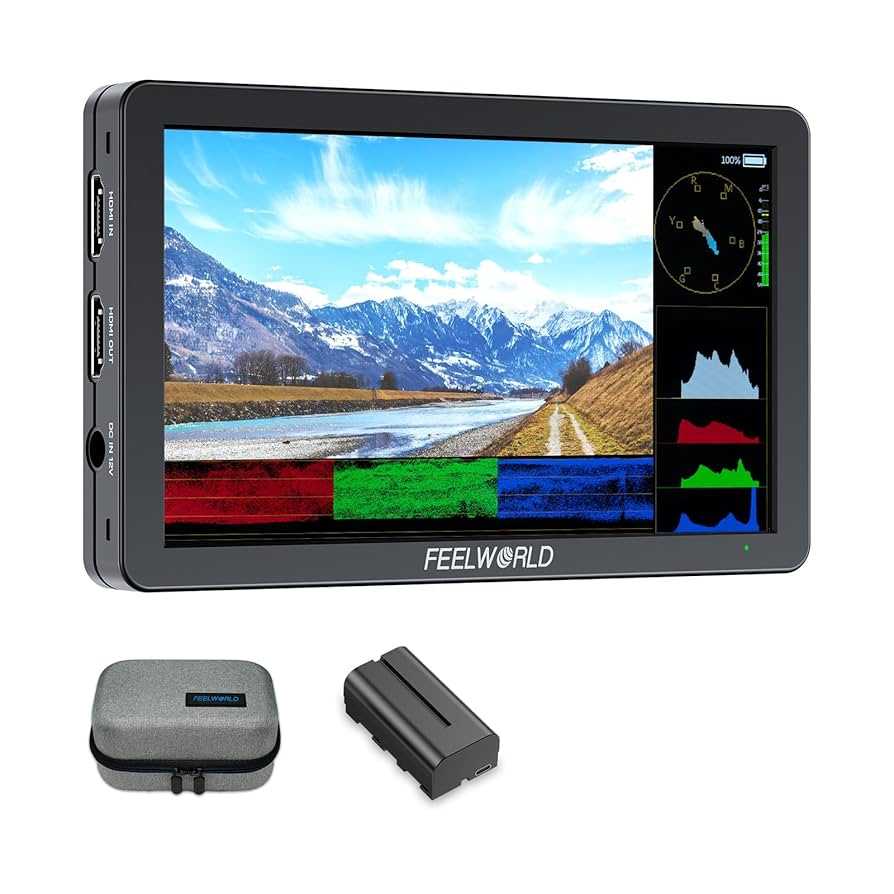
Yes, many content creators do use portable monitors to boost their productivity and creativity on the go. These sleek devices allow them to work seamlessly from different locations, enhancing their editing, designing, or streaming setups. Whether editing videos, designing graphics, or managing multiple screens during live sessions, portable monitors are becoming an essential tool for creators seeking flexibility and efficiency.
Portable monitors are widely adopted by content creators because they provide a larger workspace without the bulk of traditional setups. They are lightweight, easy to carry, and compatible with various devices like laptops or tablets. This flexibility allows creators to work more comfortably, especially when traveling or working outside a fixed studio environment. As the demand for mobile, versatile work solutions grows, portable monitors are quickly becoming a favorite among those who want professional-quality displays wherever they go.

Do Content Creators Use Portable Monitors?
Many content creators wonder if portable monitors are worthwhile for their work. These devices have become increasingly popular in recent years. They can provide extra screen space, making editing and designing more efficient.
Why Do Content Creators Need Extra Screen Space?
Content creation often involves multitasking. Creators may have their main workflow on one screen and tools or previews on another. Portable monitors help to expand workspace without needing a full setup.
Having additional displays can improve productivity. Creators can view their timeline, editing panels, or reference images side by side. This setup speeds up editing, annotation, and review processes.
Are Portable Monitors Suitable for Different Types of Content Creation?
Video Editing
Video editors benefit from portable monitors because they allow precise color grading and detailed timeline management. A second screen can display effects, transitions, or audio levels simultaneously.
Graphic Design and Illustration
Artists and designers appreciate the color accuracy some portable monitors offer. They can work comfortably anywhere, whether at a client meeting or a park bench. The extra space also makes detailed work easier.
Photography
Photographers often use portable monitors to preview images while on location. Large, clear displays help in assessing lighting, focus, and colors accurately. This ensures better quality before editing on a larger desk.
Advantages of Using Portable Monitors for Content Creation
- Portability: Lightweight and compact, easy to carry around.
- Flexibility: Set up anywhere, whether at home, in a café, or on the road.
- Increased Productivity: Multiple screens streamline workflows and reduce switching between tabs.
- Better Collaboration: Share screens easily during meetings or client reviews.
Challenges and Limitations of Portable Monitors
While portable monitors offer many benefits, some issues may arise. They sometimes lack the same level of color accuracy or resolution as traditional desktop monitors. Battery life can also limit their usage during long sessions.
Connectivity might pose a problem if your device does not support certain ports. Additionally, some portable monitors do not have ergonomic stands, which can cause discomfort after extended use.
Key Features to Consider When Choosing a Portable Monitor
Display Quality
Look for screens with high resolution, at least Full HD (1920×1080). For detailed work, 2K or 4K displays are preferable. Color accuracy, measured in sRGB or Adobe RGB coverage, is also important for professional content creation.
Size and Weight
Common portable monitor sizes range from 13 to 17 inches. Smaller screens are easier to carry but may limit workspace. Consider weight if you plan to travel frequently.
Connectivity Options
USB-C is now standard for most portable monitors, providing both power and video. Some models include HDMI or DisplayPort for compatibility with various devices. Check if your device supports the required connections.
Batteries and Power
Built-in batteries allow use without constant connection to a power source. However, battery life varies, so choose models with longer-lasting batteries for on-the-go editing. Some monitors also get power from the connected device.
Popular Portable Monitors Used by Content Creators
| Model | Screen Size | Resolution | Key Benefits | Price Range |
|---|---|---|---|---|
| ASUS ZenScreen MB16AC | 15.6 inches | Full HD (1920×1080) | Lightweight, USB-C connection, good color accuracy | $200–$300 |
| Lenovo ThinkVision M14 | 14 inches | Full HD (1920×1080) | Thin design, excellent portability, good display quality | $250–$350 |
| ASUS ProArt Display PA148CTV | 14 inches | Full HD with 100% sRGB | Color accuracy, ideal for photo and video editing | $350–$500 |
How Portable Monitors Enhance Workflow for Content Creators
Adding a portable monitor can improve your editing precision. You can view detailed videos or photos on a separate screen while working on your primary device. This setup reduces the need for constant window switching.
They also help when working outside a studio. Creators can set up portable screens during shoots or location work, ensuring high-quality previews on the spot. It makes workflow more flexible and responsive.
Complementing Portable Monitors with Other Devices
To maximize benefits, consider pairing portable monitors with accessories. A good portable tripod or stand can improve ergonomics. Also, portable keyboards or mice make editing more comfortable during long sessions.
Software tools that synchronize with portable displays can enhance multi-screen workflows. Screen sharing and mirroring apps allow seamless work across devices.
Future Trends in Portable Monitors for Creators
The industry is moving toward even thinner, lighter models with higher resolutions. Improved battery life and better color accuracy are on the horizon. Also, some companies are integrating touchscreens for more interactive editing.
There’s a trend toward modular designs, allowing creators to customize setups. As technology advances, portable monitors will become more capable, making them essential tools for content creators everywhere.
Overall, portable monitors have become a valuable asset for many creators. They combine flexibility, extra workspace, and convenience, helping creators work more efficiently regardless of location. As options improve, more content creators are likely to incorporate them into their daily workflows.
Portable monitor must-have for content creators! #fok #flashsale
Frequently Asked Questions
How do portable monitors benefit content creators during live production?
Portable monitors enable content creators to view their video feeds, camera angles, and editing interfaces simultaneously, even when away from their main setup. This flexibility helps ensure better coordination during live shoots and allows for quick adjustments, resulting in smoother broadcasts and improved content quality.
What features do content creators look for in portable monitors?
Content creators typically seek high-resolution screens, accurate color reproduction, and reliable connectivity options like HDMI or USB-C. They also value lightweight designs for easy transport, adjustable stands for ergonomic use, and compatibility with various devices to support their diverse workflows.
Can portable monitors help with multi-tasking for content editing?
Yes, portable monitors provide additional screen space, making it easier to multitask during editing processes. Creators can view timelines, toolbars, or reference materials without constantly switching between windows, improving efficiency and accuracy in editing projects.
Are portable monitors suitable for on-the-go content creation?
Absolutely. Portable monitors are designed with creators who work outside their usual environment in mind. Their lightweight and compact design allows for easy setup in different locations, enabling content creators to produce high-quality work in various settings without sacrificing screen real estate.
How do portable monitors integrate with different devices used by content creators?
Most portable monitors support various connectivity options like HDMI, DisplayPort, or USB-C, making them compatible with laptops, cameras, and mobile devices. This versatility allows content creators to expand their workspace seamlessly, regardless of the equipment they use.
Final Thoughts
Content creators often use portable monitors to boost productivity and enhance their workflow. These devices provide extra screen space, making multitasking easier on the go.
Their portability allows creators to work from different locations without sacrificing quality or efficiency.
In conclusion, do content creators use portable monitors? Yes, many leverage these tools to improve their work experience and increase flexibility.

I’m passionate about hardware, especially laptops, monitors, and home office gear. I share reviews and practical advice to help readers choose the right devices and get the best performance.
