
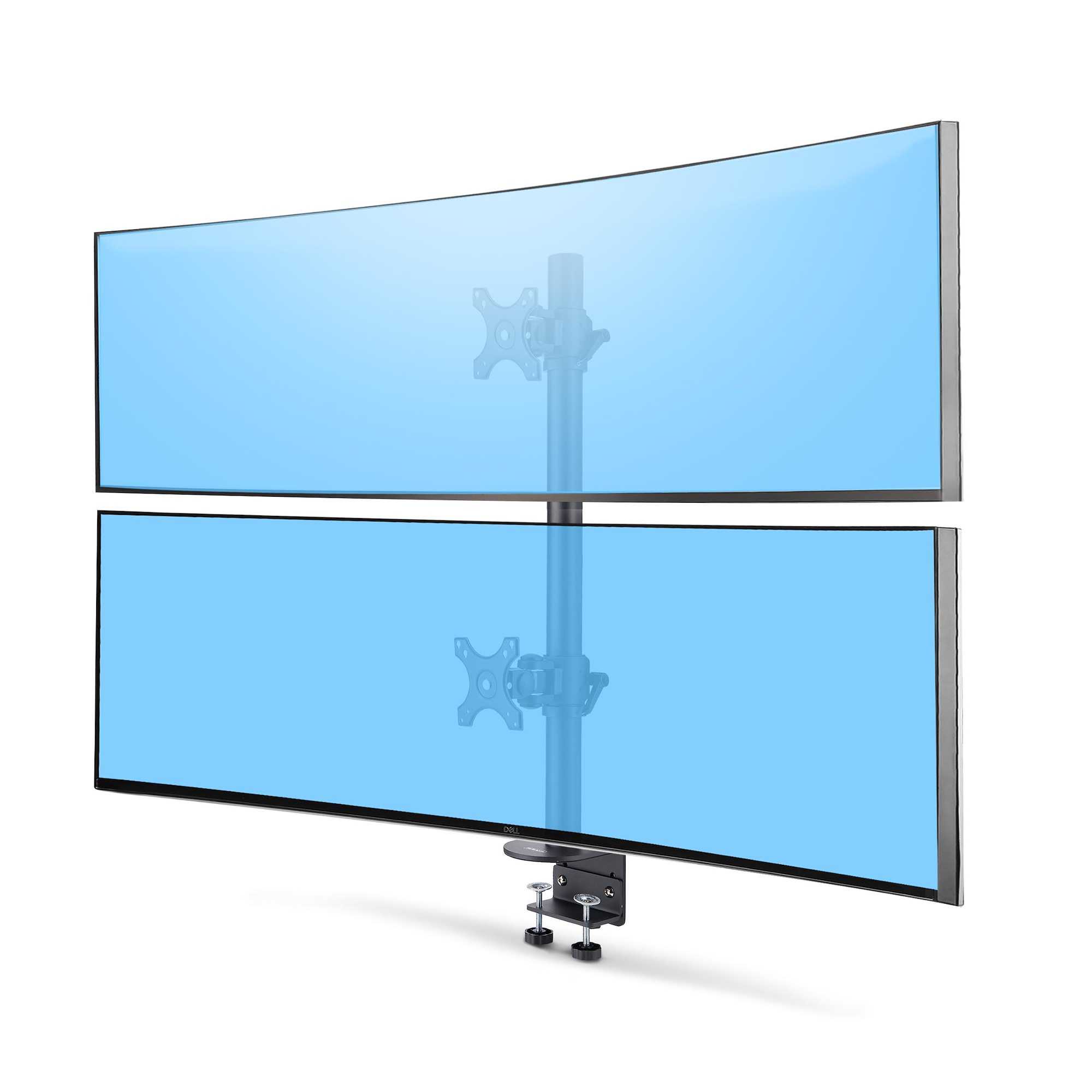
Yes, many curved monitors do support VESA mounts, but it’s not a universal feature. Whether your specific model can be mounted depends on its design and manufacturer specifications. Most modern curved monitors are VESA-compatible, allowing you to customize your workspace or gaming setup with adjustable mounts.
If you’re considering replacing your curved monitor with a VESA-compatible one, you’ll be pleased to know that many options exist, giving you flexibility in display positioning. However, it’s important to check the VESA compatibility before purchasing, as some curved monitors might lack this feature. Not all curved screens are designed to support VESA mounts, so doing a quick check on the specifications or the back of the monitor is essential to ensure compatibility.
Curved monitors have gained popularity for their immersive viewing experience, especially for gaming, design, or multitasking. If you want to optimize your setup, knowing whether your monitor supports VESA mounts can make a big difference in how comfortably and efficiently you work or play. This article explores which curved monitors are VESA-compatible, how to identify the mounting options, and tips for mounting your display securely.

Do Curved Monitors Support VESA Mount?
Understanding VESA Mount Compatibility on Curved Monitors
Curved monitors have become popular because of their immersive viewing experience. Many users wonder if these monitors can be mounted using VESA standards. The short answer is that most curved monitors do support VESA mounts, but there are exceptions. Checking the product specifications is essential before purchasing or attempting to mount your monitor.
VESA stands for Video Electronics Standards Association, which sets industry standards for mounting interfaces. Monitors with VESA support usually have mounting holes on the back, allowing you to attach them to wall mounts or monitor arms easily. These standards ensure compatibility across various brands and models, making the setup process straightforward.
Most curved monitors feature a VESA mount pattern, but the size and placement of those holes can vary. The common VESA patterns include 75x75mm and 100x100mm, which are suitable for most desktop monitor mounts. Always verify the pattern dimensions to ensure compatibility and stability when mounting.
Are All Curved Monitors VESA-Compatible?
Not every curved monitor supports VESA mounting. Some models, especially budget or compact designs, may lack the necessary mounting holes or have a different mounting system. These monitors often prioritize sleek design over expandability and flexibility.
To determine if a curved monitor supports VESA, look at the product specifications or user manual. Manufacturers typically indicate VESA compatibility and specify the pattern size if available.
Having VESA support is advantageous because it allows you to:
- Adjust monitor height and angle for better ergonomics
- Save desk space with wall mounts
- Create dual or multi-monitor setups
On the other hand, if a monitor does not feature VESA mounts, users may need alternative mounting solutions, which may not be as stable or customizable.
Factors Influencing VESA Mount Compatibility in Curved Monitors
Several factors can affect whether a curved monitor supports VESA mounts. Understanding these factors helps in making informed decisions when choosing or mounting a curved monitor.
Monitor Size and Weight
Larger and heavier monitors tend to be more compatible with VESA mounts, provided the mounting pattern supports their weight. Smaller monitors, especially those below 24 inches, might lack VESA support to maintain a slim profile.
Always check the maximum weight capacity of the VESA mount to ensure it can handle your monitor. Keep in mind that mounting heavy monitors requires sturdier mounts and proper installation to prevent accidents.
Design and Aesthetics
Many curved monitors feature a design that conceals the VESA mounting holes for a seamless look. Manufacturers may opt for integrated or hidden mounts to preserve aesthetics.
If maintaining a clean, clutter-free desk is a priority, look for monitors that explicitly state VESA compatibility with visible mounting points.
VESA Pattern Size and Spacing
The two most common pattern sizes are 75x75mm and 100x100mm. Larger monitors sometimes use 200x100mm or 200x200mm patterns, so verify pattern compatibility before purchase.
Measure the distance between mounting holes on the back of your monitor if possible, to match it with your mount’s specifications.
How to Check if Your Curved Monitor Supports VESA Mounting
Checking VESA compatibility can be simple when you follow these steps:
- Review the user manual or product specifications online.
- Look for mention of VESA support or mounting hole pattern size.
- Inspect the back of the monitor for mounting holes or brackets.
- If holes are not visible, consult the manufacturer or contact customer support.
Some monitors come with removable covers on the back that conceal VESA mounting points. Removing these covers reveals the mounting holes needed for VESA compatibility.
Pros and Cons of Mounting Curved Monitors with VESA
Mounting a curved monitor using VESA offers several benefits but also presents some challenges.
Advantages
- Enhanced ergonomic setup tailored to your workspace
- Increased desk space by wall mounting or using adjustable arms
- Multimonitor configurations for improved productivity
- Reduced clutter and improved aesthetics
Potential Challenges
- Finding compatible VESA mounts for certain curved models
- Potential warranty void if mounting instructions are not followed
- Difficulty in mounting larger or oddly shaped monitors
- Weight limitations of some VESA mounts may restrict options
Choosing the Right VESA Mount for Your Curved Monitor
Selecting the proper VESA mount ensures stability and ease of use. Consider the following when choosing a mount:
| Factor | Consideration |
|---|---|
| Pattern Compatibility | Match the monitor’s VESA pattern (75x75mm, 100x100mm, etc.) |
| Weight Capacity | Ensure the mount supports the weight of your monitor |
| Type of Mount | Choose between fixed, tilting, articulating, or full-motion mounts |
| Adjustability | Decide if you want height, tilt, or swivel features for better ergonomics |
| Installation | Check the mounting method (wall, desk clamp, etc.) and ease of setup |
Powerful mounts with multiple adjustment options can improve your viewing comfort, especially during long work sessions.
Installation Tips for Mounting Curved Monitors
Proper installation ensures safety and performance. Follow these tips:
- Use a mount that provides sturdy support for your monitor’s size and weight
- Always follow the manufacturer’s instructions during installation
- Secure mounting screws tightly to prevent wobbling or falling
- Periodically check the mounting hardware for looseness
- If in doubt, seek professional assistance to ensure safety
Remember, a well-mounted curved monitor can significantly enhance your workspace comfort and functionality.
Related Topics
Best VESA Mounts for Curved Monitors
Explore top-rated mounts that support various sizes and weights of curved monitors, including wall mounts and adjustable arms.
Tips for Setting Up a Multi-Monitor Curved Workspace
Learn how to arrange multiple curved monitors for optimal viewing angles and desk organization.
Ergonomics and Curved Monitors
Understand how to position your curved monitor for the best ergonomics, reducing strain and improving comfort.
Ensuring that your curved monitor supports VESA mounting provides flexibility, enhances ergonomics, and helps create an organized workspace. Always verify compatibility before mounting, and choose the right mount for your monitor’s size and weight. Proper installation combines safety and functionality, making your overall experience more enjoyable and productive.
Meet HUANUO Monitor Mount: The Stand That Elevates Your Work—Literally! #WorkLife #TechEssentials
Frequently Asked Questions
Are all curved monitors compatible with VESA mounting options?
No, not all curved monitors support VESA mounts. Compatibility depends on the specific model and design. Some manufacturers include VESA mounting holes in their monitors, while others do not, so it’s essential to check the specifications before making a purchase.
How can I determine if my curved monitor has VESA mount compatibility?
You can verify this by inspecting the back of your monitor for mounting holes arranged in a square or rectangular pattern, typically 75x75mm or 100x100mm. Additionally, consult the user manual or product specifications online to confirm if VESA mounting is supported.
What types of VESA mounts are suitable for curved monitors?
Most curved monitors use standard VESA mounts like 75x75mm or 100x100mm patterns. Ensure that your mounting arm or bracket matches these dimensions. Adjustable arms with tilt and swivel features can help optimize the viewing experience with curved screens.
Are there any risks of mounting a curved monitor on a VESA bracket?
While VESA mounting generally poses minimal risks, improper installation or incompatible brackets can cause damage or instability. Always follow the manufacturer’s instructions and choose a mount designed for curved monitors to ensure safety and proper support.
Can I use a VESA mount to adjust the position of my curved monitor easily?
Yes, a VESA mount allows you to easily adjust your curved monitor’s position, height, and angle. This flexibility helps you create a more comfortable viewing setup and reduces strain during long periods of use.
Final Thoughts
Curved monitors often support VESA mounts, but it varies by model. Check the specifications before purchasing to ensure compatibility.
Supporting VESA mounts offers flexibility in adjusting your display for optimal comfort and workspace organization.
In conclusion, do curved monitors support VESA mount? Yes, many do, but verify each model’s features to be sure.

I’m passionate about hardware, especially laptops, monitors, and home office gear. I share reviews and practical advice to help readers choose the right devices and get the best performance.
