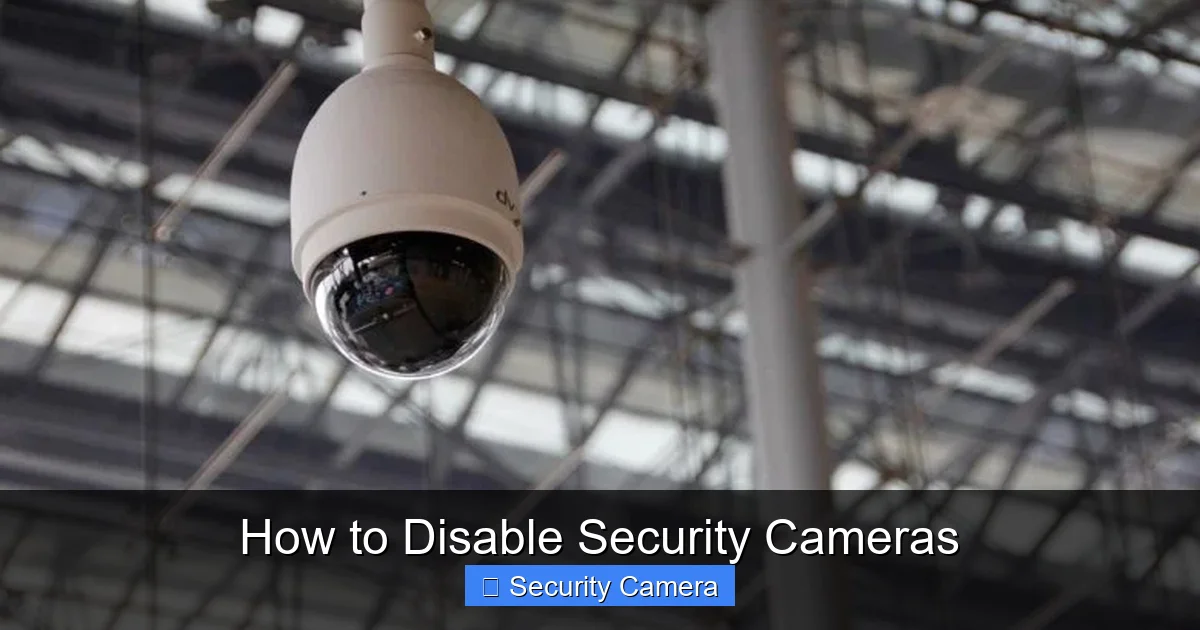
Thinking about how to disable security cameras? This guide covers safe and legal methods for your *own* equipment. Learn about power disconnection, software settings, and temporary physical obstructions. Always prioritize legality and ethical considerations to avoid problems, ensuring you only modify cameras you own or have explicit permission to manage.
How to Disable Security Cameras
Ever felt the need to temporarily or permanently turn off a security camera on your property? Maybe you’re doing maintenance, moving furniture, or simply want a moment of privacy in your own space. Whatever the reason, knowing how to disable security cameras safely and legally is incredibly useful. This guide will walk you through various methods, focusing on approaches you can use on cameras you own or have explicit permission to manage.
It’s super important to start with a big disclaimer: this article is all about disabling *your own* security cameras, or cameras you have explicit, documented permission to control. Tampering with or disabling someone else’s security cameras without their consent is illegal, can lead to serious legal consequences, and is simply unethical. We’re here to help you understand your own equipment, not to encourage any illegal activities. So, let’s dive into managing your home’s watchful eyes responsibly!
The world of security cameras is vast, from simple battery-powered devices to complex wired systems. Each type might require a slightly different approach to disable. Don’t worry, we’ll cover the most common scenarios and give you practical, easy-to-follow steps. Ready to take control of your camera system? Let’s get started.
Key Takeaways
- Understand Legality First: Only disable security cameras you own or have explicit permission to manage. Disabling others’ cameras is illegal and unethical.
- Start with Power: The simplest way to disable most security cameras is by cutting their power supply, either by unplugging them or shutting off the circuit breaker.
- Utilize Software Controls: Many modern IP and smart cameras can be disabled or paused through their dedicated mobile apps, web interfaces, or NVR/DVR settings.
- Consider Physical Obstruction for Temporary Needs: A simple lens cap or piece of tape can temporarily block a camera’s view without permanently altering its function.
- Network Disruption for Wireless Models: For wireless cameras, temporarily disabling your Wi-Fi network or blocking the camera’s access can stop data transmission.
- Be Aware of Warranty and Data Loss: Physical tampering or cutting wires can void warranties and lead to loss of recorded footage. Always back up important data.
- Prioritize Safety: When working with electrical components, always ensure power is off to prevent injury. If unsure, consult a professional.
Quick Answers to Common Questions
Can I disable a security camera remotely?
Yes, many modern IP and smart cameras can be disabled or paused remotely using their dedicated mobile apps or web interfaces, as long as the camera is connected to the internet.
Is it legal to disable a security camera?
It is legal to disable a security camera that you own and is on your own private property. It is illegal to disable or tamper with a security camera that you do not own or are not authorized to manage.
Will turning off my Wi-Fi disable my security cameras?
If your security cameras are wireless and rely on your home Wi-Fi network for data transmission, then turning off your Wi-Fi router will disable their ability to transmit footage and often to record to cloud storage.
What is the easiest way to temporarily disable an indoor camera?
The easiest way to temporarily disable an indoor camera is usually to unplug its power adapter from the wall or to use its accompanying mobile app to pause recording or turn it off.
Can I disable a PoE security camera?
Yes, for a PoE (Power over Ethernet) security camera, you can disable it by unplugging the Ethernet cable from either the camera itself or the PoE switch/injector providing power and data.
📑 Table of Contents
Understanding Your Security Camera System
Before you can effectively disable security cameras, it helps to understand what kind of system you’re dealing with. Knowing the basics will guide you to the right method.
Types of Cameras
- Wired Cameras (CCTV/Analog): These typically use coaxial cables for video transmission and often a separate power cable. They connect to a Digital Video Recorder (DVR).
- IP Cameras (Network Cameras): These use Ethernet cables or Wi-Fi to transmit video over your network. They connect to a Network Video Recorder (NVR) or directly to cloud storage.
- Wireless Cameras: These rely on Wi-Fi for data transmission and are often battery-powered or plug into a wall outlet. Think popular brands like Ring, Arlo, or Blink.
- PoE Cameras (Power over Ethernet): A type of IP camera that gets both power and data through a single Ethernet cable.
Power Sources
Cameras can be powered in several ways: via a wall adapter, a battery, or directly through an Ethernet cable (PoE). Identifying the power source is often the quickest way to disable a camera.
Data Transmission
How does the camera send its video? Is it through Wi-Fi, an Ethernet cable, or a coaxial cable? Disrupting this transmission can also effectively disable the camera’s recording and monitoring capabilities.
Safe & Legal Methods to Disable Security Cameras You Own
When you need to disable security cameras on your own property, these are the go-to, legitimate methods. They are generally reversible and won’t cause permanent damage if done correctly.
1. Disconnecting the Power Supply
This is often the simplest and most direct way to disable security cameras. No power, no recording!
Unplugging the Camera
If your camera uses a wall adapter, simply unplug it from the electrical outlet. This is common for many wireless and IP cameras. For battery-powered cameras, you might need to open a compartment to remove the battery.
Visual guide about How to Disable Security Cameras
Image source: dotnek.com
Shutting Off the Circuit Breaker
For wired cameras, especially those installed professionally (like outdoor CCTV systems) that might be hardwired, identifying the correct circuit breaker and flipping it off will cut power to the camera. Be cautious: this might also turn off other devices on the same circuit, like lights or outlets. Always double-check which circuit you’re turning off.
2. Disabling via Software or App Settings
Many modern security cameras, especially IP and smart home devices, come with dedicated apps or web interfaces. This is a clean, non-physical way to disable security cameras.
Using the Manufacturer’s App
Most smart cameras (Ring, Arlo, Nest, Wyze, etc.) have a mobile app. Within the app, you can usually find options to “turn off,” “pause recording,” “disable motion detection,” or “set a schedule.” This allows you to temporarily disable the camera without touching it physically.
Accessing the NVR/DVR or Web Interface
For more complex systems (CCTV with DVR, IP cameras with NVR), you can often access the recorder’s settings via a monitor, local interface, or a web browser. Here, you can disable specific camera channels, stop recording, or adjust schedules. You’ll need the admin login credentials for this.
3. Physical Obstruction
Sometimes, you don’t need to turn off the camera entirely, just block its view. This is a temporary solution that’s easy to reverse.
Using a Lens Cap or Tape
A simple lens cap (if available) or a piece of opaque tape placed over the lens will block the camera’s vision. Ensure the tape doesn’t leave residue or damage the lens coating.
Covering the Camera
For indoor cameras, you can place a cloth or cover over the entire unit. Just make sure it doesn’t overheat the camera if it’s left on for extended periods.
4. Network Disconnection
If your camera relies on your home network to transmit data, disrupting that connection can effectively disable its monitoring capabilities. This works well for wireless IP cameras.
Turning Off Your Wi-Fi Router
This is a broad stroke: if you turn off your home Wi-Fi router, any wireless cameras connected to it will lose their internet connection and stop transmitting footage to the cloud or your app. Of course, this will also affect all other Wi-Fi devices in your home.
Blocking the Camera’s MAC Address
If you’re comfortable with your router’s settings, you can log in and block the MAC address of specific cameras. This prevents them from connecting to your network, effectively taking them offline. You’ll need to know the MAC address of the camera, usually found on a sticker on the device or in your router’s client list.
Important Considerations Before You Act
Before you proceed with any method to disable security cameras, take a moment to consider these crucial points.
Legality and Ethics
Reiterating this for good measure: only disable cameras you own or have explicit permission to control. Never tamper with cameras belonging to neighbors, businesses, or public property. Doing so can lead to charges of property damage, trespassing, invasion of privacy, or other serious legal issues.
Visual guide about How to Disable Security Cameras
Image source: safetyfic.com
Warranty Implications
Physically modifying your camera, cutting wires, or attempting to open its casing might void its manufacturer’s warranty. Stick to software methods or simple power disconnection if you’re concerned about warranty.
Data Loss
If you disable a camera, especially by cutting its power, it will stop recording. If local storage (like an SD card) is full or corrupted, or if it relies solely on cloud storage, you might lose valuable footage. Always back up any important data before making changes.
Safety First
When dealing with electrical components, always ensure power is off at the source to prevent electric shock. If you’re uncomfortable or unsure about working with wiring or circuit breakers, please consult a qualified electrician or technician.
Advanced (and Potentially Risky) Methods
While the goal of this guide is to help you safely and legally disable security cameras you own, it’s also important to understand some of the more advanced methods people discuss. Please note, these methods often carry significant legal risks, can damage equipment, and are strongly discouraged unless you are a qualified professional working on your own authorized equipment. Proceed with extreme caution and always prioritize safety and legality.
Cutting Cables (for Wired Systems)
For wired CCTV or IP cameras, you could physically cut the data and/or power cables. This is irreversible damage and should only be considered if you intend to permanently decommission the camera and are absolutely sure it’s your property. Always ensure the power is off at the circuit breaker before cutting any wires to avoid electrocution.
Signal Jamming (Highly Illegal)
Signal jamming involves using a device to emit radio frequencies that interfere with the camera’s wireless communication. This can disrupt Wi-Fi, cellular, or other wireless signals the camera uses to transmit data. However, it’s absolutely crucial to understand that using signal jamming devices is illegal in most countries, including the United States (FCC regulations). Such devices can interfere with emergency services, essential communications, and are strictly prohibited. Attempting to use them can lead to severe fines and legal penalties. Therefore, while technically a way to disable security cameras, it’s one you should never consider for legal reasons.
Best Practices for Temporary Disablement & Re-Enabling
If you’re only temporarily disabling your cameras, a little planning goes a long way.
Document Your Changes
Before you disable security cameras, make a note of how you did it, especially if you changed settings or disconnected wires. This makes it much easier to re-enable them later.
Safe Reconnection
When you’re ready to turn the cameras back on, reverse your steps carefully. Reconnect wires securely, plug in power adapters, and reset any software settings you changed. Test the camera’s functionality to ensure it’s recording and transmitting properly.
Regular Maintenance
Periodically checking your camera system ensures everything is working as expected. If you’ve disabled and re-enabled a camera, confirm its settings, view, and recording capabilities are fully restored.
Conclusion
Knowing how to disable security cameras can be a valuable skill for homeowners and property managers. Whether you need to pause recording for maintenance, move equipment, or simply want a moment of privacy, there are several safe and legal methods available. Always remember to prioritize legality and ethics, ensuring you only modify cameras you own or have explicit permission to manage.
By understanding your camera system and choosing the appropriate method, you can confidently manage your security setup without any hassle or legal worries. Stay safe, stay informed, and enjoy peace of mind knowing you’re in control of your home security.
Frequently Asked Questions
How can I tell if a security camera is wired or wireless?
You can often tell by looking for visible cables. Wired cameras typically have coaxial or Ethernet cables running from them, while wireless cameras primarily rely on Wi-Fi and usually only have a power cable (or are battery-powered).
Will disabling my camera delete its stored footage?
Disabling your camera generally stops *new* footage from being recorded. However, previously recorded footage stored on an SD card, DVR/NVR, or cloud service will usually remain unless you manually delete it or if the camera overwrites old footage.
What if I don’t know who owns the security camera?
If you don’t know who owns a security camera, especially if it’s not on your property, you should never attempt to disable it. Contact local authorities or property management if you have concerns about a camera’s placement or recording practices.
Can a strong light disable a security camera?
Directing a strong light, like a laser pointer or powerful flashlight, into a camera lens can temporarily “blind” or cause glare, making it difficult for the camera to capture clear images. However, this typically doesn’t disable the camera’s recording function, only its visual output.
What happens if I cut the wires of a security camera?
Cutting the wires of a security camera will physically disable it by severing its power and/or data connection. This action causes permanent damage, voids warranties, and should only be done on your own equipment after ensuring power is off, to prevent injury.
Is there a universal remote to disable security cameras?
No, there is no universal remote that can disable all types of security cameras. Different cameras operate on various frequencies and systems, making a single disabling device impractical and, for many methods like signal jamming, illegal.

With experience in IT support and consumer technology, I focus on step-by-step tutorials and troubleshooting tips. I enjoy making complex tech problems easy to solve.