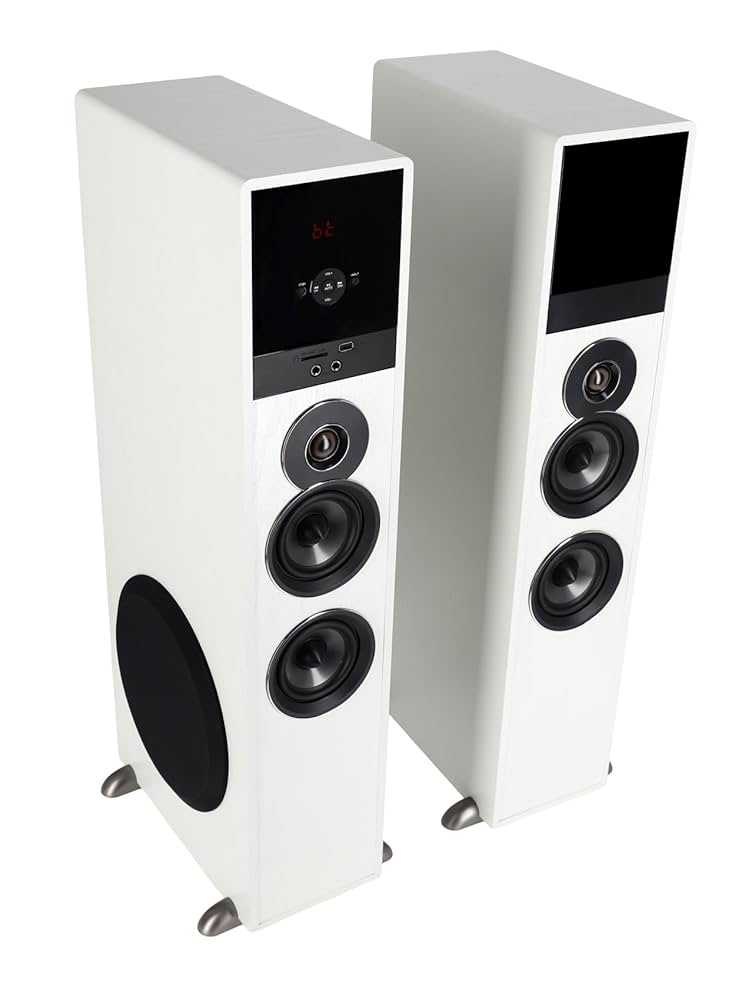
To fix Bluetooth interference on your sound box quickly, try moving your device closer to the speaker, turning off other nearby electronics, and resetting your Bluetooth connection. These simple steps can often clear up the interference and restore clear sound. If problems persist, updating your device’s firmware or changing the Wi-Fi channel can also help eliminate signal clashes.
Bluetooth interference can be frustrating, especially when you just want to enjoy your music without disruptions. Many users experience sudden crackles, cuts, or poor audio quality because of interference caused by other wireless devices, Wi-Fi networks, or even physical obstacles. Thankfully, addressing this issue doesn’t require technical expertise—small adjustments like repositioning your devices, minimizing interference sources, or updating software can make a big difference. In this article, we’ll explore practical, easy-to-follow solutions to help you enjoy seamless Bluetooth connectivity and crystal-clear sound from your sound box.

How to Fix Bluetooth Interference on Sound Box
Understanding Bluetooth Interference
Bluetooth interference occurs when other electronic devices or signals disrupt the connection between your sound box and your Bluetooth device. This disruption can cause audio cutouts, skipping, or reduced sound quality. Knowing the common sources of interference helps you take steps to minimize or eliminate the problem.
Common Causes of Bluetooth Interference
- Wi-Fi Networks: Wi-Fi signals, especially on the 2.4 GHz band, often clash with Bluetooth signals because they use the same frequency range.
- Other Bluetooth Devices: Multiple Bluetooth gadgets in close proximity can interfere with each other, causing connection issues.
- Microwave Ovens: Operating microwave ovens emit signals that can interfere with Bluetooth connections, especially when in use nearby.
- Wireless Security Cameras and Baby Monitors: These devices also operate on the same frequency and can cause signal overlaps.
- Physical Obstacles: Walls, metal furniture, or appliances between your sound box and Bluetooth source can weaken the signal.
How to Reduce Bluetooth Interference
To improve your Bluetooth connection, start by minimizing potential sources of interference. Move away from Wi-Fi routers and other electronics that emit interfering signals. Keep your Bluetooth devices and sound box close together to ensure a strong connection.
Adjusting Bluetooth Settings for Better Connectivity
Some devices allow you to tweak Bluetooth settings, which can help reduce interference. Turn off unused Bluetooth devices in the vicinity. You may also update your device’s firmware to access the latest improvements in Bluetooth stability.
Switching Bluetooth Channels
Many modern sound boxes and Bluetooth devices automatically select the best channel, but if your device supports manual channel selection, try changing it. This can help avoid crowded channels and improve stability.
Re-pairing Your Devices
Sometimes re-pair your sound box with your device to fix connection issues. Remove the device from your Bluetooth list, then search and connect again. This process resets the connection and often clears interference-related glitches.
Optimizing Your Environment to Prevent Interference
Creating a clear, interference-free zone around your sound box can make a big difference. Move other wireless devices away, avoid placing your sound box near microwaves or cordless phones, and keep the area well-ventilated and free of obstacles.
Using a Bluetooth Extender or Repeater
If your space is large or has many obstacles, consider using a Bluetooth extender. This device helps relay the signal, improving strength and reducing interference over longer distances.
Choosing the Right Placement
Position your sound box and Bluetooth device in open areas. Keep the sound box off metal surfaces or near electronics that emit strong signals. Elevate the devices if possible to reduce interference caused by furniture or other objects.
Upgrading Your Equipment
Older Bluetooth devices may struggle with interference due to outdated technology. Investing in newer models with advanced Bluetooth versions, such as Bluetooth 5.0 or higher, provides better stability and resistance to interference.
Switching to 5 GHz Wi-Fi Networks
If Wi-Fi interference is an issue, switch your home network to a 5 GHz band. Bluetooth primarily uses 2.4 GHz, so this change reduces overlap and improves Bluetooth performance.
Using Wired Alternatives When Necessary
In environments where wireless interference is unavoidable, consider connecting your sound box via a wired connection, such as an auxiliary cable or optical cable. This eliminates Bluetooth interference entirely.
Additional Tips for Better Bluetooth Performance
Regularly update device firmware and drivers. Keep your Bluetooth device and sound box clean from dust and debris to maintain optimal signal quality. Avoid overloading the Bluetooth spectrum by limiting the number of active wireless gadgets in the area.
Handling Persistent Interference Issues
If interference persists despite these efforts, try switching to different Bluetooth versions or brands known for their interference resistance. Contacting customer support for your sound box or Bluetooth device can also provide tailored solutions specific to your model.
Summary of Best Practices
- Keep devices close and away from potential interference sources.
- Update firmware and drivers regularly.
- Reduce the number of active wireless devices in the area.
- Switch Wi-Fi to 5 GHz if possible.
- Use wired connections when wireless signals are unreliable.
- Consider upgrading to newer Bluetooth versions for improved stability.
Related Topics to Explore
- How to improve Wi-Fi signal strength
- Best Bluetooth devices for home use
- Understanding Bluetooth versions and their benefits
- Tips for extending Bluetooth range
- Effects of electronic appliances on wireless signals
By following these detailed steps and tips, you’ll significantly reduce Bluetooth interference and enjoy seamless audio from your sound box. Whether you’re at home or on the go, maintaining a clean, interference-free environment ensures your Bluetooth devices perform at their best.
How Do I Fix Bluetooth Interference With My Soundbar? – NextGen Viewing and Audio
Frequently Asked Questions
What steps can I take to reduce Bluetooth interference near my sound device?
Keep your sound box away from other electronic devices such as Wi-Fi routers, microwaves, and cordless phones, as they can cause signal disruptions. Ensure that your Bluetooth device and sound box are within a close range, ideally within 10 meters. Additionally, turn off unused Bluetooth devices that might be causing interference to improve the connection quality.
How does repositioning my sound box help eliminate Bluetooth issues?
Placing your sound box in a central location free from obstructions allows for a clearer Bluetooth signal. Avoid placing the device behind other objects or inside cabinets. Elevating the sound box or positioning it at ear level can also help reduce interference and improve audio clarity.
Can updating firmware or drivers resolve Bluetooth interference problems?
Yes, ensuring your sound box and Bluetooth device run the latest firmware or drivers can significantly improve connectivity. Manufacturers often release updates that address connectivity issues and optimize signal stability. Regularly check the manufacturer’s website or app for available updates and install them promptly.
What role does choosing the correct Bluetooth version play in reducing interference?
Using devices that support newer Bluetooth versions, like Bluetooth 4.0 or higher, can help minimize interference because they use improved frequency hopping and data transmission techniques. This results in a more stable connection and less susceptibility to interference from other wireless devices.
How can I change my Bluetooth channel or frequency to avoid interference?
Many sound boxes automatically select the best available channel, but if you experience ongoing issues, resetting your devices or switching to a different Bluetooth mode may help. Consult your device’s manual to see if manual channel selection is possible, or try turning off nearby devices operating on similar frequencies to reduce conflicts.
Final Thoughts
To fix bluetooth interference on sound box, start by minimizing obstacles between your device and the speaker. Keep other electronic devices away, especially those using Wi-Fi or Bluetooth, to reduce signal congestion.
Try changing the Bluetooth channel or moving the sound box to a different location. Updating your device’s firmware can also improve connectivity.
Addressing these steps ensures a better Bluetooth connection and reduces interference issues effectively.

I follow the latest trends in smart devices, portable monitors, and gaming accessories. My goal is to provide real-world insights that help readers make smarter tech decisions.