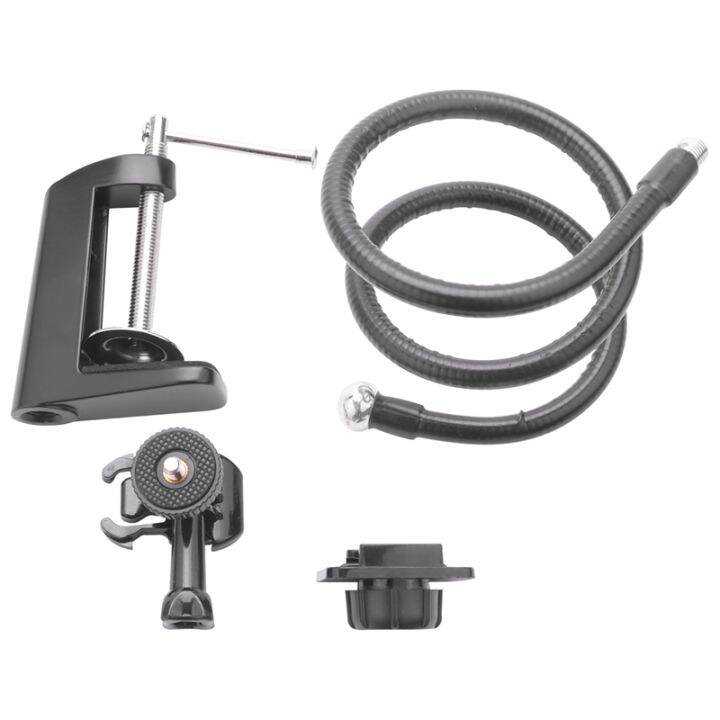
Yes, a 1080p webcam is great for streaming because it offers clear, sharp video quality that can make your content look professional. It strikes a good balance between image clarity and affordability, making it a popular choice for streamers of all levels. Whether you’re gaming, broadcasting tutorials, or chatting with friends, a 1080p webcam provides detailed visuals that keep viewers engaged.
A 1080p webcam is an excellent option for streaming, providing high-definition video that enhances viewer experience without the hefty price tag of 4K models. It’s well-suited for casual and semi-professional streamers looking for reliable quality. While it may not capture the very finest details as a 4K camera would, it still delivers crisp visuals that can elevate your online presence and make your streams look more polished. Overall, 1080p webcams hit the sweet spot for many content creators, balancing quality and affordability effectively.

Is 1080p Webcam Good for Streaming?
Understanding 1080p Resolution
A 1080p webcam captures video at a resolution of 1920 pixels by 1080 pixels.
This resolution delivers clear and sharp images that are ideal for streaming.
Many streamers prefer 1080p because it offers a good balance between quality and performance.
Benefits of Using a 1080p Webcam for Streaming
- High-Quality Visuals: Your audience will see crisp, detailed video.
- Professional Appearance: A 1080p webcam makes your streams look more polished.
- Better Engagement: Clear video helps viewers connect more easily with you.
- Compatibility: Most streaming platforms support 1080p video without issues.
How Does 1080p Compare to Other Webcam Resolutions?
720p vs 1080p
A 720p webcam offers a resolution of 1280×720 pixels.
While it is suitable for casual streaming, it appears less sharp than 1080p.
Many streamers upgrade from 720p to 1080p for better quality.
4K Webcams vs 1080p Webcams
4K webcams capture at 3840×2160 pixels, providing even greater detail.
However, they require more powerful computers and faster internet connections.
For most streamers, 1080p offers an excellent balance of quality and ease of use.
Is a 1080p Webcam Suitable for Live Streaming?
Yes, a 1080p webcam is highly suitable for live streaming on platforms like Twitch, YouTube, and Facebook.
It ensures your video looks professional and attracts more viewers.
However, to get the most out of a 1080p webcam, you will need a decent internet connection and compatible hardware.
Important Factors to Consider Alongside 1080p Resolution
Frame Rate
Frame rate determines the smoothness of your video.
Most streamers prefer a frame rate of 30 fps or higher for fluid motion.
A 1080p webcam with 60 fps provides even better quality for fast-paced content.
Lighting Conditions
Good lighting enhances the clarity of your webcam footage.
Soft, natural light or ring lights work best for clear, vibrant images.
Poor lighting can make even the best webcam look dull and grainy.
Camera Sensor Quality
The sensor captures light and influences image quality.
A larger sensor typically produces better low-light performance.
Look for webcams with CMOS sensors for good quality at an affordable price.
Compatibility and Connectivity
Most 1080p webcams connect via USB, making setup straightforward.
Ensure your computer’s USB ports support the webcam’s data transfer needs.
Check that your streaming software supports high-resolution video input.
Bandwidth and Internet Speed Requirements
Streaming at 1080p requires a stable internet connection.
For smooth streaming, a upload speed of at least 5 Mbps is recommended.
Higher speeds, like 8 to 10 Mbps, ensure better quality, especially for higher frame rates.
Cost and Value of 1080p Webcams
Entry-level 1080p webcams can cost as little as $50.
Mid-range models offer better autofocus, mic quality, and low-light performance for around $100 to $150.
Investing in a good 1080p webcam can significantly improve the quality of your stream.
Popular 1080p Webcam Models for Streaming
| Model | Features | Price Range |
|---|---|---|
| Logitech C920 | Full HD 1080p video, built-in mic, autofocus | $70-$100 |
| Razer Kiyo | 1080p at 30 fps, adjustable ring light | $100-$130 |
| AverMedia Live Streamer CAM 513 | 4K sensor for 1080p upscaling, wide-angle lens | $150-$200 |
Optimizing Your Stream Quality with a 1080p Webcam
- Use a Tripod or Stable Mount: Prevent shaking or movement issues.
- Adjust Lighting: Ensure your face is well-lit and avoid shadows.
- Set Correct Camera Settings: Use your streaming software to optimize exposure, contrast, and white balance.
- Check Your Internet Speed: Run speed tests and upgrade your plan if necessary.
Limitations of 1080p Webcams for Streaming
While 1080p is excellent for most streamers, some limitations exist.
Higher resolution demands more processing power and bandwidth.
Not all webcams are equally good at low-light conditions or in capturing fast motion.
Summary: Is a 1080p Webcam Good for Streaming?
Given the balance of quality, performance, and affordability, a 1080p webcam is an excellent choice for most streamers.
It offers professional-looking visuals that engage viewers and improve overall stream quality.
Ensuring your hardware, lighting, and internet are adequate will maximize the benefits of your 1080p setup.
Related Topics to Consider
- Lighting Equipment for Streaming
- Best Microphones for Streamers
- Choosing the Right Streaming Software
- Improving Your Internet Speed for Live Streaming
Best Webcam for Streaming
Frequently Asked Questions
Can a 1080p webcam provide clear images in various lighting conditions?
Yes, a 1080p webcam generally offers sharp and detailed images, but the quality also depends on the camera’s sensor and lens quality. Good lighting enhances the image clarity, so it’s important to ensure well-lit environments or use additional lighting sources to achieve optimal video quality during streaming.
Is a 1080p webcam suitable for different types of streaming content?
Absolutely. A 1080p webcam works well for a variety of streaming content like gaming, tutorials, or live chats. Its high resolution allows viewers to see details clearly, which improves overall engagement. However, consider your internet bandwidth to prevent buffering issues during high-quality streams.
Will using a 1080p webcam increase your computer’s processing requirements?
Running a 1080p webcam requires more processing power than lower-resolution cameras. Ensure your computer has a capable CPU and sufficient RAM to handle the higher data load without affecting the stream’s performance. Using a stable internet connection also helps maintain smooth live broadcasts.
How does a 1080p webcam compare to higher-resolution options for streaming?
While 1080p offers excellent image quality for most streaming needs, higher-resolution webcams like 4K provide even more detail. However, they demand more processing power and stronger internet connections. If your setup handles 1080p comfortably, it remains a practical and high-quality choice for streaming.
Are there specific features to look for in a 1080p webcam for streaming purposes?
Focus on features like autofocus, good low-light performance, and a wide-angle lens to improve streaming quality. Additionally, select a webcam with a built-in microphone or support for external microphones to enhance audio clarity, which complements the video quality during live broadcasts.
Final Thoughts
A 1080p webcam provides clear, sharp images that enhance your streaming quality. Its higher resolution ensures viewers see detailed visuals, making your content more engaging.
Consider your lighting and internet speed for optimal performance. A good 1080p webcam can significantly improve your streaming experience.
In conclusion, is 1080p webcam good for streaming? Yes, it offers excellent clarity and professional-looking visuals, making it a solid choice for content creators.

I’m passionate about hardware, especially laptops, monitors, and home office gear. I share reviews and practical advice to help readers choose the right devices and get the best performance.