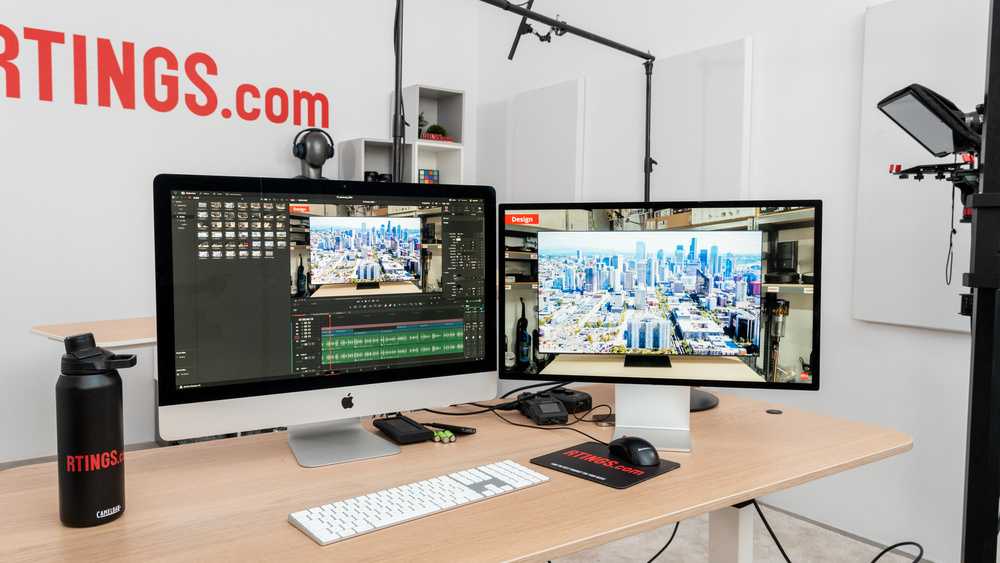
Yes, OLED monitors can be excellent for editing, especially if color accuracy and contrast are top priorities. Their vibrant colors, deep blacks, and wide viewing angles make them a compelling choice for creative professionals. However, it’s important to consider potential issues like burn-in and cost.
OLED monitors are often hailed as game-changers for editing because they deliver stunning visuals with rich, true-to-life colors and perfect blacks. These qualities can help editors spot subtle details and make precise adjustments more easily. That said, they come with some drawbacks—such as higher prices and the risk of burn-in over time—that potential buyers should keep in mind. Overall, if you’re a serious editor looking for top-tier display quality, an OLED monitor can be a fantastic tool, provided you choose a model with features that mitigate its disadvantages.

Is OLED Monitor Good for Editing?
What Makes an OLED Monitor Different?
OLED monitors use organic light-emitting diodes to produce images. Each pixel in an OLED screen lights up independently, which allows for incredible contrast. This makes OLED displays stand out when it comes to vibrant colors and deep blacks.
Unlike LCD screens that rely on backlighting, OLED panels don’t need a separate light source. This means they can turn off individual pixels completely for true blacks. This feature is especially useful for editing photos and videos that require precise color accuracy.
Color Accuracy and Brightness in OLED Monitors
Color accuracy is vital for editing work, and OLED screens excel in this area. They can display a wider color gamut, meaning more colors are visible. This helps editors see their work more closely to how it will appear on different devices.
Brightness levels are also impressive on OLED panels. While they may not reach the same peaks as some high-end LCDs, OLED monitors deliver bright, vivid images without losing detail. This balance makes them suitable for color grading and detailed editing projects.
Contrast Ratio and Deep Blacks
One of the main advantages of OLED technology is its exceptional contrast ratio. Because each pixel can be entirely turned off, OLED screens produce truly black blacks. This helps create images with more depth, which is crucial for editing work requiring nuanced shading.
High contrast ratios also improve the visibility of details in dark areas of an image. Editors can fine-tune shadows and highlights more effectively when working on OLED displays.
Response Time and Motion Blur
OLED screens typically feature very fast response times. This reduces motion blur, making them ideal for video editing and gaming. When working with fast-moving images or editing footage, quick response times help maintain clarity.
A monitor with low response time contributes to smoother playback and more accurate visual representation. This makes OLED panels favorable for editors who edit sports videos, animations, or fast-paced footage.
Viewing Angles and Uniformity
OLED monitors provide excellent viewing angles. Colors and brightness stay consistent even when viewing the screen from side angles. This is important for collaborative editing or working in different positions.
Additionally, OLED screens tend to have uniform brightness across the entire display. This consistency ensures that images look the same no matter where you view the screen from, reducing the chance of color shifts or uneven lighting.
Potential Downsides of Using OLED Monitors for Editing
While OLED monitors offer many benefits, they also have some limitations. One major concern is burn-in, where static images left on the screen for long periods can leave a ghostly imprint. This can be problematic during prolonged editing sessions with fixed UI elements.
Another issue is longevity. OLED panels may degrade over time, leading to reduced brightness and color accuracy. Prices for OLED monitors are also generally higher compared to LCD options, which might impact budget-conscious editors.
Addressing Burn-In Risks
To minimize burn-in risks, many OLED monitors include features like screen savers, pixel shifting, or automatic dimming. Using these tools can help extend the lifespan of the display.
Regularly varying your work content and avoiding static images on the screen for extended periods also help prevent burn-in. Consider choosing an OLED model with good warranty coverage against potential burn-in issues.
Cost Considerations
OLED monitors tend to be more expensive than traditional LCD screens. The higher price reflects the advanced technology and superior display qualities they offer.
If budget is a concern, assess whether the benefits align with your editing needs. For professional color grading or high-detail work, the investment might be justified. For casual editing, LCDs may suffice.
Comparison of OLED Monitors with Other Display Types
It’s helpful to compare OLED monitors with LED-LCD, IPS, and VA panels. While each display type has its strengths, OLED stands out in contrast, black levels, and color accuracy.
- LED-LCD Monitors: Widely available and affordable, with decent color and contrast.
- IPS Panels: Offer better viewing angles and color consistency than traditional LCDs, but often with lower contrast than OLED.
- VA Panels: Provide high contrast and deep blacks, but with narrower viewing angles.
In this comparison, OLED surfaces as the preferable choice for precise editing work where image quality is paramount.
Choosing the Right OLED Monitor for Editing
When selecting an OLED monitor, consider key features that impact editing performance. Resolution is critical; at least 4K resolution is recommended for detailed work.
Color coverage should include sRGB, Adobe RGB, and DCI-P3 standards. A wider color gamut allows for more accurate color representation. Connectivity options like HDMI, DisplayPort, and USB-C are also important for seamless workflow integration.
Additional Features to Watch For
Look for adjustable stands for ergonomic positioning and hardware calibration tools to maintain color accuracy over time. Built-in speakers are less important for editing but can be a bonus.
Verify that the monitor supports HDR (High Dynamic Range), which enhances contrast and color for more realistic images. A high refresh rate is beneficial if you also plan to use the monitor for gaming or video playback editing.
Final Thoughts on OLED Monitors for Editing
OLED monitors can be an excellent choice for editing, especially for tasks requiring high color detail and contrast. They enable editors to work with images that look as close to real life as possible.
However, weighing the potential for burn-in and higher costs is essential. For professionals who need top-tier image quality and color precision, investing in a quality OLED monitor will often pay off.
Overall, OLED displays provide an immersive, high-quality editing experience that can significantly enhance your workflow. Carefully consider your specific needs and budget before making a purchase to ensure you select a display that aligns with your editing goals.
Are OLED Monitors Actually Worth It?
Frequently Asked Questions
How does OLED technology impact color accuracy in editing work?
OLED monitors typically provide excellent color accuracy thanks to their ability to produce vibrant and precise colors. They offer a wide color gamut and consistent color reproduction across different viewing angles, which makes them suitable for tasks that require detailed color grading. However, some OLED panels may experience temporary color shifts when displaying static images for extended periods, so calibrating the monitor properly ensures optimal performance for editing purposes.
Are OLED monitors prone to image retention or burn-in during editing sessions?
Image retention or burn-in can occur on OLED screens if static images are displayed for long durations. For editors who work with static interfaces or frequently used tools, this issue might be a concern. To mitigate this, many modern OLED monitors incorporate features such as pixel shifting and screen savers. Regularly changing the content on the screen and enabling these features help prevent burn-in during prolonged editing sessions.
Do OLED monitors deliver adequate contrast for detailed editing tasks?
One of the key advantages of OLED displays is their ability to produce infinite contrast ratios. They achieve this by turning off individual pixels completely when displaying black, resulting in deep, true blacks and vibrant highlights. This high contrast ratio enhances the ability to distinguish fine details in dark or high dynamic range images, making OLED monitors particularly beneficial for tasks that demand precise contrast management in editing.
How does the response time of OLED screens affect video editing accuracy?
OLED monitors generally have fast response times, which reduce motion blur and ghosting effects. This quick response enables editors to view fast-moving footage accurately, especially during color grading or motion graphics work. As a result, OLED screens can improve the clarity and precision of video editing, helping professionals make more informed adjustments without artifacts or delays.
Final Thoughts
An OLED monitor offers vibrant colors and deep contrasts, which are essential for editing work. Its fast response times and wide color gamut help editors see details clearly. However, potential concerns like burn-in should influence long-term usage plans.
Overall, an OLED monitor can be highly effective for editing tasks, provided users take precautions against issues like burn-in.
is oled monitor good for editing? Yes, it offers significant advantages, making it a valuable choice for many professionals.

With experience in IT support and consumer technology, I focus on step-by-step tutorials and troubleshooting tips. I enjoy making complex tech problems easy to solve.