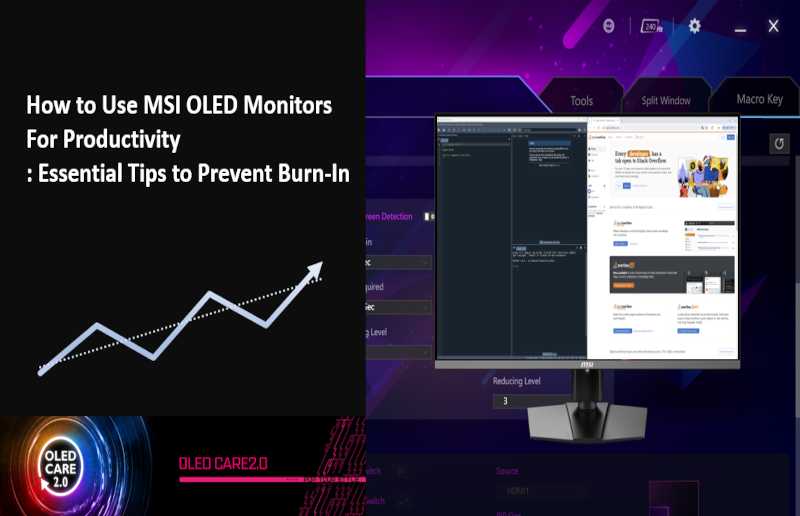
Yes, OLED monitors can boost productivity thanks to their stunning visuals and vibrant colors. However, whether they are the best choice depends on your specific needs, like color accuracy or eye comfort. Overall, OLED monitors offer excellent contrast and quick response times that can enhance your multitasking and reduce eye strain.
OLED monitors are rapidly gaining popularity among professionals and gamers alike, thanks to their exceptional visual quality. They produce deep blacks, vibrant colors, and smooth motion, making every task more engaging and less tiring for your eyes. But are they truly beneficial for productivity? The answer depends on your workflow. For creative work involving color accuracy, OLED displays excel, while their fast response times improve overall multitasking. Still, factors like cost and potential burn-in issues should also be considered. If you value stunning visuals and a more immersive experience, an OLED monitor could be a game-changer for your productivity, especially for tasks that require high visual fidelity.

Is OLED Monitor Good for Productivity?
Understanding OLED Technology and Its Benefits
OLED stands for Organic Light Emitting Diode. Unlike traditional LCD screens that rely on backlighting, OLED screens emit their own light when electricity passes through organic compounds. This feature allows for deeper blacks and brighter colors, making images appear more vivid and realistic. For productivity, vibrant visuals can help reduce eye strain and make working on detailed tasks easier.
Brightness and Color Accuracy in OLED Displays
OLED monitors shine with exceptional brightness levels, which can be a significant advantage in well-lit environments. Their high contrast ratios help distinguish subtle differences in colors and shades. For tasks like photo editing or graphic design, OLED screens provide precise color reproduction, enabling users to see true-to-life images. Accurate color representation ensures that work done on screens matches the final output, especially valuable for creative professionals.
Contrast and Black Levels for Reduced Eye Fatigue
Deep black levels on OLED monitors are achieved because individual pixels can turn off completely. This results in high contrast ratios, making content look more vibrant and easier on the eyes. When working with dark themes or in low-light conditions, OLED screens reduce eye fatigue compared to traditional displays. The clarity of dark areas also improves visibility during prolonged work sessions.
Response Time and Refresh Rate for Smooth Workflow
OLED monitors typically offer fast response times, reducing motion blur during scrolling or fast-moving content. A high refresh rate, such as 120Hz or higher, ensures smoother transitions, beneficial for multimedia editing or multitasking. Quicker response and refresh rates contribute to a more seamless and less distracting working experience, enhancing overall productivity.
Potential Drawbacks of OLED Monitors in Productivity Settings
While OLED monitors provide many advantages, they also have some limitations. They are often more expensive than LCD counterparts, which might impact budget considerations. Additionally, OLED screens can suffer from burn-in—a permanent shadow or ghost image caused by static content left on the screen for long periods. For users who work with static dashboards or icons, this could pose a concern over time.
Burn-In and Longevity Concerns
Burn-in is a well-known issue for OLED screens, especially when static images are displayed continuously. To mitigate this, many monitors come with features like pixel shifting or screen savers. It’s important to consider usage patterns—if your work involves static interfaces for many hours, an OLED monitor might require extra caution. Proper management can extend the lifespan of the display and preserve productivity without interruptions.
Design and Size Options for Various Work Environments
OLED monitors come in a range of sizes and designs suitable for different workplaces. Whether you need a compact monitor for a small desk or a large ultrawide for multitasking, options are available. Slim bezels and sleek aesthetics add a modern touch to workspaces, improving focus and comfort. The flexibility in design allows users to select a display that complements their workflow and workspace setup.
Energy Consumption and Environmental Impact
Compared to LCDs, OLED displays can be more energy-efficient when displaying darker images due to their pixel-level activation. This can lead to lower electricity bills, especially for users who work long hours. However, brighter and colorful content may increase power consumption. Considering energy savings alongside environmental impacts can help in choosing the right monitor for sustainable productivity.
Impact on Multitasking and Workspace Efficiency
High-quality OLED monitors often support higher resolutions, enabling users to open multiple windows without sacrificing clarity. Multi-window workflows become more manageable with crisp images and vibrant colors, boosting efficiency. Features like wide aspect ratios and curved designs further enhance workspace ergonomics, preventing neck strain and improving focus during extended sessions.
Compatibility with Different Work Types and Tasks
OLED technology benefits various professional tasks—from detailed graphic design to video editing and coding. The color accuracy and contrast make it easier to interpret complex visual information. For writers or data analysts, the clear display reduces eye strain and fatigue, supporting longer, more comfortable work periods. Its versatility makes OLED suitable for most productivity needs.
Maintenance and Practical Use Tips
To maximize the lifespan of an OLED monitor, avoid static images for extended periods. Use screen savers and adjust brightness levels appropriately. Regular cleaning with soft cloths prevents dust accumulation that can affect display quality. Practicing these habits ensures sustained productivity without worrying about screen degradation.
Comparing OLED Monitors with Other Display Technologies
While OLED offers impressive contrast and color, LCDs and IPS panels excel in affordability and reduced burn-in risks. For budget-conscious users, high-quality LCDs might be sufficient, especially when static content is common. Conversely, OLED’s benefits in visual quality can justify the investment for creative and high-performance workflows.
Final Thoughts: Is an OLED Monitor Good for Your Productivity?
Choosing an OLED monitor depends on your specific needs, budget, and work environment. Their vibrant colors, high contrast, and quick response times make them excellent tools for demanding tasks. However, it’s important to weigh potential downsides like cost and burn-in risks. Proper usage and maintenance can help you enjoy the benefits of OLED technology and enhance your productivity.
This comprehensive look at OLED monitors demonstrates they can be a valuable addition to many workspaces by offering superior visual quality, improved comfort, and efficient multitasking abilities. Carefully considering these factors will help you determine if an OLED monitor aligns with your productivity goals.
Are OLED Monitors Actually Worth It?
Frequently Asked Questions
Does the color accuracy of OLED monitors benefit productivity tasks like graphic design or video editing?
Yes, OLED monitors offer exceptional color accuracy and vibrant visuals, which can significantly improve productivity in tasks that require precise color representation. Professionals working in graphic design, photo editing, or video production will find OLED displays helpful for achieving detailed and true-to-life visuals, thereby enhancing their workflow and reducing the need for color correction adjustments.
How does the contrast ratio of OLED screens influence multitasking and overall work efficiency?
OLED screens have a superior contrast ratio due to their ability to turn off individual pixels completely, resulting in deep blacks and bright highlights. This high contrast enhances visual clarity and makes it easier to distinguish between different on-screen elements. As a result, users can work more efficiently across multiple windows and applications without straining their eyes or losing focus.
Are there any drawbacks of OLED technology that could affect long hours of work or concentration?
While OLED monitors deliver excellent image quality, they can suffer from potential issues like burn-in if static images remain on the screen for extended periods. This might be a concern for professionals who work with repetitive interfaces or static elements. However, for general productivity tasks, proper usage and regular screen maintenance can mitigate these risks, allowing users to benefit from OLED’s advantages without significant drawbacks.
Does the responsiveness of OLED monitors help improve tasks that require quick visual updates, such as real-time data monitoring?
Yes, OLED monitors typically have fast response times, which minimize motion blur and latency. This responsiveness makes them suitable for tasks that involve real-time data visualization, live editing, or interactive applications where prompt visual feedback enhances accuracy and decision-making.
Final Thoughts
is oled monitor good for productivity? OLED monitors offer vibrant colors and deep contrasts, making visuals pop. Their fast response times reduce motion blur, enhancing clarity during work. However, some users may encounter concerns like potential burn-in or higher costs.
Overall, OLED monitors can boost productivity for creative tasks and detailed work. Their benefits often outweigh the drawbacks for many users. Ultimately, whether they are suitable depends on your specific needs and budget.

With experience in IT support and consumer technology, I focus on step-by-step tutorials and troubleshooting tips. I enjoy making complex tech problems easy to solve.