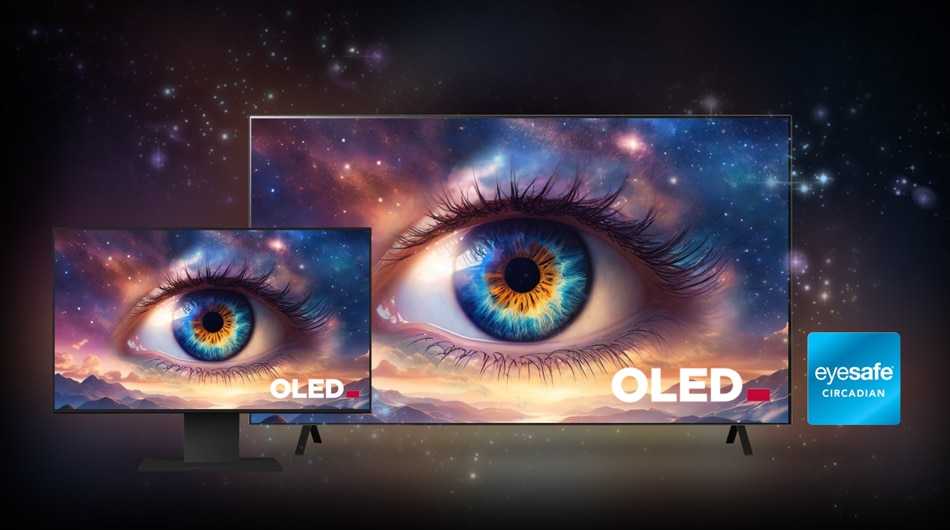
Yes, OLED monitors are generally safe for your eyes when used properly. They emit less blue light and offer better contrast, which can reduce eye strain compared to traditional screens. However, prolonged exposure to any digital display can cause discomfort, so moderation and proper settings are key.
OLED monitors are increasingly popular for their stunning visuals and deep blacks, but many wonder about their safety for eye health. The good news is that OLED technology tends to emit less blue light, which is a major culprit behind eye fatigue and sleep disruption. Additionally, their superior contrast and color accuracy can make viewing more comfortable. Nevertheless, like any screen, extended use without breaks may cause eye strain or dryness. To stay safe, it’s essential to follow best practices such as using appropriate brightness settings, taking regular breaks, and maintaining proper ambient lighting. With mindful use, OLED monitors can be a visually pleasing and safe choice for your eyes.

Is OLED monitor safe for eyes?
Understanding OLED Technology
OLED stands for Organic Light Emitting Diode. These screens produce images by lighting up organic compounds when electricity passes through them. Unlike traditional LCD monitors, OLED displays do not need a backlight, allowing for deeper blacks and more vibrant colors.
The Pros of Using OLED Monitors
OLED screens offer high contrast ratios and wide viewing angles, making images look crisp and lively. They also have faster response times, which helps reduce motion blur during fast-paced activities. Many users prefer OLED monitors for their stunning image quality and color accuracy.
Potential Eye Safety Concerns with OLED Monitors
Despite their advantages, OLED screens emit blue light, which can cause eye strain if used excessively. The high contrast and brightness levels might also contribute to discomfort, especially in dark environments. It’s important to understand these factors to determine if OLED monitors are safe for your eyes.
Blue Light Emission and Eye Strain
Blue light is part of the visible light spectrum and is known for its role in regulating sleep. However, prolonged exposure to high levels of blue light can lead to digital eye strain. Symptoms include dry eyes, headaches, and blurred vision.
High Brightness Levels
OLED monitors can reach very high brightness levels, which might lead to eye fatigue when used in dim rooms. Excessively bright screens can cause discomfort and make focusing more difficult over time.
Flickering and Pulse-Width Modulation
Some OLED displays use flickering techniques like pulse-width modulation (PWM) to control brightness. This flickering can be invisible to the naked eye but may trigger eye strain or headaches in sensitive users.
How to Minimize Eye Strain with OLED Monitors
You can adopt several habits to protect your eyes while using OLED screens. Adjust your monitor settings to reduce blue light and brightness levels. Taking regular breaks is also crucial in preventing eye fatigue.
Using Blue Light Filters and Night Mode
Most OLED monitors come with built-in blue light filters or night mode settings. These features reduce blue light emission, helping decrease eye strain and improve sleep quality.
Adjusting Brightness and Contrast
Set your monitor brightness to match your room lighting. Avoid extremely bright screens in dark environments, as this creates a stark contrast that can cause discomfort. Proper contrast settings make viewing easier and less tiring for your eyes.
Following the 20-20-20 Rule
Every 20 minutes, look at something 20 feet away for 20 seconds. This practice relaxes eye muscles and reduces fatigue, especially during long hours of screen use.
Additional Features that Enhance Eye Comfort
Many modern OLED monitors include features designed to make viewing safer and more comfortable. These include flicker-free technology, blue light reduction, and adjustable stands for ergonomic positioning.
Flicker-Free Technology
Flicker-free screens eliminate the subtle flickering caused by PWM, reducing the risk of eye strain and headaches. This feature is especially beneficial for users who spend many hours in front of their monitors.
Adjustable Brightness and Color Temperature
Being able to change brightness and color temperature helps create a more comfortable viewing experience. Cooler color settings are often gentler on the eyes, especially in low-light settings.
Comparison: OLED vs. Other Display Types in Terms of Eye Safety
Understanding how OLED compares with LCD and LED monitors can help you make an informed choice.
| Feature | OLED Monitors | LCD Monitors | LED Monitors |
|---|---|---|---|
| Blue Light Emission | High, but adjustable with settings | Lower, often with blue light filters | Similar to LCD, adjustable blue light filters |
| Contrast and Black Levels | Excellent, true blacks | Good, but limited black levels | Varies, often good with local dimming |
| Flickering | Possible with PWM; flicker-free options available | Common with PWM; flicker-free available | Similar to LCD, varies by model |
| Power Consumption | Depends on content; usually more efficient for dark scenes | Consistent; can be higher in bright scenes | Similar to LCD |
Special Recommendations for Eye Health
Maintaining eye health with OLED monitors involves proper usage and environment management. Using ambient lighting and positioning your monitor correctly can significantly reduce strain.
Optimal Monitor Placement
Position your monitor about an arm’s length away. The top of the screen should be at or slightly below eye level. This positioning minimizes neck and eye strain.
Creating a Comfortable Environment
Ensure your room is well-lit but avoid glare on the screen. Use curtains or blinds to control external light sources. Proper lighting reduces the contrast between your monitor and surroundings.
Choosing the Right Settings
Adjust the brightness and color temperature for the time of day. During nighttime, warmer color temperatures help reduce blue light exposure and make viewing more comfortable.
Final Thoughts on Eye Safety and OLED Monitors
Using OLED monitors can be safe for your eyes if you follow recommended viewing habits and adjust settings appropriately. Taking regular breaks, reducing blue light exposure, and maintaining proper posture are key steps. OLED screens provide stunning visuals but require mindful use to prevent eye discomfort and fatigue.
By understanding the technology and implementing protective measures, you can enjoy the benefits of OLED monitors while safeguarding your eye health.
OLED screens are NOT for Everyone…
Frequently Asked Questions
What are the potential eye health concerns associated with OLED monitors?
OLED monitors emit light directly from each pixel, which can sometimes cause eye strain if used for extended periods. The intense contrast and bright colors may lead to discomfort or fatigue, especially if the display’s brightness is too high. Additionally, some users may experience glare or reflections that contribute to visual fatigue. However, these issues can often be minimized by adjusting display settings and taking regular breaks during use.
Can using an OLED monitor cause eye damage in the long run?
There is currently no conclusive evidence that OLED monitors cause permanent eye damage. However, prolonged exposure to bright screens can lead to digital eye strain, which includes symptoms like dryness, headaches, and blurred vision. To protect your eyes, it’s important to use appropriate brightness levels, enable blue light filters, and follow the 20-20-20 rule: look at something 20 feet away for at least 20 seconds every 20 minutes.
How can I reduce eye strain when using an OLED display for extended periods?
Reducing eye strain involves several practical steps. First, adjust the monitor brightness to match ambient lighting to prevent excessive contrast. Use built-in blue light reduction features or third-party apps to lessen blue light exposure. Position the monitor at eye level and maintain an appropriate distance (about arm’s length). Taking regular breaks and practicing eye exercises can also help maintain eye comfort during long sessions.
Final Thoughts
is oled monitor safe for eyes? Overall, OLED monitors are generally safe for daily use, but they emit blue light, which can cause eye strain over time. Using settings like blue light filters or taking regular breaks reduces potential discomfort.
While OLED screens provide vibrant images, moderate usage prevents eye fatigue. Consumers should consider their habits and use protective measures for prolonged viewing. In conclusion, OLED monitors can be safe for eyes if used responsibly, making ‘is oled monitor safe for eyes’ a positive consideration for many users.

With experience in IT support and consumer technology, I focus on step-by-step tutorials and troubleshooting tips. I enjoy making complex tech problems easy to solve.