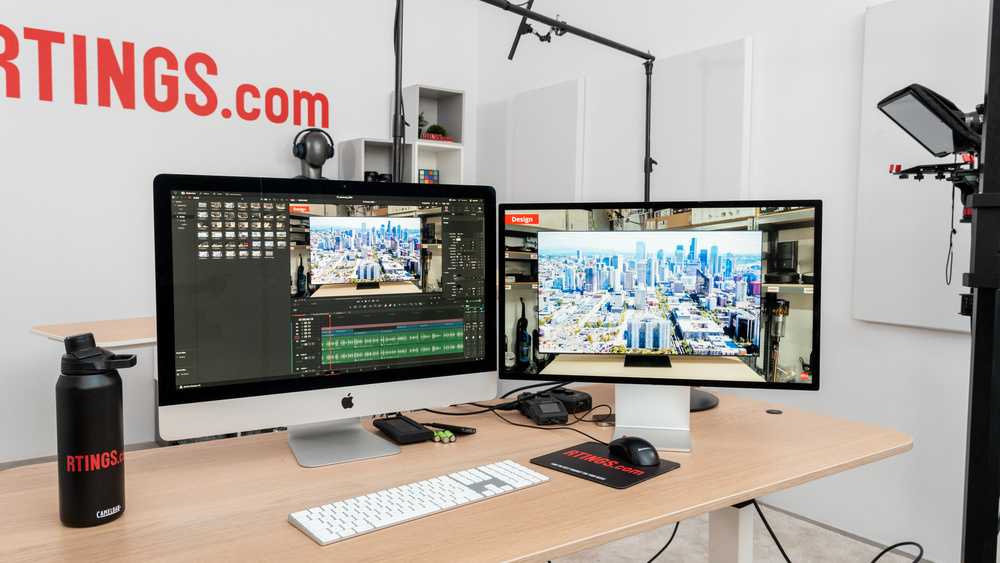
Yes, a touchscreen monitor can be good for editing photos, especially if you value quick, precise adjustments and creative control. It offers the convenience of direct interaction with your images, making tasks like cropping, retouching, and color correction more intuitive. However, it’s not universally ideal; some professionals prefer traditional monitors for their color accuracy and resolution.
Touchscreen monitors for photo editing can be a game-changer for those who enjoy a hands-on approach, but it’s important to weigh their advantages against potential drawbacks like glare or lower color fidelity. Whether they’re suitable depends on your workflow, budget, and specific needs.
Jumping into photo editing with a touchscreen monitor is like giving your creative process a new dimension—it’s engaging, flexible, and can boost productivity. Many users find that the ability to directly manipulate images speeds up their workflow and enhances their precision, especially for detailed retouching or creative projects. Still, it’s crucial to consider factors such as display calibration, resolution, and color accuracy to ensure your editing experience remains high quality. This article explores the pros and cons of using touchscreen monitors for photo editing, helping you determine if they’re the right fit for your creative needs.

Is Touchscreen Monitor Good for Editing Photos?
Understanding Touchscreen Monitors for Photo Editing
Touchscreen monitors combine the familiar feel of a tablet or smartphone with the larger display size of a computer monitor. They allow users to interact directly with images through touch, making adjustments more intuitive. For photo editors, this feature can be both an advantage and a challenge, depending on how it is used.
Advantages of Using a Touchscreen Monitor for Photo Editing
Many artists and photographers find touchscreen monitors helpful because they enable direct manipulation of images. The ability to zoom, rotate, or pinch images directly on the screen can make editing more natural. Additionally, using touch can speed up workflow by reducing reliance on mouse movements and keyboard shortcuts.
- Precision and Control: Touchscreens with stylus support or high sensitivity allow detailed adjustments, which are essential for fine editing work.
- Enhanced Creativity: Drawing or retouching directly on the screen feels more like traditional art tools, encouraging a more hands-on approach.
- Ease of Use: Young or beginner editors might find touch controls more intuitive than navigating complex software with a mouse and keyboard.
Potential Drawbacks of Touchscreen Monitors for Photo Editing
Despite their benefits, touchscreen monitors also pose some challenges for professional photo editing tasks.
- Fingerprints and Smudges: Touch screens tend to accumulate fingerprints, which can obscure the image and require regular cleaning for clarity.
- Accidental Touches: Unintentional touches or palm presses may interfere with work, especially if the monitor lacks palm rejection technology.
- Ergonomics Concerns: Continuous reaching or leaning forward to touch the screen may cause fatigue or discomfort over long editing sessions.
Hardware Compatibility and Software Support
Choosing a touchscreen monitor suitable for photo editing requires attention to hardware features and software compatibility. Not all monitors support high-resolution images or color accuracy necessary for professional work.
Color Accuracy and Resolution
Professional photo editing depends on precise colors and sharp images. Ensure the monitor has a high resolution, preferably 4K or higher, along with color accuracy standards such as Adobe RGB or DCI-P3.
- Color Calibration: Look for monitors with factory-calibrated color profiles or support for calibration tools.
- Panel Quality: IPS panels typically provide better color consistency and viewing angles compared to TN or VA panels.
Touch Responsiveness and Sensitivity
High responsiveness ensures that the stylus or fingers move seamlessly on the screen without lag. A monitor with multi-touch support allows for fluid gestures and smoother editing.
- Stylus Support: Many touchscreen monitors are compatible with active styluses, offering pressure sensitivity and fine control.
- Touch Gesture Features: Pinch to zoom, swipe, and rotate are common touch gestures that enhance interaction.
Comparing Touchscreen Monitors with Traditional Monitors
Traditional monitors paired with a mouse and keyboard have long been the standard for photo editing, but touchscreens offer a different experience.
| Feature | Touchscreen Monitor | Traditional Monitor |
|---|---|---|
| Interaction Method | Touch, stylus, gestures | Mouse, keyboard, pen tablets |
| Precision | Good with stylus, less with fingers | High with mouse and pen tablets |
| Portability | Varies, often bulkier | Typically fixed, less portable |
| Ease of Use | More intuitive for some tasks | More precise for detailed work |
| Cleaning | Requires frequent cleaning for fingerprints | Less prone to smudges |
Best Practices for Using Touchscreen Monitors in Photo Editing
To get the most out of a touchscreen setup, consider these tips.
Use a Stylus for Precision
A stylus mimics traditional drawing tools and offers better control for fine edits. Look for an active stylus with pressure sensitivity for detailed retouching.
Maintain Your Screen
Regular cleaning prevents fingerprints from interfering with image quality. Use screen-safe wipes and avoid harsh chemicals.
Adjust Ergonomics
Position the monitor at eye level and use a comfortable chair to avoid strain. Taking breaks helps prevent fatigue during long editing sessions.
Leverage Touch Gestures
Use familiar gestures like pinch to zoom and rotate to make editing more intuitive. Customize shortcuts or software settings to optimize touch interaction.
Popular Touchscreen Monitors for Photo Editing
Here are some well-regarded models that combine touchscreen functionality with suitable specs for editing photos:
- Microsoft Surface Studio: Known for its high-resolution screen, accurate colors, and stylus support. Ideal for creative professionals.
- Dell P2418HT: A good mid-range option offering responsive touch and excellent ergonomics.
- Wacom Cintiq: While primarily a pen display, some models include multitouch features for direct interaction.
Using a touchscreen monitor for photo editing offers a different approach that emphasizes direct interaction and creativity. While it can enhance workflow and be more engaging, users need to weigh the possible inconveniences like fingerprints and ergonomics. High-quality screens with accurate colors, good responsiveness, and stylus support make a big difference for those who want to incorporate touch into their editing process. Ultimately, whether a touchscreen monitor suits your needs depends on your workflow, preferences, and budget.
By understanding both the benefits and limitations, you can decide if integrating a touchscreen monitor into your photo editing setup will help you work more effectively or if sticking with a traditional monitor is preferable.
Tips for Choosing the Best Monitor for Photo Editing
Frequently Asked Questions
Can a touchscreen monitor provide precise color adjustments for photo editing?
Touchscreen monitors often come with high-resolution displays and good color accuracy, making them suitable for detailed photo editing tasks. The ease of directly manipulating images through touch can enhance control over fine adjustments. However, it’s essential to choose a model with a calibrated display and accurate color reproduction to ensure your edits are true to life.
Are there any drawbacks to using a touchscreen monitor for detailed photo work?
Touchscreen monitors may sometimes lack the same color consistency and calibration options as dedicated professional-grade monitors. Additionally, fingerprints and smudges can affect screen clarity, potentially distracting during editing sessions. Relying on touch input also sometimes results in less precise control compared to a mouse or stylus, depending on your workflow and preferences.
How does the responsiveness of a touchscreen monitor impact photo editing tasks?
A highly responsive touchscreen allows for smooth and accurate manipulation of images, reducing lag and increasing efficiency. When selecting a monitor for photo editing, look for models with fast touch response times and minimal input lag. These features provide a more natural editing experience, similar to drawing directly on paper or using a pen tablet.
Is a touchscreen monitor suitable for multitasking with photo editing software?
Many touchscreen monitors support multiple input methods, making them versatile for multitasking. You can use touch to quickly navigate, resize, or select tools within your editing software, while still using a keyboard and mouse for detailed work. Ensure the monitor has enough screen space and responsiveness to handle your multitasking needs comfortably.
Would professional photographers benefit from a touchscreen monitor for editing photos?
Professional photographers can find touchscreen monitors helpful for immediate adjustments and fine-tuning images. Touch interface allows for intuitive control, especially when paired with compatible styluses. However, for color-critical work, they should prioritize models with high color accuracy and calibration features to ensure their edits translate well across devices and print media.
Final Thoughts
A touchscreen monitor can be a helpful tool for photo editing, offering intuitive control and precision. It allows for direct interaction with images, making adjustments quicker and more natural.
However, some users find that finger smudges and accidental touches can disrupt workflow. Precision with a stylus often balances the benefits, providing better detail and accuracy.
In conclusion, is touchscreen monitor good for editing photos? It can enhance the editing experience for those who prefer direct manipulation, but it may not suit everyone. Consider your workflow and preferences before choosing.

With experience in IT support and consumer technology, I focus on step-by-step tutorials and troubleshooting tips. I enjoy making complex tech problems easy to solve.