
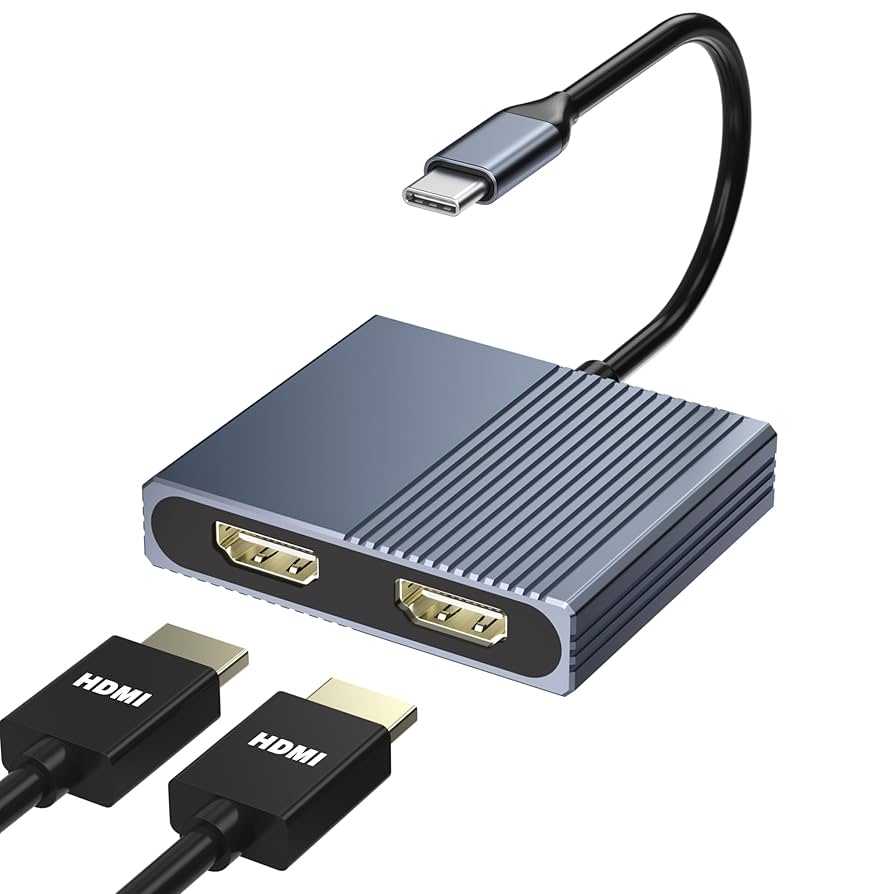
Yes, a USB-C monitor can be a great choice for photographers. It offers high-resolution displays and seamless connectivity, making editing and reviewing photos more efficient. However, whether it’s the best option depends on your specific needs and workflow.
In short, USB-C monitors are excellent for photographers because they provide fast data transfer, versatile connectivity, and crisp image quality. They simplify your workspace by combining multiple functions in one cable, saving space, and reducing clutter.
If you’re a photographer looking for a straightforward, modern monitor that can handle high-resolution images and streamline your editing process, a USB-C monitor could be an ideal addition to your setup. As technology advances, these monitors are becoming more affordable and feature-rich, making them a smart investment for both amateur and professional photographers.
Photographers constantly seek reliable tools that improve their workflow and image accuracy. With the advent of USB-C technology, monitors now offer a combination of high-quality display performance and convenient connectivity, making them increasingly popular among imaging professionals. Whether you’re editing on the go or setting up a dedicated workspace, understanding the benefits of USB-C monitors can help you decide if they’re right for your photographic journey.

Is USB C Monitor Good for Photographers?
Understanding USB C Technology and Its Benefits
USB C is a versatile connection type that combines power delivery, data transfer, and video output into a single port. For photographers, this means less clutter on their desks and faster, more efficient workflows. A USB C monitor can connect directly to modern laptops and smartphones, simplifying setup and reducing the need for multiple cables.
High-Quality Image Display for Photographers
One of the main reasons photographers consider a USB C monitor is its ability to display high-resolution images. Many models offer 4K or higher resolutions, allowing detailed photo editing with sharp clarity. These monitors often support color spaces like Adobe RGB and DCI-P3, which are essential for accurate color grading and professional print work.
Color Accuracy and Calibration
Photographers need precise colors to ensure their work looks consistent across screens and prints. Many USB C monitors come with factory calibration and support hardware calibration tools. This feature helps maintain color accuracy over time, making them suitable for professional photo editing. Regular calibration options are also available in some models, ensuring longevity and reliability.
Connectivity and Compatibility
USB C monitors simplify connectivity by supporting single-cable setups that deliver video, power, and data. They are compatible with a wide range of devices, including MacBooks, Windows laptops, and tablets. This compatibility allows photographers to connect their devices easily without using multiple adapters or dongles. Additionally, some monitors include USB hubs, which provide extra ports for peripherals like external drives and card readers.
Port Selection and Future-Proofing
A good USB C monitor for photographers should include multiple ports, such as HDMI, DisplayPort, and Thunderbolt 3 or 4. These options increase versatility, allowing connection to various devices and improving future-proofing. As technology advances, USB C monitors with Thunderbolt support can handle faster data transfer and higher resolutions, making them an excellent long-term investment.
Size and Ergonomics
Photographers often prefer larger monitors for detailed editing work. Common sizes range from 24 to 32 inches, with some professional models exceeding that. An adjustable stand and ergonomic features like tilt, swivel, and height adjustment improve comfort during long editing sessions. Additionally, anti-glare screens help reduce reflections and eye strain.
Cost Considerations
While USB C monitors with high-end features can be expensive, they often justify their price through better display quality and convenience. Entry-level models offer decent features at lower prices, suitable for amateur photographers. Always consider your specific needs and budget before selecting a model, ensuring it offers the necessary resolution, color support, and connectivity.
Portability for Photographers on the Go
Many USB C monitors are designed to be lightweight and portable, perfect for photographers who travel or work remotely. These portable monitors often feature slim profiles, foldable stands, and USB C power delivery. They allow photographers to create a mobile editing setup without sacrificing screen quality or color accuracy.
Critical Features to Look for in a USB C Monitor for Photography
- Resolution: Aim for at least 4K resolution to see fine details clearly.
- Color Gamut: Support for Adobe RGB and DCI-P3 enhances color accuracy.
- Color Calibration: Factory calibration or compatibility with calibration tools is essential.
- Connectivity: Multiple USB C ports, along with HDMI and DisplayPort options.
- Size and Ergonomics: Adjustable stands and anti-glare screens improve comfort and usability.
Related Topics for Photographers Considering USB C Monitors
Color Calibration Devices
Investing in calibration tools like X-Rite or Datacolor helps maintain color accuracy across different monitors. Compatibility with your USB C monitor ensures consistent editing work.
Choosing the Right Color Profile
Understanding color profiles like sRGB, Adobe RGB, and DCI-P3 helps photographers select monitors that display colors correctly. A monitor supporting wide color gamuts enhances editing precision.
Keeping Your Monitor Updated
Regular firmware updates from manufacturers can improve monitor performance and color accuracy. Staying up-to-date ensures your monitor continues to serve your photography needs effectively.
Additional Accessories and Setups
Consider using a color calibration sensor, a quality stand, and a protective cover for portable monitors. These accessories contribute to better workflow and device longevity.
Choosing a USB C monitor for photography depends on your specific needs and budget. If accurate color representation, high resolution, and simple connectivity are priorities, a USB C monitor is a very good choice. Its versatility and compatibility with modern devices make it an attractive option for professional and amateur photographers alike. Properly selected, it can become an essential part of your editing setup, improving your workflow while ensuring your images look their best across all platforms.
Best USB C Monitors for Photo and Graphic Design in 2023 – Top 5 Review
Frequently Asked Questions
Can a USB-C monitor accurately display high-resolution photographs?
Yes, many USB-C monitors support high resolutions like 4K or even higher, which allows photographers to view their images with细etails and clarity. When choosing a USB-C monitor for photography, look for one with excellent color accuracy and wide color gamut support to ensure your photos are displayed as intended.
Are USB-C monitors suitable for color editing and calibration?
Many USB-C monitors come with hardware calibration capabilities and support for color spaces such as Adobe RGB and DCI-P3. These features ensure that photographers can perform precise color adjustments, making the monitor a reliable tool for editing and preparing images for print or digital display.
How does compatibility with various devices benefit photographers using USB-C monitors?
USB-C ports enable seamless connectivity with laptops, tablets, and cameras that support the standard. This compatibility simplifies the workflow by allowing photographers to connect different devices without multiple adapters, making it easier to transfer and review high-resolution image files directly on the monitor.
What should photographers consider regarding the panel quality of USB-C monitors?
The panel quality impacts color consistency, viewing angles, and overall image clarity. IPS panels are popular among photographers because they offer excellent color accuracy and wide viewing angles. Ensuring the monitor has a good panel type will help you make more precise edits and enjoy consistent image quality from different angles.
Is a USB-C monitor portable enough for on-the-go photography work?
Many USB-C monitors are designed with portability in mind, featuring slim profiles and lightweight builds. They are suitable for photographers who need to review and edit images while traveling or working outside a traditional studio environment, provided they have compatible power sources and appropriate connections.
Final Thoughts
A USB-C monitor offers many advantages for photographers. It provides high-resolution displays, fast data transfer, and easy connectivity with modern devices.
Its portability and single-cable setup simplify workflow and reduce clutter.
Ultimately, a USB-C monitor is good for photographers, making editing and reviewing images more efficient.

I’m passionate about hardware, especially laptops, monitors, and home office gear. I share reviews and practical advice to help readers choose the right devices and get the best performance.
