


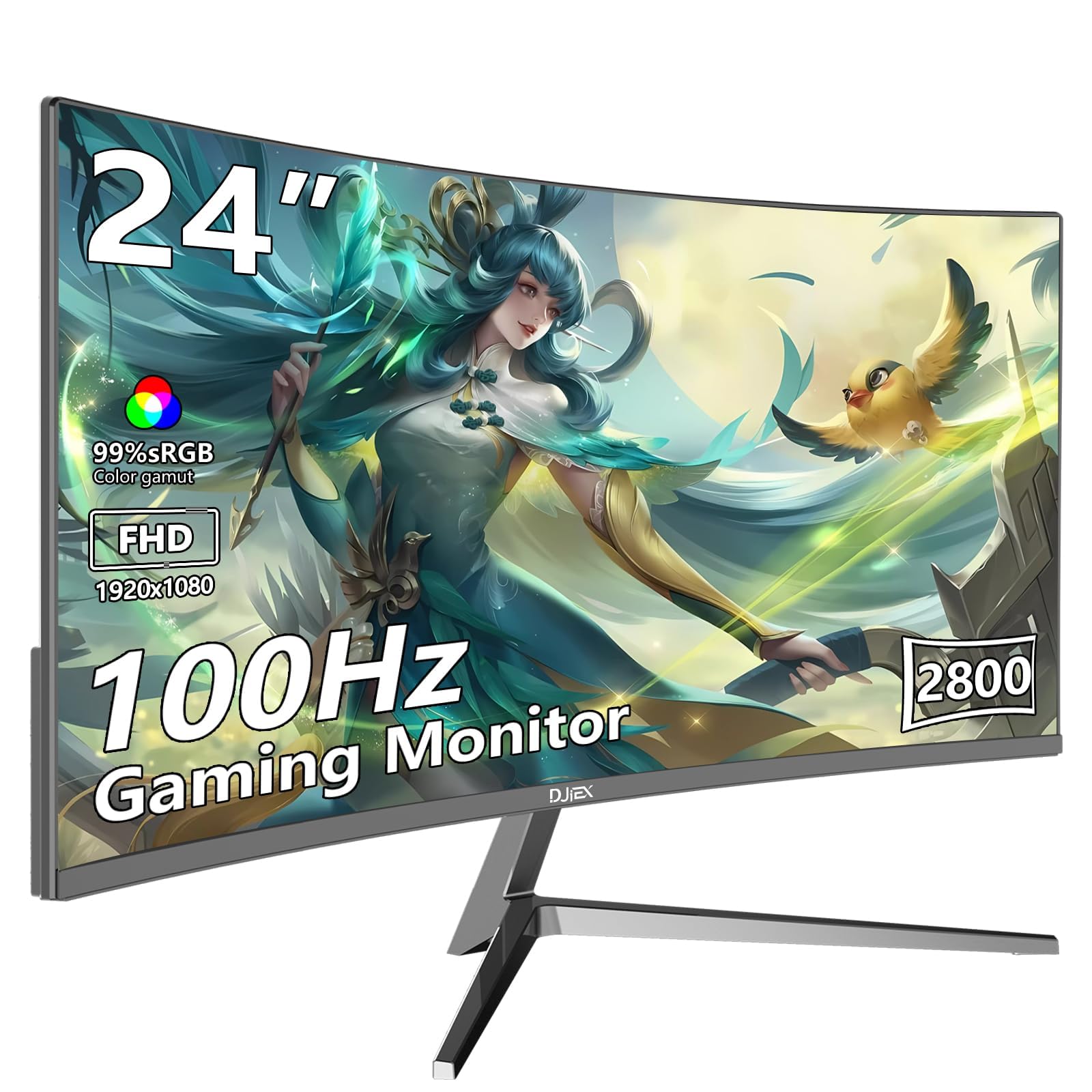
24 inch Curved Monitor
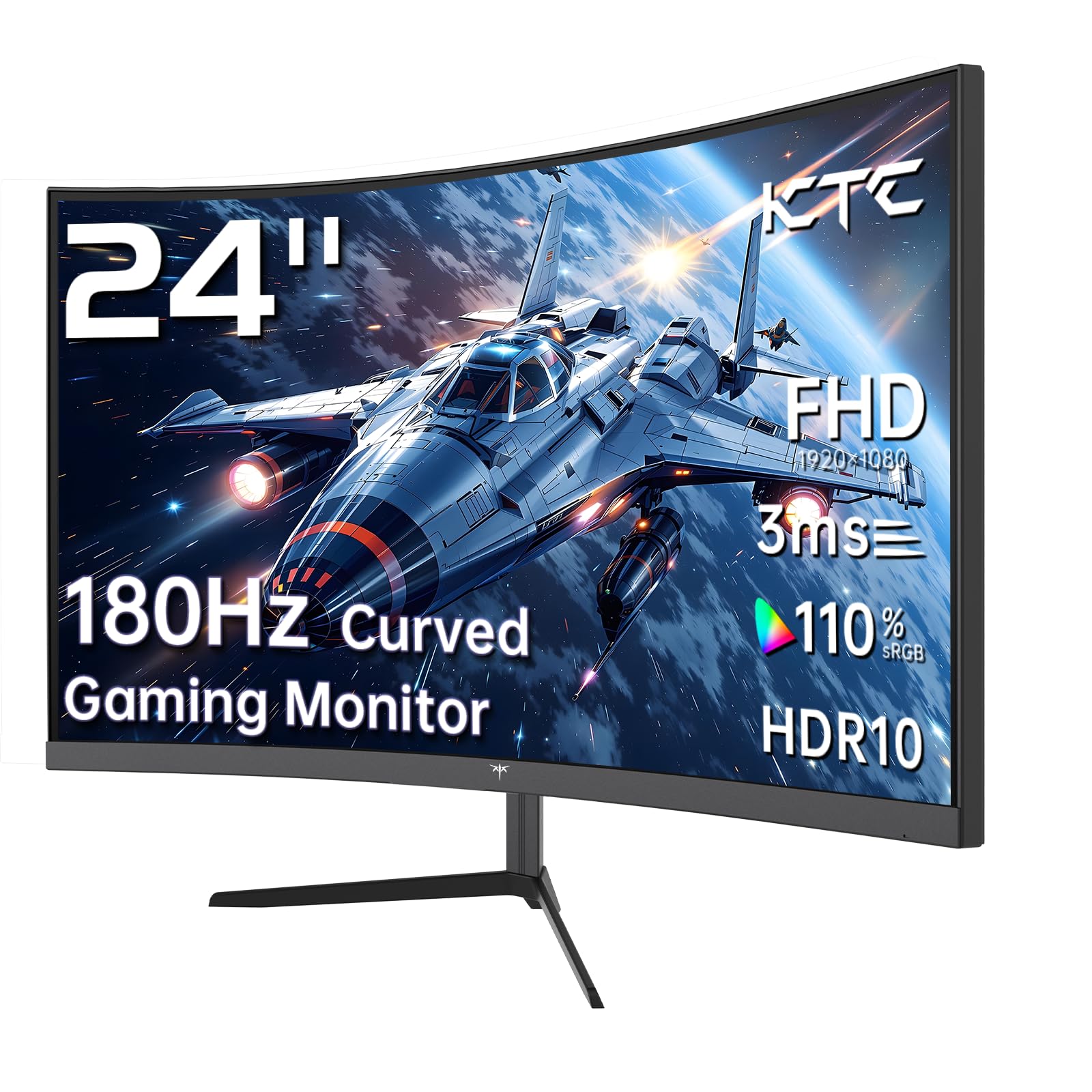
KTC 24 Inch 1500R
Choosing a new monitor can feel overwhelming. So many specs, brands, and promises. If you’ve narrowed it down to a 24-inch curved screen, you’re on a great path. A curved monitor at this size wraps your vision just enough to pull you into the action, whether you’re working on a spreadsheet or exploring a fantasy world.
Today, we’re putting two popular options head-to-head: the versatile 24 inch Curved Monitor (FHD, 100Hz) and the gaming-focused KTC 24 Inch 1500R (FHD, 180Hz). At first glance, they seem similar—both are 24-inch, curved, FHD VA panels. But the devil is in the details. One is a fantastic all-rounder for work and casual play, while the other is built to satisfy a competitive gamer’s need for speed.
This guide will break down every detail. We’ll look at performance, color, design, and what real users are saying. By the end, you’ll know exactly which monitor deserves a spot on your desk. Let’s dive in.
In-Depth Look: 24 inch Curved Monitor
Let’s start with the 24 inch Curved Monitor. This model is like a reliable Swiss Army knife. It’s not trying to be the absolute best at any one thing. Instead, it aims to do many things well for a very reasonable price. If your days are split between Zoom calls, document editing, streaming shows, and some light gaming, this monitor wants to be your companion.
The first thing you’ll notice is the design. It boasts a three-sided borderless bezel. This means the screen flows to the edges on three sides. It looks sleek and modern. If you ever want a dual-monitor setup, two of these side-by-side would look almost seamless. That’s a big plus for productivity.
The curve is measured at 3000R. This is a gentler curve compared to some gaming monitors. It wraps the image around you just enough to feel immersive without being distracting for office tasks. The panel is a VA type, which is known for great contrast ratios. This means deeper blacks and a more dynamic picture when watching movies.
Key Features and Performance
The 24 inch Curved Monitor runs at a 100Hz refresh rate. That’s a solid step up from the standard 60Hz. Scrolling through web pages and documents feels smoother. In games, motion will be clearer with less blur. It’s not the ultra-high refresh rate hardcore gamers seek, but it’s a very noticeable and welcome upgrade for everyday use and casual gaming.
Color performance is another strong point. With 98% sRGB coverage, colors look rich and accurate. It won’t match a professional photo-editing monitor, but for everything else, it’s excellent. The 250-nit brightness is sufficient for most indoor lighting conditions. It also includes blue light filtering to help reduce eye strain during long sessions.
Ergonomics are basic but functional. You can tilt the screen forward and back to find a comfortable angle. It also supports VESA wall mounting (100x100mm), giving you flexibility in your setup. Connectivity includes HDMI and the older VGA port. The inclusion of VGA is handy if you need to connect an older PC or laptop, but the lack of a DisplayPort is a notable omission for modern systems.
Pros and Cons
Pros:
- Excellent Value: Offers a premium borderless design and curved screen at an accessible price point.
- Smooth 100Hz Refresh Rate: A tangible upgrade from 60Hz for general use and casual gaming.
- Great Color Accuracy: 98% sRGB coverage means vibrant, true-to-life colors for media consumption.
- Immersive Yet Subtle Design: The 3000R curve and ultra-thin bezels create a distraction-free, engaging view.
- Easy Setup: The snap-on stand requires no tools for assembly.
Cons:
- Limited Connectivity: No DisplayPort limits future-proofing and peak performance from some devices.
- Basic Ergonomics: Tilt-only stand; no height, swivel, or pivot adjustments.
- Unspecified Response Time: Likely higher than gaming monitors, which could cause slight motion blur in very fast games.
What Customers Are Saying
Users praise the 24 inch Curved Monitor for its immersive feel and visual quality. One user said, “I’m really impressed with this monitor. The curve is just right for gaming and multitasking… The screen colors are bright, crisp, and vibrant, and overall it looks amazing on my desk.” Another noted it was a “massive upgrade” for their gaming PC, highlighting the perfect screen size and immersive design.
However, quality control seems to be a minor concern. One reviewer received a unit with a minor cosmetic blemish and non-functional speakers (though speakers are not a listed feature), stating, “The sound doesn’t work on mine… there’s a small blemish… but it works great and isn’t noticeable.” This highlights the importance of inspecting your unit upon arrival.
Best For
The 24 inch Curved Monitor is the ideal choice for:
- Home office workers and students who want an immersive, easy-on-the-eyes display for long hours.
- Casual gamers and media enthusiasts who appreciate smoother motion and good colors but don’t need esports-level specs.
- Budget-conscious buyers seeking a stylish, curved monitor with a solid feature set for everyday tasks.
- Users planning a clean, multi-monitor setup thanks to its borderless design.
In-Depth Look: KTC 24 Inch 1500R
Now, let’s turn to the KTC 24 Inch 1500R. This monitor has a clear mission: deliver a high-performance gaming experience without a staggering price tag. The “1500R” in its name is your first clue. This is a more aggressive curve, pulling you deeper into the game world. From the ground up, its specs are tuned for speed and responsiveness.
KTC might not be a household name like some monitor brands, but they have been building a reputation for offering impressive specs for the money. This model is a testament to that. It’s packed with features that were exclusive to high-end monitors just a few years ago.
The design is gamer-centric but not overly flashy. It focuses on function, with a sturdy stand that offers tilt adjustment. The back has the standard VESA mount pattern, allowing for arm or wall mounting. It’s a tool built for a purpose.
Key Features and Performance
The headline feature of the KTC 24 Inch 1500R is its blistering 180Hz refresh rate. Paired with a 1ms (MPRT) response time, this combination is a game-changer for fast-paced titles. Every movement is rendered with incredible clarity. Screen tearing and motion blur are drastically reduced. It also supports AMD FreeSync, which syncs the monitor’s refresh rate with your AMD (or compatible NVIDIA) graphics card for buttery-smooth gameplay without stuttering.
The 1500R curvature is more pronounced than the 3000R of our first monitor. This wraps the screen more noticeably around your field of view, enhancing peripheral vision and immersion in racing games, flight sims, and first-person shooters.
Color performance is also a step up. It covers 110% of the sRGB gamut and 90% of the DCI-P3 gamut, a standard used in digital cinema. This means colors are not only accurate but also more vibrant and saturated. It even supports HDR (though don’t expect mini-LED levels of brightness), which can add extra depth to compatible games and videos.
Connectivity is fully modern. You get two HDMI 2.0 ports and, crucially, a DisplayPort 1.4. DisplayPort is often necessary to unlock the highest refresh rates, especially at 1080p. This makes the KTC monitor fully compatible with modern PCs and gaming consoles like the PS5 and Xbox Series X.
Pros and Cons
Pros:
- Exceptional Gaming Performance: The 180Hz/1ms combo with FreeSync is a competitive gamer’s dream.
- Superior Color Gamut: Wider color coverage (110% sRGB / 90% DCI-P3) provides more vibrant and lifelike images.
- Modern Connectivity: DisplayPort and dual HDMI 2.0 ensure compatibility with all current devices.
- More Immersive Curve: The 1500R curvature is ideal for pulling you into game worlds.
- Comprehensive Eye Care: Includes both Flicker-Free technology and a Blue Light Filter.
Cons:
- Potentially Higher Price Point: The advanced specs often command a higher cost than the basic 100Hz model.
- Ergonomics Still Limited: While it tilts, it lacks height and swivel adjustments on the stand.
- Overkill for Basic Tasks: If you only do office work and web browsing, you may not utilize its full potential.
What Customers Are Saying
Gamers are thrilled with the value. One user, who built a high-end PC, was pleasantly surprised, stating, “I have been pleasantly surprised with this monitor. It was listed for only $110… To get a 1440p monitor for so cheap is really incredible.” (Note: This review appears to reference a different resolution model, but the sentiment on value aligns). Another said, “The KTC 27″ is a great selection for 1080p gaming!… if the price is for performance then the trade off is worth it.”
The feedback suggests that while the monitor performs excellently, the physical build might feel lightweight compared to premium brands, but as one user put it, “it performs well and that’s what counts.”
Best For
The KTC 24 Inch 1500R is the undisputed choice for:
- Competitive and enthusiastic gamers who play fast-twitch titles like FPS, racing, or MOBA games.
- Users with modern gaming PCs or consoles (PS5/Xbox Series X) who want to maximize their system’s performance.
- Content consumers who prioritize vibrant color and HDR support in movies and games.
- Buyers who want a high-refresh-rate monitor with future-proof connectivity (DisplayPort).
Head-to-Head Comparison
Now for the main event. Let’s break down how these two curved monitors stack up across the categories that matter most.
Gaming Performance: Speed vs. Sufficiency
This is the most significant divide. The KTC 24 Inch 1500R is in a different league. Its 180Hz refresh rate and 1ms response time provide a level of smoothness and clarity that can offer a tangible advantage in competitive gaming. FreeSync support is the cherry on top, eliminating screen tearing. The 24 inch Curved Monitor and its 100Hz refresh rate is perfectly fine for casual gaming—it’s a great experience for story-driven games or MMOs. But for esports or any game where milliseconds count, the KTC is the clear winner.
Visual Quality and Immersion
Both offer great 1080p clarity and VA panel contrast. For color accuracy and vibrancy, the KTC 24 Inch 1500R again has an edge with its wider color gamuts. The more aggressive 1500R curve also makes games and movies feel more encompassing. The 24 inch Curved Monitor has a gentler 3000R curve, which many find to be a perfect sweet spot—immersive without being overwhelming for reading text or working on spreadsheets.
Design and Connectivity
The 24 inch Curved Monitor wins on aesthetics with its striking three-sided borderless design, which is superb for multi-monitor setups. However, it falters in connectivity, lacking a DisplayPort. The KTC 24 Inch 1500R has a more functional, gamer-oriented look and provides a complete, modern port selection including DisplayPort, which is essential for hitting that 180Hz target.
Value and Use Case
Value depends entirely on your needs. For a general-purpose monitor for work, study, and casual play, the 24 inch Curved Monitor offers tremendous value with its sleek design and solid 100Hz performance. If your primary use is gaming, especially competitive gaming, the KTC 24 Inch 1500R provides exceptional value for its high-end specs. You’re paying more for specialized performance.
Frequently Asked Questions
Q: Is a curved monitor good for office work and reading text?
A: Yes, but the curve matters. The gentler 3000R curve of the 24 inch Curved Monitor is often preferred for productivity. It can reduce eye strain by keeping all parts of the screen at a more uniform distance from your eyes. The more aggressive 1500R curve on the KTC 24 Inch 1500R is more geared towards immersion and might feel less natural for prolonged document editing for some users.
Q: Do I need a 180Hz monitor like the KTC, or is 100Hz enough?
A: It depends on what you do. For general computing, streaming, and casual gaming, 100Hz is a fantastic upgrade from 60Hz and feels very smooth. If you play competitive online games (Valorant, Fortnite, Call of Duty, racing sims), a 180Hz monitor like the KTC 24 Inch 1500R provides a clearer, more responsive experience that can improve performance.
Q: Can I use these monitors with a PlayStation 5 or Xbox Series X?
A> Both can be used, but the KTC 24 Inch 1500R is better optimized. Its HDMI 2.0 ports can support 1080p at 120Hz, which these consoles can output for many games. The 24 inch Curved Monitor will work perfectly well at 60Hz, but you may not be able to enable higher refresh rate modes.
Q: Which monitor is better for eye comfort during long sessions?
A> Both feature blue light filters. The KTC 24 Inch 1500R adds Flicker-Free technology, which can be a significant benefit for reducing eye fatigue. For the ultimate in comfort, consider taking regular breaks and ensuring your room lighting is appropriate, regardless of which monitor you choose.
Q: If I have a budget graphics card, can I even use a 180Hz monitor?
A> Absolutely. You don’t need to hit 180 frames per second in every game to benefit. The monitor will display whatever your PC outputs. Even if you get 80-100 FPS, the high refresh rate panel and FreeSync on the KTC 24 Inch 1500R will make that gameplay look smoother than on a standard 60Hz monitor. It’s also a more future-proof purchase for when you upgrade your PC.
Final Verdict: Which One Should You Choose?
This isn’t about one monitor being universally “better” than the other. It’s about which one is better for you.
Choose the 24 inch Curved Monitor if your life is a mix of work, web browsing, streaming, and casual gaming. You want a monitor that looks fantastic on your desk, is easy on the eyes during long hours, and provides a noticeably smoother experience than a standard office monitor—all without breaking the bank. It’s the jack-of-all-trades that masters value and everyday usability.
Choose the KTC 24 Inch 1500R if gaming is your primary focus. If you want every advantage in competitive play, crave ultra-smooth motion, and enjoy vibrant colors in your games and movies, this is your monitor. The higher refresh rate, faster response time, and adaptive sync technology make it a specialized tool for an exceptional gaming experience. It’s for the player who views their monitor as critical gear.
Both represent excellent choices in their respective lanes. Assess your primary tasks, your budget, and what kind of experience you value most. Whichever you pick, stepping up to a curved 24-inch display will make your time at the desk more engaging and enjoyable.



