


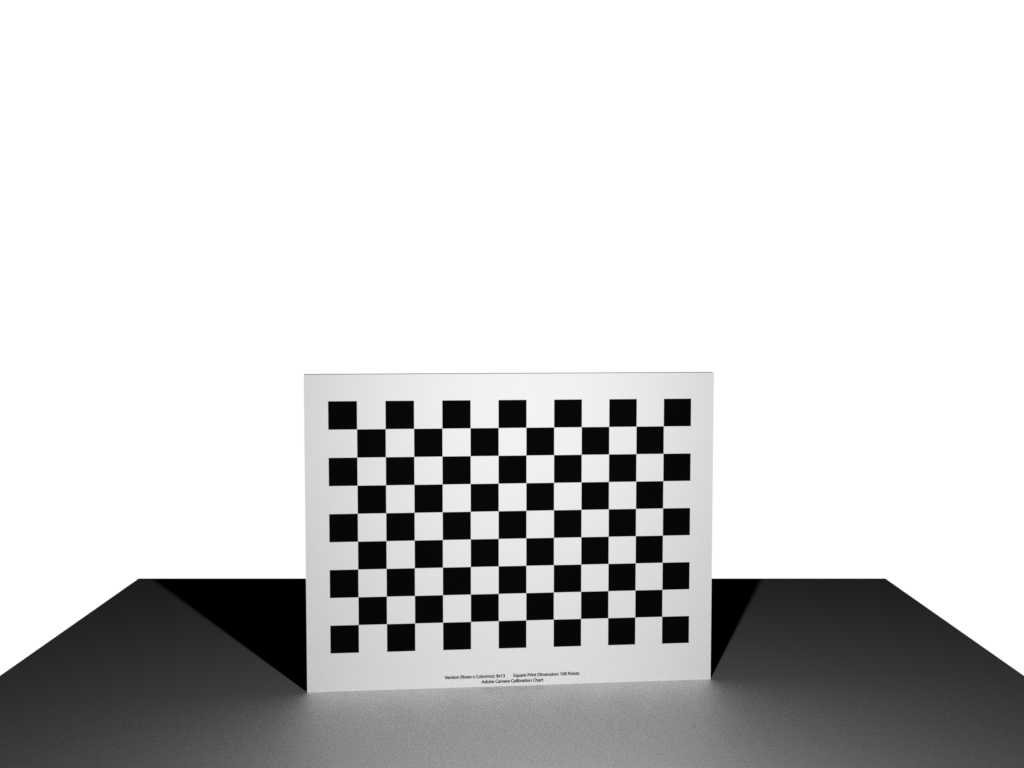
Creators typically prefer custom profiles over factory calibration because they offer greater control and accuracy for their specific needs. While factory calibration provides a decent baseline, it often lacks the fine-tuning required for professional-quality work. Custom profiles enable creators to tailor their monitors or devices to match their unique workflows, ensuring colors are precise and consistent across projects. Whether editing photos, designing graphics, or filming videos, the choice between factory calibration and custom profiles can significantly impact the final results.
In short, most creators opt for custom profiles because they provide more personalized and consistent color accuracy, crucial for high-quality output. Factory calibration is useful for quick setups, but it rarely meets the specific demands of professional work. This decision largely hinges on how critical color precision is to the creator’s craft and whether they have the time and expertise to set up custom profiles.

Do creators use factory calibration or custom profiles?
When creators work on visual projects, whether it’s photography, video, or digital art, the way their devices display colors is crucial. Many wonder if they should rely on factory calibration or create custom profiles for their screens and printers. Understanding the differences helps creators make better decisions for their workflow and final output.
What is factory calibration?
Factory calibration refers to the default settings that manufacturers apply to screens, printers, and cameras. These settings aim to produce accurate colors right out of the box. When you buy a new device, it typically comes with factory calibration that should provide decent results for most users.
Manufacturers calibrate devices using standardized color profiles to ensure consistency across units. This calibration involves adjusting brightness, contrast, and color balance. The goal is to make images look good in most lighting conditions for typical use.
Advantages of factory calibration
- Convenience: Ready to use immediately after purchase without extra setup.
- Consistency: Provides a baseline for accurate colors across many devices.
- Cost-effective: No additional tools or software needed initially.
Limitations of factory calibration
- Variability: Factory settings may not match specific workflows or artistic preferences.
- Lighting conditions: Factory calibration doesn’t account for different lighting environments.
- Device differences: Even identical models can vary slightly in color accuracy.
What are custom profiles?
Custom profiles are tailored color settings created specifically for a device or workspace. These profiles adjust settings to match certain standards or personal preferences. Creators often develop custom profiles to ensure their screens reflect true colors more accurately.
Creating a custom profile typically involves calibration tools and software that measure a device’s current color output. The software then generates a profile that corrects any discrepancies, resulting in more precise colors on the screen or printer.
Benefits of custom profiles for creators
- Precision: Achieves more accurate color reproduction tailored to individual devices.
- Color consistency: Ensures uniformity across multiple devices or project phases.
- Better workflow control: Facilitates predictable results, especially important for print and video work.
When should creators use custom profiles?
Creators should consider custom profiles when their work demands high accuracy, such as print production, professional photography, or digital art. If precise color matching across screens and printers is critical, calibration and custom profiling are essential steps.
Additionally, when a device’s display begins to drift or show signs of inaccuracies, recalibrating with a custom profile helps maintain consistency over time.
Tools and methods for calibration and creating profiles
Hardware calibration tools
Devices like colorimeters and spectrophotometers are essential for creating custom profiles. Popular options include the X-Rite i1Display Pro and the Datacolor SpyderX. These tools measure a device’s color output accurately and generate calibration profiles.
Calibration software
Software such as X-Rite’s i1Profiler or Datacolor’s Spyder software guides users through the process. They analyze measurements, adjust device settings, and produce an ICC profile that can be used by the operating system or editing software.
Integrating calibration in a creative workflow
To maximize accuracy, creators should calibrate their monitors regularly, ideally once a month. It’s also important to calibrate in the lighting conditions where work is typically viewed.
Consistent use of calibrated profiles ensures colors stay reliable during editing and when printing. Always select the appropriate profile in your editing software and for your printer to maintain color fidelity.
How often should creators recalibrate their devices?
Frequency depends on the device and usage. For most monitors, recalibration every four weeks is recommended. If a device shows signs of color drift or changes in brightness, recalibrating sooner is advisable.
Balancing factory calibration and custom profiles
Some creators choose to start with factory calibration as a baseline and then develop custom profiles for specific projects. This approach combines convenience with the precision needed for professional work.
For example, a photographer might use factory calibration for general editing but switch to a custom profile when preparing images for print. This ensures colors translate accurately across mediums.
Related topics to consider
- Color management systems: How software manages color profiles across devices.
- Monitor calibration for different media: Adapting profiles for photo printing, video editing, or digital display.
- Printer calibration: Ensuring print output matches on-screen colors.
- Lighting calibration: Adjusting ambient light to improve viewing accuracy.
Summary of key points
Creators often start with factory calibration because it’s quick and easy. However, for projects where color accuracy matters most, custom profiles created through calibration provide significant benefits. Regular calibration and proper color management ensure that images look consistent and true across screens and prints.
Ultimately, the choice depends on the project’s precision needs and the creator’s workflow. Understanding the strengths and limitations of both options helps creators produce work that meets professional standards and personal expectations.
You have your Gimbal setup wrong.
Frequently Asked Questions
Why do creators prefer using custom profiles instead of factory calibration?
Many creators choose custom profiles because they offer more control over their device’s color output, ensuring the visuals align perfectly with their artistic vision. Custom profiles allow for adjustments tailored to specific workflows, lighting conditions, or personal preferences, leading to more accurate and consistent results across different projects.
Can factory calibration meet the needs of professional creators?
Factory calibration provides a good baseline for general use, but it might not satisfy the precise requirements of professional creators. While suitable for casual work, those in demanding fields often find that custom profiles help achieve the level of accuracy and consistency necessary for high-quality production.
How difficult is it to create a custom profile for a device?
Creating a custom profile involves a calibration process that can vary in complexity depending on the equipment used. Some creators use calibration tools and software to fine-tune their devices, which can take some time but offers better consistency and color accuracy tailored to their specific environment and workflow.
Are there advantages to switching from factory calibration to custom profiles during a project?
Switching to custom profiles during a project can improve color accuracy and ensure visual consistency, especially if you work in different lighting environments or with multiple devices. Custom profiles help maintain uniformity in your work, reducing discrepancies that may arise from relying solely on factory calibration.
Do creators need to update their custom profiles regularly?
Yes, creators should revisit and update their custom profiles periodically. Changes in environment, hardware updates, or shifts in workflow can affect color accuracy, so maintaining up-to-date profiles ensures ongoing precision and consistency in your visual output.
Final Thoughts
Creations often rely on custom profiles to achieve precise color accuracy and consistency. Factory calibration provides a good baseline but may not suit every creator’s unique workflow. Many opt for custom profiles to tailor their output to specific devices and preferences.
In conclusion, do creators use factory calibration or custom profiles? Most prefer custom profiles for better control and accuracy, making their work stand out with consistent quality.



