


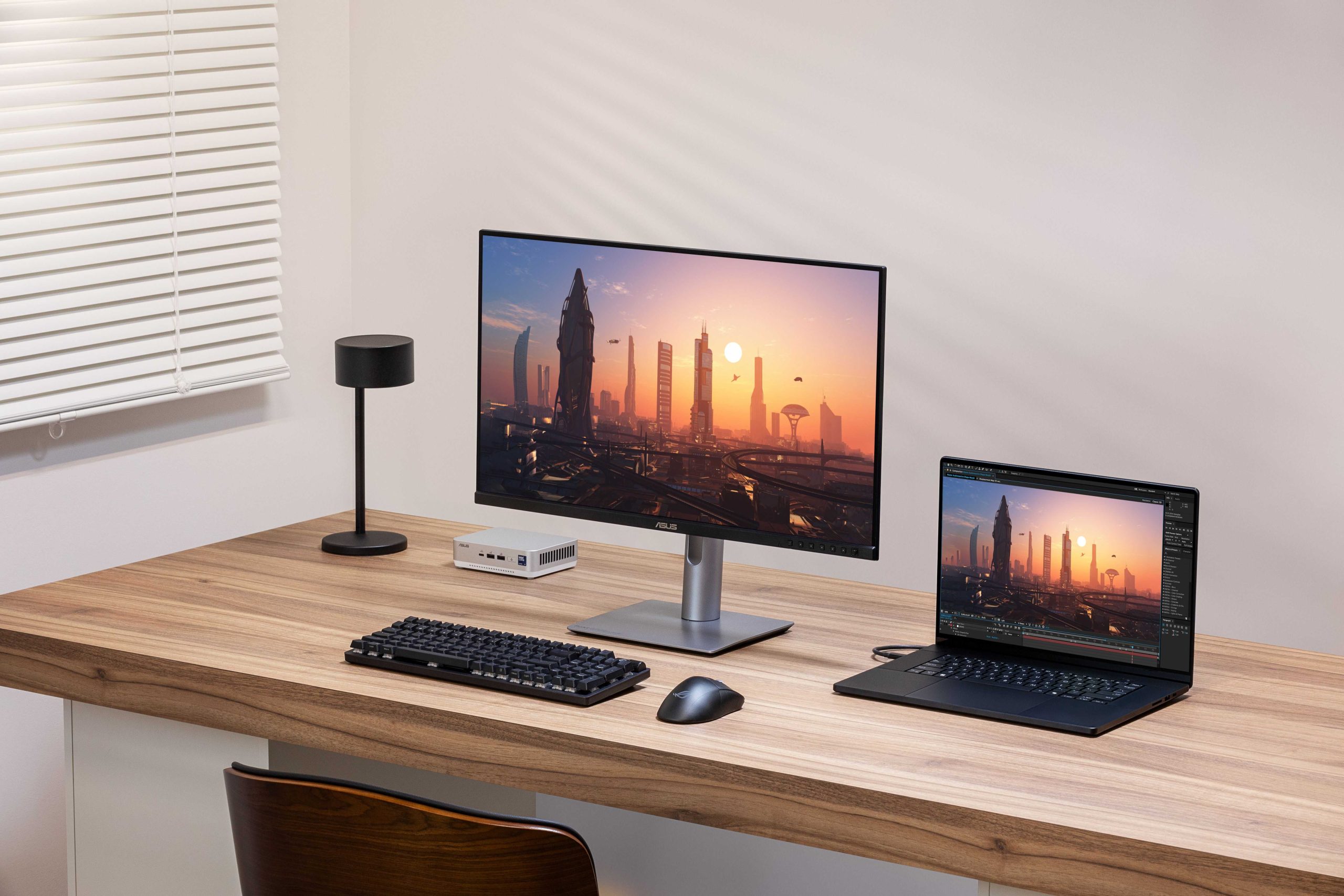
Creators need color accurate monitors to produce visuals that truly reflect their artistic vision and meet client expectations. The right display ensures colors are consistent and precise, preventing surprises when projects are printed or published. Without this accuracy, even minor color mismatches can ruin the final product. In short, color accurate monitors are essential for creators aiming for perfection in their work, whether it’s photography, video editing, or graphic design. They enable artists to see the true palette and make informed adjustments, ultimately saving time and reducing frustration. Investing in a monitor with excellent color reproduction ensures your work looks stunning across screens and in print, reinforcing your professionalism and the quality of your creative output. For creators, having a color dependable monitor isn’t just a luxury—it’s a necessity.

Why Do Creators Need Color Accurate Monitors
Understanding Color Accuracy and Its Importance
Color accuracy means that the colors you see on your screen match exactly with the real-life colors of your work. For creators like photographers, videographers, and graphic designers, precise color representation is essential. It ensures that the visuals they produce look consistent across different devices and platforms.
When a monitor displays accurate colors, it helps prevent surprises when sharing work with clients or printing. Without good color accuracy, images or videos might look different than expected, leading to frustration. This is why color accurate monitors are a must-have tool for serious creators.
How Color Inaccuracy Affects Creative Work
Incorrect colors can cause major problems in creative projects. For example, a photo might look perfect on your monitor but appear dull or overly saturated on another device or in print. This mismatch can lead to rework, wasted time, and even lost revenue.
Inaccuracy can also impact the creative process itself. It becomes tough to pick the right shades or tones if your display doesn’t show the true colors. Over time, relying on a color inaccurate monitor can compromise the quality of overall work.
The Science Behind Color Reproduction
Displays use models called color gamuts to reproduce colors. A standard monitor might cover a limited color space, often sRGB, which is suitable for everyday tasks. Creative professionals usually require monitors that support wider gamuts like Adobe RGB or DCI-P3.
The wider the color gamut a monitor can display, the more vibrant and true-to-life colors it can reproduce. A monitor with accurate color reproduction will also maintain consistent color across different viewing angles and lighting conditions. This consistency is crucial for producing professional-quality visuals.
Why Creators Need Monitors with High Color Gamut Coverage
High color gamut coverage allows creators to see more shades and subtle tones in their work. For example, an Adobe RGB monitor can display about 25% more colors than an sRGB monitor. This extra range helps in creating richer, more detailed images.
Using a monitor with broad gamut support enhances editing precision, especially for print and high-definition displays. It gives a creator confidence that the images will look great on any device or medium. For professionals, investing in a monitor with high gamut coverage becomes a key step toward quality control.
The Role of Color Calibration
Even the best monitors need calibration to maintain color accuracy over time. Calibration involves adjusting the monitor’s settings to match a standard color profile. Regular calibration ensures colors stay consistent, especially after extended use or changes in lighting.
Many creators use calibration tools or software that work with colorimeters or spectrophotometers. These tools read the display’s output and set a custom profile for accurate color reproduction. Proper calibration is a vital step to ensure that the colors seen on screen are trustworthy.
The Impact of Hardware Quality on Color Accuracy
Not all monitors are created equal when it comes to color accuracy. Higher-quality displays often feature better panels, more precise backlighting, and advanced color management technology. Features like a wide color gamut, high bit-depth, and uniform backlighting significantly improve accuracy.
Cheaper or outdated monitors might have limited color ranges and poor consistency. Choosing reliable, professionally calibrated monitors ensures the creator’s work remains precise and professional. Durability and build quality also influence how well the monitor maintains color accuracy over time.
Key Technical Features to Consider for Creators
When selecting a monitor, creators should look for specific features:
- Color Gamut Support: Covering Adobe RGB, DCI-P3, or Rec. 2020 for versatile color work.
- Display Resolution: High resolutions like 4K or higher for detailed editing.
- Bit-Depth: 10-bit or higher for smoother gradients and color transitions.
- Uniformity and Brightness: Consistent brightness and color across the entire display.
- Calibration Compatibility: Support for hardware calibration tools.
These features help ensure that creators get a display capable of fulfilling their demanding color accuracy needs.
Color Accuracy in Different Creative Fields
Various creative jobs require different levels of color precision:
- Photographers: Depend on accurate color for true-to-life image editing and printing.
- Videographers: Need monitors that support wide color gamuts like DCI-P3 for color grading.
- Graphic Designers: Require precise color matching for branding and print work.
- Digital Artists: Benefit from accurate colors to ensure their art looks consistent across platforms.
Each field has specific needs, but the common goal remains: a reliable, color accurate monitor enhances overall quality.
The Future of Color Accuracy Technologies
Emerging advancements aim to improve color fidelity in monitors. Quantum dot technology, for example, enhances color coverage and brightness. OLED screens offer better contrast and wider color reproduction.
Additionally, more monitors now include factory calibration and support for professional color profiles. As technology progresses, creators will find even more options that combine affordability with high color accuracy. Staying updated on innovations helps creators select tools that meet future needs.
Practical Tips for Creators to Maintain Color Accuracy
Maintaining color accuracy requires ongoing effort:
- Regularly calibrate your monitor with professional tools.
- Use consistent lighting conditions in your workspace.
- Choose monitors with factory calibration and color profile support.
- Update display drivers and software to ensure compatibility.
- Invest in quality cables and connections to prevent signal loss or distortion.
Applying these tips helps ensure that the work remains color faithful throughout the creative process.
For creators, a color accurate monitor supports the pursuit of excellence and professionalism in every project. It guarantees that colors are consistently true to life, reducing errors and rework. When choosing a monitor, focusing on color gamut, calibration capabilities, and hardware quality is essential. Having the right display not only improves workflow but also helps produce work that meets high standards every time.
Cheapest Color Accurate Grading Monitor #shorts #colorgrading #davinciresolve
Frequently Asked Questions
How does color accuracy impact a creator’s ability to produce quality work?
Color accuracy ensures that the colors displayed on the monitor match the original source material. This allows creators to see true colors, which is essential for precise editing and consistent output across different devices. Without accurate colors, projects may look different on other screens or in print, potentially compromising the final quality.
Why is it important for creators to have consistent color representation during collaborative projects?
Consistent color display guarantees that everyone involved in a project views the same colors, reducing misunderstandings and revisions. When a monitor accurately reproduces colors, it ensures that edits made by one person will appear the same to others, streamlining collaboration and maintaining visual integrity throughout the production process.
In what ways does color accuracy affect a creator’s workflow efficiency?
Accurate monitors minimize the need for repeated adjustments caused by color discrepancies. This saves time and effort, allowing creators to focus on their creative process rather than troubleshooting color issues. Overall, reliable color representation leads to a more efficient workflow and quicker project completion.
Final Thoughts
Color accurate monitors are essential for creators because they ensure true-to-life color representation. Precise colors help maintain consistency across projects and match client expectations.
With accurate screens, creators can make informed decisions about edits, reducing the risk of errors. This improves both productivity and the quality of the final product.
In conclusion, why do creators need color accurate monitors? They guarantee color fidelity, enhance project accuracy, and elevate overall creative work, making them a critical tool in any creative workflow.



