


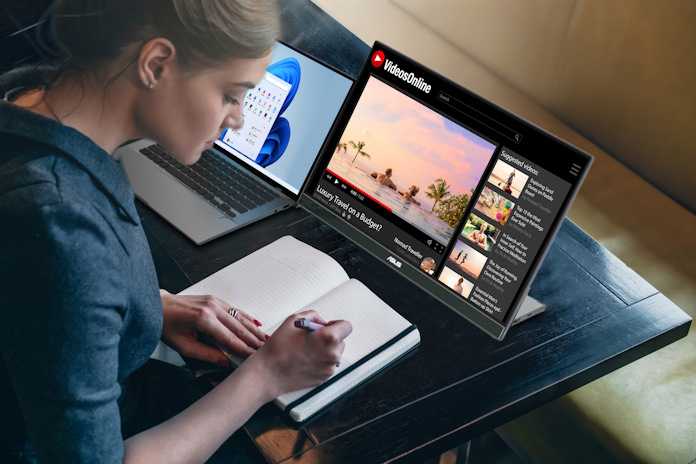
Yes, portable monitors can be a game-changer for those who need extra screen space on the go, offering convenience and flexibility. They’re especially worth considering if you frequently work remotely, travel, or want a more versatile setup without the bulk of a traditional monitor.
Portable monitors are definitely worth it for anyone seeking portability and increased productivity, but whether they’re the right choice depends on your specific needs and budget. They provide a sleek, lightweight way to expand your display, making multitasking easier and more efficient anywhere you go.
If you’re tired of juggling devices or cramped screens, a portable monitor could be your new best friend. With today’s busy lifestyles, having a second screen that easily fits into your bag can make a huge difference. From business trips to coffee shop work sessions, these compact screens blend convenience with functionality, but it’s important to weigh their benefits against cost and compatibility to see if they’re the right fit for you.

Are Portable Monitors Worth It? A Complete Guide
What Are Portable Monitors? An Introduction
Portable monitors are compact screens that you can easily carry around. They are designed to connect to laptops, smartphones, or tablets to give you extra screen space. These monitors are lightweight and slim, making them perfect for on-the-go work, gaming, or entertainment.
Why People Are Considering Portable Monitors
Many users want more screen real estate without carrying heavy equipment. Portable monitors help improve productivity by allowing multitasking across multiple screens. They are also popular among gamers who want a portable gaming setup and creatives needing extra display space.
Advantages of Using Portable Monitors
- Enhanced Productivity: Extra screen space helps you work more efficiently.
- Portability: Light and compact, easy to pack into bags or backpacks.
- Flexibility: Use with various devices like laptops, tablets, or smartphones.
- Improved Visual Experience: Bigger screens and better resolution for viewing photos, videos, or documents.
Key Features to Consider Before Buying
Screen Size and Resolution
Screen size typically ranges from 13 to 17 inches. Higher resolution, such as Full HD (1080p) or 4K, offers sharper images and more detailed visuals. Think about your usage needs—larger screens suit detailed editing, while smaller ones are more portable.
Connectivity Options
Most portable monitors use USB-C or HDMI ports. Some might include other connections like DisplayPort or Mini HDMI. Ensure your devices support the monitor’s input options for seamless setup.
Build Quality and Material
Choose monitors made from durable materials like aluminum or sturdy plastics. A well-built monitor will last longer and withstand frequent travel.
Weight and Thickness
The lighter and thinner the monitor, the easier it is to carry. Weighing between 1 to 3 pounds is common for portable options.
Additional Features
Some models include touchscreens, built-in batteries, or adjustable stands. These features can add convenience but may affect price and weight.
Are Portable Monitors Suitable for Different Users?
For Students and Office Workers
Portable monitors enable students and professionals to extend their screens easily. They make multitasking convenient, especially for presentations or group projects.
For Travelers and Remote Workers
Travelers benefit from added screen space without sacrificing portability. Remote workers can set up a dual-screen workspace anywhere, even in small spaces like coffee shops or airports.
For Gamers and Content Creators
Gamers enjoy portable monitors for gaming on the go, especially models with high refresh rates. Content creators use them for editing photos and videos when traveling or working outside the studio.
Comparison of Portable Monitors and Traditional Monitors
| Feature | Portable Monitors | Traditional Monitors |
|---|---|---|
| Size | 13 to 17 inches | 19 inches and above |
| Portability | High | Low |
| Setup | Quick and easy | May require more space and cables |
| Price Range | $100 to $400 | $100 to $1000+ |
| Power Source | USB-C or external power adapter | Typically mains power |
Limitations of Portable Monitors
Lower Brightness and Color Accuracy
Some models may not be bright enough for outdoor use or have limited color accuracy. This can be a concern for professional creatives.
Battery Life Constraints
Many portable monitors require external power, limiting their use when on the move without outlets.
Price-Performance Balance
Higher quality models tend to be more expensive, which may limit options for budget-conscious buyers.
Durability Issues
Being lightweight and portable, they may be more susceptible to damage if not handled carefully.
Tips for Choosing the Perfect Portable Monitor
- Determine your primary use—gaming, work, or entertainment.
- Choose the right screen size for your needs.
- Prioritize compatibility with your devices.
- Opt for models with good reviews on brightness, color accuracy, and durability.
- Consider extra features like touchscreens or built-in speakers that add value.
How to Maximize the Benefits of Your Portable Monitor
Proper Setup and Connectivity
Ensure your cables and ports are compatible for quick setup. Use USB-C for a single-cable connection with power and video.
Protective Measures
Use protective cases or screen protectors to avoid scratches and damage during travel.
Adjust Settings for Better Viewing
Calibrate brightness and color settings to match your environment for the best visual experience.
Related Topics to Consider
Ergonomics and Comfort
Use adjustable stands or mounts to improve viewing angles and reduce eye strain.
Power Solutions
Explore portable power banks or battery packs to run your monitor outdoors or during travel.
Compatibility with Devices
Check if your laptop or smartphone supports the monitor’s connection types to avoid compatibility issues.
Cost-Effectiveness and Budgeting
Compare models within your budget and consider long-term durability and performance for better value.
Final Thoughts: Is a Portable Monitor Worth It?
For many users, portable monitors offer a convenient way to expand their screen space without the bulk of traditional displays. They are especially valuable for professionals, travelers, and gamers who need flexibility. While they come with some limitations, selecting the right model can significantly improve your portable workspace. If you value mobility combined with extra visual real estate, a portable monitor can be a smart investment worth considering.
Portable Monitor Guide (2023) – Should you get one?
Frequently Asked Questions
How can a portable monitor improve productivity on the go?
Portable monitors allow you to extend your screen space anywhere, enabling you to multitask efficiently. With an additional display, you can compare documents side-by-side, keep communication tools open while working on other tasks, and manage multiple applications more effectively. This flexibility helps you stay organized and focused, especially when working outside of a traditional office environment.
Are portable monitors easy to set up and use with different devices?
Most portable monitors are designed with user convenience in mind. They typically connect via USB-C or HDMI, making setup quick and straightforward. Compatibility with a wide range of devices like laptops, tablets, and smartphones ensures you can start working right away. Many models also come with plug-and-play features, reducing the need for complicated installation or additional drivers.
What factors should I consider to determine if a portable monitor is cost-effective for me?
To assess if a portable monitor is worth your investment, consider how often you travel or work remotely. If you frequently need additional screen space, the productivity benefits can outweigh the upfront cost. Also, think about the monitor’s size, resolution, and compatibility with your devices. If these features align with your needs, a portable monitor can provide value and convenience over time.
Final Thoughts
Portable monitors are a convenient tool for anyone needing extra screen space on the go. They provide increased productivity and flexibility, fitting easily into a bag. Their lightweight design makes them simple to carry around.
Considering the price and specific needs, these devices can be a worthwhile investment. For professionals, students, or gamers, the benefits often outweigh the cost.
In conclusion, are portable monitors worth it? If you value mobility and an expanded workspace, they definitely are. They enhance your experience without sacrificing portability.



