


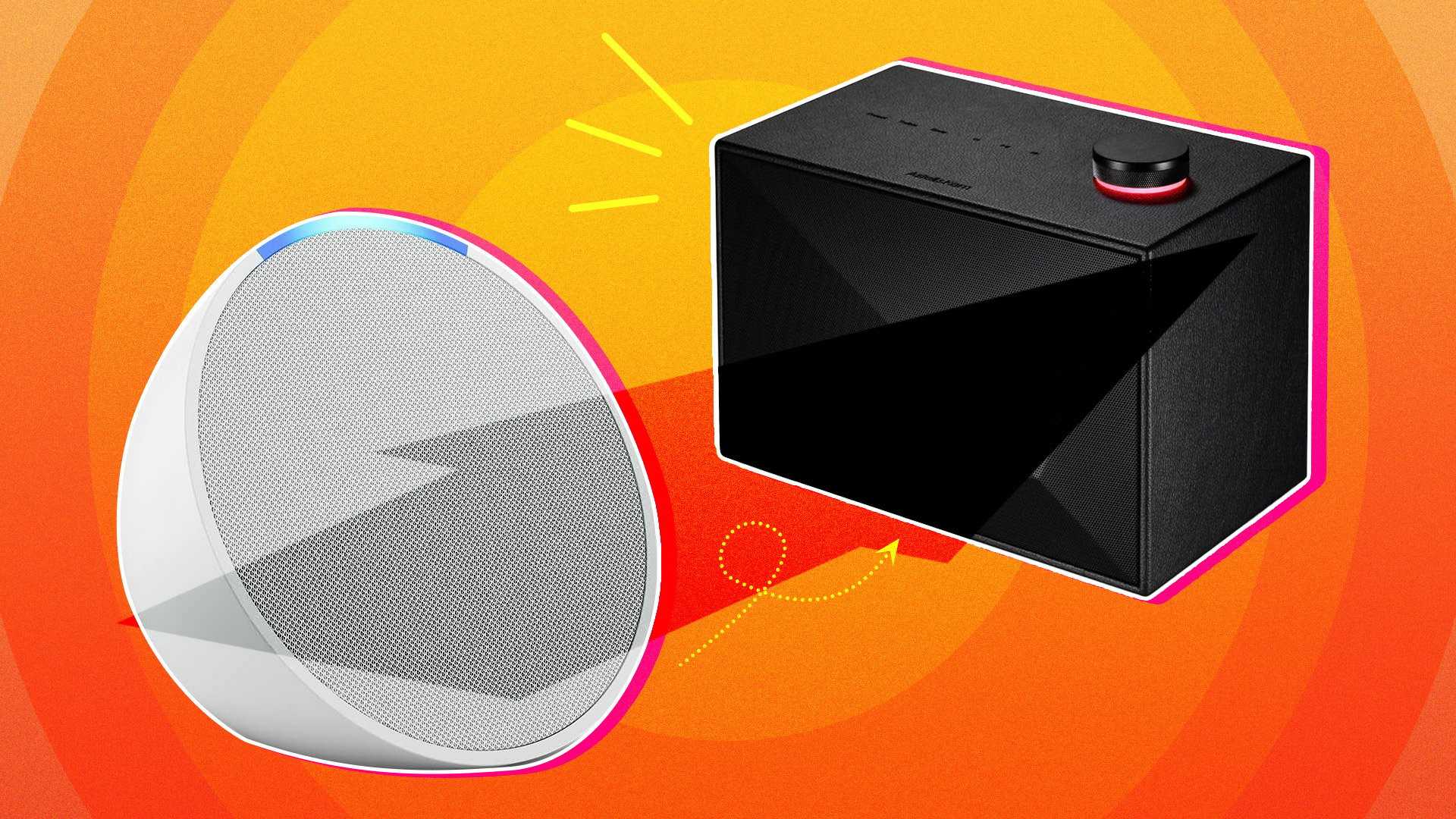
Yes, a Bluetooth sound box can connect to an Echo Dot, but it depends on the specific device and its capabilities. Most Bluetooth sound boxes can pair with an Echo Dot to enhance audio output, allowing you to enjoy richer sound quality. However, the connection process and compatibility might vary, so it’s important to follow the correct steps to ensure seamless pairing.
To connect a Bluetooth sound box to your Echo Dot, you need to put your sound box into pairing mode and then use the Alexa app or voice commands to link the devices. Keep in mind that some sound boxes may not support Bluetooth connection with smart speakers, so it’s best to check the compatibility beforehand. With the right setup, you can significantly improve your audio experience, whether you’re listening to music, podcasts, or watching videos.

Can Bluetooth Sound Box Connect to Echo Dot? A Complete Guide
Understanding the Basics of Bluetooth and Echo Dot
To answer the question, can a Bluetooth sound box connect to Echo Dot, it’s important to understand how both devices function. The Echo Dot is a smart speaker created by Amazon, designed to connect to other devices via Bluetooth or Wi-Fi. A Bluetooth sound box, also called a Bluetooth speaker, is a portable device that plays audio wirelessly from Bluetooth-enabled gadgets.
Bluetooth technology allows devices to communicate over short distances, typically up to 33 feet. Most modern Bluetooth sound boxes are compatible with multiple devices, including smartphones, tablets, and smart speakers like the Echo Dot. This compatibility makes connecting these devices easier and more versatile.
Can a Bluetooth Sound Box Connect Directly to Echo Dot?
Yes, a Bluetooth sound box can connect directly to an Echo Dot. When pairing, the Echo Dot acts as a Bluetooth transmitter, sending audio signals to the Bluetooth speaker. This setup is ideal if you want to use a better or more powerful speaker for your Echo Dot’s audio output.
Connecting the devices is simple, but it requires that Bluetooth pairing mode be enabled on both the Echo Dot and the sound box. Once paired, the sound box will serve as the Echo Dot’s speaker, enhancing sound quality and volume.
Step-by-Step Guide to Connect Bluetooth Sound Box to Echo Dot
1. Prepare Your Devices
- Ensure your Bluetooth sound box is fully charged or plugged in.
- Turn on your Echo Dot and enable Bluetooth pairing mode. You can do this by saying, “Alexa, pair” or by using the Alexa app.
2. Enable Bluetooth on Echo Dot
Say, “Alexa, Bluetooth on,” or navigate in the Alexa app to Settings > Bluetooth Devices > Pair a New Device. This action puts the Echo Dot into pairing mode, ready to find nearby Bluetooth devices.
3. Turn on the Bluetooth Sound Box
Activate the Bluetooth mode on your sound box, usually by pressing a dedicated Bluetooth button or holding down the power button until the indicator flashes.
4. Pair the Devices
The Echo Dot should detect the Bluetooth sound box automatically. When it appears in the list of available devices, select it to pair. Wait for a confirmation that pairing is successful.
5. Test the Connection
Finally, play audio on your Echo Dot or via Alexa commands, and check if the sound streams through the Bluetooth sound box. Adjust volume levels on both devices as necessary.
Troubleshooting Common Issues
Device Not Detected
If the Bluetooth sound box doesn’t show up during pairing, ensure it is in pairing mode and close enough to the Echo Dot. Restart both devices and try again.
Connection Drops Unexpectedly
This can happen if the Bluetooth connection weakens. Move the devices closer and minimize interference from other wireless devices.
Audio Delay or Latency
Some Bluetooth speakers have latency issues, causing audio lag. If this occurs, consider resetting the Bluetooth connection or updating device firmware if available.
Using the Echo Dot as a Bluetooth Receiver
While most users connect a Bluetooth sound box to Echo Dot, it’s also possible to use the Echo Dot as a Bluetooth receiver. This setup allows you to stream audio from your smartphone or tablet to the Echo Dot, which then plays through a connected Bluetooth speaker.
This method involves putting the Echo Dot in Bluetooth pairing mode and connecting it to your phone. Once paired, the Echo Dot acts as a Bluetooth receiver, and you can control your audio using your mobile device.
Advantages of Connecting a Bluetooth Sound Box to Echo Dot
- Better sound quality for music and media playback.
- Increased volume, especially useful for larger spaces or outdoor settings.
- Ability to use high-end or specialized Bluetooth speakers with your Echo Dot.
- Flexibility to move the sound box around without losing connectivity.
Limitations and Things to Consider
- Some Bluetooth sound boxes may introduce audio lag, which affects syncing between video and sound.
- Battery-powered sound boxes might need to be charged frequently if used continuously.
- Connectivity issues can occasionally occur, especially with interference from other devices.
- Not all Bluetooth speakers support the latest Bluetooth versions, which might limit compatibility or range.
Related Topics: Enhancing Your Audio Experience
Using Multiple Bluetooth Speakers with Echo Dot
You can connect multiple Bluetooth speakers to your Echo Dot, but it requires specific setup steps or third-party apps. Some advanced speakers support multi-room audio, enabling synchronized playback across several devices.
Connecting Echo Dot to a Wired Speaker
If you prefer a wired connection, your Echo Dot can be linked via the 3.5mm audio jack (if your model has one). This provides a stable audio stream without latency issues often associated with Bluetooth.
Upgrading to Echo Devices with Better Built-in Speakers
If sound quality is a priority, consider upgrading to an Echo device with a larger, more powerful speaker. These models offer superior audio without needing external sound boxes.
Summary
In conclusion, connecting a Bluetooth sound box to an Echo Dot is a straightforward process that significantly enhances your listening experience. Whether you’re streaming music, podcasts, or using Alexa for voice commands, pairing your devices unlocks greater flexibility and sound quality. Remember to follow the pairing steps carefully, troubleshoot common issues, and explore related options for an even better audio setup.
Connect ANY Bluetooth Speaker to Amazon Alexa (Echo Dot)
Frequently Asked Questions
Can a Bluetooth sound box be paired directly with an Echo Dot?
Yes, you can connect a Bluetooth sound box directly to an Echo Dot. First, enable Bluetooth pairing mode on your sound box. Then, say, “Alexa, pair” or manually enable Bluetooth pairing on the Echo Dot through the device settings. Your sound box should appear on the Echo Dot’s list of available devices. Select it to establish the connection, allowing audio playback through your Bluetooth speaker.
What steps should I follow to connect my Bluetooth sound box to an Echo Dot?
Start by putting your Bluetooth sound box into pairing mode. Next, say, “Alexa, connect to Bluetooth” or navigate to the Bluetooth settings on your Echo Dot through the Alexa app. Wait for the device to discover your sound box. Once it appears, select it to complete the pairing process. After successful connection, the Echo Dot will remember the device for future use.
Are there any limitations when connecting a Bluetooth sound box to an Echo Dot?
While connecting a Bluetooth sound box to an Echo Dot is straightforward, some limitations may occur. The Bluetooth connection might have a limited range, typically around 30 feet. Audio quality depends on the Bluetooth version and the sound box’s capabilities. Additionally, streaming through Bluetooth may introduce slight latency, which can affect synchronized audio playback, especially with video content.
Can I connect multiple Bluetooth sound boxes to my Echo Dot simultaneously?
Most Echo Dots support connecting only one Bluetooth device at a time. To use multiple sound boxes, you’ll need to disconnect the current device and pair a new one as needed. Alternatively, using a Bluetooth splitter can allow multiple speakers to connect simultaneously, but this setup requires additional hardware and configuration.
Will connecting a Bluetooth sound box affect the Echo Dot’s primary functions?
No, connecting a Bluetooth sound box does not interfere with the main functions of the Echo Dot. When a Bluetooth device is connected, the audio output simply shifts from the Echo Dot’s built-in speaker to the external sound box. The Echo Dot still responds to voice commands and manages smart device controls as usual.
Final Thoughts
Connecting a Bluetooth sound box to an Echo Dot is straightforward. Simply enable Bluetooth pairing on both devices and select the sound box from the Echo Dot’s available devices.
Can Bluetooth sound box connect to Echo Dot? Yes, it can. This compatibility allows you to enjoy better audio quality through your favorite Bluetooth speaker while using your Echo Dot.
In conclusion, pairing your Bluetooth sound box with the Echo Dot enhances your listening experience. Setting up is simple and effective, making it a practical choice for better sound.



