


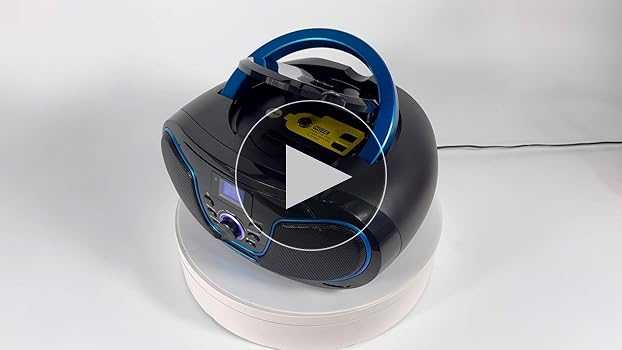
Yes, you can often play music from a USB drive on a Bluetooth sound box, but it depends on the specific model and its features. Some Bluetooth speakers come with a built-in USB port that allows you to plug in a USB drive and enjoy your music directly, while others might only connect via Bluetooth or auxiliary inputs.
Playing music from a USB on a Bluetooth sound box is a convenient way to enjoy your favorite tunes without needing a phone or tablet. Most modern speakers with USB ports are designed to support this feature, but it’s essential to check your device’s specifications before trying it out. If your speaker doesn’t support direct USB playback, you can still use Bluetooth or auxiliary connections to stream music from other devices. Always ensure your USB drive is formatted in a compatible file system and contains music files supported by the device for a smooth experience.

Can I Play Music from USB on Bluetooth Sound Box?
Understanding the Basics of Bluetooth Sound Boxes
Bluetooth sound boxes are portable devices designed to connect wirelessly to smartphones, tablets, and computers. They allow you to enjoy music without the hassle of cables. Many models also include features like FM radios or SD card slots, but playing music from a USB drive isn’t always straightforward.
Some sound boxes are specifically made with USB ports, making it possible to connect a USB device directly. However, not all Bluetooth speakers support music playback from USB drives. It’s essential to check if your device has this feature before attempting to connect a USB.
How Do USB and Bluetooth Differ in Audio Playback?
USB and Bluetooth are two different ways to send audio signals. USB typically offers a wired connection that can transfer large amounts of data with minimal delay. It often supports higher sound quality and stability for playback from external devices like flash drives.
Bluetooth, on the other hand, is a wireless technology that enables devices to communicate over short distances. While convenient, Bluetooth may compress audio data, potentially affecting sound quality. Many Bluetooth sound boxes prioritize wireless streaming from phones or tablets over direct USB playback.
Can Most Bluetooth Sound Boxes Play Music from USB?
The ability to play music from a USB device varies among different models. Some Bluetooth sound boxes come with a dedicated USB port designed specifically for media playback. Others only support charging via USB but lack the hardware to read media files.
To determine if your sound box can play music from USB, look at the device specifications or user manual. The feature is usually indicated as “USB port for music playback” or similar. If your device lacks this, the USB port might only serve as a power source or for firmware updates.
How to Check if Your Bluetooth Sound Box Supports USB Music Playback
The first step is to read the user manual or visit the manufacturer’s website. Look for mentions of USB media playback, USB audio support, or file compatibility.
You can also inspect the device physically. A USB port labeled “Media” or “Music” indicates support for connecting USB drives for playback. If uncertain, contact customer support to verify device capabilities.
Steps to Play Music from USB on Compatible Bluetooth Sound Boxes
Once confirmed that your sound box supports USB media playback, follow these steps:
- Insert your USB flash drive containing music files into the device’s USB port.
- Turn on the Bluetooth sound box.
- Use the device’s control buttons or remote to select the USB input mode.
- Navigate through your music files on the screen or via buttons.
- Press play to listen to your selected track.
Make sure your files are saved in compatible formats like MP3 or WAV, as unsupported formats may not play.
Supported Music File Formats on USB Sound Boxes
Most Bluetooth sound boxes support common audio formats such as:
- MP3
- WAV
- AAC (sometimes)
- FLAC (less common)
Check your device’s manual to see which formats are officially supported to avoid playback issues.
Common Problems When Playing Music from USB and How to Fix Them
Some users encounter issues like files not showing up or playback failure. Here are common problems and solutions:
Files Not Recognized or Cannot Play
Ensure files are in supported formats, and filenames don’t contain special characters. Reformat the USB drive if necessary.
USB Drive Not Detected
Try unplugging and re-inserting the USB drive, or use a different USB port. Check for power supply issues.
Playback Stuttering or Interruptions
Use a high-quality USB drive, avoid using multiple devices simultaneously, and ensure sufficient power to the sound box.
Alternatives to Playing Music from USB on Bluetooth Sound Box
If your device does not support USB media playback, consider these alternatives:
- Using an SD card slot if available.
- Connecting via AUX cable from a device that supports USB playback.
- Streaming music via Bluetooth from your phone or computer.
- Using a Bluetooth transmitter connected to a USB port on a device that can convert wired to wireless signals.
Additional Features to Consider in a Bluetooth Sound Box
When choosing a sound box, look for features that enhance your listening experience, like:
- Enhanced Bluetooth versions (4.0+, 5.0+)
- Long battery life
- High waterproof ratings (IPX7, IPX8)
- Supported file formats for USB playback
- Multiple connectivity options including AUX, NFC, or Wi-Fi
- Built-in microphone for calls
Check if the device supports multiple formats and has user-friendly controls for easier playback management.
Summary of Key Points
– Not all Bluetooth sound boxes support music playback from USB devices.
– Confirm device specifications to verify USB media support.
– Files should be in compatible formats like MP3 or WAV.
– Follow proper step-by-step procedures for playback.
– Consider alternative listening options if USB support is unavailable.
By understanding your device’s capabilities and features, you can enjoy your playlists in many ways. Always review the specifications before purchasing if USB music playback is a priority for you.
How does the zealot S32 bluetooth speaker use USB to play music?
Frequently Asked Questions
Can I connect a USB drive directly to a Bluetooth sound box to play music?
Some Bluetooth sound boxes come with a USB port that allows you to connect a USB drive directly. If your device has this feature, you can plug in your USB and access your music files through the device’s interface. However, not all Bluetooth speakers support direct USB playback, so check the product specifications or manual to confirm compatibility before attempting to connect your USB drive.
Is it possible to play music from a USB device via Bluetooth pairing?
Typically, Bluetooth pairing enables audio transmission from your phone or other media devices to the speaker. To play music from a USB device, the sound box needs specific hardware support for USB playback. Most Bluetooth speakers do not support this functionality via Bluetooth pairing alone. Instead, you should connect the USB directly to the device’s USB port, if available, or use an auxiliary input or SD card slot, depending on your speaker’s features.
What should I do if my Bluetooth sound box doesn’t recognize my USB drive?
If your device doesn’t recognize your USB drive, ensure that you’re using a compatible USB format such as FAT32 or exFAT, as many speakers don’t support NTFS. Confirm that your files are stored in supported audio formats like MP3 or WAV. Connect the USB to a computer first to verify that the files are readable and properly stored. If the speaker still does not detect the USB, consult the user manual for supported formats or consider updating the device’s firmware if available.
Can I use an adapter to connect my USB device to a Bluetooth speaker that lacks a USB port?
Using an adapter may help if your Bluetooth speaker does not have a dedicated USB port but includes an auxiliary or other input options. For example, some adapters convert USB signals into Bluetooth audio signals, but these are uncommon. Typically, you cannot connect a USB drive to a speaker lacking the appropriate port directly. Instead, consider transferring music to a Bluetooth-enabled device like a smartphone or tablet, then pair it with your sound box for playback.
Are there Bluetooth sound boxes that support external USB storage for music playback?
Yes, some modern Bluetooth sound boxes include a built-in USB port designed specifically for playing music files stored on USB drives. These speakers allow you to browse through your files directly on the device or through a connected app. Before purchasing, verify that the speaker supports your desired file formats and check if the user interface is user-friendly for navigating your music collection.
Final Thoughts
Playing music from a USB on a Bluetooth sound box depends on the device’s features. Some sound boxes have a USB port that allows direct playback, while others only support charging.
Check your sound box manual or product specifications to confirm if USB playback is supported. If it is, simply connect your USB drive, select the correct source, and enjoy your music.
In conclusion, can i play music from usb on bluetooth sound box? Yes, if your device supports USB input, you can play music directly from a USB. Always verify your device capabilities to ensure smooth playback.



