


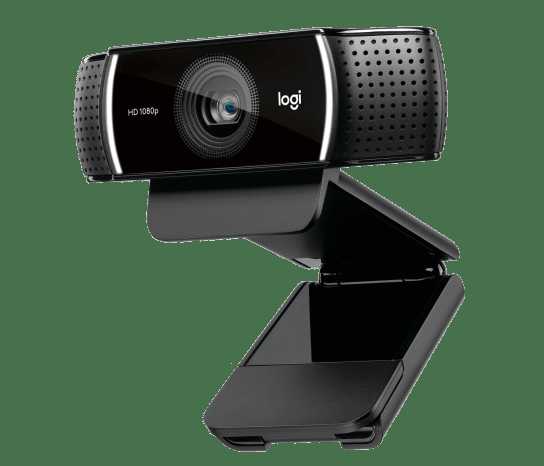
Yes, some webcams can stream in 1080p at 60fps, but not all models are capable of this high-performance level. To achieve smooth, high-definition video at 60 frames per second, you need a webcam specifically designed for such demanding tasks, along with a strong computer and fast internet connection.
In short, yes, you can find webcams that stream in 1080p at 60fps, but they tend to be more expensive and require optimal system support. Choosing the right device involves considering both hardware quality and your setup’s capabilities to ensure smooth, clear video.
If you’re wondering whether your webcam can handle 1080p at 60fps, the answer depends on the model and your system specs. Many newer webcams are built to support this, making your streams sharper and more fluid—perfect for professional calls, streaming, or content creation. But not all webcams are created equal, so understanding the specifications and requirements ensures you get the best experience.

Can Webcam Stream 1080p 60fps? Everything You Need to Know
Understanding Webcam Resolution and Frame Rate
Webcam resolution indicates the clarity of the video, while frame rate shows how many images are captured every second. To see smooth, high-quality video, both need to be high. Many webcams offer 720p resolution, but only some can do 1080p at 60 frames per second.
What Does 1080p 60fps Mean?
1080p refers to a full HD resolution of 1920 pixels in width and 1080 pixels in height. The 60fps (frames per second) means the video plays in very smooth motion, ideal for gaming, live streaming, or video calls. Combining these gives you crisp, fluid video quality.
Can Standard Webcams Handle 1080p 60fps?
Most basic webcams are designed for lower resolutions and frame rates. Many cannot handle streaming at 1080p 60fps. Ensure your webcam supports this mode before attempting to stream in high quality. Check the manufacturer’s specifications to verify compatibility.
Popular Webcam Models Supporting 1080p 60fps
- Logitech Brio
- Razer Kiyo Pro
- Elgato Facecam
- AverMedia Live Streamer CAM 513
These models specify 1080p 60fps support, making them reliable choices for high-quality streaming.
Hardware Requirements for Streaming at 1080p 60fps
Streaming at this quality demands a powerful computer setup. A fast processor, at least 8GB of RAM, and a dedicated graphics card help maintain smooth video. Insufficient hardware can cause lag or dropped frames during streams.
CPU and GPU Specifications
- Intel i5 or AMD Ryzen 5 processors or higher
- NVIDIA GeForce GTX 1660 or AMD Radeon RX 5600 XT or better
These components ensure your computer can process high-resolution videos without issues.
Internet Speed and Bandwidth Needs
To stream 1080p at 60fps smoothly, a stable internet connection with high upload speeds is essential. A minimum upload speed of 15 Mbps is recommended, but 20 Mbps or more provides a buffer to avoid interruptions.
Importance of Stable Connection
A steady connection prevents buffering or lag, especially during live streams. Wired Ethernet connections typically offer greater stability compared to Wi-Fi.
Software and Drivers Required
Your webcam needs compatible drivers and streaming software to work at 1080p 60fps. Many webcams come with bundled software, but third-party programs like OBS Studio or Streamlabs provide advanced control.
Configuring Your Software for 1080p 60fps
In settings, select the appropriate resolution and frame rate. Make sure your streaming platform also supports this quality to avoid downscaling videos.
Optimizing Streaming Settings for Best Quality
Adjusting your settings enhances video quality and stream stability. Use a bitrate around 4500 to 6000 kbps for 1080p 60fps streams for clear visuals without overloading your network.
Additional Tips for Better Streaming
- Use a high-quality webcam with support for 1080p 60fps
- Close background applications to free system resources
- Ensure good lighting to improve image clarity
- Test your stream before going live to troubleshoot issues
Possible Limitations and Challenges
While streaming at 1080p 60fps is achievable, some challenges may arise. Hardware limitations, network stability, or improper settings can affect the quality.
Common Problems and Solutions
- Lag or buffering: Upgrade your internet or lower stream settings
- Flickering or poor image quality: Verify lighting and webcam drivers
- Drop in frame rate: Check CPU/GPU load and close unnecessary programs
Related Technologies Enhancing Webcam Streaming
Various accessories and technologies can improve streaming performance. These include external microphones, lighting kits, and even capture cards for higher-quality output.
Role of Capture Cards
Capture cards allow you to connect higher-end cameras or gaming consoles for superior video clarity. They transmit high-quality signals directly to your PC for streaming.
Importance of Proper Lighting
Good lighting minimizes grainy images and enhances facial features. Use ring lights or softboxes to produce even, bright light for your streams.
Future Trends in Webcam Technology
Webcams are becoming more advanced, with higher frame rates, better sensors, and AI features for background removal. Developments aim to make high-quality streaming more accessible and affordable.
Innovations to Watch For
- Higher frame rates at 4K resolution
- Built-in AI for background blurring or replacement
- Enhanced low-light performance
- Wireless webcams for easier setup
Summary
Streaming in 1080p 60fps is possible with the right webcam, hardware, and software. Verify device specifications before purchase, and optimize your setup for the best results. This high-quality format offers smoother and clearer videos, ideal for various streaming needs.
Final Tips for Successful Streaming
- Choose a webcam explicitly supporting 1080p 60fps
- Ensure your PC meets hardware requirements
- Use a stable, high-speed internet connection
- Configure your streaming software properly
- Test everything before going live to prevent surprises
Webcam technology continues to evolve, making high-quality streaming more accessible for everyone. By understanding the requirements and setup, you can produce professional-looking videos at 1080p 60fps.
Best Webcam for Streaming
Frequently Asked Questions
What hardware specifications are necessary for a webcam to support 1080p at 60fps?
To achieve 1080p 60fps, your webcam needs a camera sensor capable of high-frame-rate video capture. Additionally, your computer’s processor, RAM, and graphics card should handle the increased data rate smoothly. A USB 3.0 or higher port ensures fast data transfer, reducing lag and buffering issues. Proper drivers and optimized software also play a critical role in maintaining high-quality video streaming at this frame rate.
Can a typical consumer-grade webcam reliably produce 1080p 60fps during live streaming?
Many consumer-grade webcams are designed for 1080p video recording but may not consistently deliver 60fps in real-time streaming. Factors like low-light environments, computer hardware limitations, and network bandwidth can impact performance. For smooth 60fps streaming, select a webcam specifically rated for high frame rates and ensure your system meets the recommended specifications.
How does internet bandwidth affect the ability to stream at 1080p 60fps?
Streaming 1080p at 60fps requires a stable and high-speed internet connection. Insufficient bandwidth causes buffering, lower video quality, and interruptions. Ideally, maintain an upload speed of at least 10 Mbps or higher to support this video quality without issues. A wired connection often provides more stable bandwidth compared to Wi-Fi, especially during prolonged streaming sessions.
Are there specific software settings that need to be adjusted to maintain 1080p 60fps quality?
Yes, adjusting your streaming software settings is essential. Set your resolution to 1080p and frame rate to 60fps within the software preferences. Also, choose the appropriate bitrate that balances video quality and bandwidth capacity. Enabling hardware encoding can reduce CPU load, ensuring smooth performance. Regularly testing and optimizing these settings can help maintain consistent 60fps streaming.
What limitations might prevent a webcam from achieving 1080p 60fps in real-world use?
Various factors can hinder achieving 1080p 60fps, including insufficient camera sensor capabilities, outdated drivers, or limited hardware processing power. Lighting conditions, excessive background activities, and network constraints also impact performance. To get the best results, ensure your device is compatible, updated, and optimized for high-frame-rate streaming environments.
Final Thoughts
Webcam technology has advanced significantly, making high-quality streaming more accessible. Many webcams now support 1080p at 60fps, ensuring smooth and clear video for various applications.
Can webcam stream 1080p 60fps? Yes, some models deliver this performance, but compatibility depends on your device and internet connection.
In conclusion, if you seek crisp, fluid video, check the specifications of your webcam. Many options are capable of streaming 1080p 60fps, enhancing your overall experience.



