


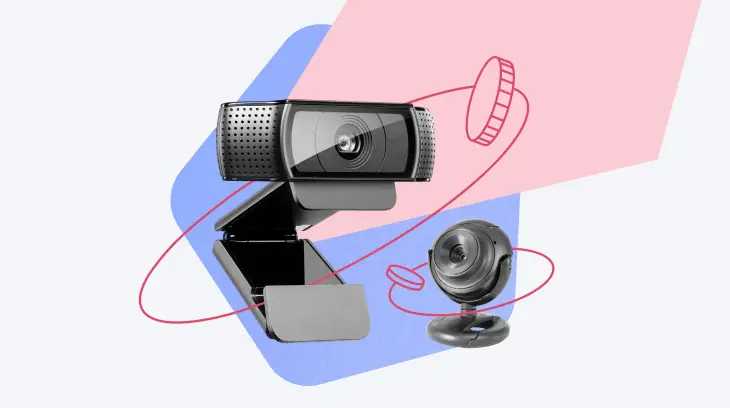
Yes, many webcams can record video lectures directly, making it easier for students and educators to create content on the spot. With the right software and hardware, you can capture high-quality video without needing additional equipment. Simply connect your webcam, open a recording program, and start talking—your webcam will handle the rest.
Webcams are increasingly becoming versatile tools for recording lectures directly, especially with advancements in software that allow seamless capturing and editing. Whether you’re a teacher wanting to record lessons from home or a student preparing content, understanding how webcams can be used for direct recording can save time and simplify your workflow. In today’s digital learning environment, the ability to record lectures effortlessly is vital. Many webcams now come with built-in features or are compatible with software that allows direct recording, making the process straightforward. This blog explores how webcams work in this capacity, what features to look for, and tips to get the best results for your educational recordings.

Can Webcams Record Video Lectures Directly? A Complete Guide
Understanding Webcams and Their Basic Functions
Webcams are small cameras connected to or built into computers and laptops. They are primarily used for video calls, chats, and recordings. Many students and teachers wonder if webcams can record video lectures directly without additional software.
Do Webcams Have Built-In Recording Capabilities?
Most webcams do not have a built-in feature to record videos directly. They function as input devices, sending live video to software on your computer. To record videos, you usually need an additional program to capture and save the footage.
How to Record Video Lectures Using a Webcam
To record with a webcam, you should install recording software compatible with your device. Many options are available, including free and paid software that makes recording easy. These programs capture the video feed from your webcam and save it as a file.
Popular Software Options for Recording Video Lectures
- OBS Studio: Free, open-source software suitable for recording and live streaming.
- Camtasia: Paid software offering advanced editing features.
- Windows Camera App: Built into Windows 10 and later, can record videos but limited editing tools.
- QuickTime Player: Available on Mac, can record webcam footage easily.
Can You Record Without Additional Software?
In most cases, webcams cannot record videos without software. They only display live images, so capturing these images needs a recording program. Some webcams come with proprietary software that includes recording features, but this is not common.
Using Built-In Webcam Software to Record Videos
Many computers come with pre-installed webcam software, like Windows Camera or Mac Photobooth. These programs allow users to record videos directly from their webcam. It’s a straightforward way for beginners to start recording video lectures.
How to Use Built-In Software for Recording
- Open the webcam software on your computer.
- Select the video recording option.
- Adjust settings such as resolution and microphone input.
- Click the record button to start capturing.
- Stop recording when done and save the file.
Adding Audio and Screen Capture for Better Video Lectures
To make your video lectures more engaging, consider recording audio simultaneously. Most webcam software lets you select your microphone input for clear audio. You can also capture your screen along with webcam footage using specialized software.
Tools for Combining Webcam, Audio, and Screen Recording
- OBS Studio: Combines webcam video, screen sharing, and audio seamlessly.
- Screencast-O-Matic: Easy-to-use for recording screens and webcams together.
- Camtasia: Offers editing options to enhance your lecture videos after recording.
Video Quality and Webcam Specifications
The quality of your video lectures depends heavily on your webcam. Lower-end webcams may produce pixelated or blurry images, while higher-end models offer HD or even 4K resolution.
What to Consider When Choosing a Webcam for Recording?
- Resolution: Look for at least 720p for clear videos, 1080p for full HD quality.
- Frame Rate: 30 frames per second (fps) is standard, 60 fps for smoother videos.
- Lighting: A good webcam performs better in well-lit environments.
- Microphone Quality: Some webcams have built-in microphones, but external mics often provide better sound.
Lighting and Environment Tips for Recording with Webcams
Lighting plays a crucial role in video quality. Ensure your face is well-lit with natural or artificial light, avoiding harsh shadows. Record in a quiet space to minimize background noise for clearer audio.
Storage and File Formats for Video Lectures
Webcam recordings can be large files, so storage options matter. Common formats include MP4, AVI, and MOV, which are widely compatible with different devices and platforms. Always choose a format compatible with your intended publishing or sharing method.
Enhancing Webcam Recordings for Education
After recording, you can edit your videos to add titles, annotations, or captions. Basic editing tools are often included in the recording software, but more advanced options are available with dedicated video editing programs.
Editing Software for Enhancing Video Lectures
- iMovie: Free on Mac, user-friendly for editing videos.
- Shotcut: Free, cross-platform editing software.
- Adobe Premiere Pro: Professional editing for polished videos.
Sharing Your Video Lectures Online
Once your video is ready, upload it to platforms like YouTube, Vimeo, or your educational platform. Make sure the file size and format are compatible with your chosen platform.
Additional Tips for Successful Webcam Video Lectures
- Test your setup before recording your full lecture.
- Use a tripod or stable surface to prevent shaky videos.
- Engage viewers with eye contact and clear speech.
- Maintain a professional background or environment.
While webcams are primarily input devices, they can record video lectures effectively when paired with suitable software. Selecting the right webcam and recording tools allows educators and students to create high-quality educational videos. Remember to consider lighting, audio, and editing to produce engaging content. With the right setup, recording and sharing video lectures directly from a webcam becomes a simple and accessible process.
Lecture 5 – Using mobile cam as web cam for recording lectures
Frequently Asked Questions
Can a webcam be used to record video lectures without additional software?
Most webcams can record video lectures directly if they come with built-in recording features or compatible software. However, typically, you’ll need to use third-party recording programs or the webcam’s dedicated software to capture high-quality videos. Always check the webcam’s specifications to ensure it supports direct recording functionalities.
Does recording a lecture with a webcam require connecting it to a computer with specific hardware?
Yes, most webcams need to be connected to a computer that meets the necessary hardware requirements, such as sufficient processing power and storage capacity. The computer’s performance can impact the quality of the recorded video, so using a device with adequate specifications helps ensure smooth capturing and playback of the lecture recordings.
Are there limitations to recording video lectures directly with webcams?
Webcams have limitations like lower resolution compared to professional cameras, limited storage capacity, and sometimes shorter recording durations. Additionally, lighting conditions and microphone quality can affect the overall clarity of the lecture recordings. It’s important to optimize these factors for better results.
Can I record and save multiple video lectures with a webcam without switching devices?
Yes, if your webcam is connected to a computer with sufficient storage, you can record multiple recordings sequentially without switching devices. Using reliable recording software helps manage multiple files efficiently and ensures each lecture is saved properly for future access.
Is it possible to enhance webcam recordings for better lecture quality?
Yes, you can improve webcam recordings by adjusting camera settings such as resolution and focus, ensuring proper lighting, and using external microphones for clearer audio. Additionally, editing software can help enhance video quality post-recording if needed.
Final Thoughts
Webcams can record video lectures directly, making them a convenient tool for educators and students. Most webcams come with built-in recording features or compatible software that simplifies the process. This eliminates the need for additional equipment, saving time and effort.
Users can easily capture high-quality videos without complex setups, ensuring clear and professional lecture recordings. As technology advances, more webcams now offer seamless recording options suitable for various needs.
can webcams record video lectures directly? Yes, many models provide this functionality, allowing users to record straight from the device. This capability enhances teaching flexibility and convenience for remote education.



