


24 inch Curved Monitor
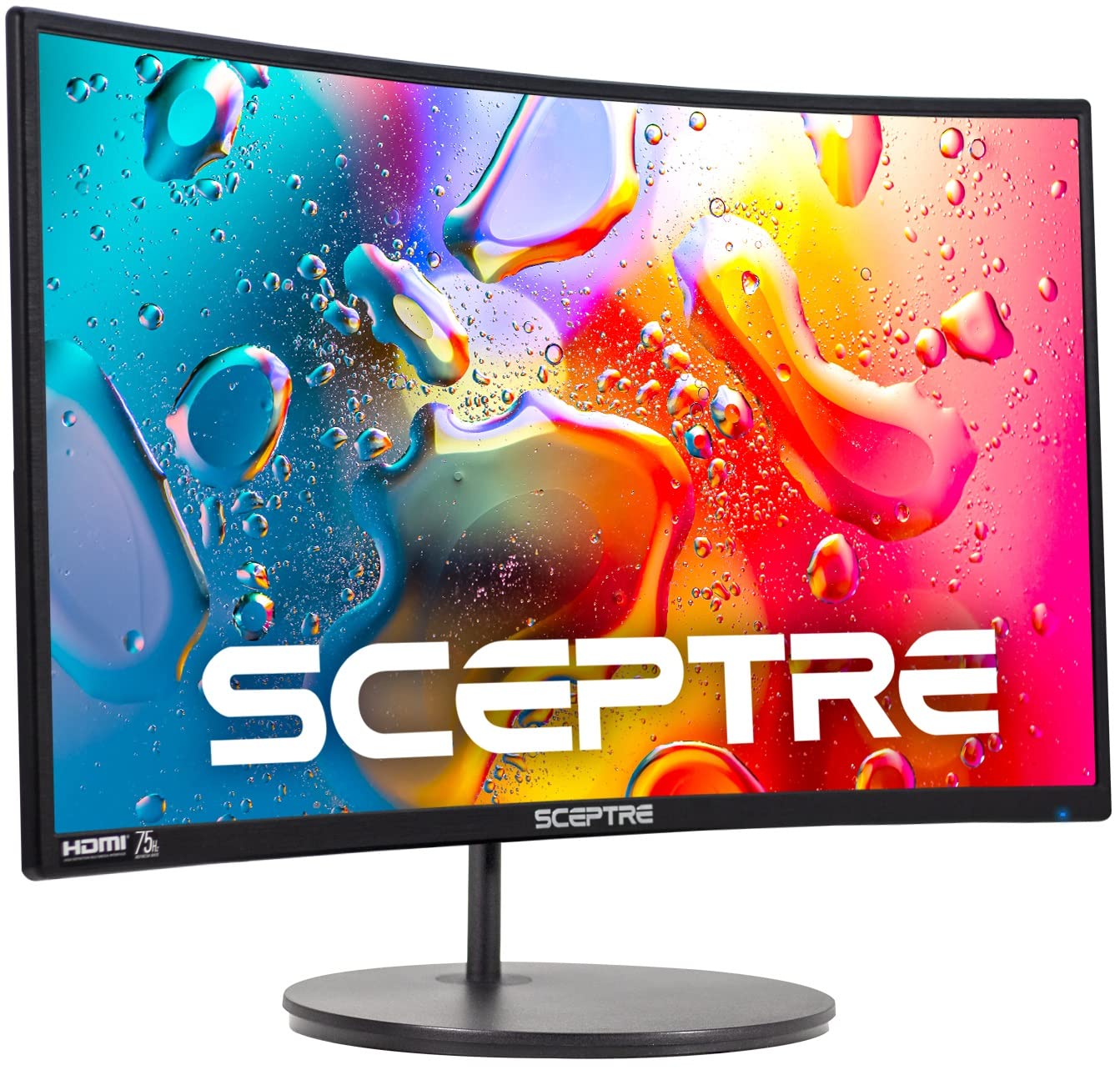
Sceptre Curved 24
Choosing the right monitor can feel like a big task. You want something that fits your desk, your budget, and your needs. Today, we’re putting two popular 24-inch curved monitors head-to-head. On one side, we have the feature-packed 24 inch Curved Monitor FHD 1920x1080p 100Hz. On the other, the well-known brand option, the Sceptre Curved 24-inch Gaming Monitor.
Both promise an immersive curved experience at Full HD resolution. But they take different paths to get there. One boasts a higher refresh rate and ultra-slim bezels. The other offers built-in speakers and a trusted name. This comparison matters because your monitor is your window to work, play, and everything in between. The right choice can boost your productivity, enhance your gaming, and save your eyes from strain.
By the end of this article, you’ll know exactly which monitor is the perfect fit for your setup. We’ll break down every spec, analyze real user experiences, and give you a clear, honest verdict. Let’s dive in.
In-Depth Look: 24 inch Curved Monitor
ASIN: B0FH15NX68
Key Specs: 24″ VA Panel, 1920×1080 FHD, 100Hz, 98% sRGB, 3000R Curvature, Tilt Adjustable
Ports: HDMI, VGA
Unique Feature: Three-side borderless ultra-slim bezel design.
Let’s start with the 24 inch Curved Monitor. This model comes packed with features that aim to please both gamers and professionals. The first thing you’ll notice is the design. It has a three-side borderless look. This means the bezels are incredibly thin on the top and sides. It gives the screen a modern, floating appearance. This is great for a clean desk setup. It’s also perfect if you dream of a dual-monitor setup. Two of these side-by-side would look almost seamless.
The panel is a VA type. VA panels are known for their great contrast ratios. This one boasts a 4000:1 dynamic contrast ratio. In simple terms, blacks look deeper and colors pop more. With 98% sRGB coverage, colors are accurate and vibrant. This is good for casual photo editing or just enjoying colorful movies and games.
Now, the star feature for many will be the 100Hz refresh rate. This is higher than the standard 60Hz. What does that mean for you? Everything feels smoother. Mouse movements on screen, scrolling through web pages, and especially gameplay. Fast-paced games benefit the most. Actions look clearer with less motion blur. It’s a noticeable upgrade if you’re coming from an older monitor.
Eye comfort hasn’t been forgotten. It includes blue light filtering and flicker-free technology. These features help reduce eye strain during long work or gaming sessions. The 3000R curvature wraps the image gently around your field of view. It feels more natural and immersive than a flat screen.
On the practical side, it offers a decent tilt range from -5 to 15 degrees. You can angle it just right to avoid glare and find a comfortable neck position. It’s also VESA mount compatible. You can easily attach it to a monitor arm for even more flexibility.
Pros and Cons of the 24 inch Curved Monitor
Pros:
- Higher Refresh Rate: The 100Hz refresh rate provides a smoother visual experience, especially beneficial for gaming and fast motion.
- Immersive Bezels: The three-side borderless design maximizes screen real estate and looks fantastic in multi-monitor setups.
- Better Ergonomics: The adjustable tilt stand helps you achieve a more comfortable viewing angle.
- Strong Contrast: The VA panel delivers deep blacks and vibrant colors thanks to its high contrast ratio.
Cons:
- No Built-in Audio: You will need external speakers or a headset for sound.
- Generic Brand: It lacks the established brand recognition and support of more known companies.
- Less Aggressive Curve: The 3000R curvature is more subtle than the 1800R curve on the Sceptre.
What Customers Are Saying
Customer reviews for the 24 inch Curved Monitor highlight its performance and aesthetic. One user noted, “I got this monitor for my gaming PC, and it’s been a massive upgrade… The brightness is excellent, and the color accuracy is pretty good.” Another praised its look and feel: “The curve is just right for gaming and multitasking… The screen colors are bright, crisp, and vibrant, and overall it looks amazing on my desk.”
However, it’s not without minor critiques. Some users mentioned quality control aspects, like one who received a unit with minor cosmetic blemishes but emphasized that “it works great.” The overall sentiment is very positive regarding the visual experience and value.
Best For:
The 24 inch Curved Monitor is best for users who prioritize smooth motion and a modern, minimalist design. It’s an excellent choice for:
- Casual to moderate gamers who want the advantage of a 100Hz refresh rate.
- Professionals and students who multitask and would benefit from an ultra-slim bezel for dual-screen setups.
- Anyone who values screen adjustability and wants to reduce eye strain during long sessions.
In-Depth Look: Sceptre Curved 24
ASIN: B07KXSR99Y
Key Specs: 24″ VA Panel, 1920×1080 FHD, 75Hz, 98% sRGB, 1800R Curvature, Built-in Speakers
Ports: 2x HDMI, VGA, PC Audio In
Unique Feature: Built-in speakers and a more aggressive 1800R screen curvature.
Next up is the Sceptre Curved 24. Sceptre is a familiar name in the budget monitor space. They offer reliable products without breaking the bank. This model, the C248W-1920RN, brings that trusted brand factor to a curved display.
The most striking spec difference is the curvature. This monitor features a 1800R curve. This is more pronounced than the 3000R curve of our first monitor. A lower “R” number means a tighter, more aggressive curve. The 1800R radius is designed to match the natural curve of the human eye. Many find this provides a deeper sense of immersion, making you feel more “inside” the content.
It runs at a 75Hz refresh rate. This is a solid step up from 60Hz and will still deliver smoother visuals than a standard office monitor. While not as high as 100Hz, the difference between 60Hz and 75Hz is very noticeable and appreciated in gaming and general use.
A key advantage here is the inclusion of built-in speakers. They are a basic pair of 2W speakers. As noted in reviews, they aren’t going to replace a dedicated sound system or high-quality headphones. However, they are incredibly convenient for conference calls, watching a quick video, or having backup audio. It’s one less cable and device on your desk.
Connectivity is slightly better with two HDMI ports and one VGA port. Having multiple HDMI inputs is handy. You can connect both a PC and a game console without constantly swapping cables. The monitor is also VESA mount compatible, though the included stand is fixed with no tilt adjustment. This is a notable ergonomic limitation.
Like the other monitor, it covers 98% of the sRGB color gamut and uses a VA panel for good contrast. Sceptre also emphasizes compatibility and longevity, stating it’s fully compatible with Windows 10 and has a lamp life of over 30,000 hours.
Pros and Cons of the Sceptre Curved 24
Pros:
- More Immersive Curve: The 1800R curvature is more aggressive and engaging for gaming and media consumption.
- Built-in Speakers: Offers basic audio output, adding convenience and reducing desk clutter.
- Extra HDMI Port: Two HDMI inputs provide greater connectivity flexibility for multiple devices.
- Brand Reputation: Sceptre is a known entity in the market, which can offer peace of mind regarding reliability.
Cons:
- Lower Refresh Rate: 75Hz is good, but not as smooth as the 100Hz offered by the competitor.
- No Stand Adjustability: The stand does not tilt, which can make finding an ergonomic viewing position difficult.
- Speaker Quality: The built-in speakers are quite basic and low-powered, as noted by users.
What Customers Are Saying
Sceptre customers often praise the value and visual quality. One reviewer loved the size, saying, “Larger than advertised… The rim around the monitor is almost non-existent making the screen larger and easier to see.” They did wish the stand was adjustable. Another was thrilled with the convenience: “My wife was very happy to find that it had speakers on it as her last one didn’t.”
The speakers are a common point of discussion. A user summed it up well: “Great monitor. Only drawback being is the speakers they’re not loud and they sound low quality… it’s not that big of a deal.” This highlights that the speakers are a bonus feature, not a primary reason to buy.
Best For:
The Sceptre Curved 24 is best for users seeking an immersive curved experience on a budget with the added convenience of speakers. It’s ideal for:
- Budget-conscious gamers who want a reliable, branded curved monitor with a good 75Hz refresh rate.
- General users and students who want an all-in-one solution with basic audio and a highly immersive curve for movies and work.
- Anyone who needs to connect multiple devices easily thanks to the dual HDMI ports.
Head-to-Head Comparison
Now, let’s put these two curved monitors directly against each other in key categories. This will help you see where each one shines and where it might fall short for your specific needs.
Performance: Smoothness vs. Immersion
This is the core battle. The 24 inch Curved Monitor wins on pure motion smoothness with its 100Hz refresh rate. In fast-paced games or even when scrolling quickly, the extra 25 frames per second make a tangible difference. The Sceptre Curved 24 counters with its deeper 1800R curve. This creates a more “wrapped” feeling that many find more engaging for single-player games and cinematic content. If your priority is competitive edge, go for 100Hz. If you want to feel surrounded by the action, the 1800R curve is compelling.
Design & Ergonomics: Modern Flair vs. Practical Trade-offs
The 24 inch Curved Monitor takes the crown for design. Its three-side borderless bezel is sleek and modern. The adjustable tilt stand is a significant ergonomic advantage. You can fine-tune the angle to reduce glare and neck strain. The Sceptre Curved 24 has a more utilitarian design. Its bezels are thin but not borderless. The lack of any tilt adjustment on the stand is its biggest weakness in this category. You’re stuck with its default angle unless you buy a VESA mount.
Features & Connectivity: Audio vs. Adjustability
Here, they cater to different needs. The Sceptre Curved 24 offers built-in speakers and an extra HDMI port. The speakers add convenience for casual use. The dual HDMI ports are great for a PC and a PlayStation or Switch. The 24 inch Curved Monitor sacrifices audio for a better stand and smoother performance. It has only one HDMI and one VGA port. Think about your setup: do you need monitor speakers and multiple inputs, or do you value a more adjustable and fluid display?
Value & Brand Trust
Value is subjective. The Sceptre Curved 24 often comes from a slightly lower price point and carries a recognized brand name. This can mean better customer support and a known track record. The 24 inch Curved Monitor (often sold under various generic brands) packs higher-end specs like 100Hz and an adjustable stand into its package, offering great performance-per-dollar. You’re trading brand assurance for more premium features.
Frequently Asked Questions
Q: Is 100Hz really that much better than 75Hz for gaming?
A: Yes, it is noticeable, but the degree depends on the games you play. In fast-paced esports titles like Valorant or Fortnite, the extra smoothness from 100Hz can provide a slight edge in responsiveness and motion clarity. For casual gaming, story-driven games, or general use, 75Hz is already a fantastic upgrade from 60Hz and will feel very smooth. If you’re a competitive player, lean toward 100Hz. If you play more relaxed games, 75Hz is excellent.
Q: Can I mount both of these monitors on a wall or arm?
A: Absolutely. Both the 24 inch Curved Monitor and the Sceptre Curved 24 are VESA mount compatible. This is a great way to solve the Sceptre’s lack of tilt adjustment and free up desk space for either model. Just make sure to get a mount that supports the monitor’s size and weight.
Q: Which monitor is better for office work and reducing eye strain?
A> Both have flicker-free technology and blue light filters to help. The 24 inch Curved Monitor might have a slight edge due to its adjustable tilt stand, allowing you to angle the screen perfectly to avoid overhead light glare. The gentle 3000R curve can also feel more natural for reading long documents across the screen. However, both will be much better for your eyes than an old, flickering monitor.
Q: Are the speakers on the Sceptre Curved 24 good enough for gaming?
A> Realistically, no. The built-in speakers are best described as “convenience” speakers. They are fine for system sounds, video calls, or watching a YouTube video at low volume. For any serious gaming, movie watching, or music listening, you will want to use a dedicated pair of headphones, PC speakers, or a gaming headset. Don’t buy the Sceptre solely for its speaker quality.
Q: I want a dual-monitor setup. Which one should I get two of?
A> For a dual-monitor setup, the 24 inch Curved Monitor is the clear winner. Its three-side borderless design means the bezels in the middle where the two screens meet will be almost negligible, creating a much more seamless and immersive panoramic view. The Sceptre’s bezels, while thin, would create a more noticeable black bar between the two displays.
Final Verdict: Which One Should You Choose?
After this deep dive, the choice comes down to what you value most in your curved monitor.
Choose the 24 inch Curved Monitor if:
- You want the smoothest motion for gaming or fast-paced content (100Hz refresh rate).
- You love a clean, modern aesthetic with ultra-thin bezels, especially for a multi-monitor setup.
- You need ergonomic flexibility with a tilt-adjustable stand.
- You prioritize panel performance (like contrast and color) and don’t mind using external audio.
Choose the Sceptre Curved 24 if:
- You want a more pronounced, immersive curved experience (1800R curvature).
- You value the convenience of having basic built-in speakers and an extra HDMI port.
- You trust established brands and often find it at a compelling budget price point.
- You don’t need stand adjustment or plan to use a VESA mount anyway.
The Bottom Line: Both are excellent 24-inch curved monitors that offer tremendous value over standard flat screens. For the performance-focused user who values smoothness and modern design, the 24 inch Curved Monitor is the superior tool. For the user seeking deep immersion, everyday convenience features, and brand familiarity on a tight budget, the Sceptre Curved 24 is a reliably great choice. You can’t go wrong with either, but now you know exactly which one is wired for your needs.
Ready to Upgrade Your View?
Click below to check the latest prices, see current discounts, and read more customer reviews on Amazon.



