


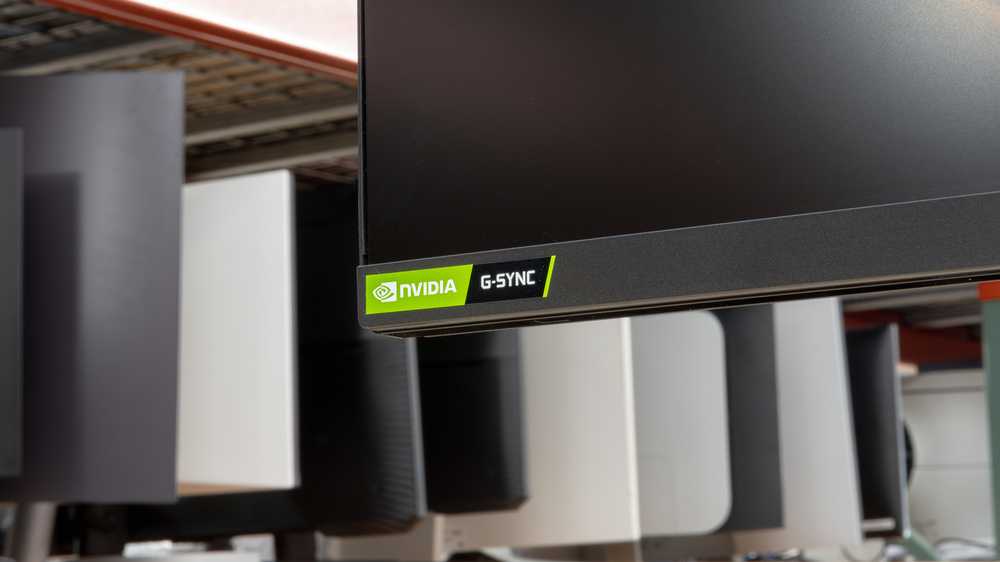
Yes, HDR monitors can support G-Sync, but it depends on the specific model and its features. Not all HDR displays are compatible with G-Sync, so it’s important to check for certifications like G-Sync Ultimate or G-Sync Compatible. When these features are present, gamers can enjoy smooth, tear-free gameplay with stunning HDR visuals, elevating the gaming experience to a whole new level.
In short, many HDR monitors do support G-Sync, especially those designed for gaming, but it’s not universal. Compatibility hinges on the monitor’s specifications, so gamers should look for models explicitly labeled as G-Sync compatible or certified. Understanding this can help you choose a monitor that delivers vibrant HDR content alongside seamless gaming performance.
Gamers and big-screen enthusiasts alike often wonder if they can combine the immersive qualities of HDR with the smoothness of G-Sync technology. The good news is that advances in monitor technology have made it possible for many HDR displays to support G-Sync, ensuring both vivid visuals and tear-free gameplay. This compatibility is a game-changer for anyone seeking the best of both worlds. However, not every HDR monitor supports G-Sync, so it’s essential to verify a monitor’s specifications before making a purchase. Whether you’re a competitive gamer or just love stunning visuals, knowing which monitors support both HDR and G-Sync can help you make smarter choices for your setup.

Do HDR Monitors Support G-Sync?
Understanding HDR Monitors and G-Sync Technology
HDR monitors are designed to display high dynamic range images, offering brighter whites, deeper blacks, and a wider color spectrum than standard displays. These features allow for more realistic and vibrant visuals, especially in gaming and multimedia consumption. G-Sync is NVIDIA’s technology that synchronizes the monitor’s refresh rate with the graphics card’s frame output, preventing screen tearing and reducing input lag. Combining HDR with G-Sync can significantly improve your visual experience, but compatibility isn’t always straightforward.
Are HDR Monitors Compatible with G-Sync?
In short, not all HDR monitors support G-Sync. Compatibility depends on the specific monitor model and the technology it uses. NVIDIA certifies certain monitors as G-Sync compatible, which often include HDR support. These monitors are tested to ensure they can handle both high dynamic range and adaptive sync features simultaneously.
G-Sync Compatible vs. G-Sync Certified
- G-Sync Certified Monitors: These undergo rigorous testing by NVIDIA and guarantee full G-Sync support alongside HDR capabilities. They typically include G-Sync hardware modules.
- G-Sync Compatible Monitors: These are generally FreeSync monitors that NVIDIA has verified can work with G-Sync in specific settings. Not all FreeSync monitors support HDR when used with G-Sync.
Do All HDR Monitors Support G-Sync?
No, many HDR monitors do not have G-Sync support. Some are designed solely for HDR content with fixed refresh rates or operate with AMD FreeSync technology. It’s essential to check the monitor’s specifications and NVIDIA’s official G-Sync compatibility list before purchasing.
Factors Affecting Compatibility
- Display Technology: Monitors with G-Sync modules are more likely to support HDR and adaptive sync simultaneously.
- Panel Type: IPS panels tend to support better HDR and G-Sync compatibility than some cheaper VA or TN panels.
- Firmware and Firmware Updates: Some monitors may support G-Sync through firmware updates even if not initially advertised.
Technical Aspects of Supporting HDR with G-Sync
To support both HDR and G-Sync, monitors need specific features and hardware. These include a G-Sync module or support for G-Sync compatible technology, and HDR standards such as HDR10 or Dolby Vision. Additionally, the monitor’s internal color processing and contrast ratios must be sufficient to deliver true HDR content.
HDR Standards and G-Sync Compatibility
HDR support depends on compliance with standards such as HDR10 or Dolby Vision. G-Sync support works best when the monitor also adheres to these standards, ensuring high-quality HDR playback. Some monitors are optimized for HDR gaming, delivering vivid visuals without compromising adaptive sync performance.
Performance Comparisons: G-Sync with HDR vs. FreeSync with HDR
Many gamers wonder whether G-Sync offers advantages over FreeSync when used with HDR. Both technologies aim to reduce tearing and input lag, but G-Sync generally provides more consistent performance across a wider range of refresh rates. However, some FreeSync monitors also support HDR and can be compatible with G-Sync, especially when using NVIDIA’s G-Sync Compatible mode.
Key Benefits of G-Sync for HDR Monitors
- More stable and smoother gameplay with variable refresh rates
- Reduced screen tearing and stuttering
- Lower input lag, vital for competitive gaming
- Enhanced HDR experience with synchronized refresh rates
Choosing the Right HDR Monitor for G-Sync Support
When selecting an HDR monitor with G-Sync support, consider important specifications such as refresh rate, HDR standards supported, panel technology, and G-Sync certification. Look for features like a high peak brightness (ideally above 1000 nits) and a high contrast ratio for optimal HDR performance.
Recommended Specifications for HDR G-Sync Monitors
| Feature | Ideal Range |
|---|---|
| Refresh Rate | 120Hz or higher |
| HDR Support | HDR10, Dolby Vision |
| Peak Brightness | 1000 nits or more |
| Contrast Ratio | 3000:1 or higher |
Common Challenges and Limitations
Despite advances, not all HDR monitors with G-Sync deliver perfect performance. Some issues include flickering during HDR content, limited G-Sync ranges, or compatibility issues with certain graphics cards. Firmware updates can sometimes resolve these problems, but it’s important to research specific models.
Technical Limitations to Keep in Mind
- Limited G-Sync range can cause tearing if your frame rate drops outside the range.
- Some HDR monitors may not support higher refresh rates or Dolby Vision when used with G-Sync.
- Price point can be high for monitors that support both high-quality HDR and G-Sync.
While many HDR monitors support G-Sync, not all do. Selecting a monitor with official G-Sync certification ensures better compatibility and performance in HDR gaming and multimedia viewing. Check for the correct standards, hardware support, and reviews before purchasing to ensure your setup provides seamless, high-quality visuals. The combination of HDR and G-Sync can offer a smooth, vibrant image that enhances gaming, movies, and creative work alike.
The quick fix for hidden G-Sync
Frequently Asked Questions
Are HDR monitors compatible with G-Sync technology?
Yes, many HDR monitors are compatible with G-Sync technology. These monitors are designed to synchronize their refresh rates with compatible Nvidia graphics cards, reducing screen tearing and providing smoother gameplay. However, compatibility depends on the specific monitor model, so it’s essential to verify whether G-Sync support is included in the product specifications.
What advantages do G-Sync-compatible HDR monitors offer for gaming?
G-Sync-compatible HDR monitors provide a seamless visual experience by eliminating screen tearing and minimizing input lag during gameplay. The HDR feature enhances color accuracy and contrast, resulting in vivid, more realistic visuals. Combining G-Sync with HDR ensures players enjoy smooth, responsive, and visually immersive gaming sessions.
Can I use G-Sync with an HDR monitor that lacks native G-Sync support?
While some HDR monitors may support adaptive sync technologies similar to G-Sync, they might not work with Nvidia’s G-Sync technology without native support. To achieve optimal performance and compatibility, use a monitor explicitly equipped with G-Sync support if you plan to connect it to an Nvidia graphics card.
Does enabling G-Sync affect the HDR performance on a monitor?
Enabling G-Sync typically enhances the overall gaming experience without negatively impacting HDR performance. G-Sync focuses on synchronization during motion, ensuring smooth gameplay, while HDR improves color and contrast. When both features are supported, they complement each other to deliver a superior visual quality.
Are there specific brands or models of HDR monitors known for G-Sync support?
Brands like Asus, Acer, and Dell offer several HDR monitors with G-Sync support. Notable models include the Asus ROG Swift, Acer Predator series, and Dell Alienware monitors. When selecting a monitor, check the product specifications to confirm G-Sync compatibility alongside HDR capabilities.
Final Thoughts
HDR monitors can support G-Sync, but compatibility depends on the specific model. Not all HDR monitors feature G-Sync technology, so check specifications carefully.
Some monitors combine HDR and G-Sync to offer smoother visuals and better color accuracy during gaming. Always verify whether a monitor explicitly lists both features before purchasing.
In conclusion, do HDR monitors support G-Sync? Yes, but only if the monitor is designed with both features. Confirm compatibility to ensure optimal performance and a seamless gaming experience.



