


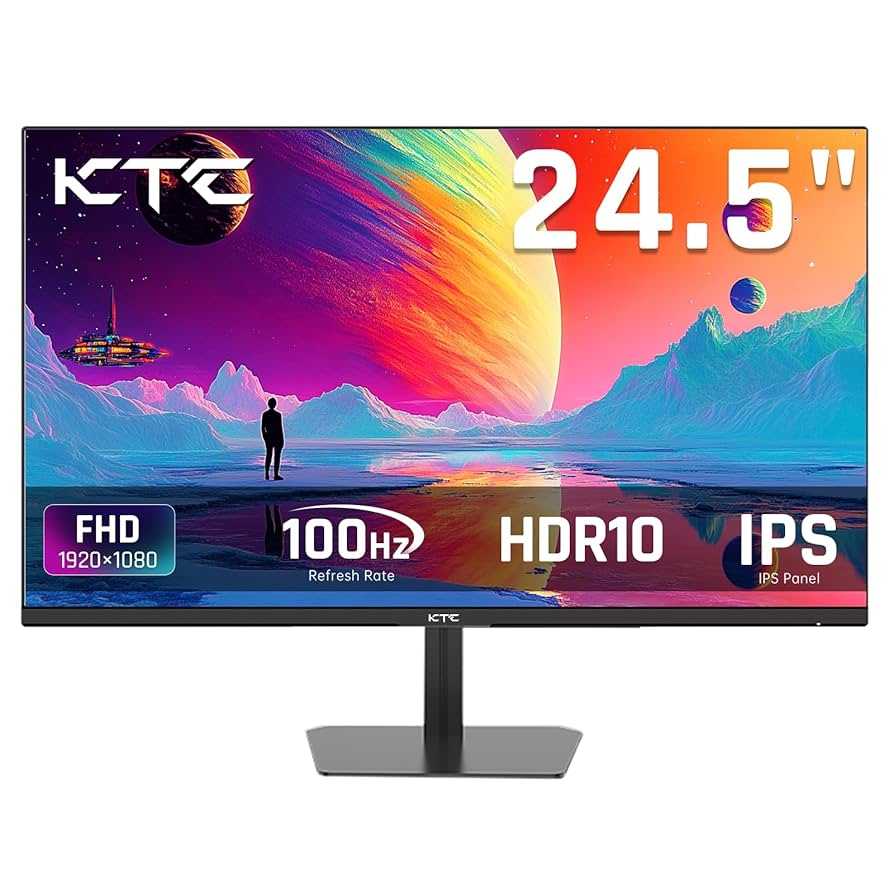
Yes, many IPS monitors do support FreeSync, but it’s not universal. FreeSync is a technology designed to eliminate screen tearing and reduce stuttering during gameplay, and whether an IPS monitor supports it depends on the specific model. Generally, newer IPS monitors are more likely to come with FreeSync compatibility, offering gamers and professionals a smoother visual experience.
If you’re wondering whether your IPS monitor supports FreeSync, the answer varies—many modern models do, but it’s essential to check the specifications. FreeSync support is a fantastic feature for gamers wanting fluid visuals without tearing, and with the rapid advancements in display technology, finding an IPS monitor with FreeSync has become easier. Keep reading to learn what to look for and how to ensure your IPS monitor supports this useful technology.
IPS monitors are widely popular thanks to their vibrant colors and wide viewing angles, making them a favorite among both gamers and creative professionals. However, when it comes to gaming features like FreeSync, not all IPS displays are created equal. The good news is that an increasing number of IPS panels now come equipped with FreeSync support, providing the perfect blend of stunning visuals and smooth gameplay. Knowing whether your monitor supports FreeSync depends on the specific model, but with the market leaning towards compatibility, it’s worth doing a quick check before making your purchase. This article will guide you through understanding FreeSync, why it matters, and how to identify if your IPS monitor is compatible, ensuring you get the most out of your display experience.

Do IPS Monitors Support FreeSync?
Many gamers and professionals ask whether IPS monitors support FreeSync technology. This is an important question because it impacts the quality of visuals and smoothness during gameplay or work. Understanding the compatibility between IPS displays and FreeSync can help you choose the right monitor for your needs.
What Is FreeSync?
FreeSync is a technology developed by AMD to reduce screen tearing and stuttering during gaming. It synchronizes the monitor’s refresh rate with the graphics card’s frame rate, providing a smoother experience. FreeSync is especially popular among gamers who want fluid visuals without lag or artifacts.
What Is an IPS Monitor?
IPS stands for In-Plane Switching. IPS monitors are known for their excellent color accuracy, wide viewing angles, and better color consistency. They are often preferred for professional work, creative tasks, and casual gaming. IPS displays traditionally had slower response times compared to TN panels but have improved significantly.
Do IPS Monitors Support FreeSync?
Many modern IPS monitors do support FreeSync, but it’s not a guarantee for all. Support depends on the specific model and manufacturer. Some IPS monitors come equipped with FreeSync technology built-in, offering gamers a choice of vibrant visuals combined with smooth gameplay.
How to Check if an IPS Monitor Supports FreeSync
Always verify the specifications before purchasing. Look for these indicators:
- Manufacturers explicitly mention FreeSync support in the product specs.
- The monitor’s On-Screen Display (OSD) menu includes FreeSync options.
- Check the user manual or product page for compatibility details.
Many popular brands like ASUS, LG, Dell, and Acer offer IPS monitors with FreeSync support across various model lines.
Benefits of Using FreeSync on an IPS Monitor
Using FreeSync with an IPS monitor combines vibrant, accurate colors with smoother gameplay or video playback. You avoid issues like tearing, lag, or stuttering, which can disrupt the experience. This synergy enhances both entertainment and productivity tasks.
Improved Gaming Experience
FreeSync minimizes visual artifacts during fast-paced games, making motions appear fluid and clear. The combination of IPS color accuracy and FreeSync’s performance benefits creates an immersive gaming environment.
Reduced Eye Strain and Fatigue
By preventing screen tearing and reducing flickering, FreeSync on IPS monitors lessens eye strain during extended use. This is especially helpful for professionals or gamers who spend many hours in front of the screen.
Compatibility Considerations
While many IPS monitors support FreeSync, compatibility also depends on your graphics card and connection type. AMD GPUs are designed to work seamlessly with FreeSync technology, but some compatibility with NVIDIA cards is also possible.
AMD vs. NVIDIA Compatibility
- AMD graphics cards support FreeSync natively on compatible monitors.
- NVIDIA’s G-SYNC compatible feature now supports certain FreeSync monitors, including some IPS models.
- Check the monitor’s certification list or manufacturer specifications for confirmed compatibility.
Connection Types and Performance
Most FreeSync monitors support HDMI and DisplayPort connections. For optimal performance, DisplayPort is often preferred due to higher bandwidth and better variable refresh rate support.
Limitations of IPS Monitors with FreeSync
Despite many models offering FreeSync, some limitations exist. For example, the variable refresh rate range might be narrower compared to gaming monitors dedicated to FreeSync. Response times, although improved, can still lag behind high-end TN panels in very fast-paced games.
What to Expect
- Many IPS FreeSync monitors feature refresh rate ranges from 48Hz to 144Hz or higher.
- Some models may have limited FreeSync zones, affecting performance during fast camera movements.
- Always check the minimum and maximum refresh rates supported for optimal experience.
Choosing the Best IPS Monitor with FreeSync
Selecting the right monitor involves considering several factors such as size, resolution, refresh rate, and additional features. Here are some key points:
- Look for models with a refresh rate of at least 75Hz for smoother gameplay.
- Prefer IPS displays with low response times, ideally below 5 milliseconds.
- Ensure the monitor supports your GPU’s compatibility with FreeSync or G-SYNC.
- Consider budget, design, and additional features like adaptive sync over HDMI or USB-C connections.
Popular Models to Consider
| Model | Size | Resolution | Refresh Rate | FreeSync Range | Price Range |
|---|---|---|---|---|---|
| LG UltraGear 27GL850-B | 27 inches | 1440p | 144Hz | 48Hz-144Hz | Mid-range |
| Acer Nitro EI342CK | 34 inches | 3440×1440 | 144Hz | 48Hz-144Hz | High-end |
| Dell S2722DGM | 27 inches | 1080p | 165Hz | 48Hz-165Hz | Budget-friendly |
Future Trends in IPS and FreeSync Technology
As technology advances, expect IPS monitors to support higher refresh rates and broader FreeSync ranges. Manufacturers are focusing on reducing response times further to bridge the gap with TN panels for competitive gaming. Compatibility with newer adaptive sync standards like HDMI VRR is also increasing.
Summary
Many IPS monitors do support FreeSync, and this compatibility makes them suitable for gamers who want excellent visuals and smooth performance. Always check the specifications to ensure your specific model supports FreeSync and works well with your graphics card. By paying attention to refresh rates, response times, and connection options, you can find an IPS monitor that provides both vibrant colors and seamless gameplay.
Understanding whether an IPS monitor supports FreeSync helps you make an informed choice and enjoy high-quality visuals, whether for gaming, work, or entertainment. The combination of IPS technology and FreeSync can offer a compelling visual experience when selected carefully.
What are Gsync and Freesync?
Frequently Asked Questions
Are there any compatibility issues when using FreeSync with IPS monitors?
Most IPS monitors that support FreeSync work seamlessly with compatible graphics cards. However, compatibility depends on both the monitor and GPU supporting the necessary standards. It’s important to check the specifications of your monitor and graphics card to ensure they are compatible. Occasionally, users experience minor issues like flickering or input lag, but these can often be resolved through firmware updates or adjusting settings.
Does enabling FreeSync on an IPS monitor improve gaming performance?
Enabling FreeSync on an IPS monitor reduces screen tearing and minimizes stuttering during fast-moving scenes. This results in smoother gameplay, especially in fast-paced games. While FreeSync might introduce a slight input lag, most gamers find that the benefits of tear-free visuals outweigh this minor delay, leading to a better gaming experience.
Can I use FreeSync with non-AMD graphics cards on IPS monitors?
FreeSync is primarily designed for AMD graphics cards. However, some IPS monitors support compatible adaptive sync technologies that also work with select NVIDIA graphics cards, such as G-Sync Compatible mode. To ensure compatibility, verify that your monitor is certified for these features and update your graphics driver to its latest version. This allows you to enjoy adaptive sync benefits even with non-AMD GPUs.
Final Thoughts
In summary, many IPS monitors do support FreeSync, but compatibility varies across models. It is essential to check each monitor’s specifications to ensure FreeSync functionality. This feature enhances gaming and smoothens visuals, making your experience more enjoyable. Ultimately, do ips monitors support freesync? Yes, many do, providing a great balance of color accuracy and adaptive sync technology.



