


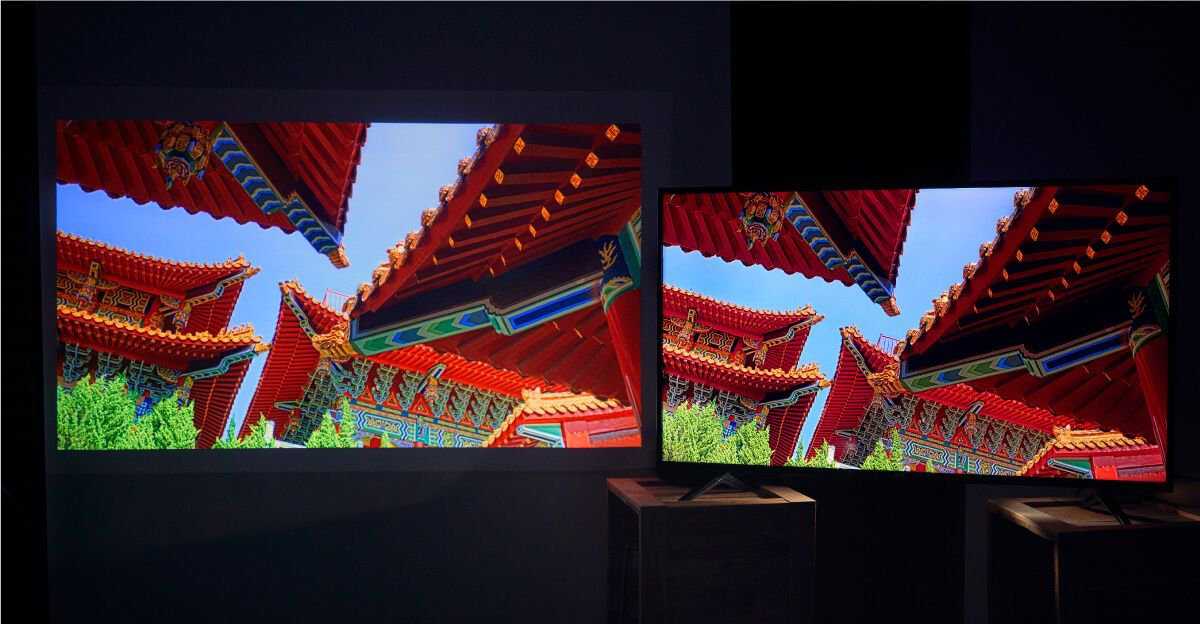
Yes, monitors significantly influence color grading. A high-quality monitor ensures accurate color representation, which is essential for professional-grade editing. Using the right screen can make a difference between a visually stunning project and one with flawed colors that don’t translate well across devices.
In short, monitors do impact color grading because they determine how colors are perceived during the editing process. An accurate monitor allows editors to see true colors, ensuring that the final output looks perfect on all screens.
When it comes to color grading, the monitor you choose is more than just a display; it’s a critical tool that shapes the entire creative process. If you’re serious about producing broadcast-quality videos or photography, investing in a good color-accurate monitor is non-negotiable. The right screen helps you make precise adjustments, avoiding surprises when your work appears on other devices or screens. But not all monitors are created equal—factors like color accuracy, resolution, and calibration play pivotal roles in achieving the best results. In this article, we’ll explore how monitors influence color grading and provide tips for selecting the ideal display to elevate your editing game.

Do Monitors Affect Color Grading?
Introduction to Color Grading and Monitors
Color grading is a crucial step in video and photo editing, where colors are adjusted to achieve a specific look. The monitor you use plays a key role in this process because it displays the colors you are editing. A good monitor ensures that the colors you see are as close to real life as possible. This helps creators produce work that looks great on different screens and devices.
Why Monitor Quality Matters in Color Grading
High-quality monitors provide accurate color reproduction, which is essential for professional work. If a monitor shows inaccurate colors, your editing decisions might be off, leading to mismatched colors in the final product. Cheaper or poorly calibrated screens may cause you to overcorrect or undercorrect colors, affecting the overall quality of your project.
Color Accuracy and Calibration
Calibration is the process of adjusting a monitor so that its display matches a known standard. Many professionals use calibration tools to ensure their monitor displays true colors. Without calibration, even a high-end monitor can show inaccurate colors, making proper color grading impossible. Regular calibration keeps your monitor’s output consistent over time.
Color Gamut and Coverage
Monitors have different color gamuts, which define the range of colors they can display. For example, sRGB covers most basic color needs, while Adobe RGB or DCI-P3 offer broader ranges for more vibrant colors. A monitor with a wider color gamut provides more accurate and rich color representation for grading. It allows you to see subtle differences in color that might be impossible on narrower gamuts.
The Impact of Monitor Resolution on Color Grading
Resolution affects how detailed and clear your image appears on screen. Higher resolutions like 4K or even 8K show more detail and allow for precise adjustments. When working on detailed projects, a higher resolution monitor helps you see small color differences that could impact your grading decisions.
Pixel Density and Sharpness
Pixel density, measured in pixels per inch (PPI), determines how sharp the image appears. A sharper display makes it easier to see fine details in color transitions. This precision is especially helpful when color grading high-resolution footage where small adjustments matter.
Screen Size Considerations
Larger screens offer more workspace and enable you to see more of your project at once. This helps in making holistic color adjustments. However, size must be balanced with resolution; a larger screen with low resolution might not deliver the clarity needed for accurate grading.
The Role of Brightness and Contrast in Color Grading
Brightness and contrast settings influence how colors and shadows appear on your monitor. Properly calibrated brightness ensures that you can see detail in both dark and light areas. An unbalanced display can lead to inaccurate adjustments, especially in shadowy or highlight-heavy scenes.
Brightness for Accurate Exposure
Brightness levels should match the viewing environment to avoid misjudging exposure. Too high brightness might make scenes look overly bright, while too low can obscure details. Professional-grade monitors typically offer high brightness levels, often exceeding 400 nits, for better control.
Contrast and Dynamic Range
Contrast ratio reflects the difference between the darkest blacks and brightest whites a monitor can display. A high contrast ratio allows for better differentiation between subtle shades. This is important for accurate grading, especially in scenes with deep shadows or bright highlights.
Color Calibration Tools and Settings
Calibrating your monitor involves hardware tools or software to adjust color settings precisely. Devices like colorimeters or spectrophotometers can help achieve the most accurate display. Regular calibration sessions ensure that your monitor’s output remains consistent with industry standards.
How to Calibrate a Monitor
Start by connecting your calibration device and running calibration software. Follow the on-screen instructions to adjust brightness, contrast, gamma, and color temperature. Save the calibration profile, and apply it as your default display setting for consistent results.
Industry Standards for Color Calibration
Professionals commonly calibrate their monitors to standards like D65 white point, gamma 2.2, and a color temperature of around 6500K. These settings ensure that the colors are consistent with industry expectations and that your work can easily be matched with other devices.
Related Topics to Consider in Color Grading
Beyond the monitor itself, other factors influence color accuracy. These include ambient lighting in your workspace, viewing environment, and the quality of your video editing hardware. Creating an optimal environment helps prevent external light from affecting how you perceive colors.
Ambient Lighting and Its Effects
Bright or uneven lighting can cause glare or make your display look different from what others see. Using neutral, controlled lighting conditions minimizes these issues. Many professionals prefer dim or indirect lighting when doing color grading.
Viewing Environment and Room Conditions
A room with consistent lighting and neutral walls enhances the accuracy of your perception. Avoid colored walls or reflective surfaces that could influence how your brain interprets the display’s colors.
Choosing the Right Monitor for Color Grading
Selecting the right monitor depends on your specific needs and budget. For professional work, investing in a monitor with wide color gamut, high resolution, and reliable calibration options is vital. Entry-level options might suffice for hobbyists or casual users but won’t deliver the same precision.
Key Features to Look For
- Wide color gamut support (such as Adobe RGB or DCI-P3)
- High resolution (4K or greater)
- Accurate factory calibration or easy calibration options
- High contrast ratio and brightness levels
- Good viewing angles, especially for collaborative work
Popular Monitors for Color Grading
Some models renowned for color accuracy include the Dell UltraSharp series, Eizo ColorEdge monitors, and LG UltraFine lines. These options often come with hardware calibration tools and extensive color support.
The quality and characteristics of a monitor directly influence any color grading workflow. An accurate, well-calibrated monitor ensures that the colors you see are true to life, which is crucial for producing professional-grade media. Choosing the right display, investing in calibration, and maintaining your workspace environment all contribute to achieving consistent and reliable color grading results.
Without a doubt, monitors do affect color grading. They are tools that impact how you perceive, evaluate, and adjust colors throughout your project. Ensuring your monitor is suitable for color work means better, more accurate results every time.
Cheapest Color Accurate Grading Monitor #shorts #colorgrading #davinciresolve
Frequently Asked Questions
How does monitor calibration impact the accuracy of color grading?
Calibrating your monitor ensures that the colors displayed match standard color profiles, which is essential for accurate color grading. Without calibration, colors may appear different from how they will look on other screens or in final output, leading to inconsistencies. Regular calibration helps maintain consistency and allows precise adjustments during the grading process.
Can the type of display panel influence color precision during editing?
Yes, the type of display panel significantly affects color accuracy. IPS panels generally offer better color consistency and wider viewing angles, making them ideal for color grading. On the other hand, TN panels might have faster response times but often sacrifice color accuracy. Choosing the right panel type can ensure your colors are represented correctly throughout your workflow.
What role does monitor resolution play in color grading quality?
Higher-resolution monitors provide more detailed images, which helps in making precise color adjustments. A clear and sharp display allows you to see subtle color differences more accurately, leading to better grading results. Low-resolution screens may cause you to miss fine details, impacting the overall quality of your work.
How important is a color-managed workflow when using different monitors for grading?
A color-managed workflow ensures that colors stay consistent across multiple devices and software. Using calibrated and color-profiled monitors helps maintain uniformity, so your edits look the same on different screens and in the final output. This consistency is crucial for professionals working on projects destined for various platforms.
Do ambient lighting conditions influence color perception on monitors used for grading?
Ambient lighting can significantly affect how you perceive colors on your monitor. Bright or uneven lighting conditions might cause your eyes to interpret colors differently, leading to inaccurate grading decisions. Working in a controlled environment with neutral lighting ensures that your perception remains consistent, resulting in better color accuracy.
Final Thoughts
Monitors play a crucial role in color grading by providing accurate color representation. Different monitors can display colors differently, which impacts the final look of a project. A high-quality monitor ensures that colors are consistent and true to the original vision.
Ultimately, do monitors affect color grading? Yes, they do. Choosing the right monitor allows colorists to make precise edits, ensuring professional results.



