


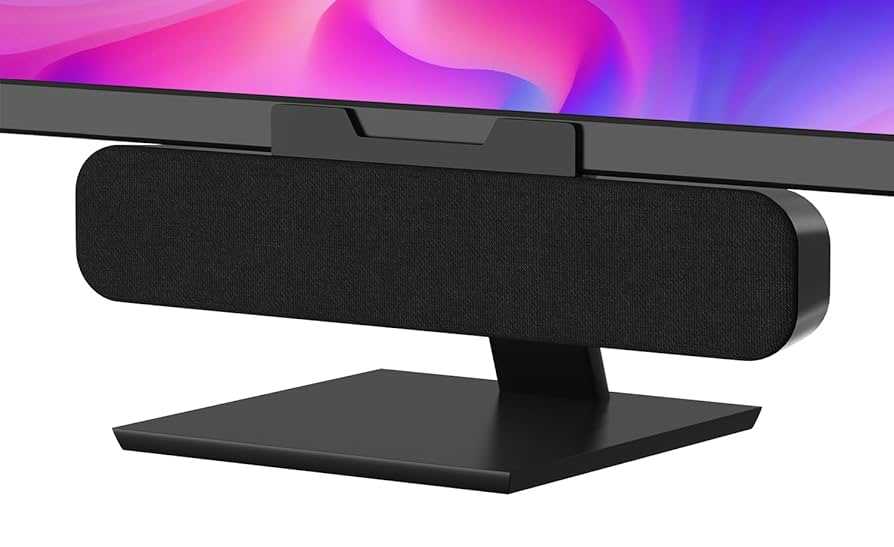
Yes, many USB-C monitors do come with built-in speakers, but it’s not a universal feature. Some models include quality audio options, while others rely on external speakers for sound. It’s important to check specifications before purchasing to ensure your monitor meets your audio needs.
If you’re wondering whether USB-C monitors come equipped with speakers, the answer varies. Some brands integrate high-quality speakers directly into the monitor for convenient, clutter-free audio while others require you to connect external speakers or headphones. The convenience of built-in speakers makes for a simple, streamlined setup, especially if you use your monitor for multimedia or video calls. However, it’s essential to note that the sound quality may not always match standalone speakers, so consider your audio preferences when choosing your monitor. Whether you prioritize sleek design or superior sound, knowing what features are included helps you make an informed decision.

Do USB C Monitors Come With Speakers? An In-Depth Look
Understanding the Basics of USB C Monitors
USB C monitors are becoming more popular because they offer a simple way to connect multiple devices with just one cable. These monitors use the USB Type-C port, which can carry video, audio, data, and power all at once. This makes them very convenient for both work and entertainment.
Do All USB C Monitors Include Built-In Speakers?
Not every USB C monitor comes with built-in speakers. Some models focus on delivering high-quality visuals and omit speakers to keep the design sleek or to reduce costs. Always check the specifications before buying if you want a monitor with integrated speakers.
Why Some Monitors Lack Built-In Speakers
Manufacturers sometimes leave out speakers to prioritize thinner profiles or better display quality. Adding speakers can also increase the thickness and weight of a monitor, which may not appeal to users seeking portability or minimalism.
Features of USB C Monitors With Built-In Speakers
Monitors that include speakers often come with several useful features. They typically have decent audio quality suitable for casual listening, video calls, and basic multimedia use. Some models feature stereo speakers, while others might include more advanced options like Dolby Audio.
Advantages of Having Speakers in Your USB C Monitor
- Reduces the need for external speakers or headphones
- Creates a cleaner workspace with fewer cables
- Eliminates the need to connect separate audio devices
- Enhances multimedia experiences with built-in sound
How Well Do USB C Monitors With Speakers Perform?
The sound quality of integrated speakers can vary significantly depending on the monitor model. Some provide clear audio suitable for video calls or watching videos, but they may not satisfy audiophiles. It’s important to consider your audio needs when selecting a monitor.
Sound Quality Expectations
Most USB C monitors with speakers offer adequate audio for regular tasks. However, they might lack deep bass or high volume levels needed for larger rooms. For richer sound, external speakers or headphones remain good options.
Comparison Table: USB C Monitors With and Without Speakers
| Feature | USB C Monitors With Speakers | USB C Monitors Without Speakers |
|---|---|---|
| Audio Capabilities | Built-in speakers, basic to good quality | Requires external speakers or headphones |
| Weight and Size | Generally slightly heavier and thicker | Thinner and lighter |
| Design Flexibility | Limited by speaker placement | More design options |
| Cost | Often slightly more expensive | Usually less costly |
Factors to Consider When Choosing a USB C Monitor with Speakers
Picking the right monitor depends on your specific needs and preferences. Here are some key points to think about:
Sound Quality
Look for reviews that mention the clarity and loudness of the speakers. Some monitors have specialized audio features like surround sound or noise cancellation.
Display Quality
Ensure the monitor offers the resolution, color accuracy, and size you need. High resolution and vibrant colors enhance visual experiences.
Connectivity Options
Apart from USB C, check if other ports are available for additional peripherals. Compatibility with your devices is essential.
Price Range
Decide your budget and compare models accordingly. Monitors with better speakers or features might cost more but offer more value.
Related Topics: Enhancing Your USB C Monitor Experience
Using External Speakers or Headphones
External audio devices typically provide better sound quality. Consider investing in good speakers or headphones for an immersive audio experience.
Best USB C Monitors for Multimedia Use
Some monitors are specifically designed for entertainment, offering excellent visuals and sound. Brands like Dell, LG, and ASUS offer options with high-quality speakers.
Maintaining Your USB C Monitor’s Speakers
Keep the speakers dust-free and avoid exposing them to moisture. Proper care helps maintain sound quality over time.
Summary of Key Points
- Not all USB C monitors come with built-in speakers. Always check manufacturer specs.
- Monitors with speakers are convenient but vary in sound quality.
- External audio devices can enhance your sound experience if built-in speakers are insufficient.
- Consider your display needs, budget, and space when choosing a monitor.
Choosing a USB C monitor with speakers can simplify your workspace and multimedia setup. While built-in speakers are handy, evaluating their sound quality and your needs ensures you get the best experience. Remember to explore reviews and specifications carefully to find a monitor that balances visual excellence with audio performance.
My laptop workstation setup with #baseus USB-C Hub
Frequently Asked Questions
Are built-in speakers a standard feature on most USB-C monitors?
Many USB-C monitors include built-in speakers, but they are not a standard feature across all models. Some monitors prioritize audio quality and come with high-quality speakers, while others may omit speakers altogether to focus on display performance. It’s important to check the specifications of each monitor before making a purchase to confirm whether it includes integrated speakers.
Can USB-C monitors connect to external audio devices if they lack speakers?
If a USB-C monitor does not come with built-in speakers, you can connect external audio devices such as headphones or external speakers through available audio output ports or via the connected computer. Many monitors provide a 3.5mm audio jack or support Bluetooth connections, enabling you to enjoy audio through external peripherals.
How does the sound quality of USB-C monitor speakers compare to standalone speakers?
The sound quality of built-in speakers on USB-C monitors varies widely based on the model. Generally, they are suitable for casual listening, video calls, or basic multimedia use. However, they often lack the depth and clarity found in dedicated external speakers or headphones. For a better audio experience, consider using external speakers or high-quality headphones alongside your monitor.
Do USB-C monitors with speakers support audio pass-through to external systems?
Many USB-C monitors with built-in speakers support audio pass-through, allowing the audio signal to be transmitted to external sound systems like soundbars or amplifiers. This feature enables you to enhance sound quality during gaming, video editing, or multimedia consumption by connecting external audio devices seamlessly.
What should I consider if I want a USB-C monitor with high-quality integrated speakers?
When seeking a USB-C monitor with high-quality built-in speakers, look for models that specify premium audio features, such as support for surround sound formats or high wattage output. Reading reviews can also provide insight into the actual performance of the speakers. Additionally, consider the overall display quality and connectivity options to ensure the monitor meets your multimedia needs.
Final Thoughts
Do usb c monitors come with speakers? Some models include built-in speakers, making audio convenient without extra devices. Others require external speakers for better sound quality. Always check specifications to confirm whether your preferred monitor has integrated speakers. In summary, while some USB-C monitors come with speakers, not all do. Verify features before purchasing to ensure your needs are met efficiently.



