


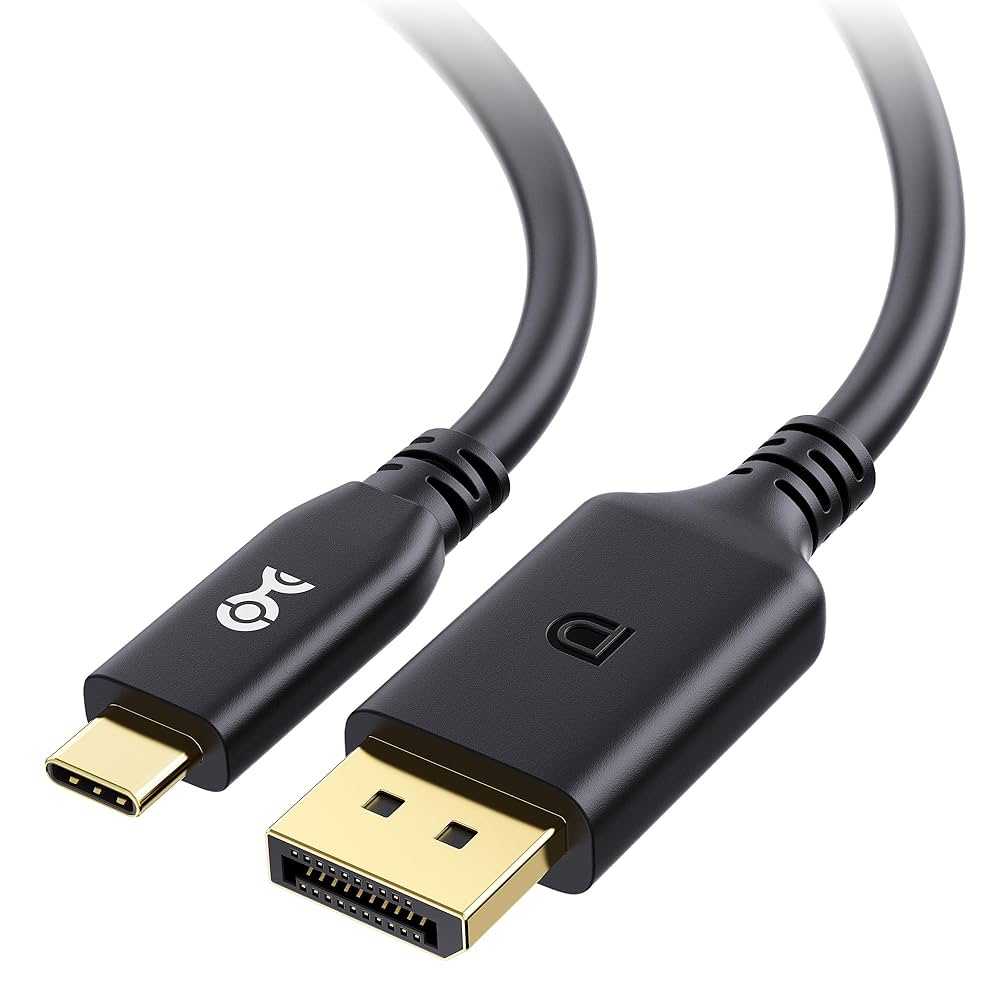
Yes, most USB-C monitors do support 4K resolution, making them a fantastic choice for crisp, detailed visuals. With advancements in display technology, many USB-C monitors now offer stunning 4K clarity, perfect for gaming, professional work, or streaming. Whether you’re upgrading your setup or need high-quality visuals on the go, USB-C connections can handle 4K content seamlessly.
In short, USB-C monitors commonly support 4K resolution, but it’s important to check the specific model’s specifications to confirm. Many modern displays are equipped to deliver ultra-high-definition images through a single cable, simplifying connectivity and enhancing your viewing experience.
Imagine working on a sleek, space-saving monitor with vibrant, razor-sharp images that make every detail pop. The convenience of a single USB-C cable that transmits both power and data, including 4K video, has revolutionized how we connect our devices. This makes USB-C monitors incredibly versatile, whether you’re a creative professional needing precise visuals or a gamer craving immersive clarity. As technology progresses, more monitor models are embracing 4K support, turning your workspace or entertainment setup into an impressive visual hub. Now, understanding which USB-C monitors deliver true 4K performance will help you make smarter choices and upgrade your display experience effortlessly.

Do USB C Monitors Support 4K Resolution?
Understanding USB C and Its Features
USB C is a versatile port used in many modern devices like laptops, tablets, and smartphones. It is capable of transferring data, charging devices, and connecting displays all through a single port. This simplicity makes it popular among users seeking streamlined setups.
USB C supports various standards, including USB 3.1, USB 3.2, and Thunderbolt 3 or 4. These standards influence the capabilities of the connection, especially when it comes to video output. Not every USB C port is the same, so knowing what your device supports is key.
What Does 4K Resolution Mean?
4K resolution, also called Ultra HD, features a display of 3840 pixels in width and 2160 pixels in height. This results in four times the pixel count of full HD, providing sharper images and more detail. Many users prefer 4K for its clarity, especially for work involving editing or media consumption.
A monitor with 4K resolution delivers vibrant images and a larger workspace. It allows users to see more content without scrolling or zooming in, which boosts productivity and enhances multimedia experiences. However, supporting 4K output depends on the monitor and the device’s capabilities.
Can USB C Support 4K Resolution?
The short answer is: **Yes, many USB C monitors support 4K resolution**. But this depends on the specific standards and features of the port and monitor.
Not all USB C ports can carry 4K signals. For 4K support, the port must feature at least DisplayPort 1.2 or higher, or Thunderbolt 3 or 4. These standards allow high-bandwidth video signals necessary for 4K resolution.
Key Factors That Affect 4K Support on USB C Monitors
DisplayPort and Thunderbolt Standards
DisplayPort 1.2 supports 4K at 60Hz, which is the standard refresh rate for smooth video. DisplayPort 1.4 and Thunderbolt 3 or 4 can support higher resolutions and refresh rates, including 4K at 120Hz or more.
Bandwidth and Data Transfer Speed
High-resolution displays need plenty of bandwidth. USB C ports that support higher data transfer rates can handle 4K signals easily. If your port supports USB 3.1 or 3.2 along with DisplayPort Alt Mode, then 4K output is possible.
Power Delivery Capabilities
Many USB C monitors also support Power Delivery (PD), allowing them to charge your device while connected. This feature can influence compatibility, especially if the monitor supplies enough power for your laptop or tablet.
How to Check if Your USB C Port Supports 4K
- Review your device’s specifications — look for DisplayPort Alt Mode or Thunderbolt support.
- Check the USB C port icon or label on your device; a lightning bolt or DP icon usually indicates video output capability.
- Consult the user manual or manufacturer’s website to verify supported resolutions.
- Test your current USB C monitor or cable with a known 4K-capable device.
It is worth noting that even if your port supports high data speeds, the cable used must also support 4K transmission.
Choosing the Right USB C Monitor for 4K Support
Display Resolution and Refresh Rate
Always verify that the monitor explicitly states 4K resolution (3840×2160 pixels). Also, check if it supports a refresh rate of at least 60Hz for smooth video playback and gaming.
Connectivity Specifications
Look for monitors that list support for USB C with DisplayPort 1.4 or Thunderbolt 3/4. These standards guarantee compatibility with 4K resolutions at higher refresh rates.
Color Accuracy and Screen Size
If you work with media, select a monitor offering high color accuracy (covering sRGB, Adobe RGB). Screen size varies, but generally 27-inch or larger displays provide better 4K viewing experiences.
Benefits of Using a 4K USB C Monitor
- Less clutter by reducing the number of cables needed.
- Faster setup, especially for portable devices like laptops and tablets.
- Enhanced clarity and detail for creative work and entertainment.
- Multitasking becomes easier with more screen real estate.
Potential Limitations and Challenges
Compatibility Issues
Some devices may not support 4K output over USB C despite having a compatible port. Confirming device specifications is crucial.
Performance Constraints
Running 4K resolution requires significant processing power. Older or lower-end devices might struggle to deliver smooth performance at high resolutions.
Cable Quality and Length
Using subpar or overly long cables can reduce signal strength and limit 4K support. Always opt for certified high-speed cables designed for 4K transmission.
Additional Related Topics
USB C vs HDMI for 4K Display
While HDMI also supports 4K, USB C offers the advantage of combining video, data, and power in one port. The right choice depends on your device and setup preferences.
Thunderbolt 3 and 4 in 4K Support
Thunderbolt ports are known for their high bandwidth, making them perfect for 4K at higher refresh rates and multiple monitor setups. Devices with Thunderbolt support often have better 4K performance options.
Multi-Monitor Setups Using USB C
Many USB C monitors can be daisy-chained or connected via hubs. This allows multiple 4K displays to be used simultaneously, boosting productivity.
Future of USB C and 4K Resolution
As standards evolve, support for higher refresh rates and resolutions like 8K becomes more common. USB C’s flexibility makes it a key component in the future of high-resolution displays.
In conclusion, **USB C monitors do support 4K resolution** quite often, provided the port and cable meet specific standards like DisplayPort 1.4 or Thunderbolt 3/4. Always verify device specifications and use quality cables to ensure the best experience. Whether for work, gaming, or entertainment, a 4K USB C monitor offers sharp visuals and streamlined connectivity.
How to Get 4K at 60Hz via USB-C, HDMI, DisplayPort, or Thunderbolt (No Lag!)
Frequently Asked Questions
Can USB-C monitors display 4K resolution at all times?
Yes, many USB-C monitors are designed to support 4K resolution, but it depends on their specifications and hardware capabilities. Confirm that the monitor explicitly lists 4K support and check the USB-C port’s bandwidth to ensure consistent high-resolution display.
Are there any limitations to using USB-C for 4K displays?
While USB-C can support 4K resolution, limitations may arise from factors such as cable quality, the graphics card’s output capabilities, or the monitor’s hardware. Using certified cables and compatible hardware helps maintain optimal 4K performance without issues like flickering or reduced refresh rates.
Does the support for 4K resolution depend on the device connected via USB-C?
Yes, the device’s graphics card and USB-C port version influence 4K support. Ensure that both the computer and the USB-C cable used can handle the required bandwidth and power delivery to display 4K images effectively.
Can I achieve high refresh rates on a 4K USB-C monitor?
Some USB-C monitors support high refresh rates at 4K resolution, but not all. Check the monitor’s specifications to verify if it offers the desired refresh rate, such as 60Hz or higher, to ensure smooth visuals, especially for gaming or professional workloads.
Is there a difference between USB-C and Thunderbolt 3 or 4 in supporting 4K monitors?
Yes, Thunderbolt 3 and 4 generally provide higher bandwidth compared to standard USB-C ports, which can facilitate better 4K support, including higher refresh rates and multi-display setups. When choosing a monitor, consider whether it explicitly supports Thunderbolt standards for optimal performance.
Final Thoughts
USB C monitors support 4k resolution, making them ideal for high-quality visuals and detailed work. Most modern models deliver crisp images and smooth performance, fitting seamlessly into various setups.
However, not all USB C monitors have this capability, so check specifications carefully before purchasing.
In summary, do usb c monitors support 4k resolution, and many do, providing excellent clarity and performance for users seeking sharp displays.



